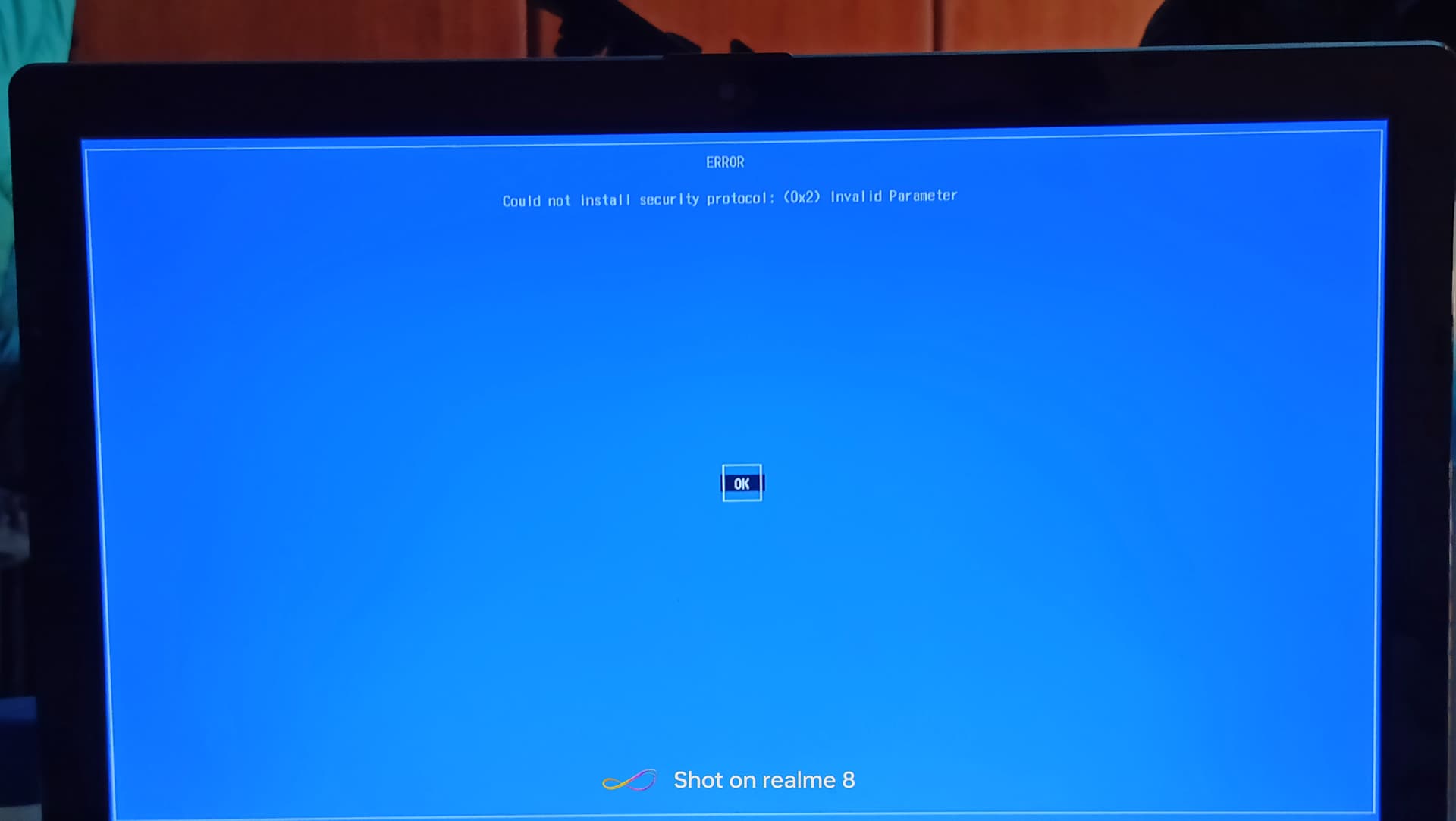
I was do fresh install on 26 jun when we all have issues with secure boot. Today after two months i was experienced similar issue, when i was restart laptop he is throw me black screen with grub command line, and now is in this status.I was try boot repair from usb key but don't have effect. I don't know maybe is that from last update.
Here are pics:
Have you double checked Secure Boot is disabled? While you may have disabled it, both Windows OS updates or Manufacturer updates can and will re-enable it.
I would perform Grub-Repair rather than fully reinstalling:
But if this is a repeating problem... I would suspect a bad block in the EFI Partition.
Moving your EFI partition to another location on the drive may be your best bet.
Assuming that replacing the drive is off the table... The drive itself may not really be bad - but still have some bad sectors or blocks.
I have only Zorin installed. I was to do double check yes. I don't receive Manufacturer upadtes yet. It seems something like that. I don't know very good how to move EFI partition to another location.
Based on what I just read, it sounds like its time for a new drive, cause your hard drive is clearly failing. On the plus side of things, this gives you the opportunity to install an upgraded SSD drive.
The speed of Zorin OS, is considerably greater, on an SSD drive, it will be like getting a new computer for less. The speed increase is literally a day and night difference.
Your current HDD hard drive has bad sectors on it, once that starts, it only gets worse, until you've lost all your data. I suggest replacing your drive with an SSD, and installing Zorin OS on it.
I wish your HDD had lasted several months more, cause Zorin OS 18, is just around the corner. But we don't always get what we want.
Hello,
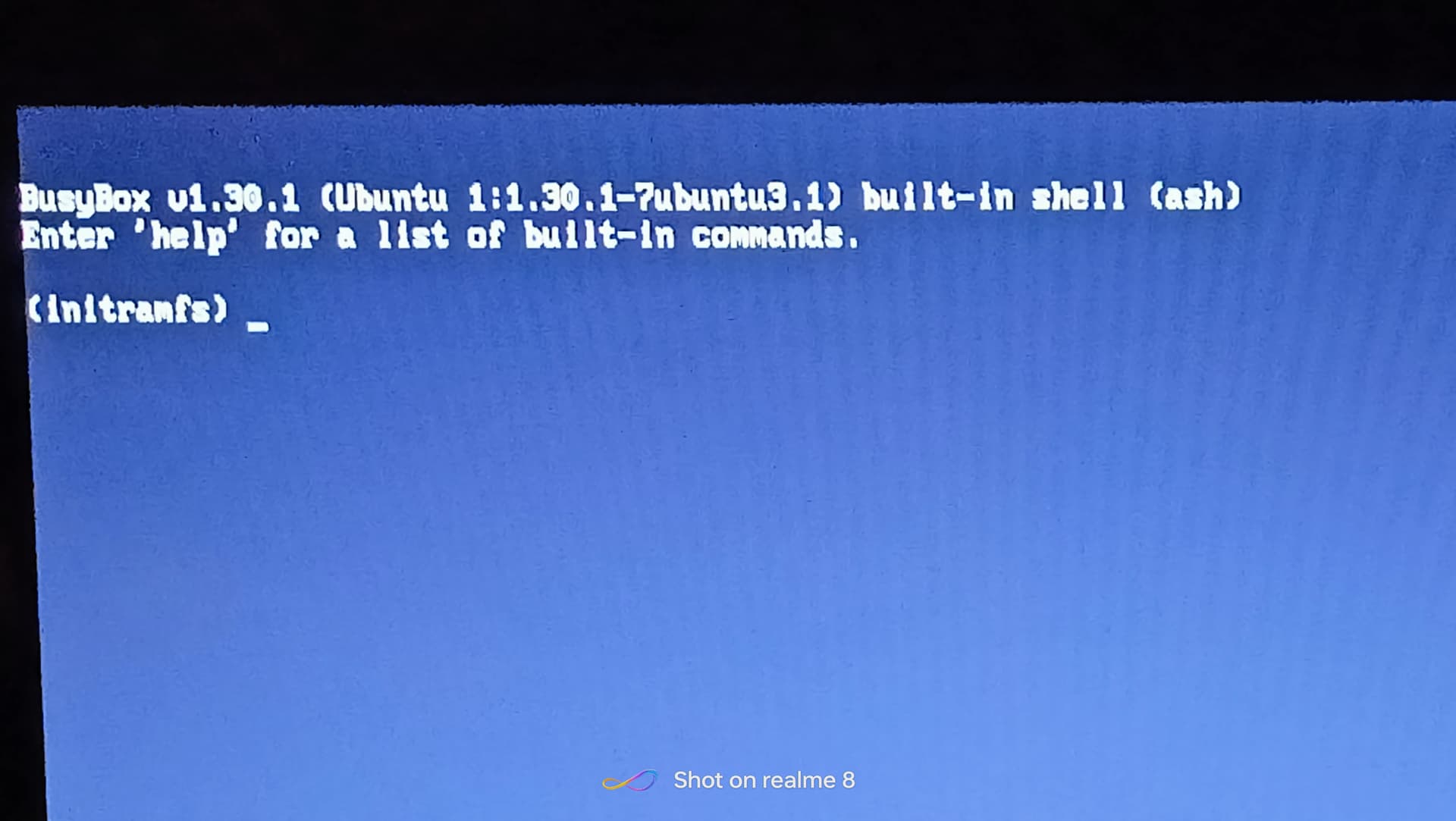
When I was today turn on my laptop I was experienced again some issues with booting Zorin. I wonder if it's possible to last update affect on this.
What I can to do?
Any help will be appreciated and thank you very much
Here is pic:
I was do that with BusyBox. First I was try to repair boot but wasn't been nothing better. Then I was go to search what to do with that BusyBox and I was find procedure. For me is fsck /dev/sda2 -y and then was system to do all what is needed for normal start, at the end you type reboot or exit. When is system rebooted just select Zorin and that's it.
I have question, do you maybe know how to make boot to boot direct in Zorin without Grub menu?
Yes. Open in Zorin the Terminal andy type sudo nano /etc/default/grub and then you get an Edit Mode to work on the GRUB Configuration. You should see there a whtie Textblock:
Here change 2 Lines like You see on my Picture. Change GRUB_TIMEOUT_STYLE to hidden and GRUB_TIMEOUT to 0 (it is a zero and not the Letter O). If done, press ctrl+o to save the Change, Enter to confirm and ctrl+x to exit.
Then You are back in the normal Terminal Overview. There type sudo update-grub to make affect the Changes. Don't forget that! Without it, it will not work.




 Thank You very much