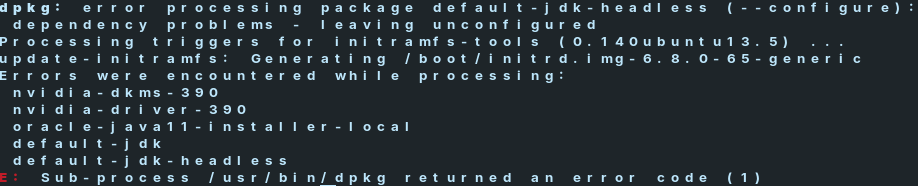
What was the exact command that you used?
Installing default-jdk-headless on a fresh installation works fine, but if you have installed something else, of have set up additional repositories, it may lead to errors.
You can also try checking the logs at /var/log/dpkg.log to see if there is a message that can detail what went wrong.
I'm not sure what You want with that but I see nvidia-dkms-390 and nvidia-driver-390 and for these Nvidia Driver Packages, You need an older Kernel because the current used 6.8 Kernel doesn't support these.
It is same with every version just used 390 for example
Did you install something else before this, or at the same time? And where did you install it from, or with which commands? The error states a dependency problem... but I don't see a connection between JDK and Nvidia drivers.
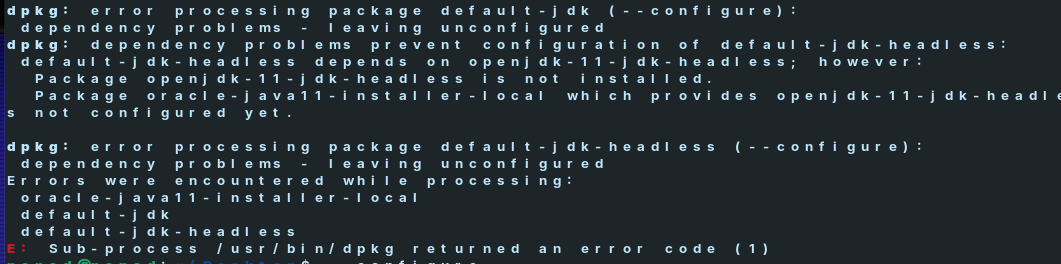
That's the same screenshot as before... It's still unclear what it is that you've actually tried to run and what other software you've installed previously.
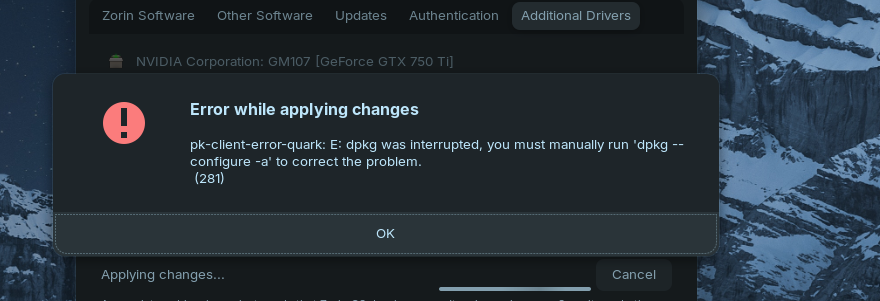
Did You run the shown Command in the Terminal?
This topic was automatically closed 90 days after the last reply. New replies are no longer allowed.