Thanks for the fix. My laptop booted successfully into kernel 7.0.0-28-generic.
To answer your question @scottyPee if its like the one i have on ubuntu 26.04 it installs the zink Vulcan driver which is the Nouveau driver but you can select one from the additional drivers section.....Ive had no problem with that driver on the 3050 i was using and it even worked with wayland as well. now thats using the zink vulcan driver i belive if you install the drivers from nvidia aka the proprietary drivers you will have to use X11
I prefer to stick with Nvidia proprietary drivers...
I was just wondering if the sudo apt update and sudo apt dist-upgrade would move me to the appropriate branch for my GPU (Nvidia RTX 4080 Super) i.e. 595 Branch.
I'm currently on Branch 580 running Nvidia driver version 580.159.03 under kernel 6.17.0-40-generic.
Also, there is a note on Nvidia's driver page that driver version 580.159.04 (that would still be on the 580 branch) " * Fixed kernel module build issue with Linux kernel v7.1"
So I am trying to gather as much info as possible before performing the update.
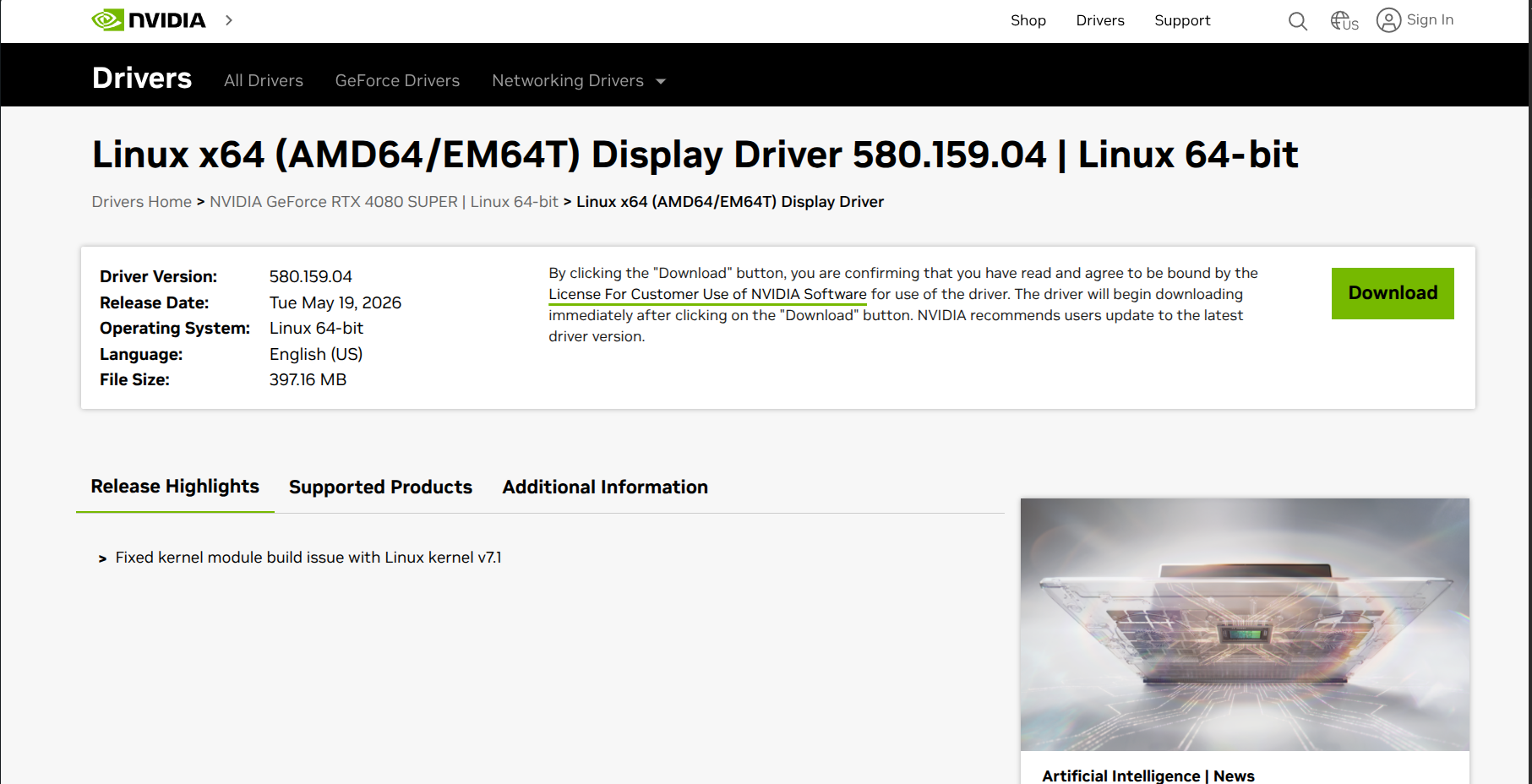
Most likely you will need to open the software updater then additional drivers section and pick the one you wish to use. and just for reference the kernel update for Zorin is 7.0 not 7.1 .......7.0.0.28 to be exact..... 
Software updater or update the way the Zorin Devs recommended?
There has been an update to the kernel 7.0 thing follow the link at top of the pinned page to see what changed ....and its from the Zorin Brothers them selfs
Good NEWS... The Zorin Devs/Bros have FIXED it!!!
I was able to UPDATE to Kernel 7.0
scott@scott-Falcon-Talon:~$ uname -r
7.0.0-28-generic
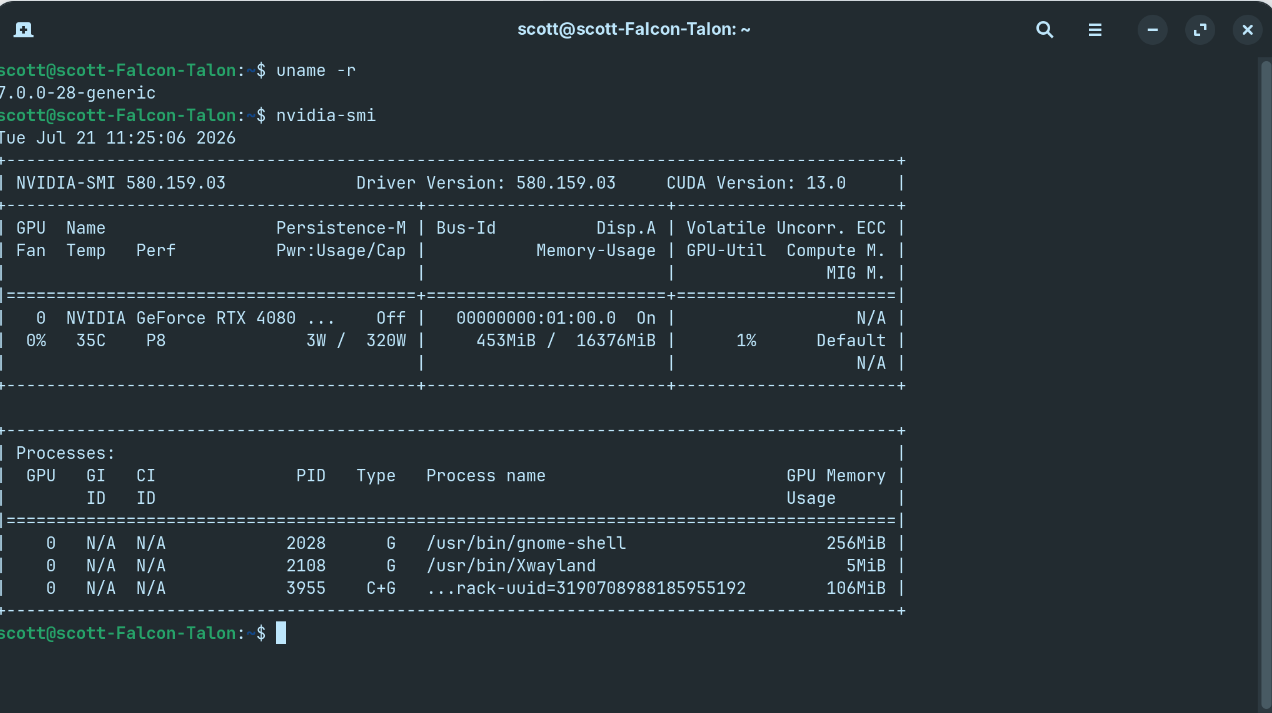
Note:
I used the Zorin Dev recommended command(s) to update below:
sudo apt updatesudo apt dist-upgrade
4 Likes
Two members have shown a conflict after the patch:
The kernel installs successfully, but users are reporting that VB cannot launch.
My greetings -I´m not a forumbot ;D-, @AZorin from a corner of Europe!!! Firstly, I want to give thanks for your quickly response...in a few hours, you have a reasonable solution. I´m a newbie on Linux, but since I start my road with it, I tried with some distros -an astonish experience- and Zorin matches with my old Aspire 5742g. I said this because its hardware contains a Broadcom wireless network card. These two drivers sta-dkms 1.1, 1.2 are a truly mess on Linux C code. Well, I don´t want to be a chatterbox, only an unknown human who wants to give a truly thanks for rescue me -and securely many others- from a Kernel Panic Screen. Stand Up!!!!
2 Likes
Hi, is there a fix for the recent Kernal Panic issue? I've gone and tried what was in the thread and still have the same issue.
Hello,
Sorry but the suggested fix did not work for me. Dell Latitude I5. Perhaps my PC is a bit too old.
Any suggestions ?
What hardware do you have? Can you please post your hardware specs (brand, model, cpu, graphics)?
If it is old hardware, stick with an older kernel.
However, the 6.17 kernel will no longer receive updates from August. If you'd like to use an older kernel that is still supported and your hardware is a few years old, you could, for example, install the GA kernel 6.8 and set it as saved default kernel.
sudo apt install linux-generic linux-headers-generic
After each update of the kernel 6.8, go to the advanced options and select the latest version of 6.8 or remove the hwe stack entirely.
Hi Forpli,
Well, after my 3rd attempt it worked !
It boots now with the 7.0 kernel
Many thanks for your assistance
Regards
1 Like
Hi, after trying the 2 steps i have lost my wifi which I believe it to be the broadcom.
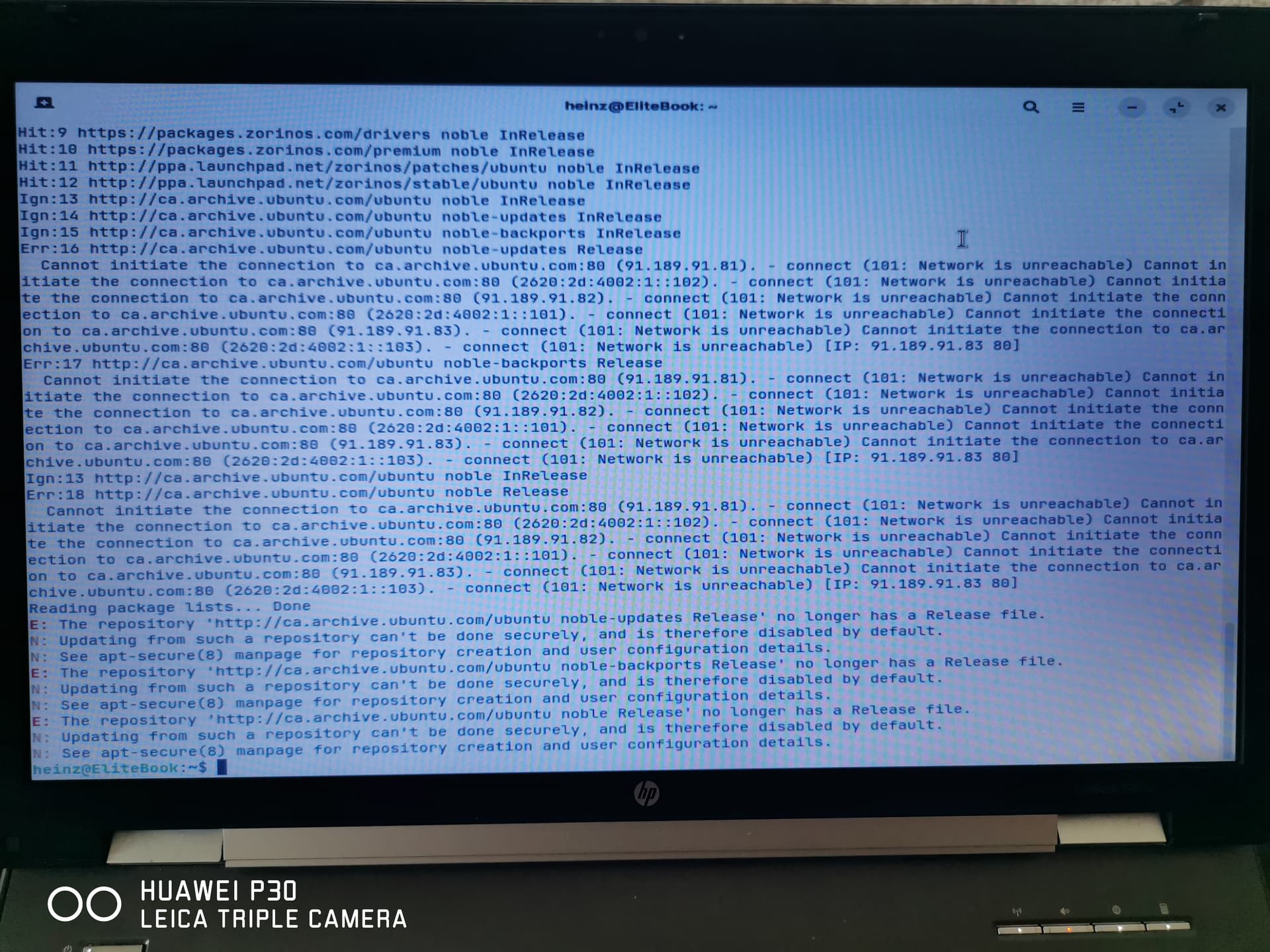
This is what happened when I ran "sudo apt update"
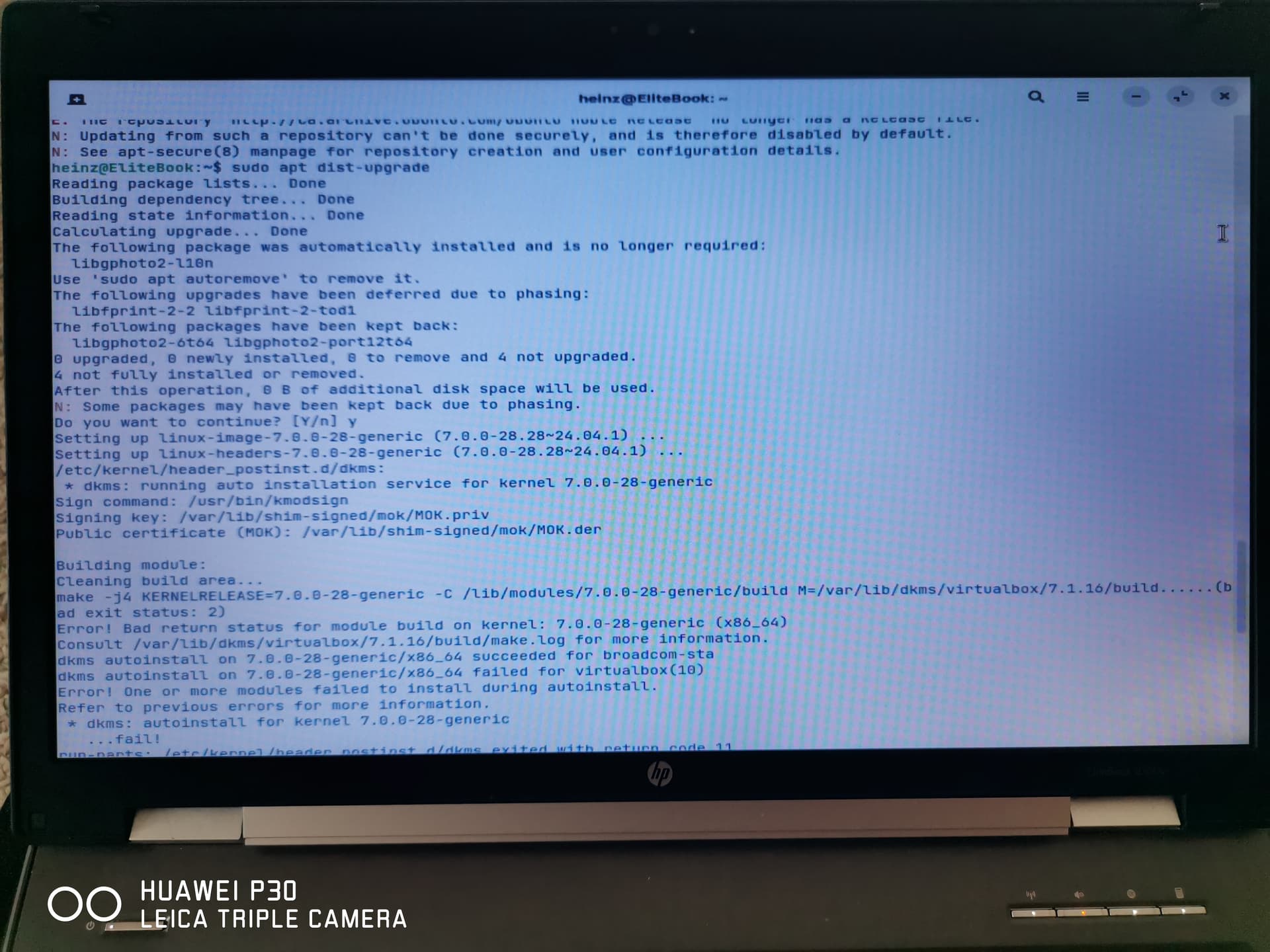
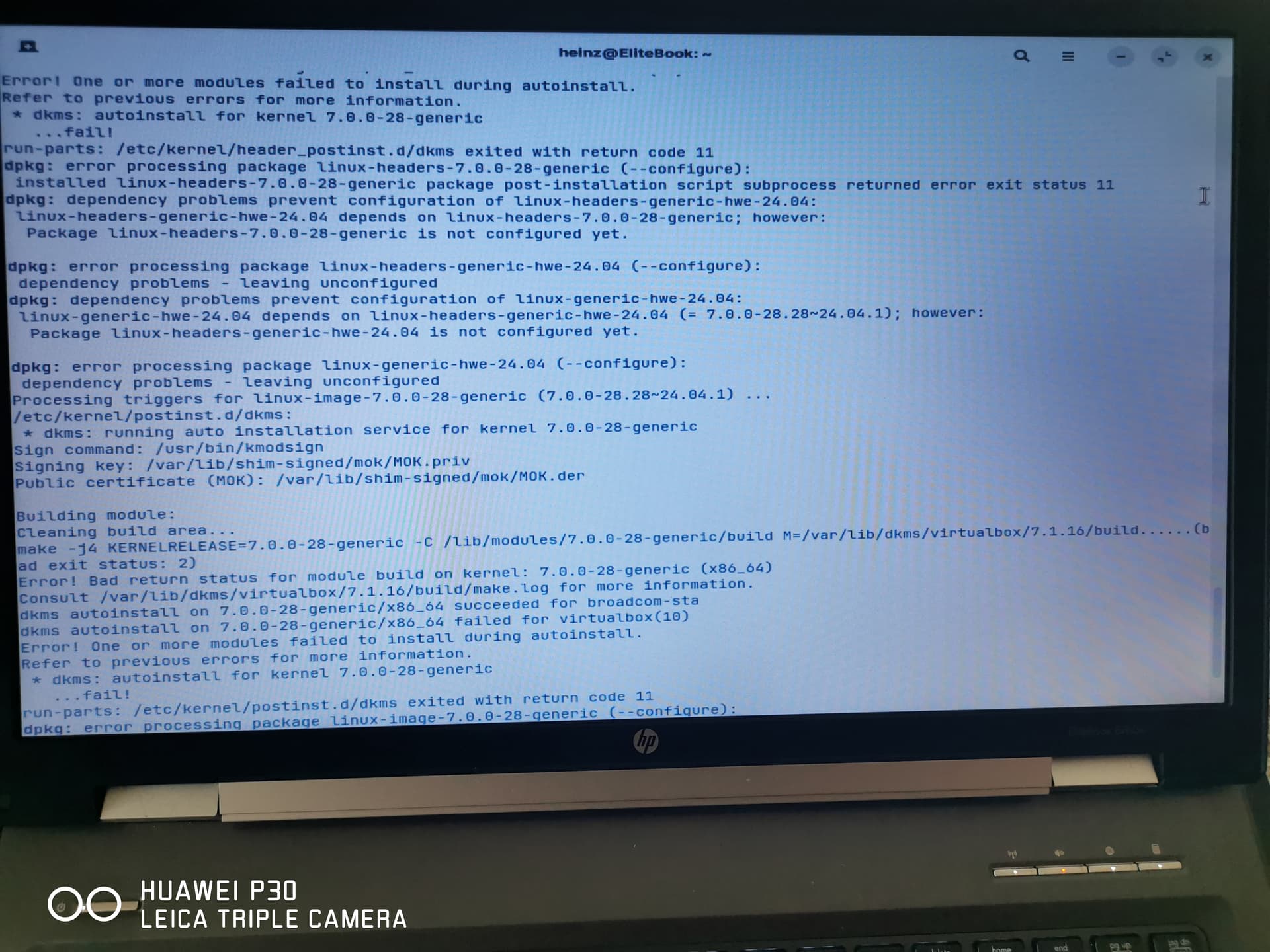
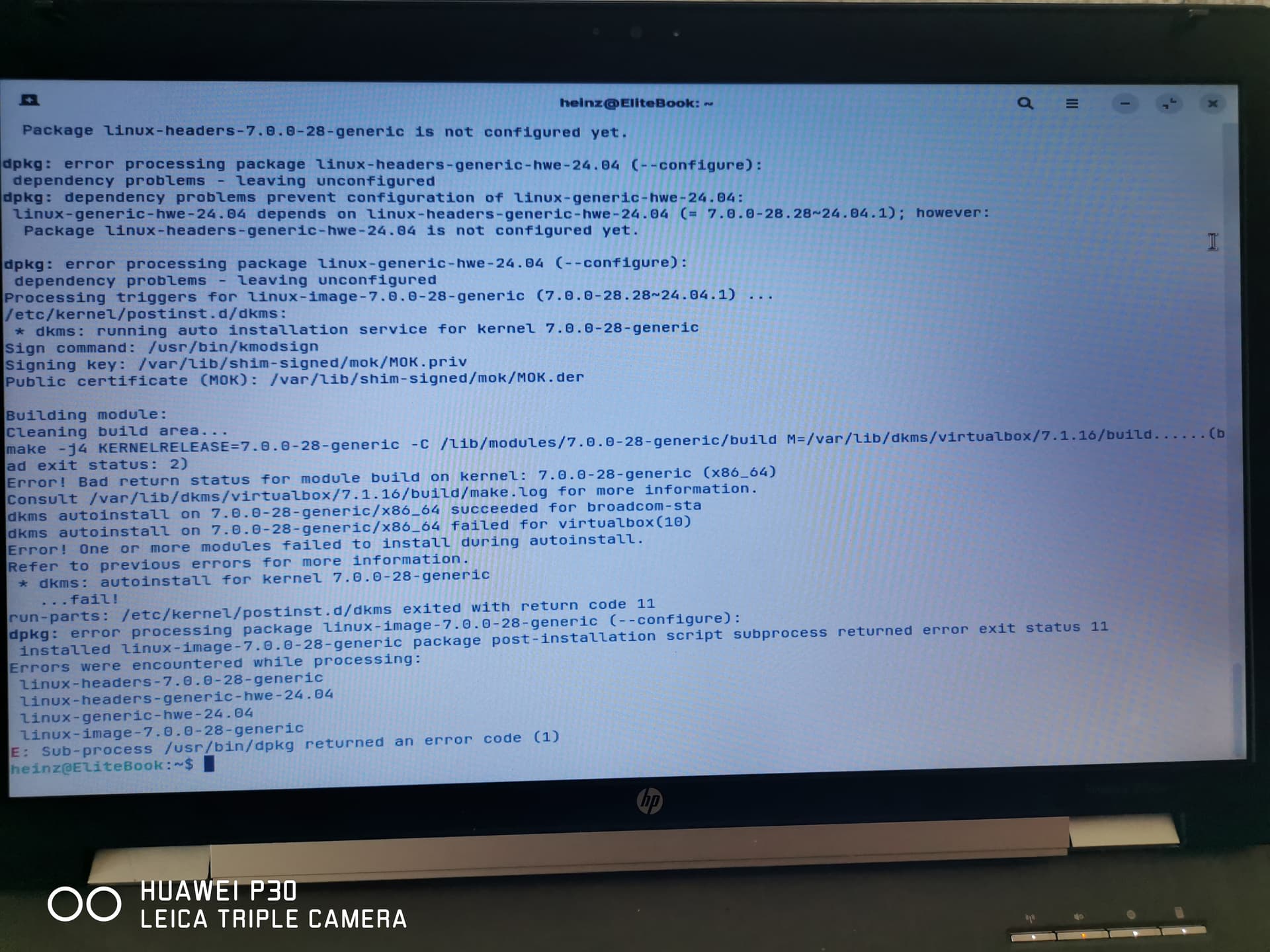
And this is what came up when I ran " sudo apt dist-upgrope you can help me get my laptop back up and running.
Thanks,
1 Like
Hello, I had to try 3 times before it worked.
Perhaps you should try several times.
Regards
1 Like
When You go to ''Software & Updates'' is there on the first Tab the Source set to Main Server? If not change it please and then try it in Terminal again with a sudo apt update && sudo apt dist-upgrade
If your computer isn't currently able to connect to Wi-Fi (as you mentioned), it might not have downloaded the latest available updates after we released the fixed packages recently.
I would recommend you to try plugging an Ethernet cable into your computer temporarily to connect it to the Internet before trying to install the updates again.
If your computer doesn't have an Ethernet port, you could alternatively plug your phone into your computer to temporarily use it as a Wi-Fi adapter and connect to the Internet. To do so, please follow the instructions in this guide:
After connecting to the Internet, please open the Terminal (Ctrl+Alt+T) and enter these two commands again before rebooting:
sudo apt updatesudo apt dist-upgrade
3 Likes
Would there be problems using the single command of:
sudo apt-get update && sudo apt-get dist-upgrade
?
so I changed the server to main and ran it all again,
This is what came up with "sudo apt dist-upgrade" and still have the panic window.
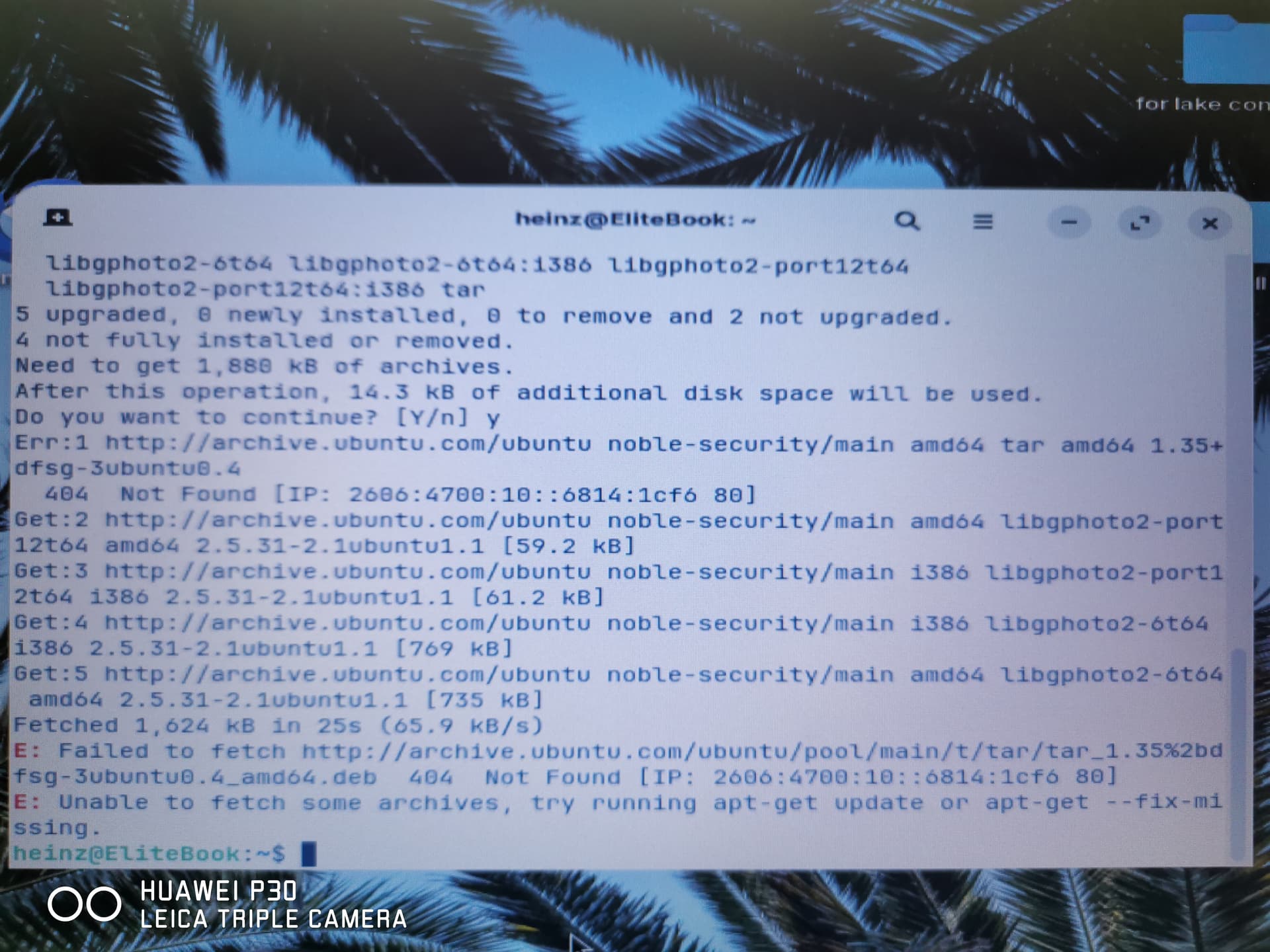
Could you please confirm whether you've tried connecting to the Internet with an Ethernet cable or USB Wi-Fi tethering using your phone?