Helio Guys!
And So While I Am Making An New Video It's Is I Am Trying To Zorin OS 18 Core And Currently Testing But On First Days Of Use Just STARTED Getting Problems After Installing Zorin OS 18 Core few Days Ago And So on Some Days It's Will give An Kernel Panic Error which I Can't to do Simple Task Without Frezzing While I Am Using Brave
And So That's The Problem And So What Is The Solutions On It
When does the kernel panic happen? Which apps are opened then?
You could try to switch to Xorg. Logout and at login click on your username, then a cog wheal appears at the bottom right corner. Select "Zorin Desktop on Xorg" and login with your password.
Also disable hardware acceleration in brave browser.
Are secure boot and fast boot in your BIOS disabled and also fast startup in the energy settings of Windows if you have a Dualboot with Windows?
What are your computer specs?
Maybe you can find some ideas here, I'm not experienced with kernel panics:
Is your computer overheated? Is the filesystem corrupt? Do you have set the right mount points for boot and root? Are the file permissions and ownership set correctly? Do you have enough RAM? Is enough free storage space on your drive?
The Panic Kernel Only Happens When It's After some Minutes Later And Then Kernel Panic Happens And also Its Also Happens when i do Simple Tasks but not super simple Tasks (Such Of Web Brower When doing simplesmente Tasks/Terminal in usage Simple/Moderate And also Programs Moderate not simple ones It's Happens) but If I do where i do this then it's Panic Kernel Happens And so I Have to be Honest That It's Not Only Brave And so Any App Or My Usage That I Use Zorin OS 18 Core And so It's Only Happens on These 2 Problems
My Laptop's Specs Are:
Name Of Model: PNB15.6AP58H1W10
Brand: Phlico
Manufacturer: Britânica/Britanic (In English)
1TB Of Storage Only HD but You Can Add SSD Of 1TB
8GB Of RAM DDR3L
Intel Graphics HD 6100 + Intel Core i5 Inside 5257U 5th Gen (3,1GHz Turbo Clock Speed + 2,7GHz normal Clock)
Windows 10 Pro Originally (But In Zorin OS 18 Core For Now)
1x HDMI, 1x RJ45, 2x USB 3.0, 1x Micro SD Card, 1x USB Type C, 1x P3
Keyboard Numeric + no Screen tactile + Conectation Bluetooth
and Now I Will respond Your Questions You Have Provided To Me And Then i Will Be Honest Here:
Does Your Laptop's are OverHeating? - No My Laptop do Not Heat Too Much Of Bescuase That Has Good Fan
Is the filesystem corrupt? - No, It's Not Related to The Files but Its Not corrupted At least
Do you have set the right mount points for boot and root? - Yes, i Tested But Still Not Works Sadly But The CSM is enabled But its makes Big And Not Works for resolve The problem And Frezzes
Are the file permissions and ownership set correctly? - Yes, It's Set Correctly Unless That It's Not In This Case
My Laptop Has 1TB Of HD and 8GB RAM And Then in this Question Yes...
Does Secure Boot + Fast Boot disabled? Yes Its Disabled but The Problem Still Doesn't Works but Its Only Works where Secure Boot + Fast Boot enabled But In This Case No Problems Here
Does It's disabled hardware acceleration in brave browser? Yes It's Disabled But Not In This Case Of bescuase I Disabled
and so i Would Try To Switch to Xorg Anyways
but Thank You For Your Tips And so If This resolves The problem And Then I Would consider this resolved
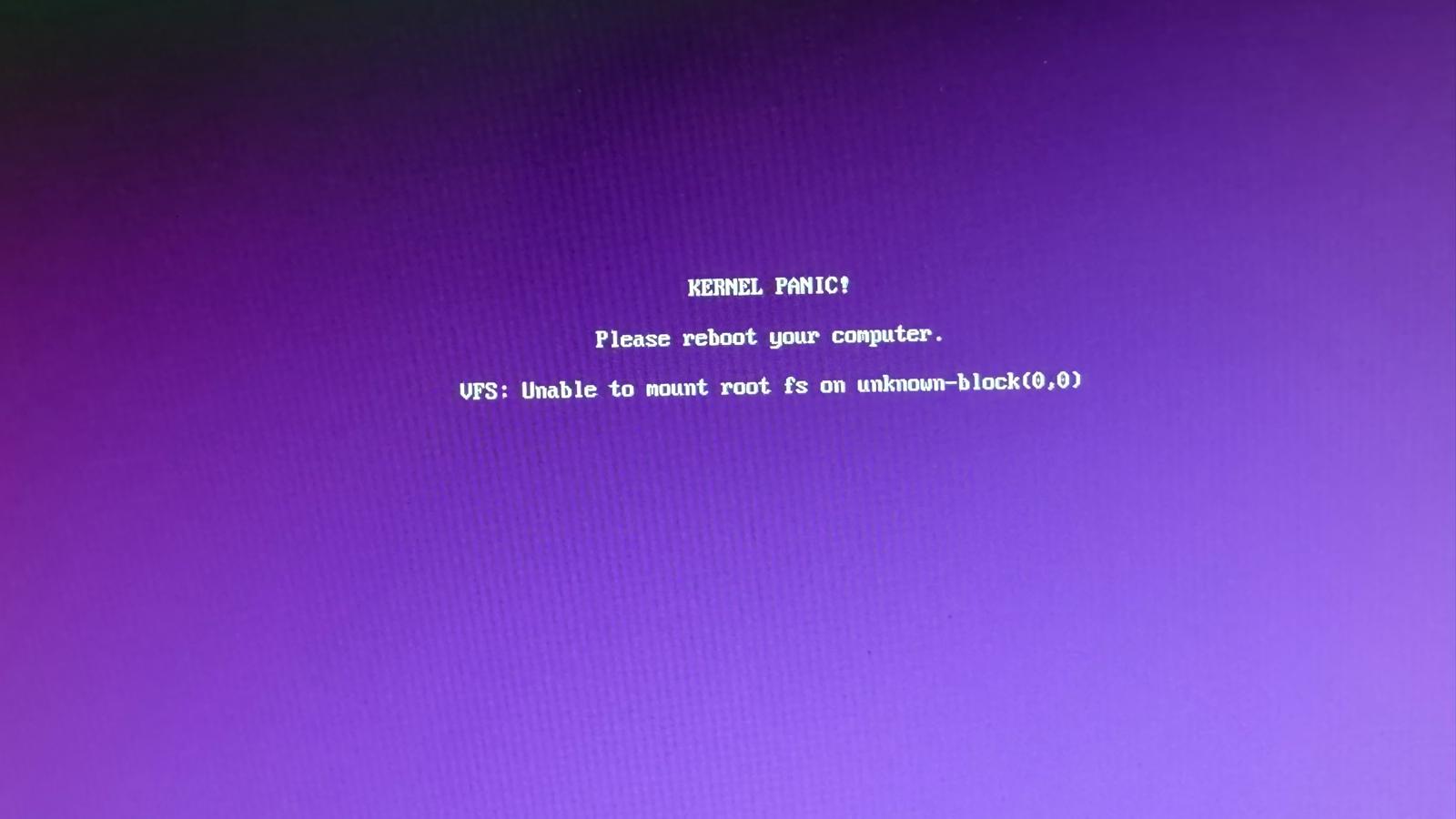
@DheamDoGrau Please take a photo of your screen when kernel panic message is displayed and post it here on the forum.
To post a screenshot or photo, click the Upload tool (6th from left) from the Reply box toolbar.
From reading this thread, I feel we are no closer to learning what program was in use when kernel panic occurred.
PS. Please avoid using upper case letter at start of each word in your posts, it really makes reading your posts quite difficult. i.e. Do Not Write Like This, but please write like this. Thankyou.
Well i have to say honest that kernel panic still not happend on almost 1 week Ago but i will send picture If that happen An kernel panic and then i Will upload here to show proofs
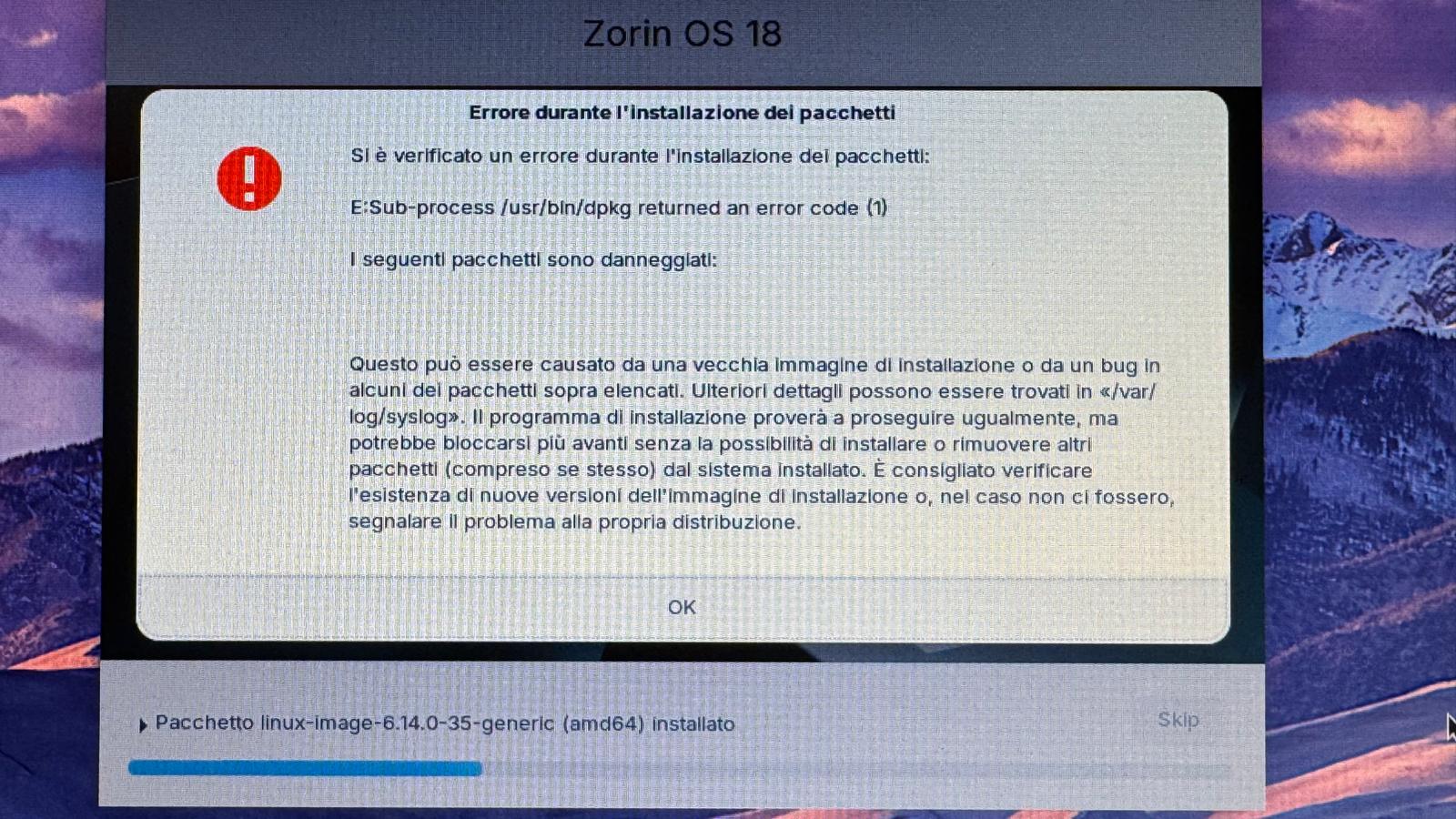
Hi everyone. It happened to me too this morning after the latest kernel update along with the update and configuration of the kdms 390 (nVidia driver). The update was not successful. It showed me this error message and then after rebooting I only see this screen below.
Only during startup, by pressing ESC I can go to the GRUB> command line, but typing commands is useless. It rejects everything I type.
My system:
Zorin Pro on ASUS N56VZ i7 3630 - 16 GB RAM - WD 1 TB SSD - GeForce GT 650M graphics card (unable to install a driver. Tried with 390-470-418-...nothing).
I also tried installing it from the command, not from the terminal, line but there's nothing to do. I'll keep it like this. The problem I'm having now, however, seems more serious because it occurred during an automatic system update. I just launched it. In the details, which I always read, I saw that there was a kernel update of over 500 MB, plus various updates including 390. Halfway through the installation it crashed with the screen I posted and when I rebooted I found a surprise.
It is understood that I have not tried to install the 390 driver. I have always tried to install the 470 but without success. I performed the entire procedure by uninstalling, first of all, all the nVidia drivers, with the --purge. I disabled the nouveau by configuring the modeset=0 and it worked. However, if I go to settings-information-additional drivers I see that in addition to XORG there is the 390.
Nvidia driver 390 and 470 don't work with kernel 6.14 on Zorin 18 (for 470 this was reported by another user). If you want to use 470, try to install kernel 6.8 with mainline installer tool.
As Zorin 17 is still supported for two years until 2027, I'd recommend to use Zorin 17 for the next years. You have better support for your nvidia card there.
Hi Forpli, thanks. I'll give the Core version a try, which I'm already downloading (when I downloaded version 18, I didn't see the option to download older versions). If I still have trouble, I'll switch to Lite. And I sincerely hope to stop there, otherwise I'll switch to another distro.