Hi all, I am brand new to Linux and Zorin. Got rid of Windows 11 and installed Zorin OS 18.1 yesterday. Great OS enjoy it my laptop feels brand new again.
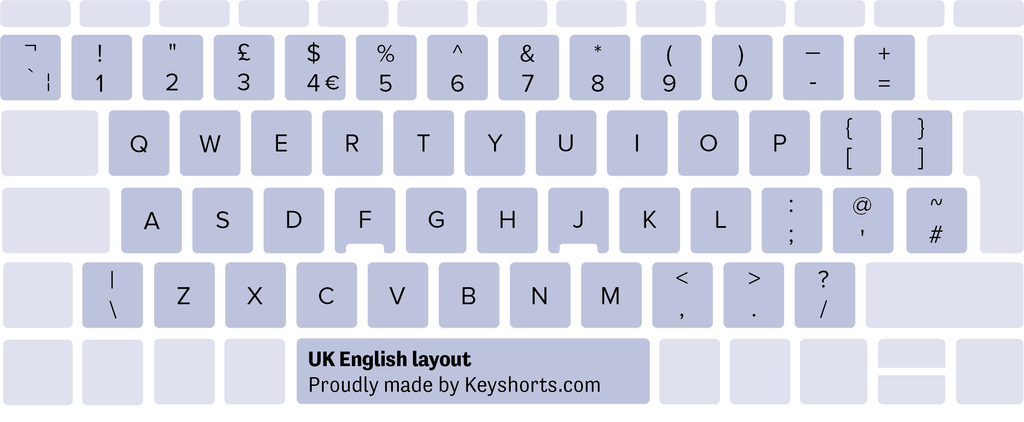
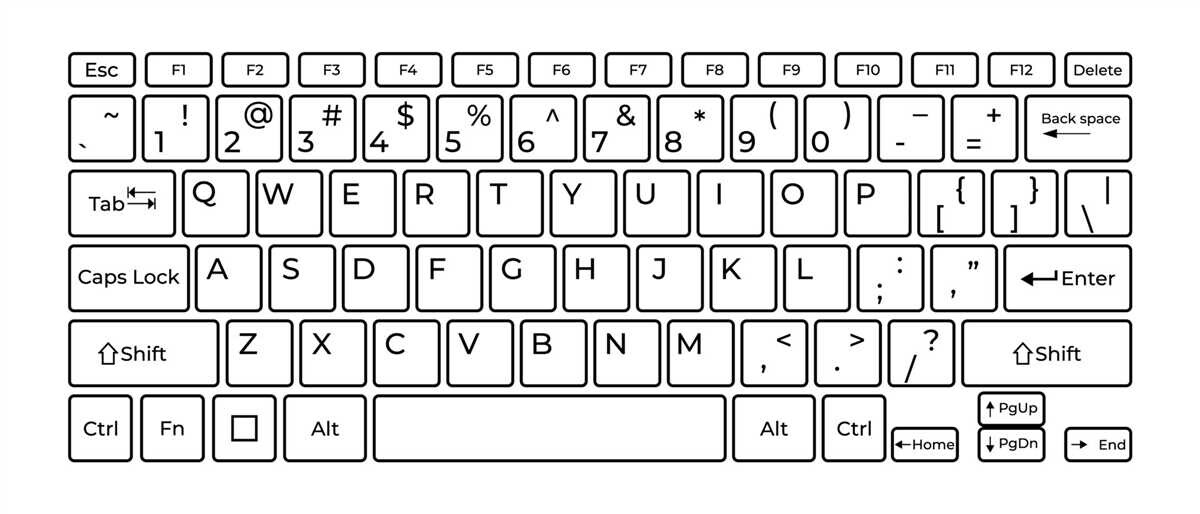
But I do have one problem: When I pres the shift and 2 key I get this " and not this @
The forward slash button give me this #
My laptop: HP Intel CORE i3
Please help as I dont want to use Windows ever again.
Thanks
Did you check if the right keyboard layout is selected? Which keyboard layout do you use?
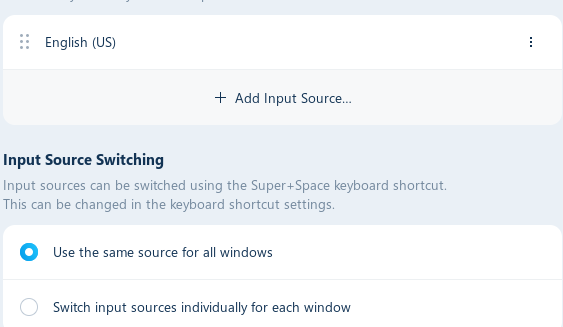
settings > keyboard > input sources
1 Like
Welcome to the Forum!
Beside @Forpli's Questions: What Keyboard Size do You have? 60%, 65%, TKL, Full?
Hello and welcome,
it sounds like your layout might be set to UK/British English instead of US English (or another layout depending on your region).
Here what you want US English Qwerty
So do what suggest
@Forpli anf change your input source
Thanks for all the help, the last layout is what I have. US English Qwerty. So how do I set it up or activate it. Please remember it is only my second day with Linux, and I am a BBC Child - Born Before Computers. But willing to learn.
Thanks for the help so far, but how do I do it.
Please help me. Thanks
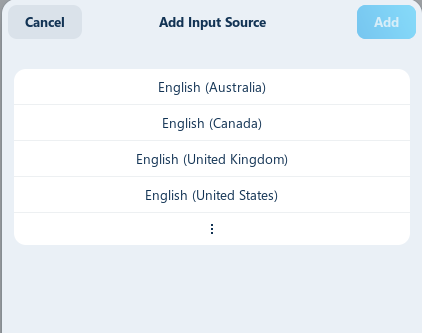
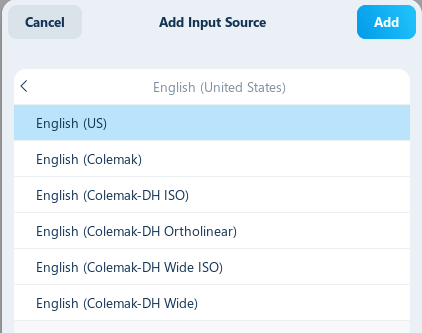
open settings then goto keyboard then add input sorce in list choose english US then add should be US now
1 Like
Could you please show him a screenshot because My computer is in French and I don't want confuse him
click english (United states)
1 Like
click english (us) then the add at upper right
1 Like
I thank you all, a big thanks. Problem solved. You are the best.
2 Likes
np can ya mark that as a solution...