I have Kodi on my main business tower. Until Zorin18, I used Pulseaudio as a source for equaliser frequency manipulation. It was recommended that when Z18 is running, pulseaudio should be removed and EasyEffects should be used. This I have done, and uninstalled Pulseaudio. However, Kodi is glitching and remains tethered to Pulseaudio in the audio settings and comes up with a red muted icon on the screen. I used to be able to fix this by pushing F8 continuously, but it no longer works. If anyone else uses Kodi and knows how to remedy, please let me know? Oh, all other audio platforms are running fine, except Kodi.
Did a quick Brave A.I. search and used Ubuntu 24.04 in search criteria as that is what Zorin 18 is based on and got back:
" Users on Arch Linux have reported that Kodi loses audio when EasyEffects is active unless the GNOME sound settings panel remains open , suggesting a dependency on the system sound configuration that may also affect Ubuntu 24.04.
Common causes for this issue include PipeWire version mismatches or background access permission errors that prevent EasyEffects from detecting Kodi as an active audio application. To resolve this, ensure PipeWire is correctly installed and running, as EasyEffects relies on it; on Linux Mint, adding the pipewire-debian PPA and updating via the Update Manager has been cited as a fix.
For Flatpak installations, verify that background access permissions are granted to EasyEffects, as missing permissions often result in an empty application list. If the issue persists, check if a recent Ubuntu 24.04 LTS update broke compatibility, as some users have reported that reinstalling pipewire , pipewire-pulse , and pipewire-utils resolves the problem after updates.
AI-generated answer. Please verify critical facts."
There was a post on the GitHub page about this very issue:
1 Like
Using PulseAudio again is no Option?
Mmmm....... I opened up Software and see there are a few updates awaiting, one of which is EasyEffects 8.1.7. Let's see what happens after the update?
Well, even after uninstalling Pulseaudio, I have no choice as it has locked onto Kodi. It played some tracks after the install Kodi update, but it has failed again and the Gui has frozen. I guess I should purge pulseaudio, uninstall Kodi, and re-install Kodi from scratch?
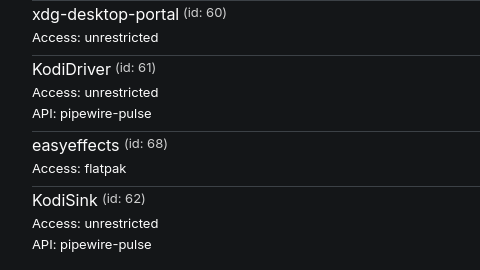
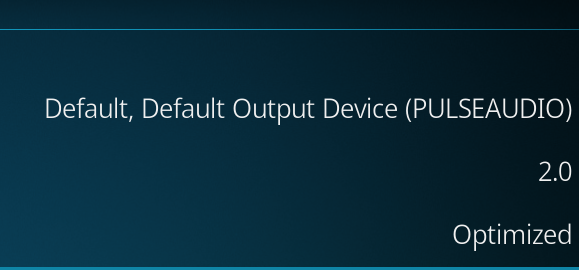
I think I see another issue. I spotted thar Easy Effects is Flatpak. Flatpak and Snaps run outside the system so can't communicate with the system. I suspect you may need to use flatseal but you would need advice from someone else on this as
A. I never use Flatpak applications
and
B. I don't use Kodi antmore (or Zorin).
Is Kodi installed as Flatpak or APT Package?
Kodi is Debian, comes from online software repository.
I have purged Kodi from Zorin. I have 2 choices from Software, listed ontop of each other. Top is by Zorin, beneath is by Flatpak. I am going to try the flatpak and be pro-active.
All good so far, audio working fine, pulseaudio problem gone, Easy Effects active too. I will retain this if I get strife with the other devices on the network with the prior pulseaudio issue still visible inside their Kodi settings.
I did point out in my first response that the Easy Effects package was in Flatpak as the issue. Is Easy Effects not available as an APT package? The problem with Flatpak is updates have to be updated separately as they are not part of the system. When you use APT you get updates to all the applications at the same time as system updates if there are any.
1 Like
The Flatpak Updates come through Gnome Software and can be set to automatic Updates if wished.
1 Like
Ok, stand corrected, but won't change my stanpoint on Flatpaks (worse than MFI!  )
)
I can relate to that. Missing screws etc. 
1 Like
Apologies, I am flu recovering and flakey.
Sorry to hear you have had a rough time. Hope it won't be long before you are firing on all cylinders.
This topic was automatically closed 90 days after the last reply. New replies are no longer allowed.