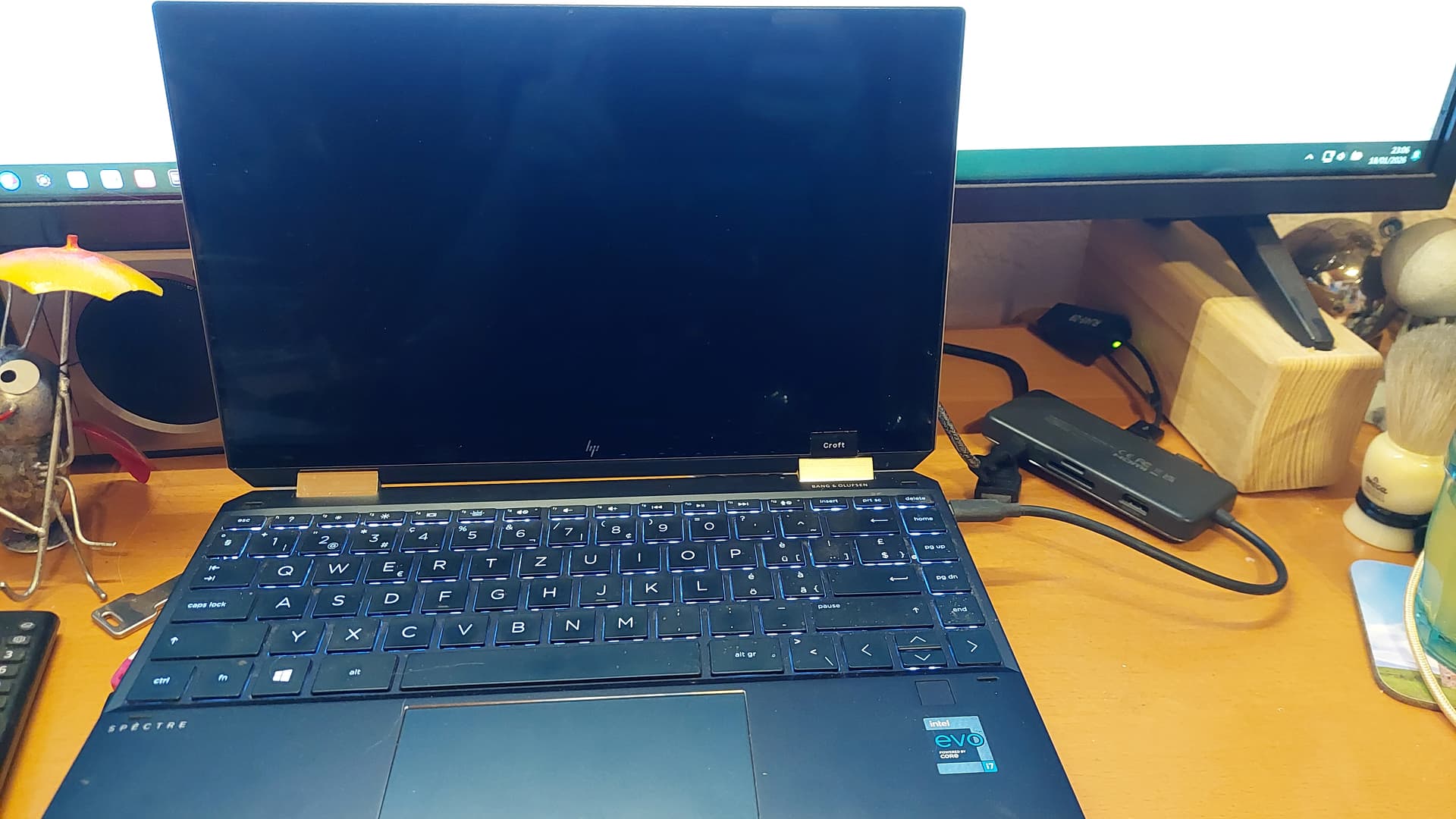
Laptop is an HP Spectre x360 convertible with an 11th Gen Intel Core I7, 16GB RAM and a 1TB SSD.
After lots of problems to get Zorin 18 core installed (I finally had to disable secure boot, which I had preferred to avoid), but now I have the issue that if I have my USB-C dock connected when the PC boots, it hangs. Doesn't even get to the point of displaying the Zorin logo, just nothing ...
As I use the laptop at home with an external mouse, keyboard and monitor, the dock is the only way to connect those and I definitely don't want to disconnect, boot and then re-connect the dock. That's just stupid and wears the connector out (and no, a magnetic connector won't work because of too much power too charge the laptop).
Using perplexity A.I. search engine with Ubuntu 24.04 in search criteria as that is what Zorin 18 is a fork of:
HP Spectre x360 convertible won't connect to usb-C dock using Ubuntu 24.04
This is usually fixable with a mix of firmware settings and Linux drivers, but the exact fix depends on what “won’t connect” means (no power, no USB devices, no displays, or some mix).
First checks (hardware & basics)
Test the dock with another machine (Windows laptop or another Linux box) to confirm the dock itself and cable work.
Try both USB‑C ports on the Spectre and a different USB‑C cable (preferably a 100W/Thunderbolt‑rated cable). Some Spectre generations have finicky or weak USB‑C ports.
Boot into Windows (if you still have it) and check whether the dock works fully there; if not, it may be a firmware/port problem, not Ubuntu.
Ubuntu‑side checks
Run these commands while the dock is plugged in and note what changes when you unplug it:
lsusb – should show the dock chipset (often DisplayLink, Realtek, etc.).
lspci | grep -i thunderbolt and dmesg | grep -i thunderbolt – check if the USB‑C/Thunderbolt controller is detected and logs errors.
journalctl -b | grep -i usb – look for repeated connect/disconnect or error messages when you plug the dock.
If absolutely nothing appears in lsusb or the logs when you plug the dock, the issue is likely firmware/BIOS or a physical port fault.
## Common Ubuntu 24.04 issues with docks
Some USB‑C docks that provide HDMI/DisplayPort use DisplayLink and require the DisplayLink driver; without it, USB and Ethernet may work but the screens stay black.
Ubuntu 24.04 has known problems with USB‑C displays and some GPUs (especially Nvidia), where monitors are not detected or stay blank until re‑plug or resume.
A few users report Ubuntu 24.04 not recognizing any USB‑C ports on some laptops while other OSes see them, pointing to kernel/driver problems.
If your dock is DisplayLink‑based (check the model or lsusb output), you typically need to:
Install DKMS, kernel headers, then the current DisplayLink driver package from Synaptics/DisplayLink (matching your kernel).
Reboot and confirm a DisplayLink device appears in lsusb, then configure displays in Settings → Displays.
Firmware/BIOS and “hard reset” steps
On HP laptops, USB‑C problems are frequently resolved by firmware updates or a “hard reset.”
Update BIOS and any Thunderbolt/USB‑C firmware from HP’s support site for your exact Spectre x360 model (do this from Windows or a bootable HP tool).
In BIOS/UEFI, check for settings related to Thunderbolt/USB‑C security or power saving; set them to allow full access and disable overly aggressive security just for testing.
Perform a hard reset:
Shut down, unplug power and all devices.
Hold the power button for ~30 seconds.
Reconnect power, boot, and then plug the dock back in.
What would help next
To give more targeted steps, it would help to know:
What does work over the dock (charging, USB keyboard/mouse, network, but no displays? or nothing at all?).
Any errors you see from dmesg/journalctl when you plug the dock.
Reply with that info and the outputs of lsusb and any error lines you see in dmesg after plugging the dock, and more specific commands/workarounds for Ubuntu 24.04 on this hardware can be suggested.
If I boot without the dock connected and then connect it, it works as it should.
But if the PC is powered off and I switch it on with the dock connected, the PC won't boot. The keyboard illumination goes on and that's it. No HP logo and no Zorin logo appear. It's just stuck. All I get is a black screen.
And it's clearly the Zorin boot loader which has an issue, because I can boot from a USB stick when the dock is connected. And of course I never had that issue with Windows 11 on that PC. And it's not dual boot, but a complete fresh install of Zorin 18 core.
This is an HP Firmware bug that is exposed by using GnuLniux, but not caused by GnuLinux or GRUB.
The bug is in the Graphics Output Protocol, which Windows OS is more aggressive in dominating.
So Windows won't show it. This s is not the Thunderbolt dock, Zorin OS or GRUB, but HP Firmware that is the problem.
USB or LiveUSB boot can work, because it uses a simpler GRUB configuration.
You can try emulating this on your bare metal install:
Tap ctl+o to overwrite, then enter key to save as current configuration. Tap ctl+x to eXit the editor.
Now, you must run
sudo update-grub
for the changes to take effect.
If this does not work, you can check if HP has a BIOS firmware update. But realistically, the most likely result will be only powering the notebook on first, then docking it.
Thank you, Aravisian. Unfortunately, that didn't solve the problem, and the firmware is at the last available version.
I will try to get a USB-C switch. Maybe I can then boot with the switch set to the other channel and switch it to the laptop as soon as it boots. That would at least avoid the constant plugging/unplugging. Who knows how long the connector would survive that ...
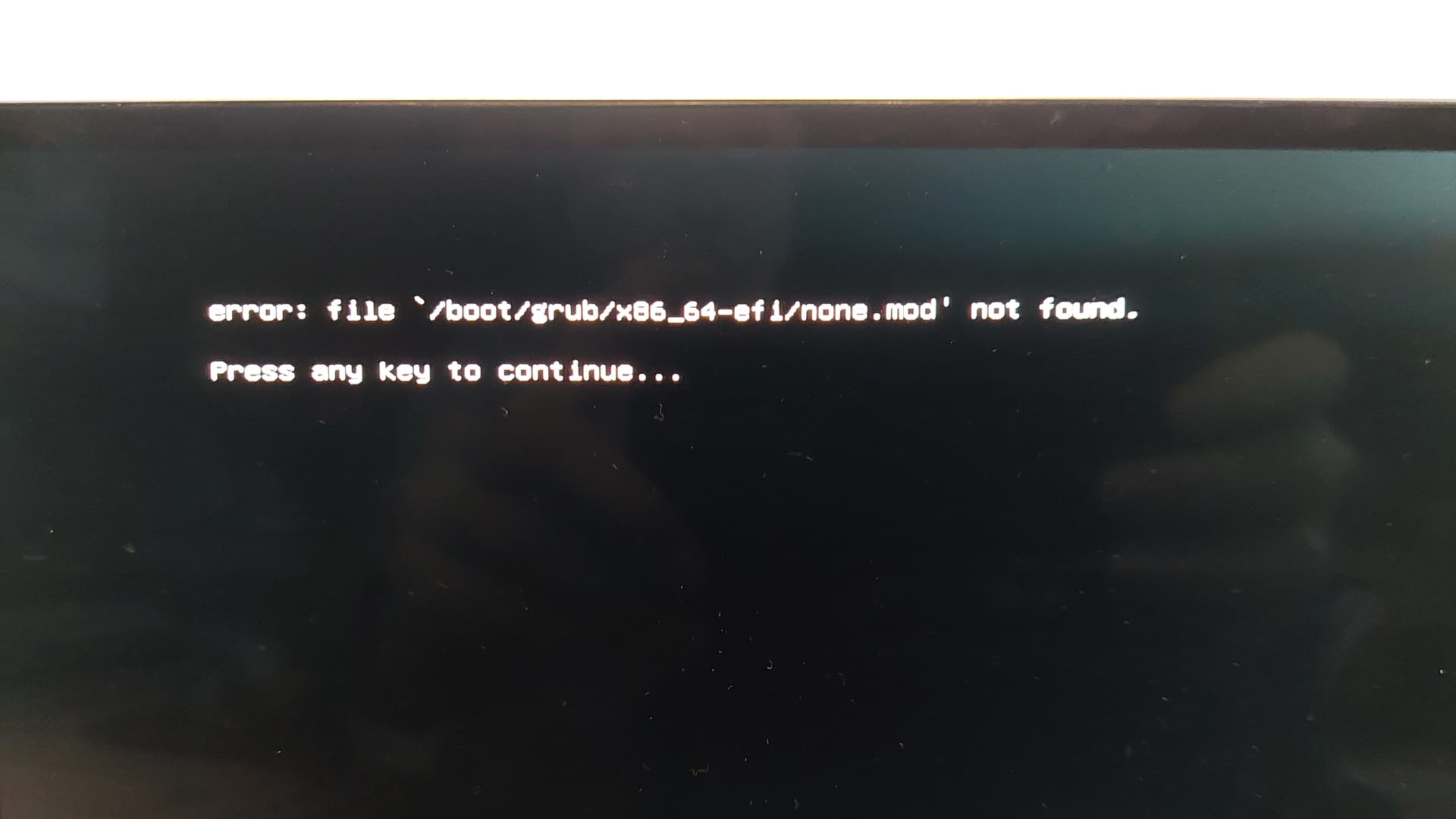
Remove the line GRUB_VIDEO_BACKEND=none - Grub is treating this as a module, rather than a setting.
Once that line is removed,
Tap ctl+o to overwrite, then enter key to save as current configuration. Tap ctl+x to eXit the editor.
Now, you must run
sudo update-grub
That should get rid of that warning. Sorry, I caused that one.
Since you updated your Firmware, you probably do not need any of those additional Grub Options. That was a suggestion based on not finding available firmware updates - but you did find one that appears to be working and booting.