Is it possible to launch software to full screen from its shortcut in the taskbar? Asking Gemini it explained that window management is up to the desktop environment and the client itself. Currently I hold Ctrl, Shift and F to set Discord (snap) to full screen but I'd really prefer an automatic setting  .
.
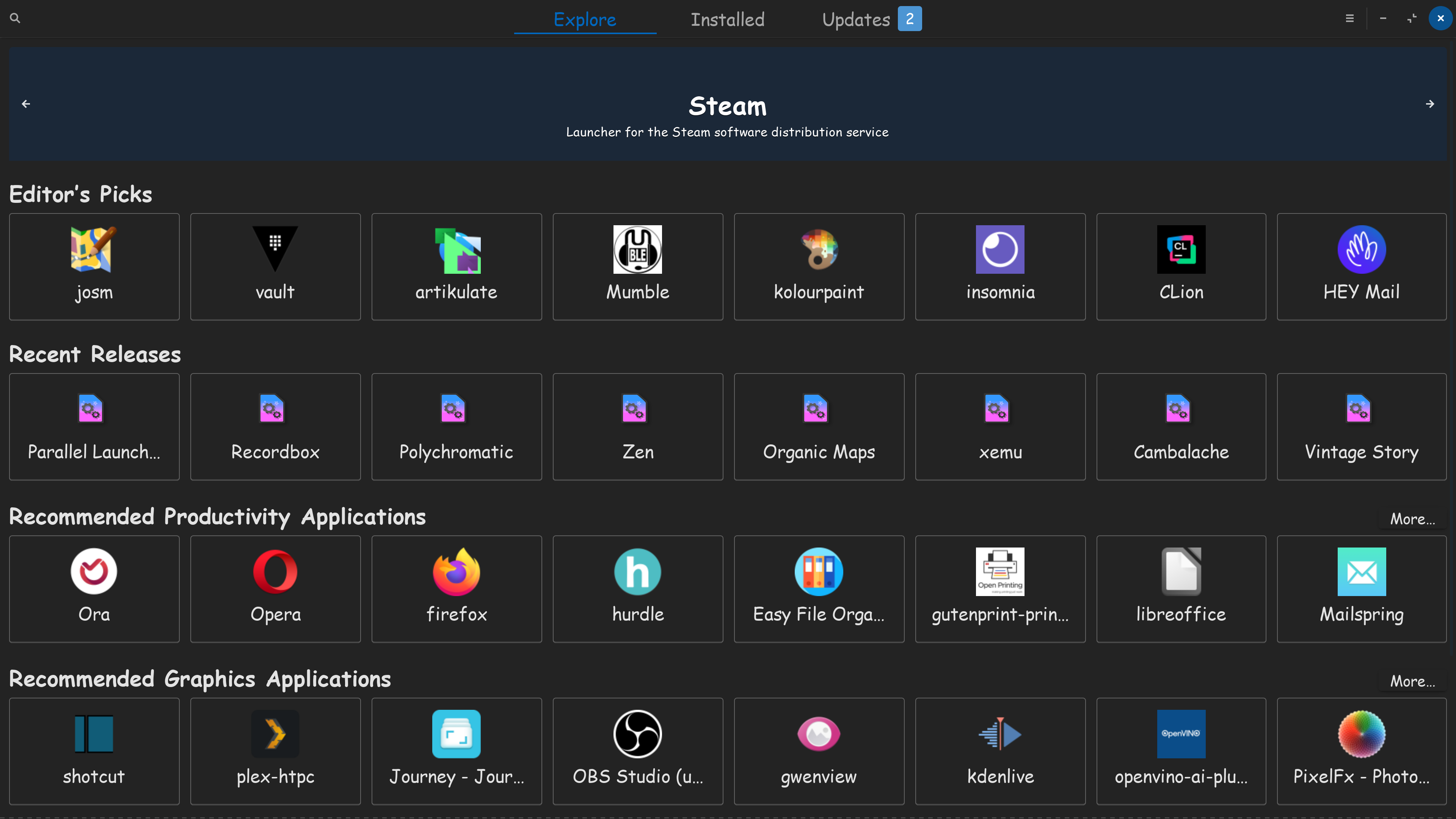
Would you look at that, my Software store opens up to full screen, cause I set it to full screen, using the upper right window buttons, Maximize. Always opens to full screen, when I click on my software shortcut.


1 Like
When the Program is already in Full Screen Mode and You close it, it should open then in Full Screen Mode. I tested it with .deb and Flatpak and it works. But I don't know how it is with a Snap Version.
1 Like
@StarTreker, yes, mine, too. For example it happens even with gedit, when I open a text file as maximized the next time I launch it again it opens as maximized again. Some software remember the window size. @Ponce-De-Leon, this works in games, when I set them at full screen the next times they open at full screen. In this case when I launch Discord it's only maximized (at least it remembers this), not full screen (so without title bar). I'd like to be able to configure it to be displayed at full screen every time I launch it from the taskbar if possible. If desktop shortcuts can be edited to do so a similar way should exist even for the taskbar shortcuts.
1 Like
Hmm ... You could look for the .desktop File. There should be a Line called Exec= followed by the Start Command. There You could add --maximize or --fullscreen or --full-screen and look if this works.
1 Like
 .
.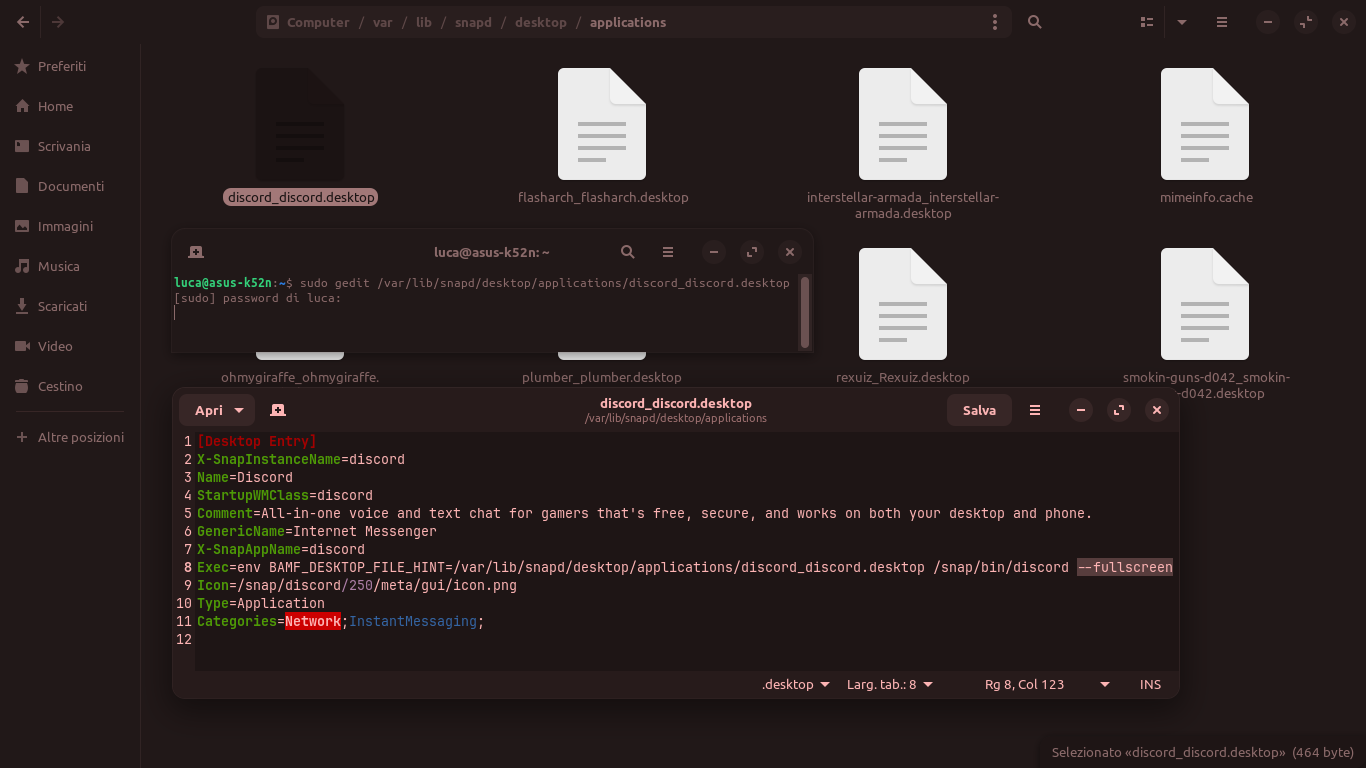
Discord is installed as snap package. You could try it instead with the .deb package of Discord homepage (first remove the installed version).
On reddit I found this solution:
"Set it on the display that you want and full screen if that's what you want. Then minimize it, full screen it again, then close discord completely using the system tray icon and then relaunch it."
Another option could be this extension to automatically maximize new windows:
Edit: This extension opens windows only maximized but not in fullscreen, so it is not a solution for you.
More complicated is it with devilspie2. With this program you can set the position of windows (it only works in XOrg not Wayland):
2 Likes
Ah, it is a Snap. I don't know if this works there the same like with .deb's.
1 Like
I had it, I uninstalled it when I saw that to update it I had to paste a command in the terminal. I prefer much more how a flat or snap does, no commands, no clicks around. In this case, even simpler, the built-in updater does it for me. Yes, I'm lazy  . I mean, this is my thought, since a software has a built-in update manager to me the need to use the terminal isn't a practical and sensed way to update. Like having instructions to mount a wardrobe but then need a professional to do it
  .
.
I think I already went a bit further than what I thought with One Window Wonderland, please, no more complicated things, my head hurts  .
.


1 Like
Yes, I will stop suggesting things that are too difficult. I'm sorry to have overwhelmed you with this. Because of your consultant status, I thought you were a Linux expert and I could offer solutions that are too difficult for me.
I understand that it is not comfortable to update apps manually.
What you could also try is the flatpak version of Discord if it opens in fullscreen when it is set this way before closing.
1 Like
I use Zorin OS Core from about 1 year yet and I still don't define myself expert  . I read some tutorials on GitHub on how to configure some extensions, those were real difficulties, it was a pain just to read
 . Actually One Window Wonderland worked without any tweaks by me, but in fact it was “enlarging” windows and leaving some pixels of space from the screen edges. To Discord it wasn't giving any help because once started it was being loaded as maximized (the last saved window size). About the flat version, I don't even remember why I preferred the snap instead of the flat
  . Neither how it reacted to the window settings. I think I'll try it again.
Yes, I'm sorry, I had overlooked the fact that you were interested in the fullscreen mode. I just tried the extension today, and the windows all open maximized, i.e. they are big but still have the title bar. The margin can still be reduced via the extension settings, but unfortunately this is not what you were looking for. Hiding titlebar in windows settings might help but this would effect all apps. It was a unsuitable suggestion of me.
1 Like
No problem mate 

 , I'll do still some searches for workarounds or even extensions for this. Then I stop and, as last, ask on Snapcraft Forum or try other Discord “clones” (like for example Vesktop and Equibop). I don't want to spend days in trying to achieve such a small change, I'd like an automatic full screen but not so desperately
  . In cases like this I clearly prefer a workaround rather than an extension or a software, because the change I want is very minimal and is aimed to a single software.
1 Like
This topic was automatically closed 90 days after the last reply. New replies are no longer allowed.