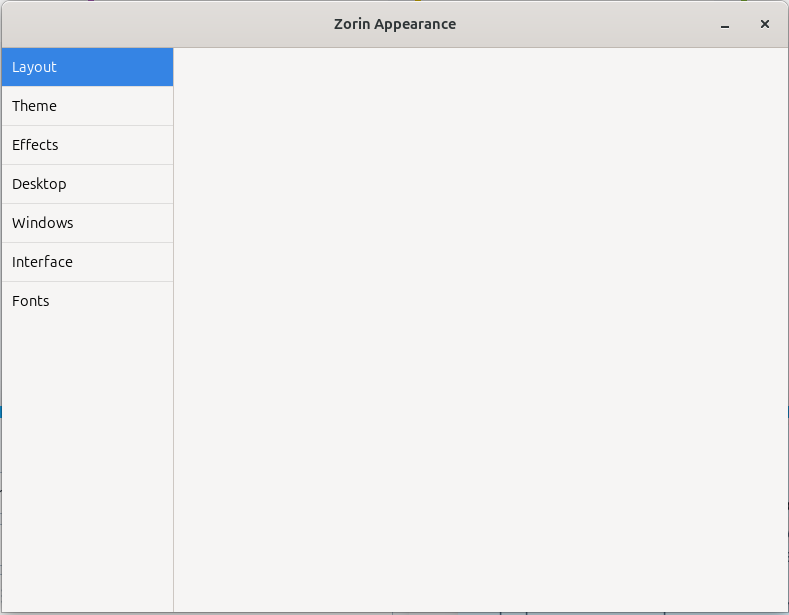
Hello ! Okay, so, I'm a complete newbie in terms of Linux. I've been using Zorin since yesterday, and have spent 99% of the time messing round with customization. You know, just messing with it. I messed up a little, and ran some kind of uninstall config while trying to uninstall farfetch, and (luckily) I've been able to figure out how to get most of it back! However, I cannot for the life of me get the layout section back. I've had a look round, and tried out :
sudo apt install --reinstall zorin-appearance-layouts-shell-premium sudo apt install --reinstall zorin-os-desktop
-> Both gave no result after reboot. mv ~/.config ~/.config-bk
-> Gave no result. Theme > Other > Restore Defaults.
-> Gave no change.
I was stuck at the top bar, but now it's a taskbar happily, which is what I prefer, but still, I have still no access to the layouts in Zorin appearance. If it's any help, I was messing with trying to download farfetch (no luck with that either.. lol..) and a live lock screen. i don't know what use those would be, but you never know. Thank you so much!
just gave that a shot.. unfortunately, no difference after rebooting :-[ oh also! yes, i'm on zorin core. i didnt know that premium was exclusive for premium, lolol. my bad!
aweee , okay ! .. how do i.. do that ? I have a ssd luckily so happily i can transfer my photos and such across , but i didnt set up this laptop , my friend did , so im not sure .. how to do and still be able to restore all my settings / configs :-[
If you have specific application settings these are usually stored in hidden folders within /home. If you can't see them, press Ctrl+ H. Once you see them, your best option is then to create a new folder on external drive and call it "Backup of Zorin Home" and then use Ctrl+ A to select everytging in your /home folder, then Ctrl +C to copy to Clipboard then Ctrl+ V in the newly created folder on external hard drive.
Before doing a fresh installation, install GParted (it gets removed once Zorin has been installed), to see how your friend installed Zorin. Personally I prefer the 'something else' method to manually partition the drive so that if your friend had created a separate /home partition, you would only need to reinstall the 'root' (/) system partition.
You need to check if they used GPT partition method or 'mbr' which should be indicated in GParted (Gnome Partition Editor).
I always use Ventoy for any GNU/Linux .iso or other stuff. You need to format a USB either to use GPT or mbr.
I would also advise when you are sorted to download the Unofficial Manual I authored from here:
As you said, fortunately you still have your Photos on an external SSD available, are there any other user data on the new installed Zorin system?
If not, I also think a new ZorinOS Installation is the best option for you.
Did your friend install ZorinOS alongside Windows or as single system? If you have a dual boot system with windows, you could see the disks and their partitioning within Disk Management Tool and give us the output here.
Did you get the USB Boot Stick with the ZorinOS ISO Installation File or can your friend give it to you? If not you can download it again, creating an USB Boot stick and copy the ZorinOS Installation ISO file to the USB Boot Stick. Then you can boot from this USB Stick which starts the installation procedure.
Here you can first decide to just use a testing Live ZorinOS without installation. There you can start GParted and give us the output as swarfendor437 mentioned.