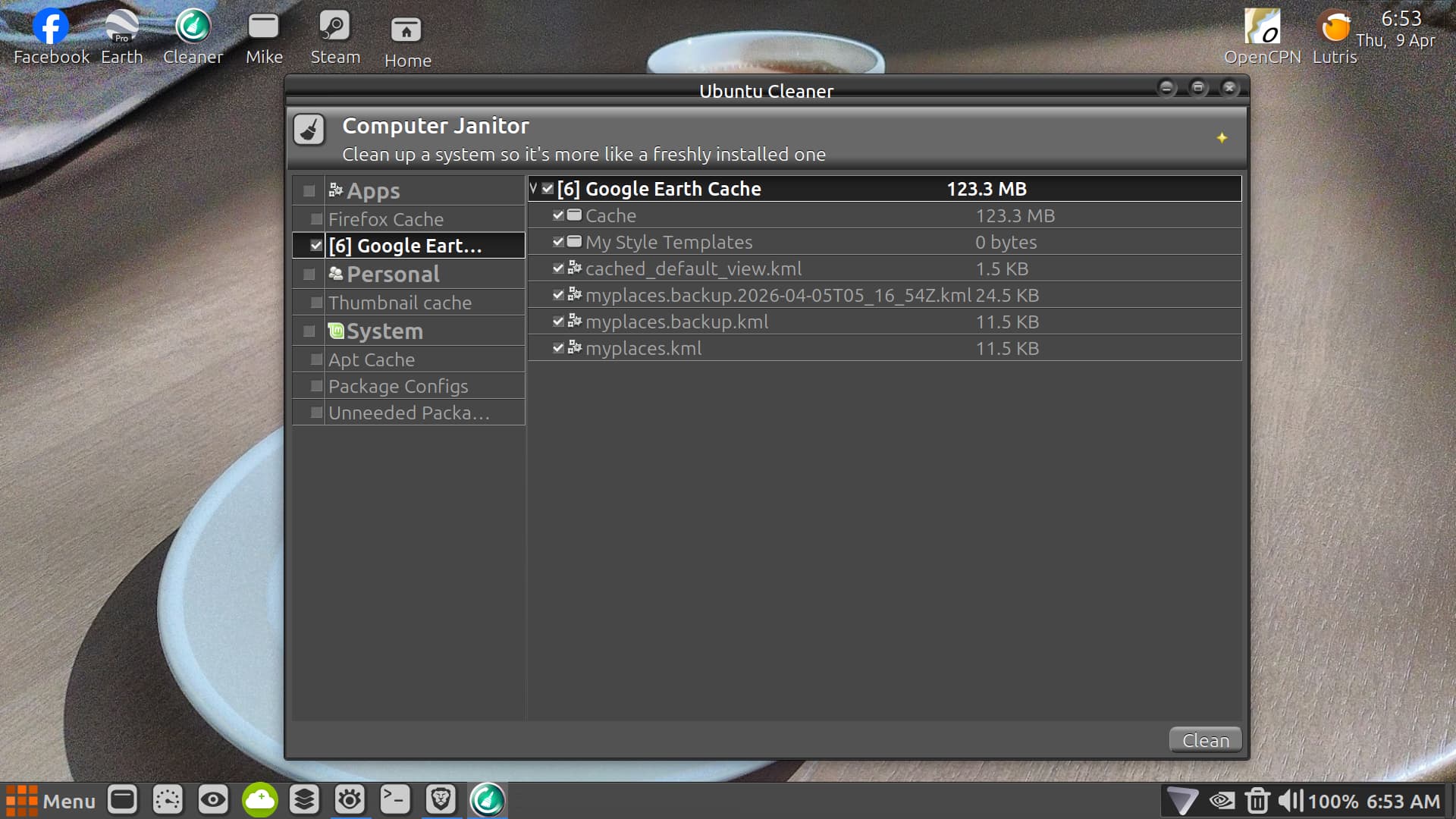
Ubuntu Cleaner ate up all my Google Earth .kml files ....
I put Google Earth on my laptop a while back to make navigational routes for various water ways some of which were hundreds of miles long .... while I have Google Maps also installed I can't do water only land routes .... Ubuntu Cleaner has never effected anything on maps just earth .....
Not really sure how to solve this problem except maybe when I use Google Earth as soon as I finish take the latest .kml file and remove it from Google Earth and place it in a different folder and location .....
Bit of a PITA but so is remaking all these nav maps .... thank god I did make a copy of the individual maps and stored them away for future use now I need to make a back up copy of all those folders and keep in a very safe place ....
I do make a hard drive backup copy using Rescuezilla but unfortunately it was between backups ..... I mostly just wanted to let anyone who uses Ubuntu Cleaner know that it could erase items you never expected it to ..... just be-careful .... it is still a great program and I will continue to use it ....
I find that quite surprising. I only use Ubuntu Cleaner to clean out old kernel detritus.
I don't know how you managed to delete that content with Ubuntu Cleaner, I find it quite safe to use compared to Bleachbit. Did you clean out browser cache with it or something?
I also use all those terminal commands to keep apt and journalctl space confined. But with due care when using autoremove.
DUH .... OMG .... thanks zab what a total disaster I created by not paying attention to what I was deleting so I got no one to blame but myself and here I was blaming the poor old Martians .... LOL ....