I just had an issue with my zorin os laptop and I managed to resolve it.
I just wanted to share what was the problem and how I succeed to resolve it (in case someone would have the same).
I start my laptop like normally, and tryied to login to my session.
The password is correct and I didn't had to type my username (bc it was saved).
Then, it loaded and... nothing, just came back to the login screen.
Restarted, same (again and again).
So I tryied (after a bit of search) to login with Zorin OS XORG (with the little gear in the bottom right of the screen) and it worked ! But there is a lot of missing functionalities, and weird things on this environment.
Also, creating a new user and try to login to this new one with Wayland works.
How did this problem comes from :
I recently installed MultiMC to play minecraft with mods. But, after configured it and started Minecraft, I had a lot of lag. The "because" is that Minecraft was not using my graphic card (Solution for this issue).
So I made some search and edited the Nvidia Applications Rules (and it didn't work, but I did not removed them).
Next time I restarted my pc, the issue appeared.
How did I fix this :
Maybe you understood, but I just removed the applications rules/profiles I added from my Nvidia Settings through Zorin XORG and I managed to login myself with Wayland !
What didn't work for me :
Bellow is a list of things I did before succeed : Those did not work and sometimes made me really big fears
startx command on login shell
sudo apt install (--reinstall) [lightdm | gdm3] : This just changed my Zorin OS desktop theme to an Ubuntu-like one (and with it I discovered what are Desktop Environments... thanks )
removing all my gnome extensions
punch my laptop (actually didn't do it... but don't, really)
Others that I'm not able to remember
I hope this would be helpful for someone !
Have a good day everyone !
I didn't do anything with files.
I updated the rules with the NVIDIA Settings app (If I remeber myself it's named "NVIDIA X Server") through the XORG session, then logged out myself and login back to Wayland as normal.
On most computers that have an Nvidia card, Xorg runs better than Wayland under the currently used Gnome version. It is therefore recommended to switch to Xorg (therefore use the cog icon on loginscreen).
Brave A.I. search engine via Mojeek search engine gives:
Wayland Login Loop
To resolve a login loop on Wayland, several approaches can be taken based on the specific cause. Here are some solutions that have been reported to work:
Check and fix ownership of the home directory : If the home directory is owned by root instead of the user, it can cause a login loop. You can change the ownership using the command sudo chown [user]:[user] /home/[user]/ .
Check for problematic shell configurations : If there is an exec zsh or similar command in your .bashrc file, it can cause a login loop. Adding a check like if [ -z "$BASH_EXECUTION_STRING" ]; then exec fish; fi can help resolve this.
Check and fix permissions of the /tmp directory : The /tmp directory should be owned by root with permissions set to 1777. If it is not, this can cause a login loop. You can check and fix this using the stat /tmp and ls -lah /tmp commands.
Install the correct NVIDIA drivers : If you are using an NVIDIA GPU, ensure that you have the correct drivers installed. Sometimes, removing the current drivers and installing a specific version can resolve the issue.
Check for system-specific issues : Sometimes, specific system configurations or bugs can cause a login loop. For example, there have been reports of issues with AMD CPUs and Mutter, which can be addressed by applying workarounds or waiting for updates.
Use a different display server : If the issue persists, you can try using Xorg instead of Wayland. This can be done by selecting Xorg at the login screen before entering your password.
Create a new user account : If the issue is specific to your user account, creating a new user account and using that can bypass the login loop. You can then use the new account to troubleshoot or fix the issue with your original account.
Check for system updates : Ensure that your system is up to date, as updates can include fixes for known issues that may be causing the login loop.
It is clear that Wayland is just as susceptible to the login loop as can occur with Xorg. For issues with the login loop on Xorg I devoted a whole section for this in the Unofficial Manual for Zorin 15 Core, and for 17 Core.
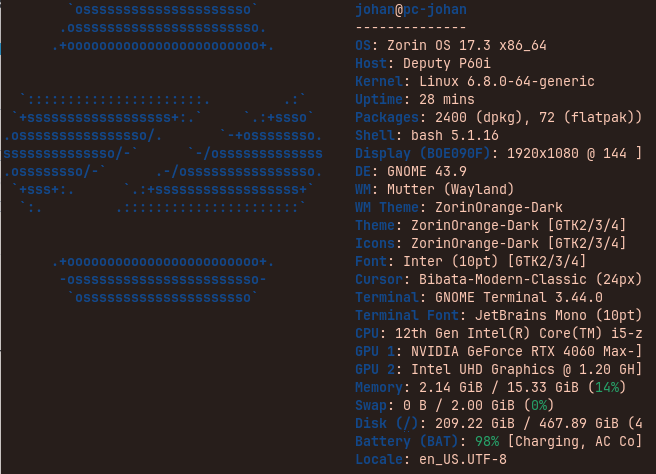
 !
! )
)