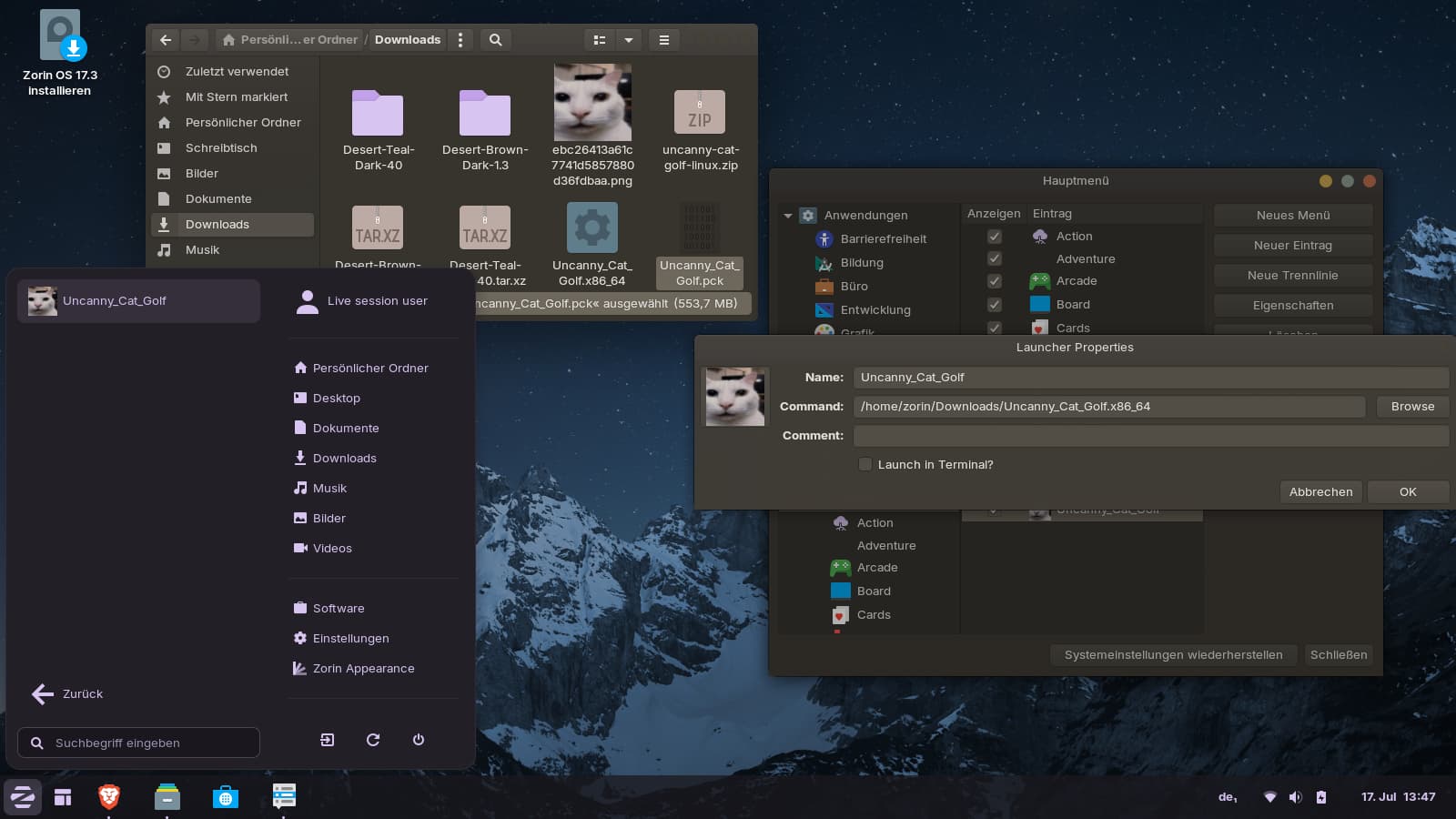
Hello I just want to make it so I can play Uncanny Cat Golf without going to the file and opening it.
So basically the game format is .x86_64 so I can just launch it off the terminal just fine. All I do is just open the terminal, Drag and drop the file to the terminal, And I press enter to start the game, right?
But for this time Main Menu doesn't accept to just have a command that's just a path, So I added "sudo" to the start. Now I checked; it DOES work in the terminal, But when I try to open Uncanny Cat Golf it just DOES NOT work.
It doesn't do anything, Please help me. And I don't think you specifically need to install Uncanny Cat Golf to check this, You just need a .x86_64 file.
seem the game is working correctly by hitting the file you set as executable not sure but i think there maybe a way to add that as a shortcut to your desktop and just click it from there. Maybe someone will come alone with more knowledge on this and help
Thats a good question..games i play i use bottles or it has its self contained launcher. i have heard of a way to smylink it but im not sure how at this time...hopefully someone who knows will see your help and assist
It doesn't work with the spaces.
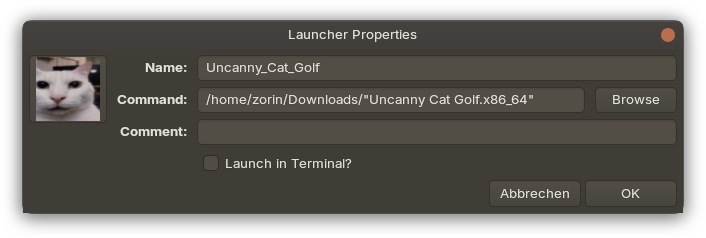
Or you set the name of the file between " " in the command of the launcher, that also works:
"Uncanny Cat Golf.x86_64"