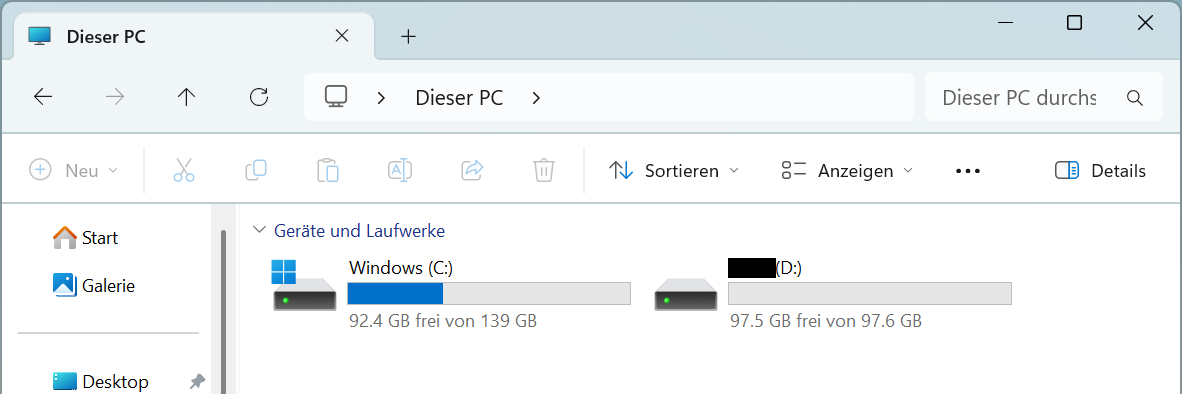
I want to install Zorin 18 Core on an HP i5 laptop. I want to keep Windows 11 installed for now. It has a 256 GB SSD, partitioned into NTFS drives C and D. D is basically empty. Of course, I selected the “Install alongside Windows” option. Then I received the following confirmation:
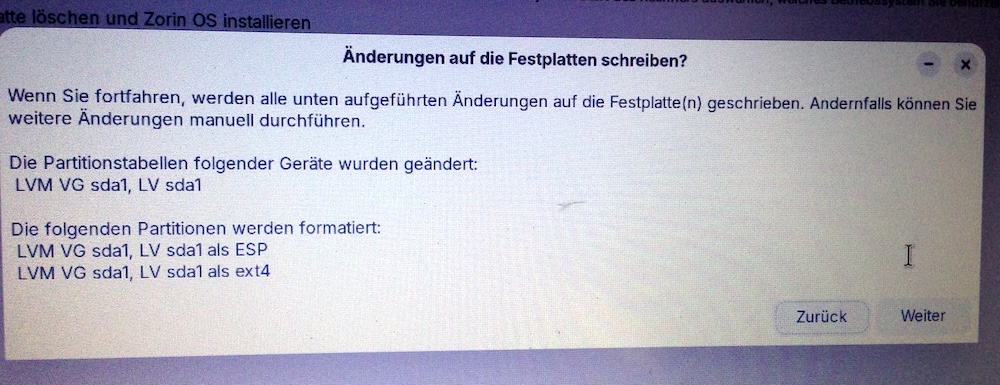
At first, the installation seemed to be going smoothly. But at about 70% of “Copying files” the installation aborted due to a read error from the installation media.
So I created a new USB drive and started over. Now, after selecting “Install alongside Windows,” the following window appears:
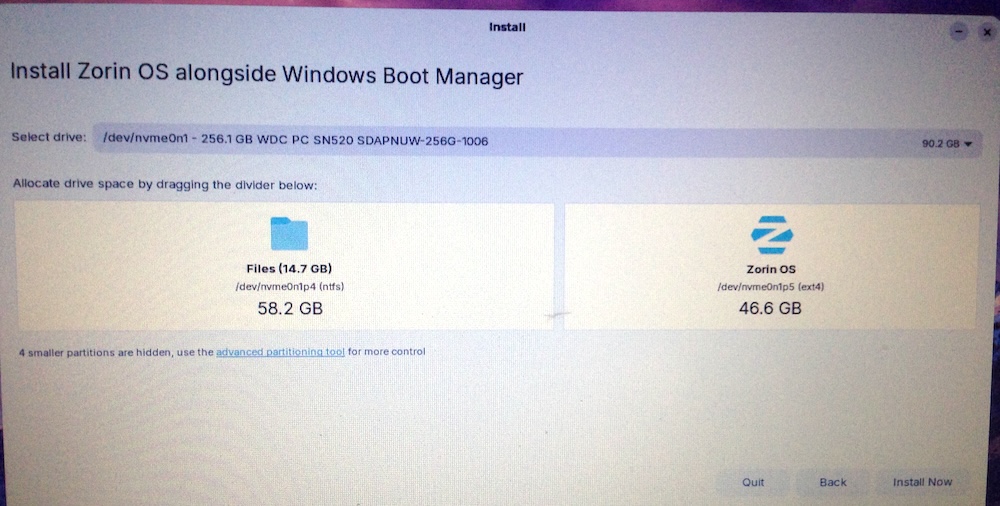
Apparently, this is the “D” partition, which it now wants to subdivide again. But I don’t want that, otherwise I won’t have enough space for Zorin. Zorin is supposed to be the main system.
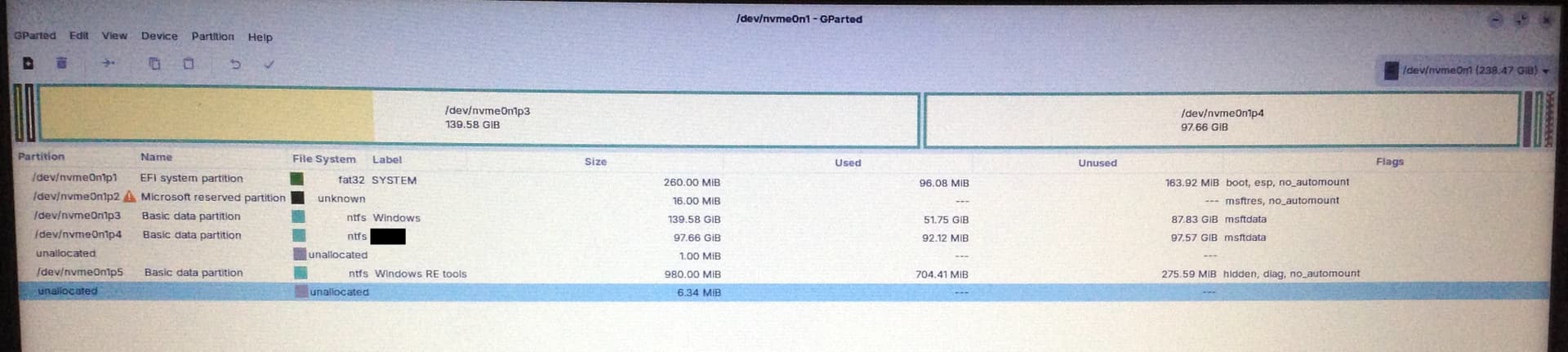
I then canceled the installation and took a closer look at the SSD partitioning. In GParted:
In Windows:
But what I’d really prefer to do is shrink the Windows partition to maybe 100 GB and use the rest for Zorin. Is that possible?
If not, then just use the “D” partition entirely for Zorin.
Thanks for the help!