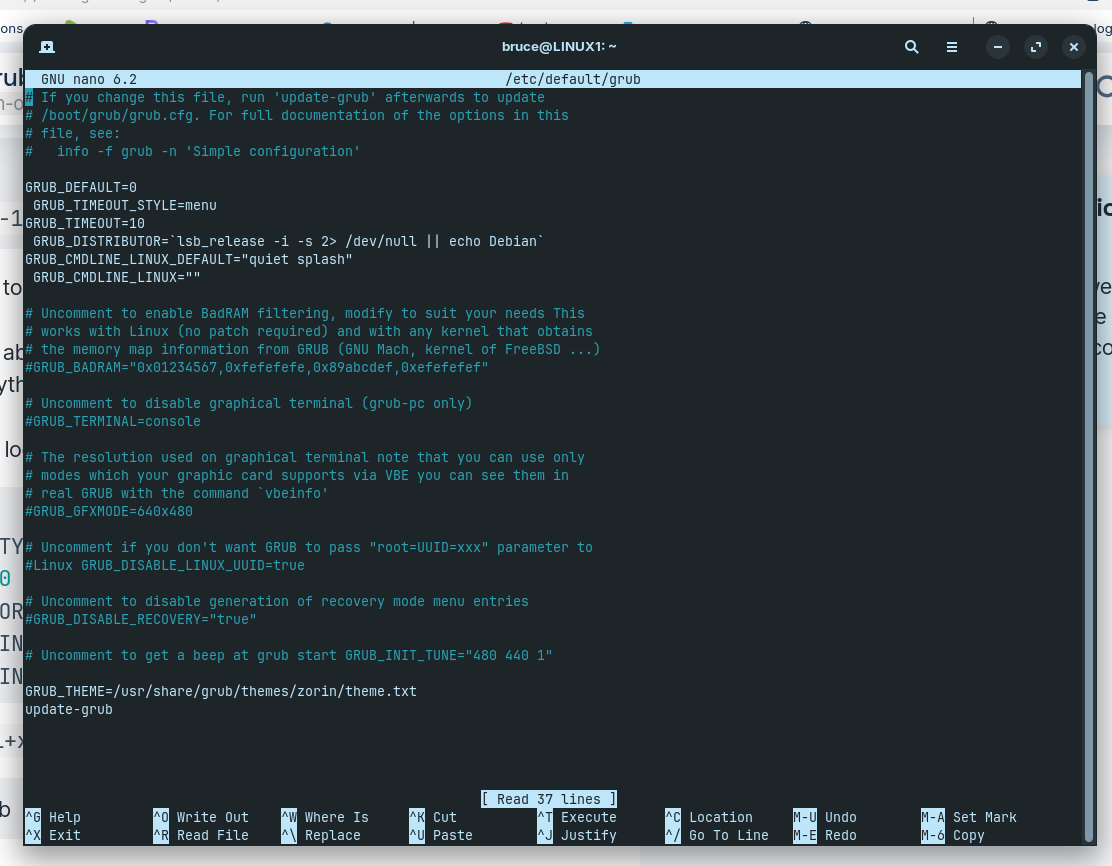
It still loops trying to find grub after sudo update-grub
The only thing I failed to do was line up the margins? When I backspace, it reverts to joining the line above it?
I believe that once you have the file saved, @Aravisian wanted you to do a
sudo update-grub
In the terminal, not in the file itself. So you could remove the "update-grub" from your file and then save and close, and type that in the terminal.
OK, I will open it up and give it a go.
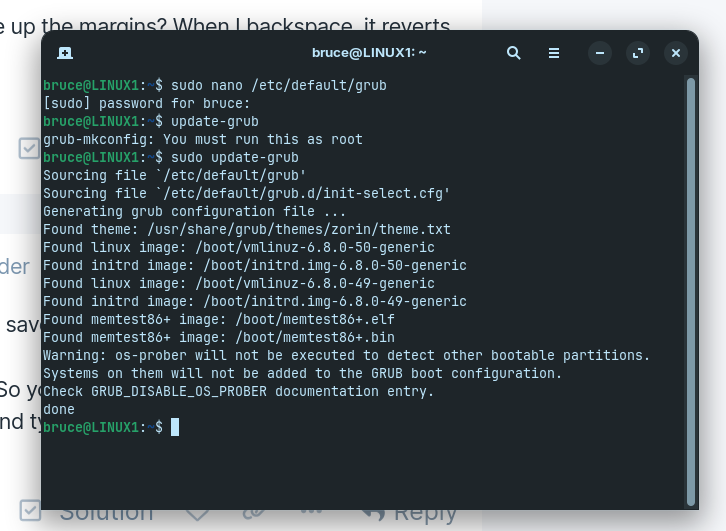
That worked. Now I will reboot and see if it did the job. I never saw that command at the bottom, my fault I'm sure.
I can confirm that I now have a Zorin grub menu again, with recovery options. Thanking everyone for their help to this fledgling cmd code newby. 
Glad to hear, hope you have some more fun on your journey 
This topic was automatically closed 90 days after the last reply. New replies are no longer allowed.