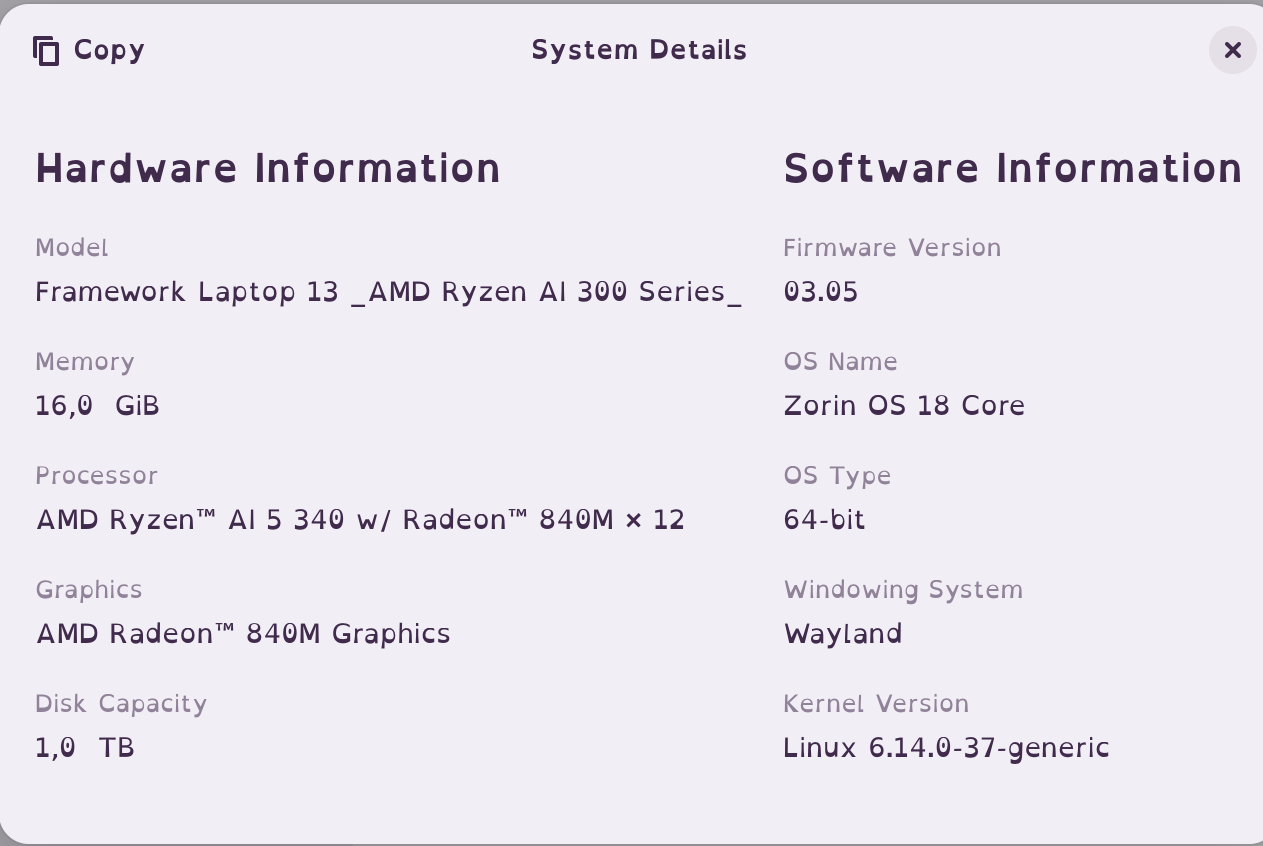
I am trying to update/install Zorin 18 Pro: update from Zorn 17 pro and/or fresh install of 18 pro.
I am running into a problem and I believe it is some kind of incompatibility with newer Linux Kernels. They just will not run on my computer.
I am able to install and run Zorin 17 pro without any issues and it runs flawlessly! However when I attempt to install or upgrade to Zorn 18 Pro, my computer will just not boot.
Let me clarify, I can upgrade from Zorin 17 to 18, but once again, unless I use an older Kernel, it simply will not boot. If I try to do a fresh install of Zorin 18 Pro, it just hangs when it looks like it is trying to load the Kernel.
Kernel 6.8.0-87 works, but Kernel 6.14.0-37 will not boot at all. I am not sure where the cut off it, but I know 6.14.0-37 and above will not work.
I have experimented with some other distros to see if it was only Zorin and basically any modern distro will not boot on my computer. They all seem to get stuck at the same point, when the Kernel loads.
For example, Linux Mint Debian Edition 7 does work; Linux Kernel 6.12.48-1
But Linux Mint 22.2 does not work; 6.14.0-27
Even current non-Ubuntu based distros will not work.
My computer is really not that old, maybe 2020 or 2021. I have never run into this issues before and I have installed linux on some pretty old computers.
Is there a known incompatibilities with more current Kernels?
Any advice?
Thanks in advance.
Edit - Solution:
The issue ended up being my webcam. For some unknown reason when I boot the computer with a semi current Linux Kernel, and my webcam is connected, the computer simply will not boot. If I unplug the webcam or use an older kernel, the computer boots like normal.
Now it also seems to be my external hard drive too. It will not boot at all with either my webcam or my hard drive. My printer seems to be okay.
I never had this issue with Zorin 17 Pro, I typically would just leave both plugged in so I could use them as I needed. I never had a problem like this in the past with any version of Zorin.
What kind of specs does your computer have? I find it odd that a computer from maybe 2021 wouldn't work with the newer kernels, but it's always possible there's regressions sometimes in newer kernels. I think looking into your computer hardware first might give us a few indications.
Also, sometimes even having external devices plugged in that won't work with a newer kernel could cause issues. I would recommend unplugging everything possible in order to test if it's a hardware incompatibility or maybe an old device just isn't playing nice with the newer kernels.
The main thing I'm seeing the might be a problem with a newer Kernel is your GPU, the 1660 Super. More specifically, between the drivers of that card and the new kernel potentially not jiving together well. I don't have Nvidia, so I'm not going to be able to help much in that regard, but hopefully someone else here may be able to assist (if that is indeed the case).
Another thing you could try (though it's up to you entirely) is you could try a distro like Manjaro. The main reason I say that is that it defaults to the LTS kernel 6.18, so you could see if maybe those other kernels not being an LTS release could be causing more harm than good.
You solved it! Thank you!
I took your suggestion and unplugged everything - except the mouse, keyboard, and monitor.
All I had was a printer and a webcam connected and I had those for years and used them with no issues on multiple computers.
It was the webcam. Honestly, I cannot believe it. I unplugged that and it fired right up. It is nothing special, a standard 1080p Logitech webcam I bought years ago.
I have been working on this for months and it was the stupid webcam.
I guess I will be looking for a new webcam. That is much cheaper than a new computer.
Thank you very much!
Thank you.
It was my Logitech webcam. When I have it plugged in, the computer will not boot with current Linux Kernels. I unplug the webcam and it boots no problem.
I will have to dig into this and see why it is. But the easy fix for now is unplugging the webcam.
I thought I would try and plug in the webcam after the computer is up running and the camera works as normal.
However, if I leave it plugged in and try to boot up the computer, the system will not boot. I just get a blank screen. I tried multiple USB ports and the results are the same, if the webcam is plugged in while starting the computer, it will not boot.
This may or may not help you, but I had a similar situation once. Try disconnecting your computer itself from power. That is, shut down, then pull the cord right out of the power supply. Give it 30 seconds or so to ensure all capacitors discharge fully, then plug it back in and try booting with the camera attached. The system didn't like a USB device I had, and it turned out to be a power management related issue. This solved it for me for quite a while (months), after which I had to repeat it. I don't know if it's a Linux issue, motherboard issue, or USB device issue in my case, much less in yours, but it's worth a try.
This is a good suggestion. I gave it a shot, unplugged and let sit for about 5 to 10 minutes. I plugged in the power and webcam and turned on the computer and unfortunately just a black screen. No luck
I have never ran into anything like this before. It is very strange.
My temporary solution, until I figure this out, I have a USB hub that has individual power switches. I will just keep it powered off unless I need it.
Thanks for the suggestion.
 You'd be surprised how many times something little like that makes everything harder to figure out.