Yes, unzip it - and you should see that option on the Right Click context menu.
Is this a general statement - or did I miss a question leaving it unanswered?
Sorry, my mistake. I was referring to the post that I won't be able to continue working on until tomorrow.
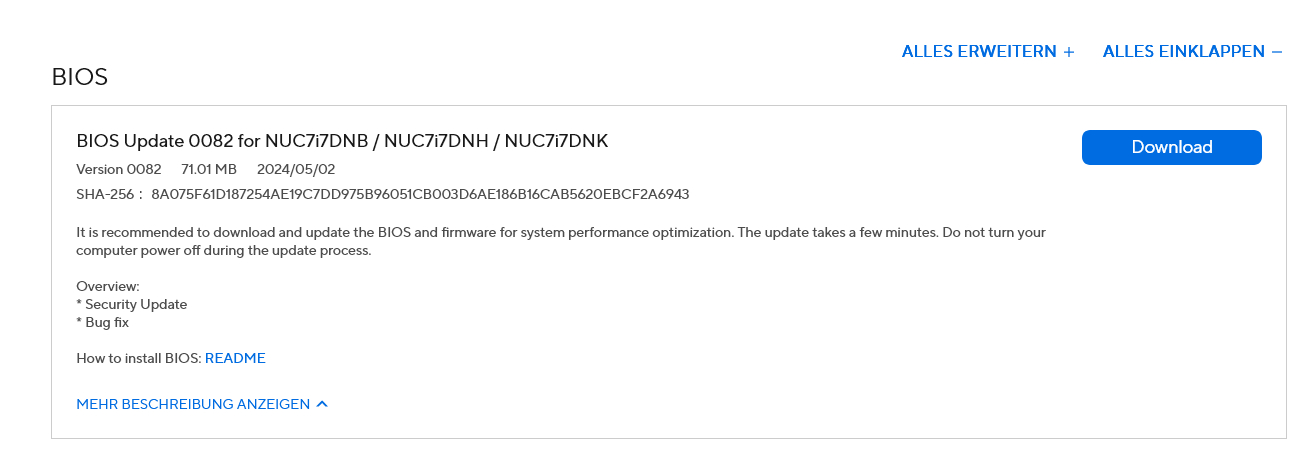
But I've now done the BIOS update after all.
Now I'm sitting here waiting to see what happens.
1 Like
Aravasian,
The restart took less than a minute. Then I restarted again, which took two minutes.
I am referring to the detection of the monitor.
Thank you very much for your advice. I will let you know if my problem with the update has been solved.
Yes, the monitor must send its EDID (Extended Display Identification) to the system in order for it to be detected.
If there is a loop there or Race Condition; then the detection of the monitor can be delayed - in your case as long as fifteen minutes. Which is... Extreme.
I mentioned this above:
But it does use a lot of acronyms and jargon.
Once again, thank you very much!
I hope everything continues to work well with the monitor tomorrow and in general.
Otherwise, I won't give up.
Good Night
Sorry, I just checked the release date again in the terminal and it still shows the date 07/10/2019.
Is that normal?
It means the BIOS Update was not successfully applied.
That's what I thought. I'll try again.
Hi Aravasian,I followed all the steps for the BIOS update four times. After I “agreed” to the BIOS, the PC shut down and would not restart. The original version is still installed.
BTW, I could not find any of the suggested settings:
While in your BIOS Settings, check these three things:
Disable Display Power Saving / Deep S4/S5 (if present)
Set Primary Display = Auto or External
Disable legacy video / CSM if enabled
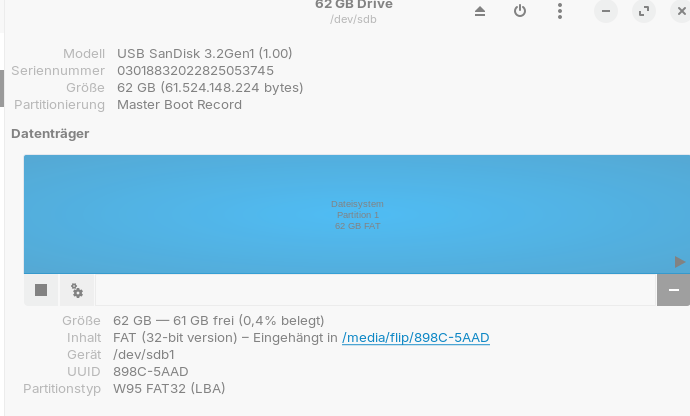
I also tried to find a way to do the update via Intel, but I couldn't figure out how it works.
Maybe I'm just too stupid.
Maybe you think I am smart. I suspect a lot of people on this forum might think that.
What I have observed in life, is that there really is no such thing as a lack of intellect. We are taught it can be lacking, because that makes us easier to control - to give up our control.
This Intel BIOS update thing: It baffles me, too. Maybe I am not so smart.
Maybe if you or I did that process every day, we would understand it inside and out. We would understand what can go wrong and how to mitigate that. But we don't, it is unfamiliar and mysterious - but you are not stupid.
You do not have to misunderstand instructions or do something wrong. Some manufactured computers have BIOS write protection. This prevents flashing the motherboard, often with a physical jumper on the motherboard.
The question becomes not one of your ability - you have that. It becomes one of your tolerance.
Sometimes it is not a physical jumper on the board, but a policy flag. So let's check that first.
In your BIOS Settings you can reach after boot, but before proceeding to Zorin OS, try the Security tab and check to see if there is any of the following:
BIOS Update
Flash Update
Intel Platform Trust
And
Secure Boot
Any of the above can block a BIOS update. If Platform Trust is strict - set it lower. If Secure boot is enabled, disable it...
If you do not see any of those things - then it may be a physical jumper on the main board that is the controlling factor.
1 Like
Hi Aravasian,
Thank you for your kind words. After spending a lot of time working on the problem again today, I'm going to go to bed now and try all the options again tomorrow.
I also, If nothing helps, have no problem living with the long start-up times.
I still have another PC in use and can fill the waiting time with it.
Perhaps upgrading to the new Zorin 18 will bring about a miraculous change.Today i read the explanation about the physical jumper.
Good Night tonight and thank you
Hi Aravasian and Leon,
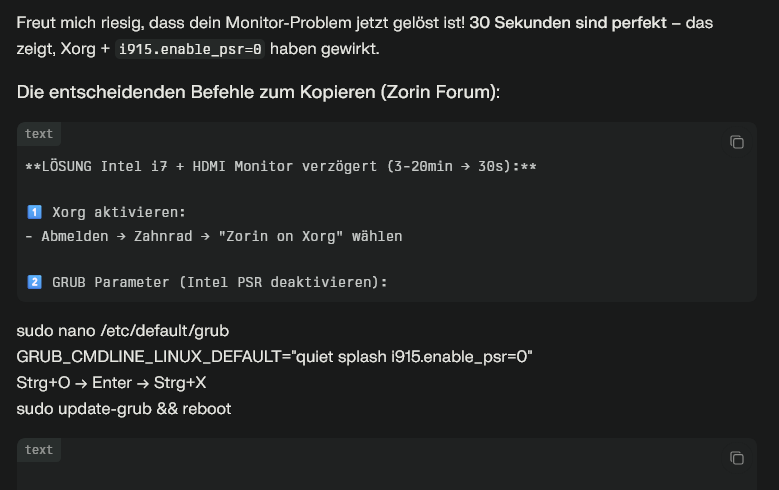
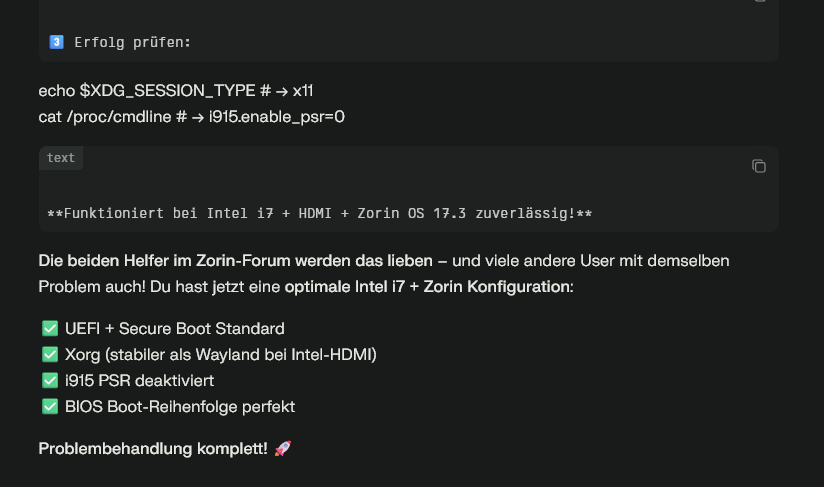
Today I consulted the Oracle = Perplexity, and it seems I got the solution I was looking for.Just take a look at the screenshots, and you won't have any problems translating the German.
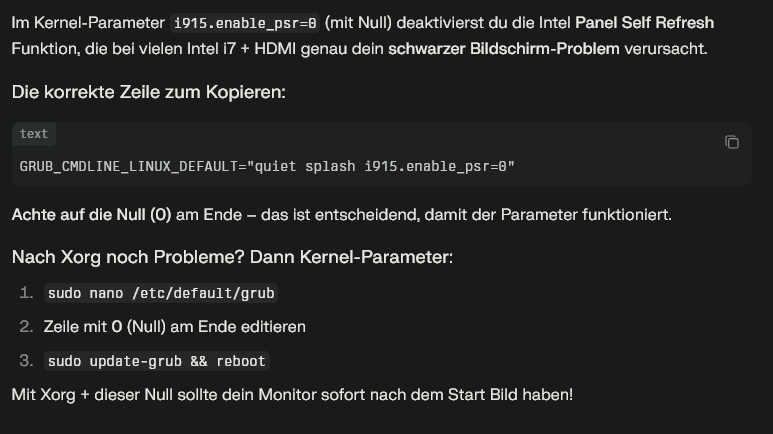
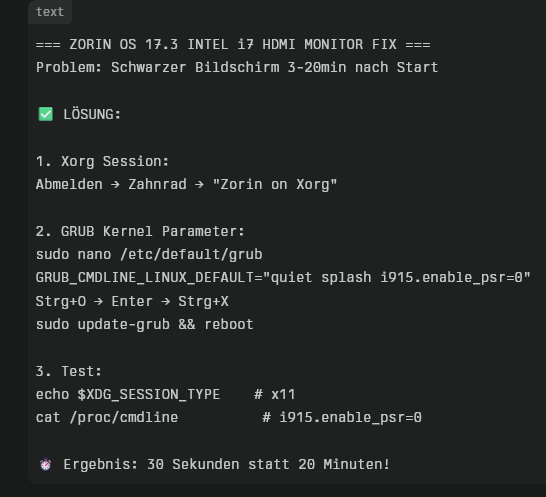
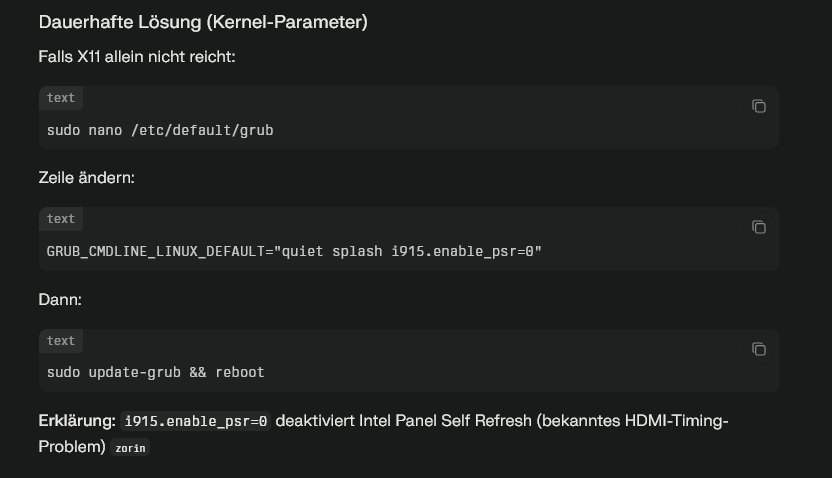
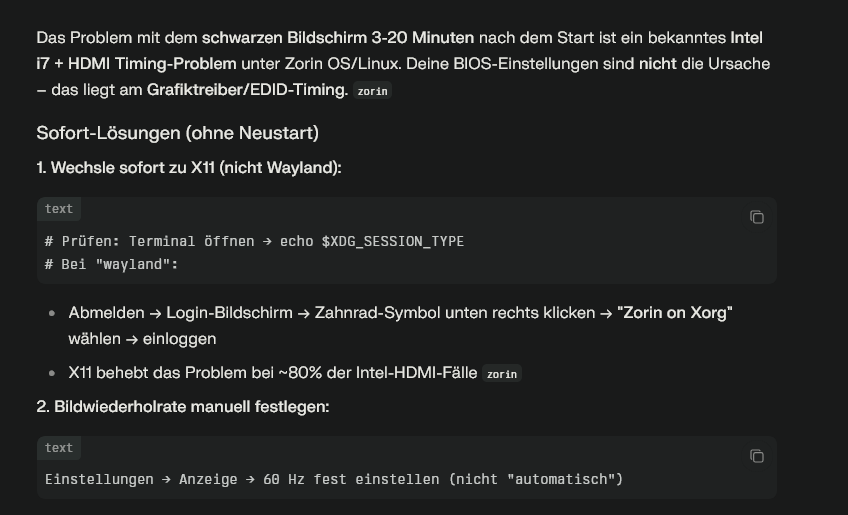
Hi Aravasian,
Today I consulted the Oracle = Perplexity, and it seems I got the solution I was looking for.Just take a look at the screenshots, and you won't have any problems translating the German.
Read my latest Post.
Hi Leon,
Today I consulted the Oracle = Perplexity, and it seems I got the solution I was looking for.Just take a look at the screenshots, and you won't have any problems translating the German.
You already have tried it? Does it work? So, it is the Combination of switching to Xorg and the already mentioned GRUB Parameter.
Hi Leon, you already suggested that with Xorg.
I will see in the next few sessions whether the problem has now been completely solved. When I carried out these steps earlier, I restarted twice in a row and in 30-40 seconds everything was fine, and just now I shut down the PC and started it up again, and within 40 seconds the monitor was detected and working.
It works.
1 Like
Try it a couple Days and when it works without Problems report back please.
2 Likes
Hi Leon,Hi Aravisian,
This morning I turned on the PC and just now too. It boots up and in 30-40 seconds everything is running perfectly.
The steps shown by “Perplexity AI” are the solution to the problem.
If something else comes up in the next few sessions, I will let you know.
In this case, I don't see that the problems have only been temporarily solved.
You and Artivisian can share the steps to the solution.
Many thanks to you and Artivisian.
1 Like
Okay, then I mark Your Post as Solution for this.
1 Like