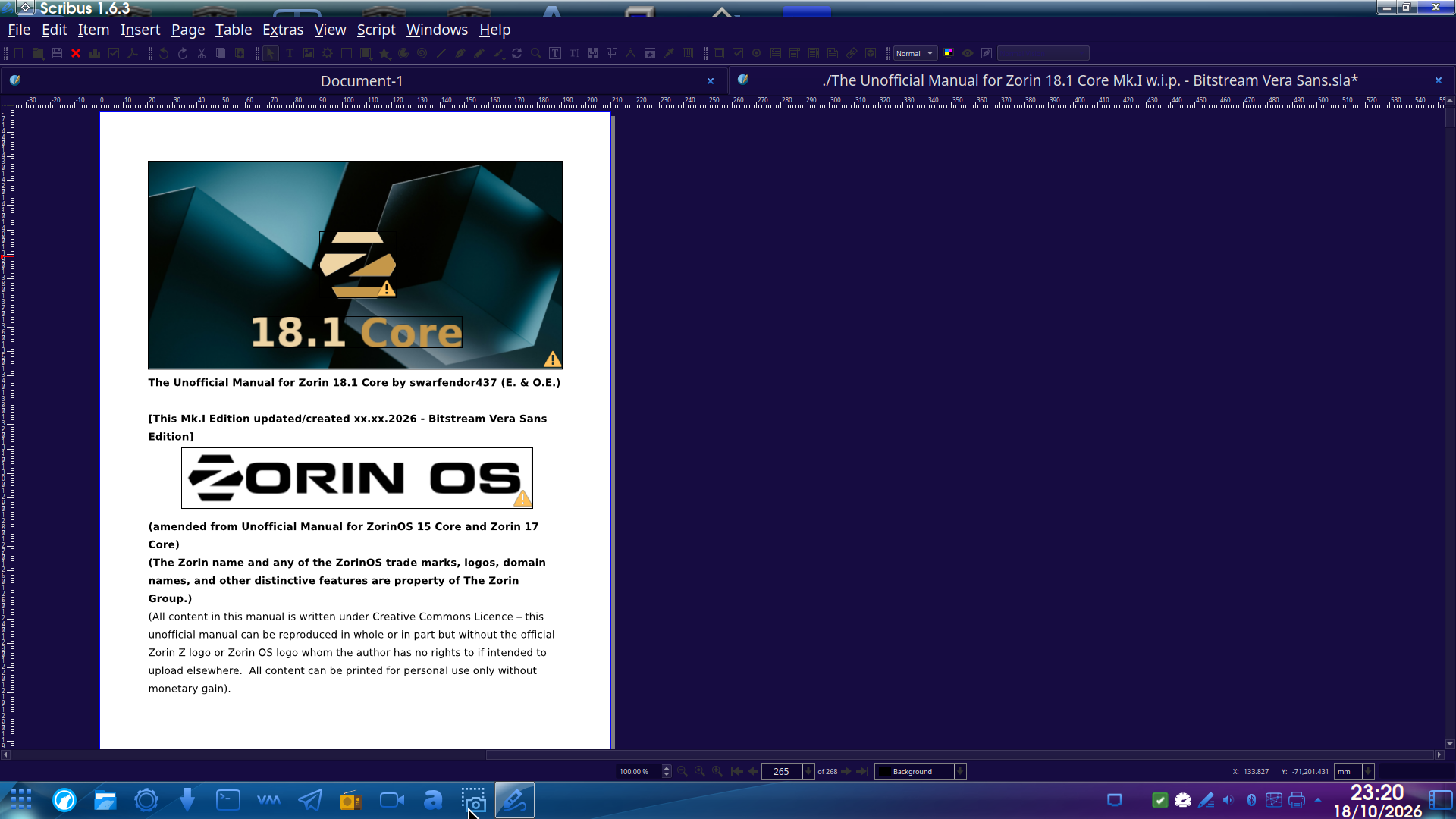
Thought I would take a look at Scribus, the opensource DTP (DeskTopPublisher) package as an alternative in producing the Unofficial Manual for Zorin 18.1 Core.
So pleased to say that it imported the .pdf of the w.i.p. I am working on but it has added some warning triangles in the .sla file created - anyone experienced in using Scribus as to what these are referring to?:
Thanks so much. It is 1.5 as I am not using Zorin these days. 
Originally posted by banned SpamBot:
Those little yellow triangles in the corner of the frames are Scribus's preflight warning markers, so the program is flagging items that its Preflight Verifier doesn't like. Open Windows > Preflight Verifier (or the Preflight Verifier entry under the File/Windows menu in 1.6) and it will list exactly what each one is. For frames imported from a PDF the usual culprits are images below the minimum resolution (144 dpi by default), a font that isn't embedded or has been substituted, or transparency, which some print profiles warn about. If you're only making a PDF for screen reading, you can safely ignore the low-resolution and transparency ones. You can also change which checks apply in File > Document Setup > Preflight Verifier, and picking the "PDF 1.4" or "PDF 1.5" profile instead of a print one usually clears most of them. Font warnings are worth fixing though, so check those first in Extras > Manage Fonts or Windows > Properties > Text.
Hope that helps. If the verifier shows something different, post the list and people can narrow it down.
1 Like
Well just as I was getting excited to look at using Scribus to continue with the unofficial manual, it does not offer square shape with rounded corners in its insert shape armory. And I was wrong, I am using 1.6.xx!
So it's back to repairing the corrupt .docx file in TextMaker 2024.
I took a look at a Demo of pdf Studio Pro 2026, now named Xodo. It's cheapest upgrade was $50 for a year's support but a perpetual licence. I tried the demo to see if it could convert the Zorin 18 Core Unofficial Manual, which I expected to see garbled text with 'demo' in it and Watermarks, but only produced the cover and the contents pages.
I contacted the support team and gave them the link to download the file. They claimed the full product was able to convert the full manual into .docx format and attached their resultant file.
I opened it on my phone and the Cover page had a plethora of artefacts present and any page number from 10 up did not show the second digit. I thanked them for their time, but said I would provably look at Scribus as a way forward ... but sadly, not!