Hello, I wanted to ask for your help. I've had some problems waking my computer from sleep. First, the mouse doesn't respond; it always turns off when it goes into sleep mode. The good thing is that I can wake the computer with the spacebar on the keyboard.
The other similar problem is that I bought a generic dual-band USB Wi-Fi adapter with a Realtek 8812BU chip. The installation was perfect and automatic in both Windows and Zorin, but sometimes it doesn't always prevent the computer from waking from sleep. It gets stuck in the process and doesn't wake up, and I have to force it to shut down using the power button. I've read in the GitHub files that there's a generic driver, and I thought I'd try it. The file also mentions a known issue with waking from sleep or hibernation. This happens with some BIOS versions that change the power state from D3hot to D0. Some commands are provided to load the instruction and wake the computer. sudo cp reload_rtw88.sh /usr/ lib/system-sleep/
My controller isn't exactly rtw88, but something similar. Could I adapt a command to achieve this? The RT88W controller encompasses a whole family of chips and controllers; I'm not sure if I should use that one exactly. When I check the date of the installed controller, it says 2024. in advance for reading and commenting.
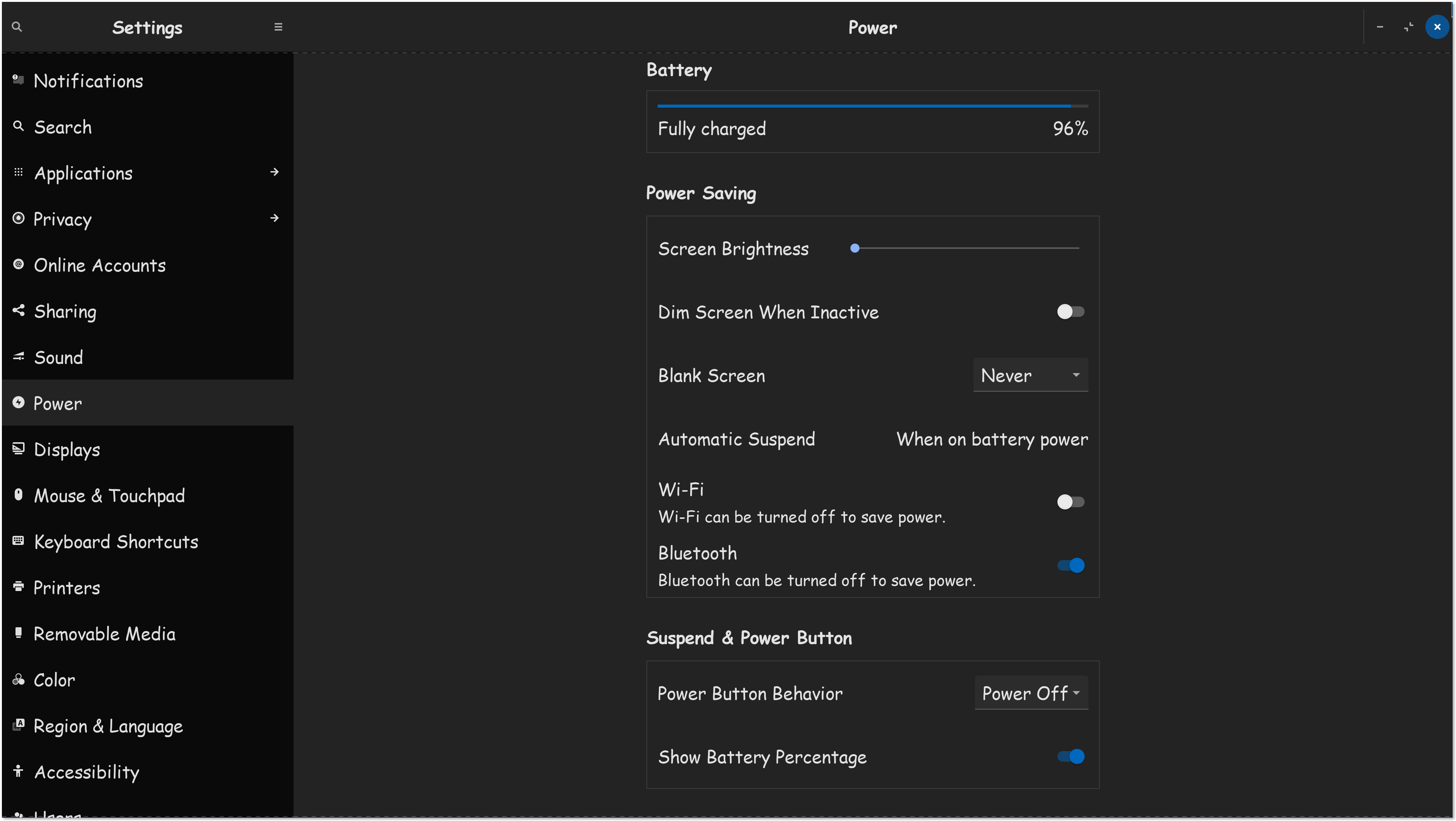
Turn the "WIFI" & "Bluetooth" toggles off, you don't want power saving features activated for those devices.
Set Blank Screen to "Never."
You may want to set your "Power Off" button to "Power Off." Though not required, probably the best idea.
Also, set "automatic suspend" to "battery power," and keep the notebook plugged in.
I'm on OS 16, so you have an additional section I don't have, on OS 18. Looks for your power profile, and set it to full performance.
If we can keep your system, from entering a suspended state, that should keep your components working.
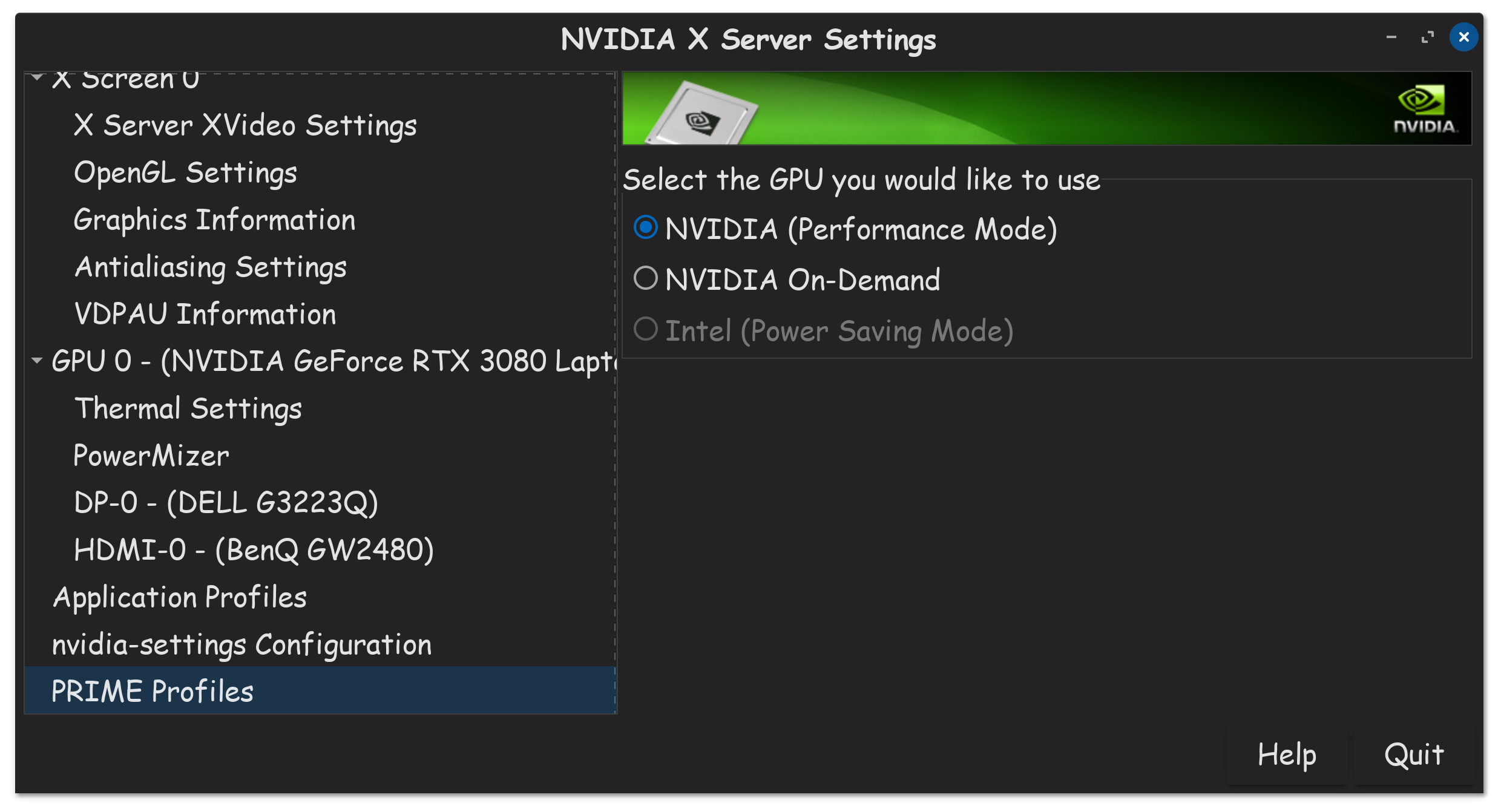
Additionally, if you have an Nvidia GPU, also make sure to go into the "Prime Profiles" settings in "Nvidia X Server Settings APP," and set to full performance there as well.
Hey, thanks for replying. I read that most problems are avoided by not letting the computer go into sleep mode and leaving it in high-performance mode. Unfortunately, since I'm using Core Zorin 17, I don't have those power plans, only balanced and power saving. If you know how to enable or disable it via the terminal, please let me know. I appreciate your help.
I was looking for something like this:
How to Enable Power Saving
Functionality in Wi-Fi driver
If you would like to enable/disable Power Saving Function in Wi-Fi driver, you
can follow as below setting before compiling Wi-Fi driver.
Enable Power Saving Function:
Set CONFIG_POWER_SAVING to y in Makefile
e.g. CONFIG_POWER_SAVING = y
Disable Function:
Set CONFIG_POWER_SAVING = y in Makefile
e.g. CONFIG_POWER_SAVING = n
But I'm not sure if it will work properly.
Note that it says before compiling, which I haven't done because the drivers installed automatically.
 icon bottom of screen, click "Settings."
  Click "Power"