In Windows they had a nice way to have a "My Computer" icon on the desktop and was wondering if that is avail in Zorin 18 Pro. I'm impressed with how much "windows" functionality is already here in this version. Well worth the 50 bucks in my opinion. I'm really looking to find a version of Linux that will get me OFF of Microsoft for good!
1 Like
What the "My Computer" Icon does is launch your File Manager starting at your Home Directory.
Adding the Nautilus (Files) app to your desktop using Right click > Add to desktop - should achieve the desired result.
This is due to Zorin OS using an extension to permit icons on the desktop (Since the Gnome Desktop developers prohibit desktop icons) - so if you are not seeing the option to add it to the desktop, please say so.
Welcome to the Forum!
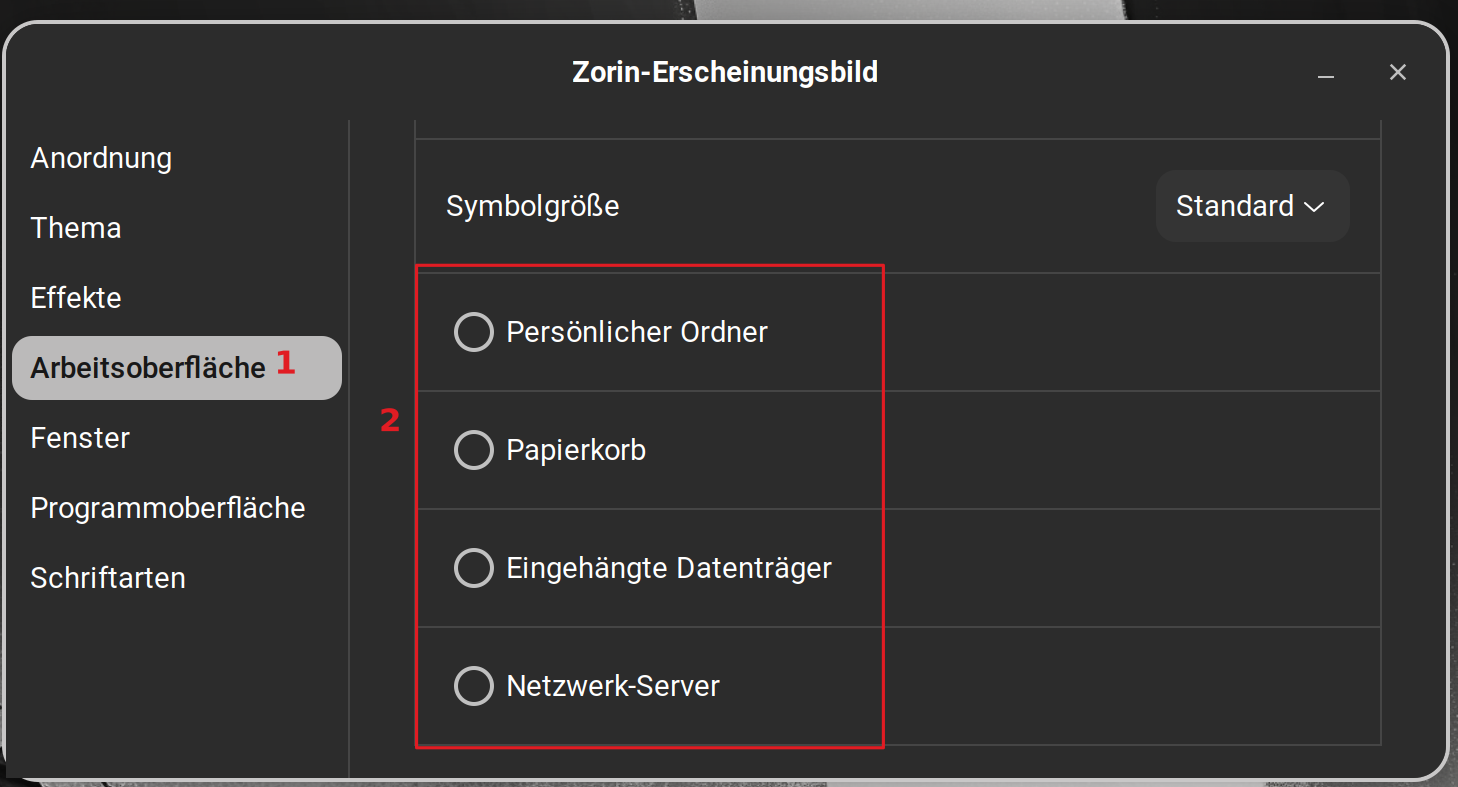
Open Zorin Appearance and go to Desktop and there You can activate Your home Folder on the Desktop:
1 Like
thank you
1 Like
I did make a My Computer shortcut in Plasma, but it won't show you partitions or drives like Windows but the backend stuff.
27.07.2026 update: Forgot to add, Windows 11 is now apparently trying to woo back GNU/Linux users - they now use 'Home' instead of 'Computer'! 