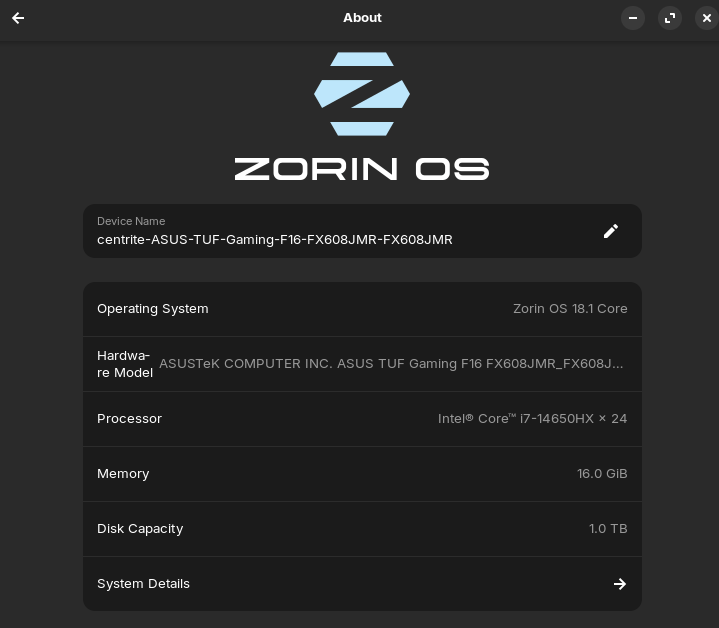
This is my first time using linux so I've just been stumbling my way through trying to learn, but for some reason it's stuck on integrated graphics? I tried looking at other forums but got thoroughly confused. The outdated stuff didn't help either.
2 Likes
Hello,
It only show the video card that is in use at current time. Try the app LACT instead and/or use the command;
inxi -Ga
which will give all the info you ever dreamed of 
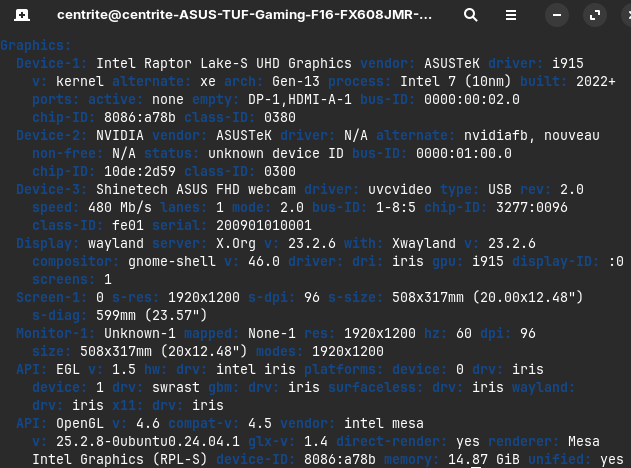
Reason I used that picture was because it wasn't even showing like it did for others.
1 Like
Device-2: Nvidia
Driver: N/A
Have you installed the restricted Nvidia driver for your card? If not, seach in the menu for driver (can't reallt recall its real name, asI'm not using Zorin OS).
Also, as you have a nvidia card, it's advisable to use the xorg display protocol. How to do it; Log out. Click username. A cog should appear. Here you can change the display protocol.
2 Likes
On this Picture:
it isn't shown. You have to click on ''System Details'' to get another Window. And there You should see Your Graphics Card.
1 Like
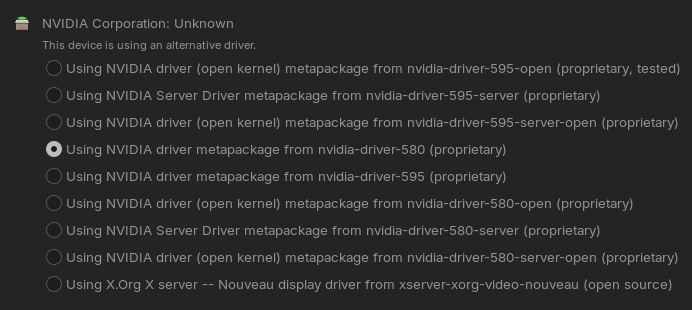
I did the zorg thing.
I don't fully understand what you mean regarding the driver? I'm currently nvidia 580 proprietary driver, I currently have a 5060.
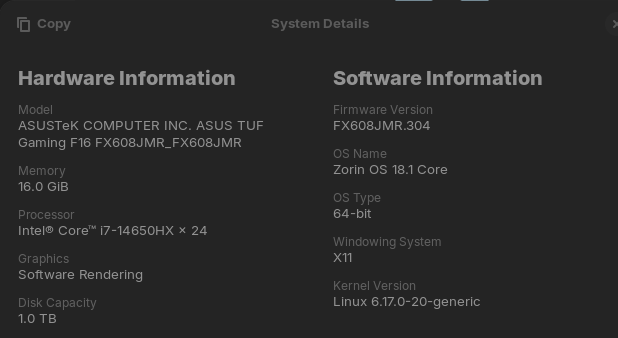
It only show ''Software Rendering'' ... What for a Nvidia Card do You have? Do You know that?
according to inxi it's not in use. What does this command says;
nvidia-smi

laptop 5060
Had another have this problem was something in its bios that needed configure to choose a discrete vid card
1 Like
Elaborate please.
1 Like
In BIOS, You should find Settings to set up what Graphics Output should be used by default. This can be denedling on the BIOS have different Ways. You can look for directly named Options to enable/disable iGPU/internal Graphics or choose what is the primary Graphics Output: PCIe or iGPU. Soemthing like this.
Also, You should check if in BIOS Secure Boot and Fast Boot are disabled.
Another Option would be to uninstall the Driver and install again via Terminal. First type:
sudo apt purge nvidia* libnvidia*
to remove all Nvidia Stuff. Then type
sudo apt autoremove
to remove File Rests. But take a Look at the List of the Packages that will be removed before You remove them. Then type
sudo apt install nvidia-driver-595 nvidia-dkms-595
to install the current 595 Driver. If You prefer to use the 580 Driver again, simply replace the 595 with 580 to install it.
2 Likes
After spending entirely way too long looking I couldn’t find the Igpu thing in bios, fastboot and secure boot are off already, and I did the command stuff you said. My pc now boots onto a black screen with a white line in the top left when I pick linux.
according to nvidia the 595 driver is recommended also when you was in your bios what version was it i see 309 as the current one make sure its uptodate as well
I have a bigger problem rn, I can’t even boot onto linux. It’s just a black screen.
When black screen hit ctrl+alt+(F2 up F6), stop when you get to commanline interface. When you are there reverse the changes that you made (installing driver 595)
sudo apt purge nvidia* libnvidia*
sudo apt autoremove
Reboot.
This is why I swear to AMD cards. They just works(tm).
The ctrl alt stuff didnt do anything, I’m still on a black screen with a small white line in the top left.