I using my few minutes and it not working proper, how can I this thing fixed, screen is working but input from keyboard and mouse is not working, I donot why this happen, how to fix this?
Please keep your questions to the same problem in one thread:
Otherwise we have to ask all questions again.
Does this happen after suspend or also after a fresh reboot?
how can I make it in one the problem I think because at that problem i am more focus on browser but now at my system that why i created it.
when I am running it mostly for more than hour, then I feel it hang and keyboard and mouse based input is not taken by my laptop at that time, I am think because of some process management issue because certain time this happen when apps or tabs are in range 20-25 and long time activity is happening
Maybe such many apps are too much for 8 GiB RAM?
At power settings, what profile do you have set there? If it is set to powersave you could choose a higher one.
Is there any way or tool to manage this RAM as RAM is getting full, in future I will upgrade my RAM or it can send data to SSD which is not used much based on my using style
There are ways to adjust swappiness, create a swap partition, or change the size of the swap file. Unfortunately, I'm not familiar with these methods.
The better approach would be to upgrade the RAM, if possible.
It can also help to use a more lightweight desktop than gnome, e.g. Zorin lite with XFCE desktop.
If the OP is maxing out 8GB of RAM, they are either doing heavy gaming, heavy production workloads, or are running Chrome/Firefox/Brave with many tabs open. I would recommend installing the Stacer APP, and taking a screenshot of the pain page, to show RAM usage.
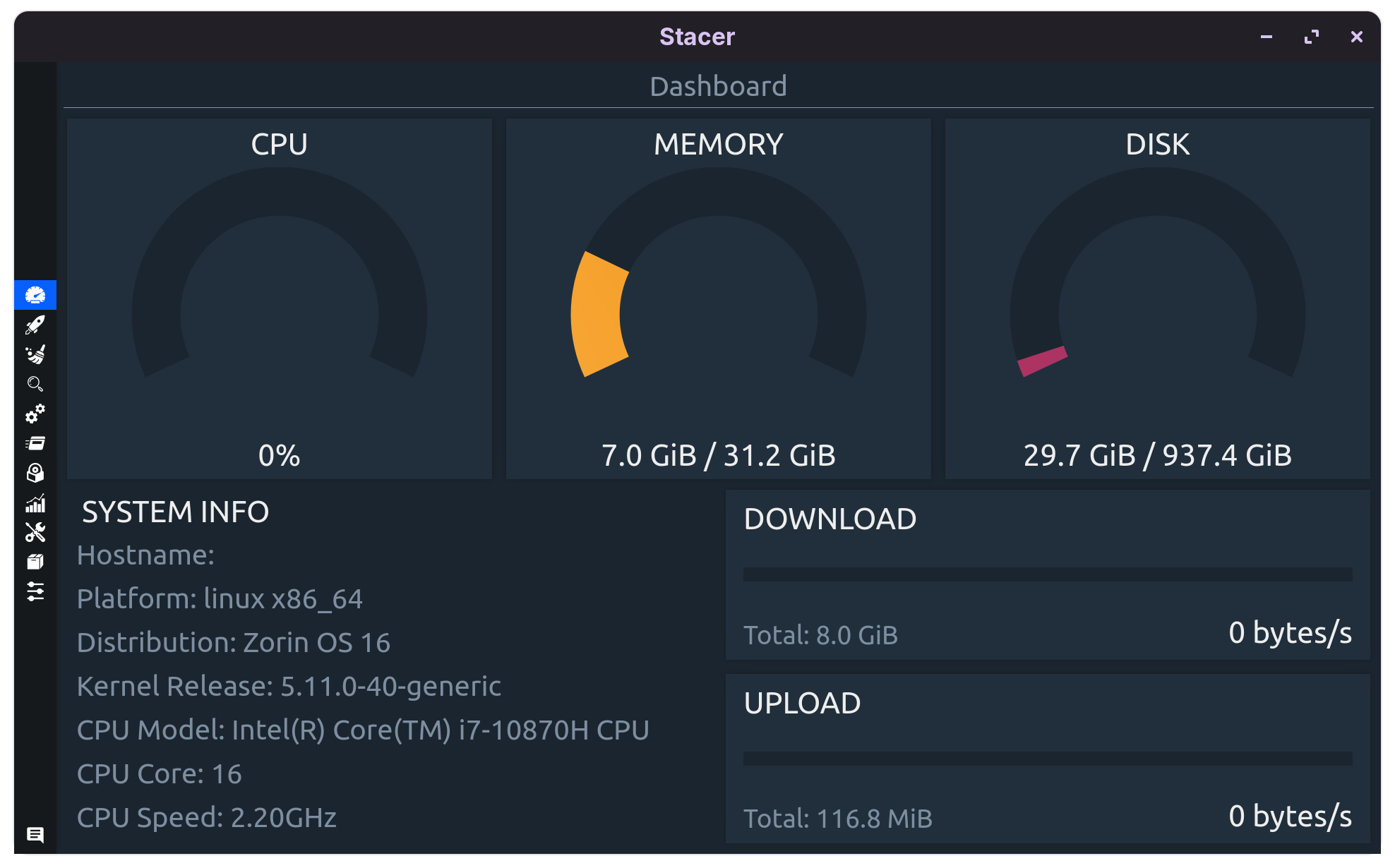
Either put more RAM in your system, or run Zorin OS Lite.

Does Your System run in Wayland or X11? You can check that in Settings>System>Info>Systemdeatils.
x11 system
we can use system monitor as well
Then take a Look in the System Monitor on the Processes and Ressources Tab if there are any Processes that consume more Ressources.
mainly browsers are using the ram mostly,
What Browsers are You using? Do You have a lot of Tabs open? If yes, try it with reducing them. And You could try it with disabling Hardware Acceleration in the Browser Settings.
brave and chrome I used mostly and how to disable hardware acceleration as well?
In Brave browser click on the Hamburger menu, then settings >system
and disable "use graphics acceleration when available" there
In Google Chrome it is the same. Click on the three dots>settings>system.
1 Like
Look at @Forpli's Comment. Alternatively to that, You can start the Browsers in the Terminal with an Addition to get that:
brave-browser --disable-gpu
google-chrome --disable-gpu
I do that thing but my ram usage is always high but when using windows such problems does not come much, resources management is better in linux as compared to windows?
I wouldn't see this as a common Thing. I would say that it depends what You use. And when You have more heavy Desktop environments like Gnome or Plasma, You do need Ressources, too.
You could try Zorin Lite with xfce Base. This is a more lighter Desktop which should need less Hardware Ressources.
Can we shift to low desktop environment in zorin core OS because I have data which I can took backup but email and other things setup took time for me which I don't want to know, is these desktop environment heavy then windows desktop environment?
Yes, you can.
This would mean installing the Lite Desktop:
sudo apt install zorin-os-lite-desktop
You may get a prompt to configure LightDM. In this case, I recommend switching to LightDM as it is much more user friendly about placing tools where you can see them and enabling easy switching of environments. It is also highly configurable, should you want to change the wallpaper or look.
Once done, you can log out, then log in - at the log in screen, click the Environments Icon on the far upper right and select Zorin Lite Desktop.
1 Like