My zorin os goes slower than windows 10 and i just dont know enough of computers D:

The title its very selfdescriptive, and yes, i didint wanted to switch from windows 10 to 11, so i installed linux mint, it just didint work well for me, so i installed zorin os core, and it went well...
Only when you try the os without installing it :|, and thats very weird, cuz i switched from windows not because windows 10 was slow, but because the games were indeed, and yes, both linux mint and zorin os had the games ruuning like fire, but idk why the os itself, went horribly, i read a lot of comments saying zorin lite was better, and im using it right now feeling like its worse than core, its lags a lot, i have to wait minutes for things to load, a lot of flickering images, like steam notifications or the taskbar when some programs lag themselves, and this is weird cuz i followed a very good tutorial, and the worst part, i installed in dual boot with windows and when i open windows it loads in seconds, but zorin loads like in 3-5 minutes, and its very sad, because im not the kind of person that likes to hate something just because it didint work for him, so, if u guys need to know something about my laptop, idk how to give u details, but i know my laptop has 8gb of ram, intel core i5, nvidia geforce mx330, dell, it has 1tb of space, i installed it (lite) with modern graphics.

Plz guys i need your help, i dont want to force myself to use windows 10 again, but im very close to do that

PS: i know i write like a child, but its just my bad english, sorry for that
I edited your post to remove the YouTube link. I see nothing wrong with TechSolutionz guide on this particular matter, so the link is superfluous.

The Zorin OS Lite is lagging, as well as Core, suggests that you did the installation correctly, but something with your hardware is not fully compatible with GnuLinux, and is accruing a lot of errors, that cause long delays in processes.

All of your listed specs are fine but this one:

Maybe have some trouble.
Which Driver are you using for your Nvidia MX330?

This card is not technically an old card... But what it is is a rebrand of an old card by Nvidia which includes some modernized tweaks, then put to market as an "entry level" card.
Which means driver support on it may be spotty.

1 Like

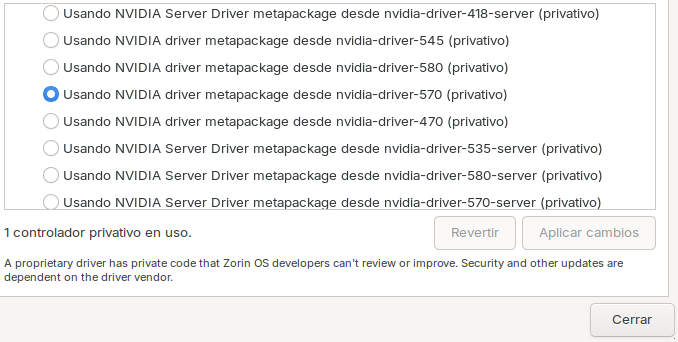
sorry for answearing late, i have this screenshot, its in spanish, (im from tacoland), but its very intuitive

:rofl:

I see the 570 driver... and I think that is the problem.

The mx330 is an Entry level card, so when installed, it is almost always setup as Hybrid with Intel graphics.
The 570 expects a higher performance card, so is taking in rendering that it shouldn't be.

Three steps you can take:

  • Do not use Wayland. Xorg is much better on that machine.
  • Switch to the 535 driver - this driver should be better matched to the card.
  • If you have the option of using prime-select Set to "Intel" so that Intel handles desktop rendering and leaves Nvidia to take up the slack for things like running a game title.
2 Likes

Welcome to the Forum!

  • Are Secure Boot and Fast Boot in BIOS disabled?
  • Is Fast Start-Up in Windows disabled?
  • Does Your BIOS run in UEFI Mode or Legacy?
  • What Tool did You used to create the Bootstick?
1 Like

1.- I know the secure boot is disabled, but idk if fast boot is disabled
2.-idk where to check that but ill try
3.-I think UEFI Mode
4.-Balena Etcher

well, even tought i cant find how can i make the login screen to appear again cuz i deactivated it, (cuz im stupid and i cant remember xd), the other stuff u say seems to be working fine and fast, almost like windows, thanks bud, i love linux community :smiley:

Disable automatic login at Settings > system > users

The guide shows how to turn it on, but there you can also turn it off.

Maybe look if You can find it.

It is in the Energy Settings in Windows. Here a Video:

This could be something, too. If You maybe willing to try it with a fresh Install, You would recommedn to use Rufus instead of Etcher. In rufus choose on the Option ''Partition Sheme'' GPT when You BIOS is in UEFI Mode.

I think that is for zorin core, cuz my lite version seems a bit weird, i got used to core and lite has a more confusing UI
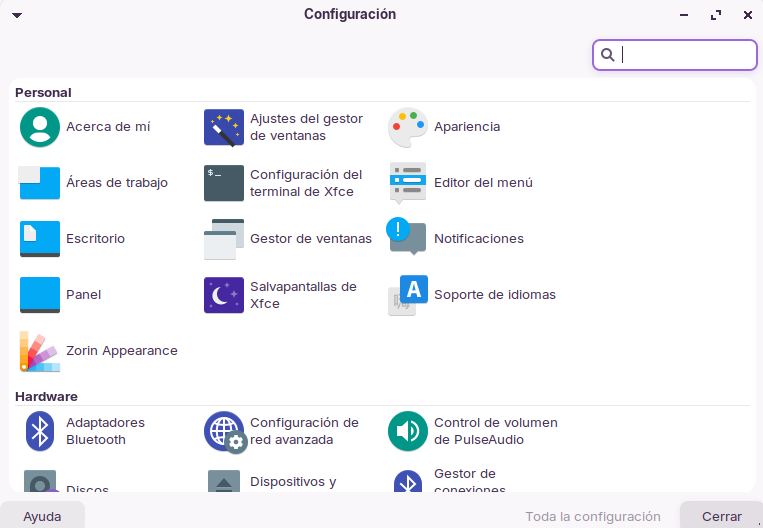
For example, when i click settings, this is the settings menu for lite, btw its very similar to the linux mint one, but im struglin finding that system, or in my case, "sistema", and i even tried searching in the programs bar but nothin happens.


Also, i had another problem with my games D:, idk if it has somethin to do with the set-prime intel setting, but my games seem to go very slow, and i tried gproton, proton hotfix, and other proton alternatives, steam official ones and non official, but none of them seem to work properly in most of 3d games, and that didint happen in zorin core, maybe in windows 10, but not as slow as now

im thinking in going back again to zorin os core cuz i think the first time i installed it, i did it bad, so ill try it again

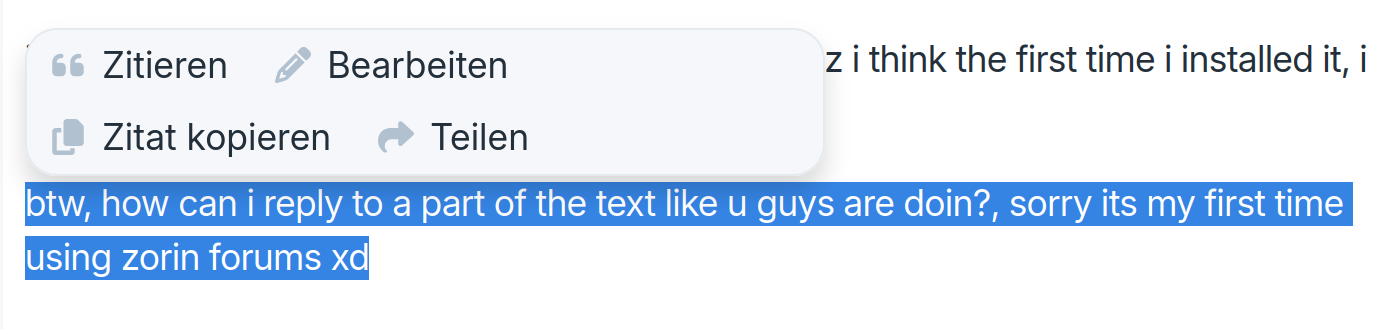
btw, how can i reply to a part of the text like u guys are doin?, sorry its my first time using zorin forums xd

When You mark the Text, You want quote, You get a Window:

You only need to mark it, no Right-Click.

Sorry, that was my mistake.
In start menu search for "users and groups" (it is separate, not in the normal settings), then at password click on change and disable "Don't ask for password on login".