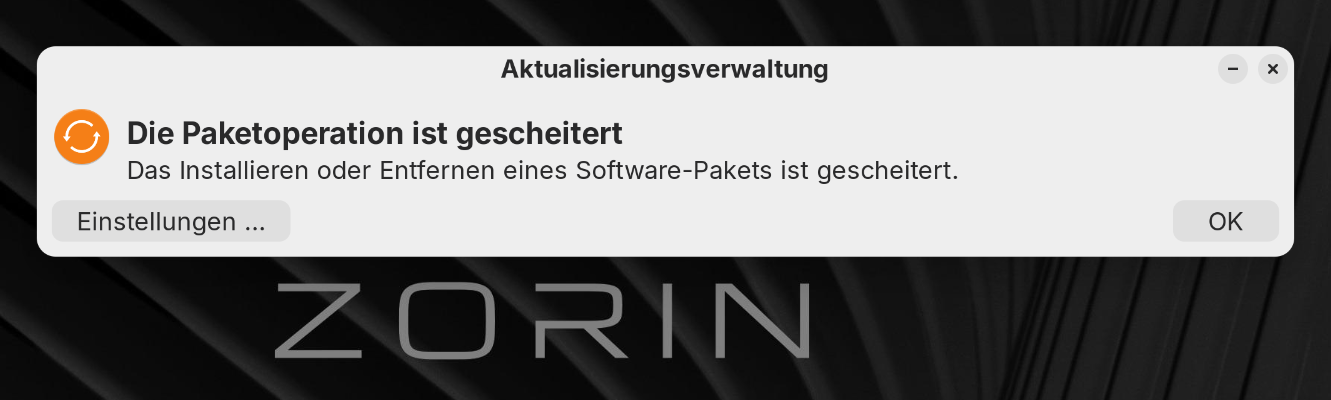
Like the Prompt says, there seem to be an Issue with a Package that doesn't get installed/removed right. Unfortunately there isn't mentioned what specific Package.
Could You please post the whole Output of the Command
sudo apt update && sudo apt upgrade
please? That is the Update Process but in the Terminal. This could offer more detailed Infos.
Also: When that happened, did You received any Kernel Updates before?
OK:1 https://linux.teamviewer.com/deb stable InRelease
OK:2 https://brave-browser-apt-release.s3.brave.com stable InRelease
OK:3 Index of /ubuntu noble InRelease
OK:4 Index of /ubuntu noble-updates InRelease
OK:5 Index of /ubuntu noble-backports InRelease
OK:6 Index of /ubuntu noble-security InRelease
OK:7 Index of /cubic-wizard/release/ubuntu noble InRelease
OK:8 Index of /zorinos/apps/ubuntu noble InRelease
OK:9 Index of /zorinos/drivers/ubuntu noble InRelease
OK:10 Index of /zorinos/patches/ubuntu noble InRelease
OK:11 Index of /zorinos/stable/ubuntu noble InRelease
OK:12 Index of /stable/ noble InRelease
OK:13 Index of /patches/ noble InRelease
OK:14 Index of /apps/ noble InRelease
OK:15 Index of /drivers/ noble InRelease
OK:16 Zorin OS Pro - Zorin OS noble InRelease
Paketlisten werden gelesen… Fertig
Abhängigkeitsbaum wird aufgebaut… Fertig
Statusinformationen werden eingelesen… Fertig
Aktualisierung für 6 Pakete verfügbar. Führen Sie »apt list --upgradable« aus, um sie anzuzeigen.
Paketlisten werden gelesen… Fertig
Abhängigkeitsbaum wird aufgebaut… Fertig
Statusinformationen werden eingelesen… Fertig
Paketaktualisierung (Upgrade) wird berechnet… Fertig
Die folgenden Pakete wurden automatisch installiert und werden nicht mehr benötigt:
binwalk folder-color ipxe-qemu isolinux libaio1t64 libcacard0 libdaxctl1
libdisplay-info1 libetonyek-0.1-1 libfdt1 libfwupd2 libndctl6 libpmem1
librdmacm1t64 libslirp0 liburing2 libusbredirparser1t64 libvirglrenderer1
libwayland-server0:i386 python3-argcomplete python3-binwalk python3-icu
python3-magic python3-pyasyncore python3-pydbus python3-pyinotify
python3-zombie-imp qemu-system-common qemu-system-data qemu-system-s390x
qemu-system-x86 seabios zorin-os-feedback
Verwenden Sie »sudo apt autoremove«, um sie zu entfernen.
Get more security updates through Ubuntu Pro with 'esm-apps' enabled:
gstreamer1.0-plugins-ugly libzvbi-common libsrt1.5-gnutls libsrt1.5-gnutls
qt5-gtk-platformtheme libass9 catdoc libqt5qml5 gir1.2-flatpak-1.0 libcjson1
libcjson1 libqt5quick5 libpostproc57 libqt5gui5t64 libmbedcrypto7t64
libmbedcrypto7t64 libavcodec60 libavcodec60 libgstreamer-plugins-bad1.0-0
libzvbi0t64 libzvbi0t64 libqt5printsupport5t64 libavutil58 libavutil58
libqt5widgets5t64 libswscale7 libqt5dbus5t64 libqt5network5t64
gir1.2-gst-plugins-bad-1.0 python3-filelock libswresample4 libswresample4
libflatpak0 libqt5qmlmodels5 7zip libavformat60 libavformat60 flatpak
libqt5core5t64 libavfilter9
Learn more about Ubuntu Pro at Ubuntu Pro | Ubuntu
Die folgenden Aktualisierungen sind wegen Phasenstufung zurückgestellt worden:
apparmor apparmor-profiles libapparmor1 libapparmor1:i386 snapd
Die folgenden Pakete sind zurückgehalten worden:
libxfce4windowing-0-0
0 aktualisiert, 0 neu installiert, 0 zu entfernen und 6 nicht aktualisiert.
4 nicht vollständig installiert oder entfernt.
Nach dieser Operation werden 0 B Plattenplatz zusätzlich benutzt.
N: Some packages may have been kept back due to phasing.
Möchten Sie fortfahren? [J/n] j
linux-image-7.0.0-38-generic (7.0.0-38.38~24.04.4) wird eingerichtet ...
linux-headers-7.0.0-38-generic (7.0.0-38.38~24.04.4) wird eingerichtet ...
/etc/kernel/header_postinst.d/dkms:
dkms: running auto installation service for kernel 7.0.0-38-generic
Sign command: /usr/bin/kmodsign
Signing key: /var/lib/shim-signed/mok/MOK.priv
Public certificate (MOK): /var/lib/shim-signed/mok/MOK.der
Building module:
Cleaning build area...
make -j12 KERNELRELEASE=7.0.0-38-generic -C /lib/modules/7.0.0-38-generic/build
M=/var/lib/dkms/virtualbox/7.1.16/build....(bad exit status: 2)
Error! Bad return status for module build on kernel: 7.0.0-38-generic (x86_64)
Consult /var/lib/dkms/virtualbox/7.1.16/build/make.log for more information.
dkms autoinstall on 7.0.0-38-generic/x86_64 failed for virtualbox(10)
Error! One or more modules failed to install during autoinstall.
Refer to previous errors for more information.
dkms: autoinstall for kernel 7.0.0-38-generic
...fail!
run-parts: /etc/kernel/header_postinst.d/dkms exited with return code 11
dpkg: Fehler beim Bearbeiten des Paketes linux-headers-7.0.0-38-generic (--confi
gure):
»installiertes post-installation-Skript des Paketes linux-headers-7.0.0-38-gene
ric«-Unterprozess gab den Fehlerwert 11 zurück
dpkg: Abhängigkeitsprobleme verhindern Konfiguration von linux-headers-generic-h
we-24.04:
linux-headers-generic-hwe-24.04 hängt ab von linux-headers-7.0.0-38-generic; ab
er:
Paket linux-headers-7.0.0-38-generic ist noch nicht konfiguriert.
dpkg: Fehler beim Bearbeiten des Paketes linux-headers-generic-hwe-24.04 (--conf
igure):
Abhängigkeitsprobleme - verbleibt unkonfiguriert
dpkg: Abhängigkeitsprobleme verhindern Konfiguration von linux-generic-hwe-24.04
:
linux-generic-hwe-24.04 hängt ab von linux-headers-generic-hwe-24.04 (= 7.0.0-3
8.38~24.04.4); aber:
Paket linux-headers-generic-hwe-24.04 ist noch nicht konfiguriert.
dpkg: Fehler beim Bearbeiten des Paketes linux-generic-hwe-24.04 (--configure):
Abhängigkeitsprobleme - verbleibt unkonfiguriert
Trigger für linux-image-7.0.0-38-generic (7.0.0-38.38~24.04.4) werden verarbeite
t ...
/etc/kernel/postinst.d/dkms:
dkms: running auto installation service for kernel 7.0.0-38-generic
Sign command: /usr/bin/kmodsign
Signing key: /var/lib/shim-signed/mok/MOK.priv
Public certificate (MOK): /var/lib/shim-signed/mok/MOK.der
Building module:
Cleaning build area...
make -j12 KERNELRELEASE=7.0.0-38-generic -C /lib/modules/7.0.0-38-generic/build
M=/var/lib/dkms/virtualbox/7.1.16/build....(bad exit status: 2)
Error! Bad return status for module build on kernel: 7.0.0-38-generic (x86_64)
Consult /var/lib/dkms/virtualbox/7.1.16/build/make.log for more information.
dkms autoinstall on 7.0.0-38-generic/x86_64 failed for virtualbox(10)
Error! One or more modules failed to install during autoinstall.
Refer to previous errors for more information.
dkms: autoinstall for kernel 7.0.0-38-generic
...fail!
run-parts: /etc/kernel/postinst.d/dkms exited with return code 11
dpkg: Fehler beim Bearbeiten des Paketes linux-image-7.0.0-38-generic (--configu
re):
»installiertes post-installation-Skript des Paketes linux-image-7.0.0-38-generi
c«-Unterprozess gab den Fehlerwert 11 zurück
Fehler traten auf beim Bearbeiten von:
linux-headers-7.0.0-38-generic
linux-headers-generic-hwe-24.04
linux-generic-hwe-24.04
linux-image-7.0.0-38-generic
E: Sub-process /usr/bin/dpkg returned an error code (1)
heb@Zorin-OS:~$
Okay, the Ubuntu Pro Note is a bit weird but not for Interest now. The Issue is that the Kernel wants to built for VirtualBox but that doesn't work.
Do You have Secure Boot in BIOS enabled?
You could also uninstall VirtualBox, then make again a sudo apt update && sudo apt upgrade and then install VirtualBox again. You could then download it from the Developers Website:
Choose the Version for Ubuntu 24.04 (this is the Base from Zorin 18).