It's me to thank you to test and report 
1 Like
@gothikserpent now DnD in Dual Panel have progress bar work
1 Like
Okay, I tested it and it works:
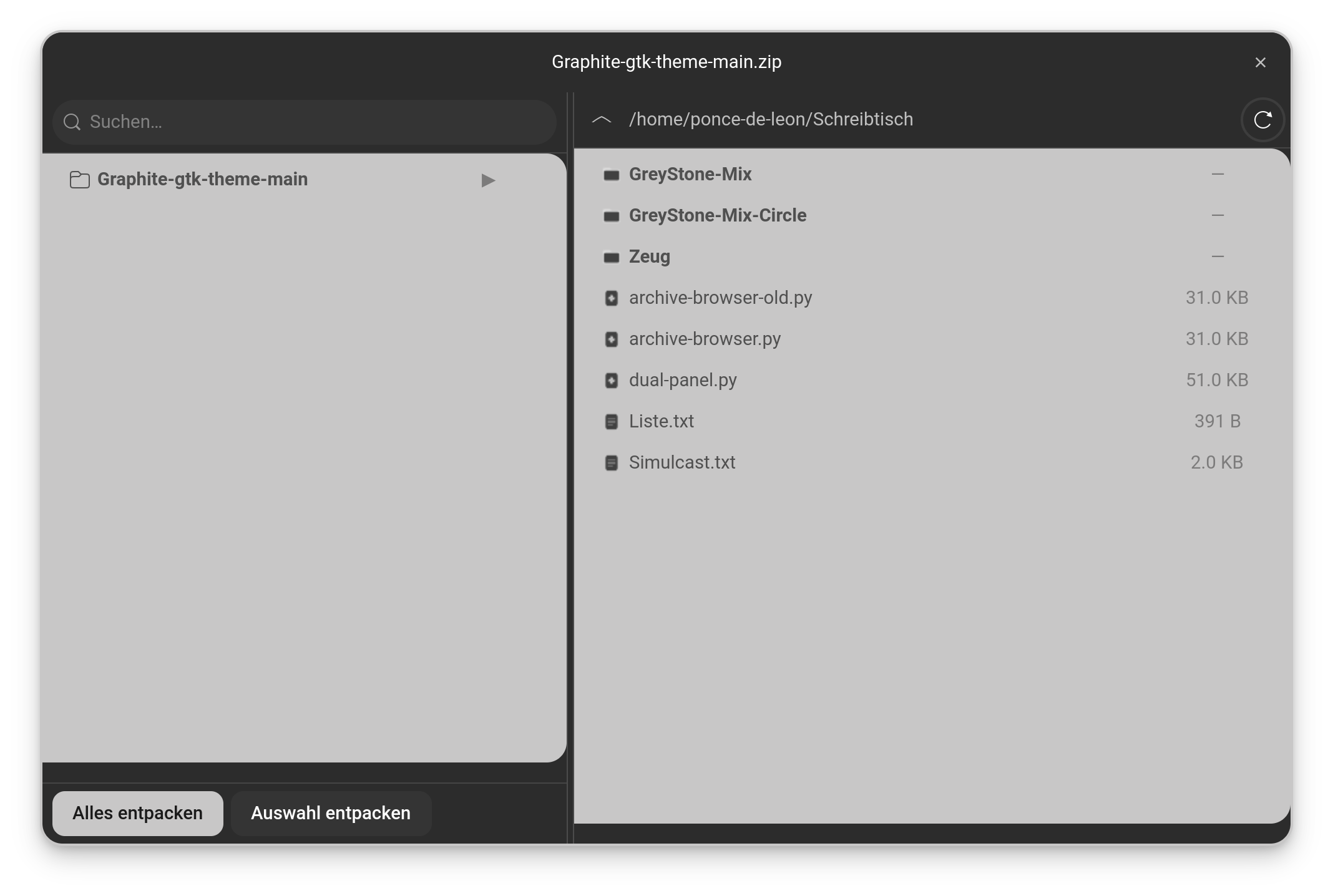
(I added a german Translation; I used Your dual-panel Script as Blueprint for the Coding Syntax Stuff)
I would name 2 Things that You could add in the Future if it would be makeable:
-
The Filepath on the right Side. I would find it good if You could manually type in a Path. That would make the Navigation a bit faster in my Opinion.
-
The Extraction. When I use the ''Extract all'' Button all is fine. When I use the ''Extract Selection'' Button it is a bit ... surprising. I would expect that it directly extract the File but it extracts it in a Folder Sheme Main Folder>Sub Folder>File. I thought ''Were is the File?'' until I saw the Folder, hahaha!
I've added your suggestions (You can now manually type in a Path) and a shortcut button for XDG directories. I've also fixed the inconsistencies (for Extract Selection). I've also added your language (German) so you can download it from GitHub without modifying the code
1 Like
Works well.
That is a nice Idea to quickly jump to each one. A good Addition. Oh, and Thanks for adding the german Translation.
1 Like
my pleasure, you help me with your feedback, it's a tiny thing.
I have a bit more Feedback. The Thing is, I can't mark a Folder in the Archive to extract it. When I click on one, it only expands the Content but isn't marked. So the ''Extract Selection'' Button does not work. Extracting all works fine and clicking on specific Files works, too. But choosing Folders doesn't work right. Sometimes it responses but mostly not. You get the Click-Effect but it isn't marked, it only expands.
I didn't see this bug, thank you. You can try the new version corrected I pushed on Github
1 Like
Okay, I will and report back then.
1 Like
So, I have tried it and the Mark Option is working but I have the Impression ... how can I explain that ... that ... the Click-Responsiveness isn't equal over the whole Line. Sometimes it doesn't react right or jumps or the File Path doesn't close/open right. It is a bit difficult to exlain.
I don't know if there something like ''Click-Zones'' exist. In my naive Thinking it would work like this: I click on a Folder, it gets marked and the File Tree open. When I click again, it gets unmraked and the File Tree closes. But this doesn't work really smooth. Sometimes it reacts and sometimes not. It isn't so that it doesn't work at all. But it is not smooth like I said.
I don't know if this is because of Your Script or maybe a Thing of my Theme. I can only say that I don't have outside of this similar Issues. Or if this might be a Gnome Thing ...
I understand what you talking about, I will take a look at this...
1 Like
You can try the new one on Github, the click and select is not weird anymore
1 Like
I tried it now and it is better now. I also found out that the Marking works best when You click left beneath the Folder/File Icon. Then, I can click through them and when I click the one, the other gets unmarked.
I don't know if that is intented that Way from You, but this Way it works fine for me in Combination with Your other Optimizations.
1 Like
That was intended that way because it's how I like to use it
1 Like
Ah, okay. I understand.
big update of archive browser (it can now create archives) I let you read, there is one more dependency for the new function
 Archive Browser —
 archive-browser.py
A complete file-roller replacement built as a Nautilus extension — browse, explore, extract and create archives without leaving your file manager.
Triggers:
- Right-click on an archive → Browse archive (or Parcourir l'archive)
- Right-click on files/folders → Create archive (or Créer une archive)
F7— reopen the last browsed archive
Supported formats: All formats supported by libarchive — zip, 7z, tar, gz, bz2, xz, rar, cab, iso, deb, rpm and more. Extraction via 7z and unrar (full RAR5 support).
Layout:
- Left panel — archive contents with folder tree
- Right panel — filesystem navigator, opens in the archive's directory
Browse features:
 Folder tree with collapse/expand — subfolders collapsed by default, click to expand
 Live filter — search files by name instantly
 Drag & Drop — drag files from the archive directly into any folder in the right panel or in Nautilus
 Extract all — extracts everything (with full folder structure) to the right panel's current folder
 Extract selection — extracts selected files flat (no folder structure) / folders with structure
- Double-click on a file — extracts and opens with the default application
 Editable address bar — type any path manually and press Enter to navigate
 XDG bookmarks button — quick access to Home, Documents, Downloads, Pictures, Music, Videos and GTK bookmarks
 Password support — automatic detection of encrypted archives, password dialog on open
 Intelligent DnD cache — extracted files are cached, repeated drags are instantaneous
 Real progress bar — actual percentage during extraction (0→100%)
Create archive features:
- RAR — compression 0→9, password (header encryption), split into volumes
- 7z — compression 0→9, password (header encryption), split into volumes
- ZIP — compression 0→9, password
 tar.gz / tar.bz2 / tar.xz — standard Unix compression
- Custom archive name with automatic extension
- Creates archive in the same folder as the source files
Languages: French  · English
  · German
Dependencies: python3-nautilus python3-gi gir1.2-adw-1 python3-libarchive-c p7zip-full unrar rar
2 Likes
Oh, that's nice.
1 Like
Okay, I tried the Archive Creation and I did work without an Issue. I created every Archive Version that was offered.
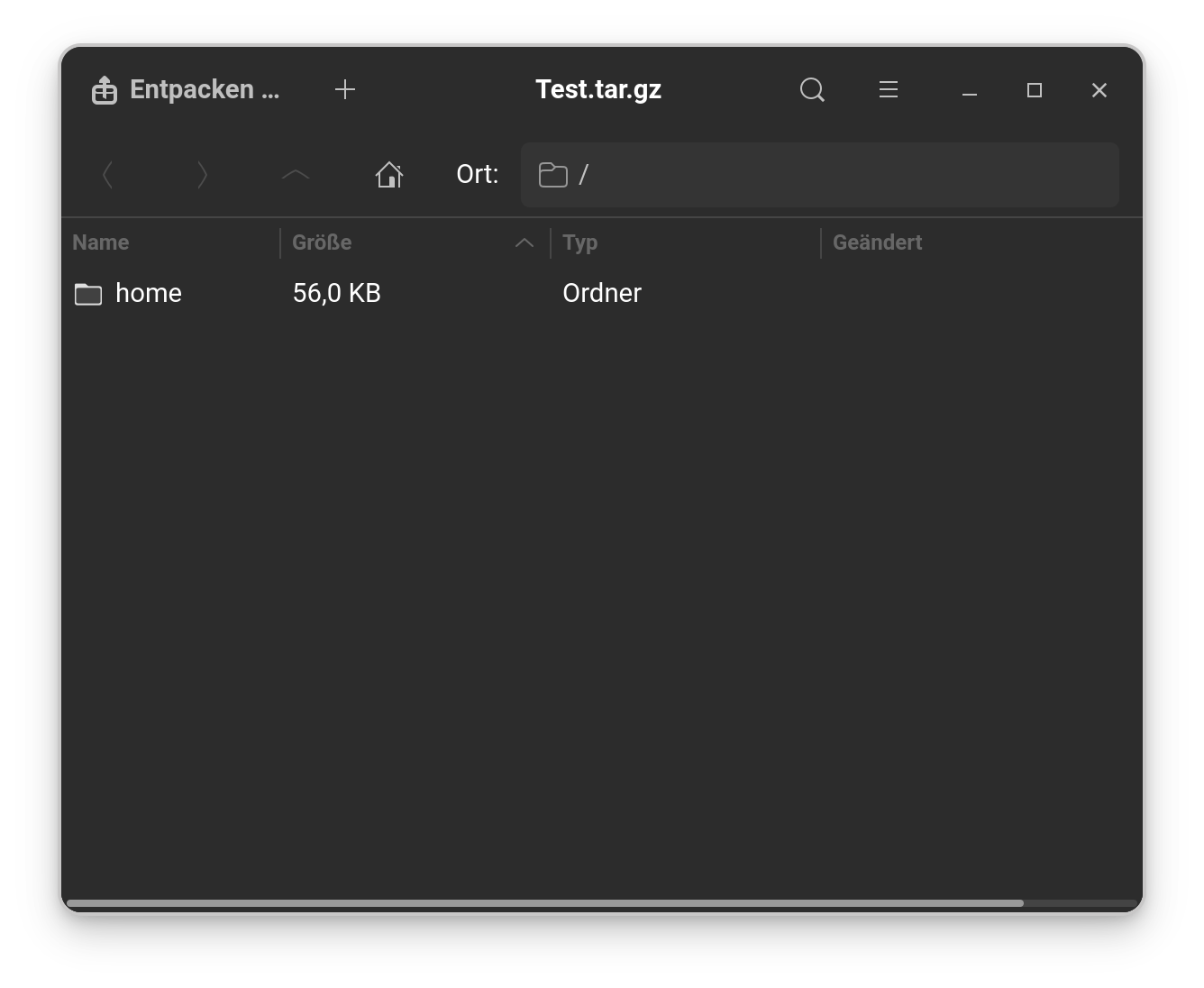
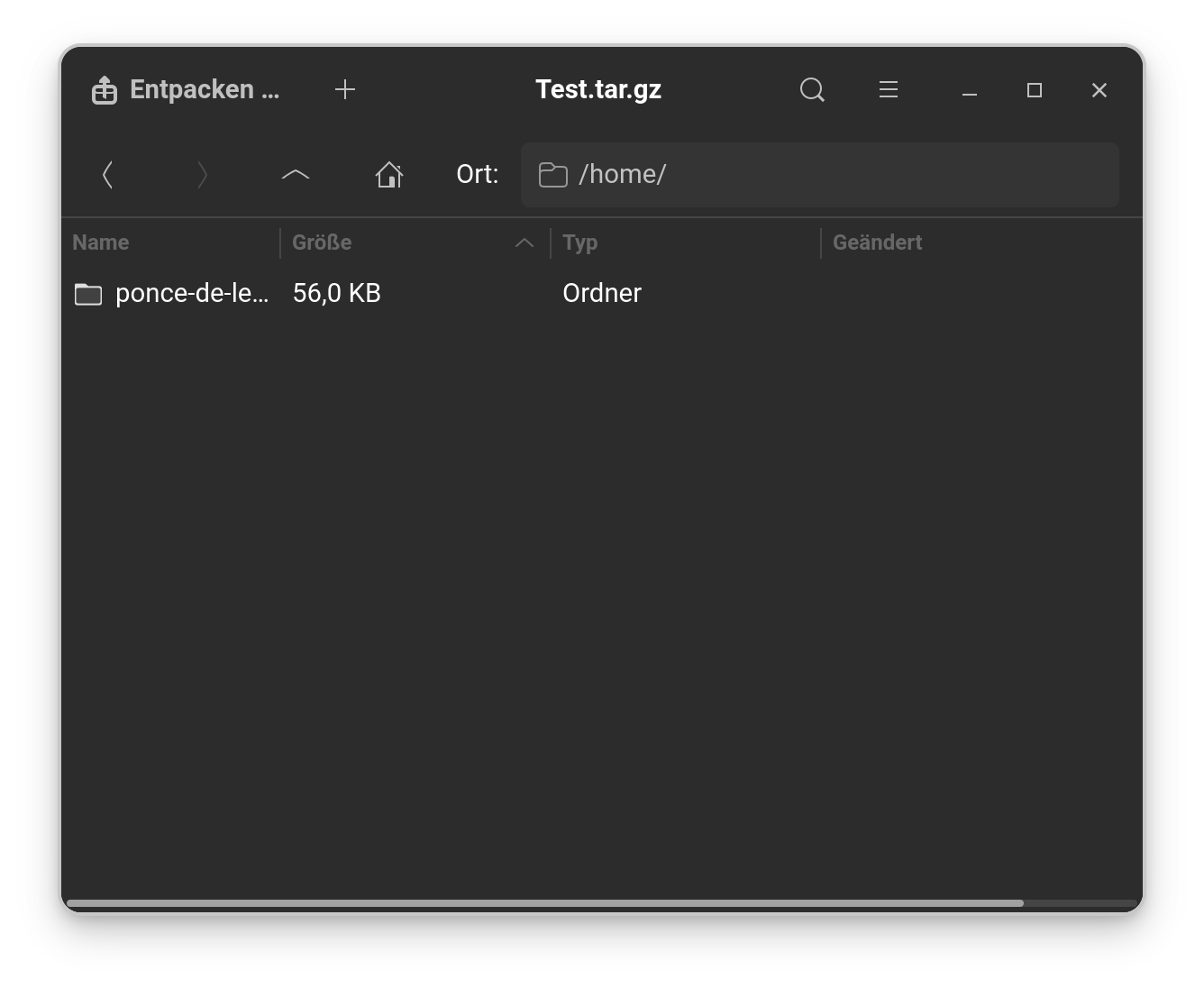
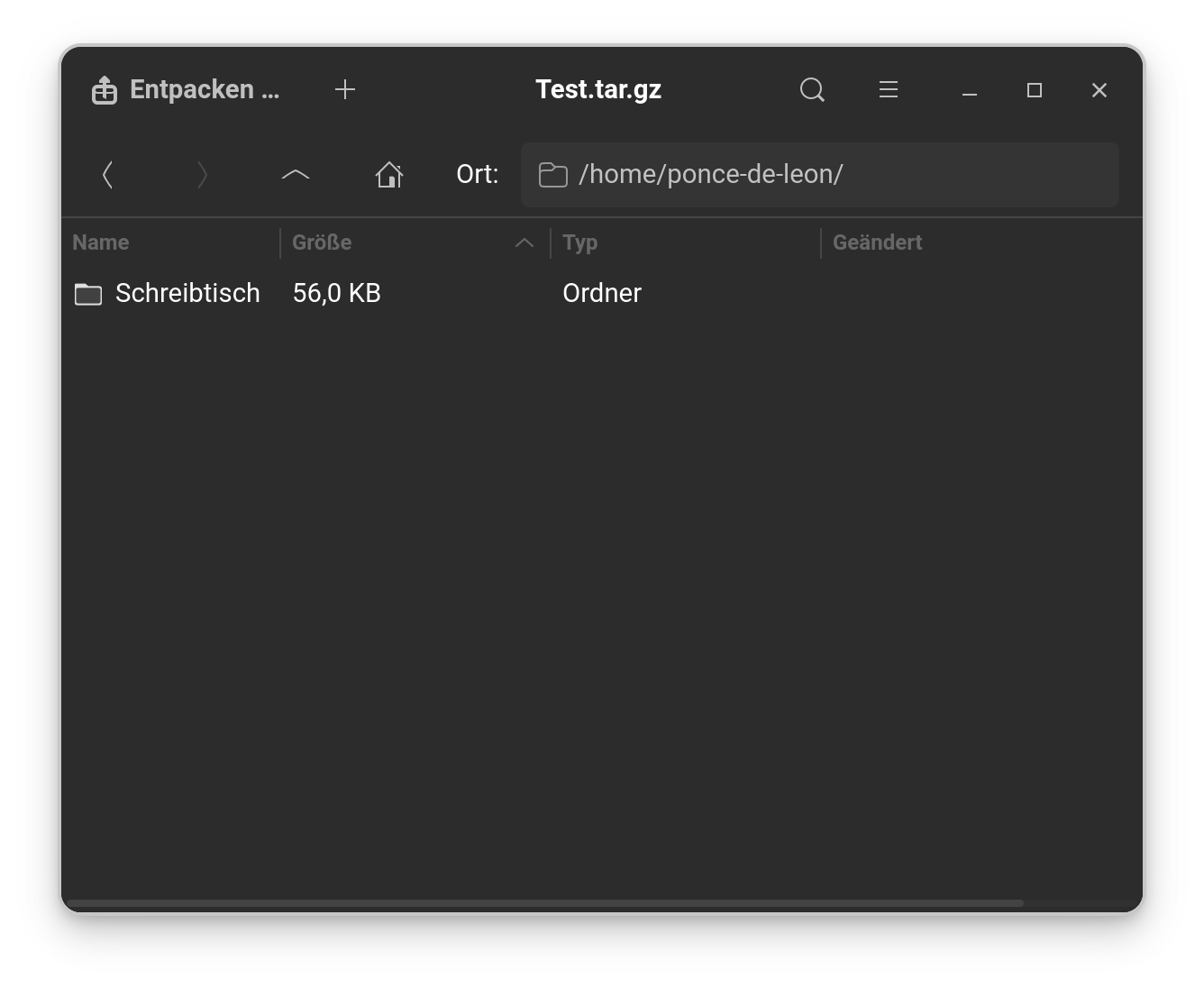
One thing is a bit weird. When I had created an Archive with several Files, I had 2 different Behaviors:
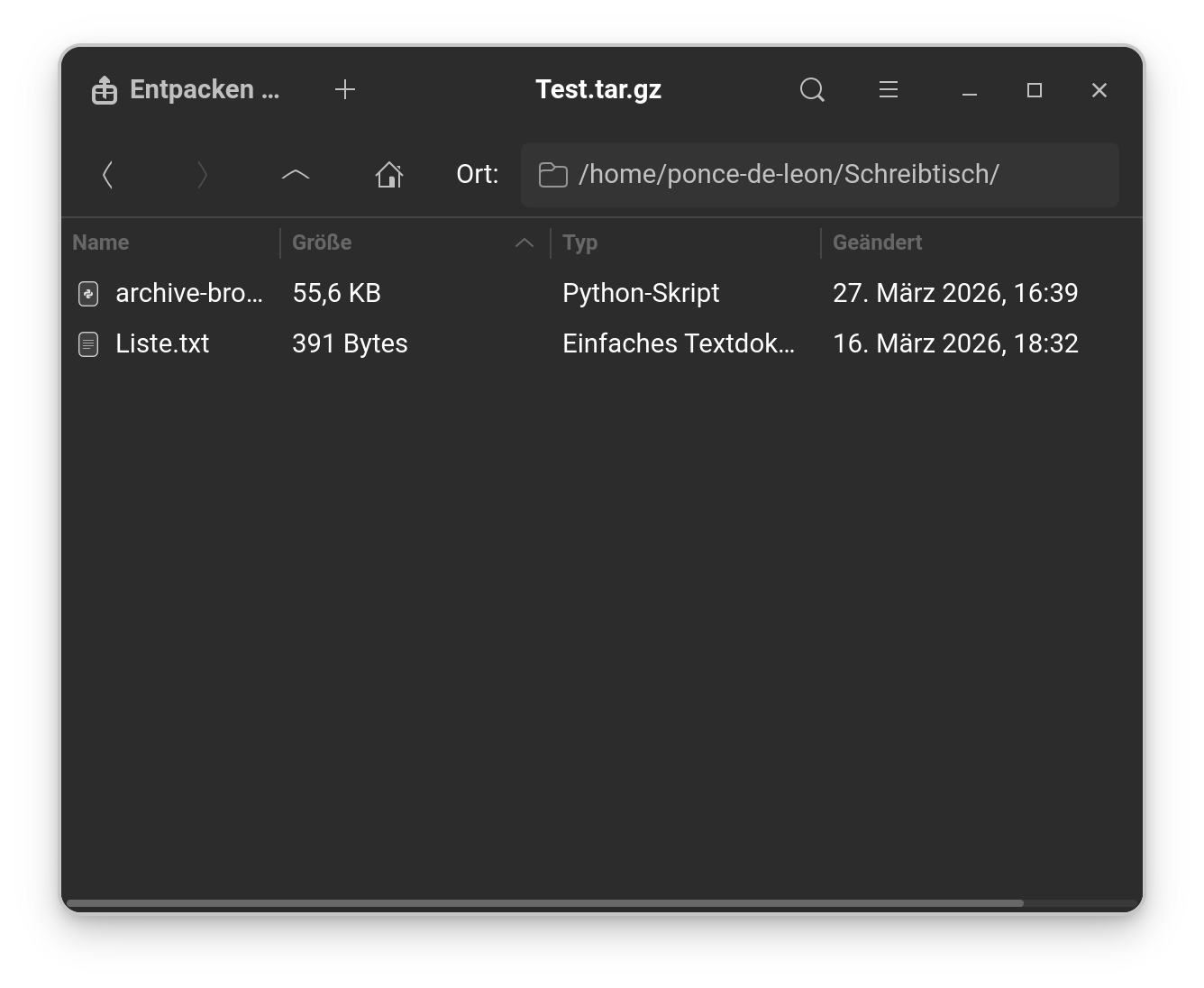
- When I open the Archive with the System Standard Archive Tool: You have a Folder Structure in the Archive which is the actual Path of the Files. So, I had Folder>Folder>Folder>Files instead of directly the Files.
- When I use Your Archive Script to open the Archive there are directly the Files.
To show some Pictures:
Here the Standard Archive Tool:
And here with Your Archive Script:
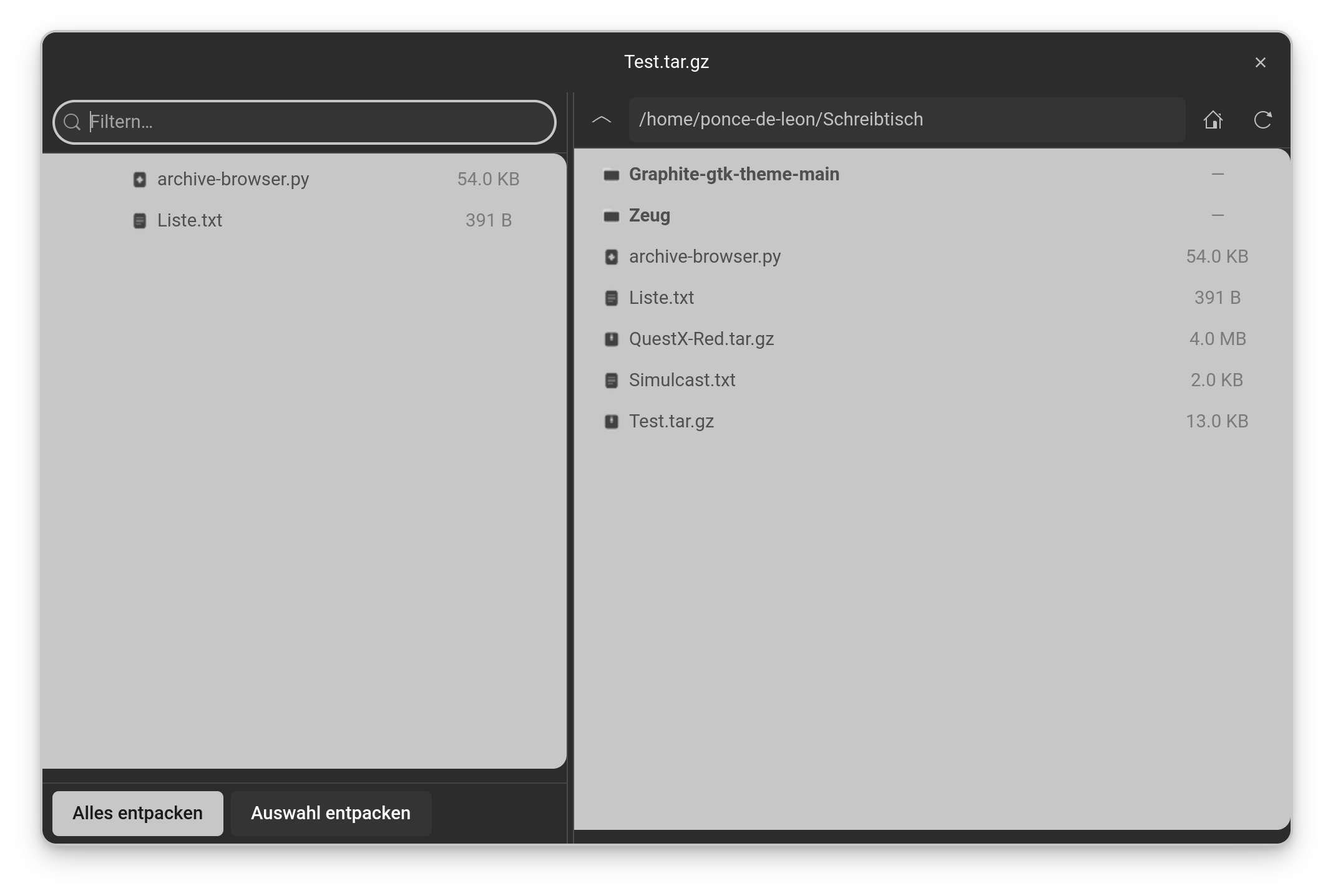
You see there on the left side that the Files are directly there - without any Folders.
I see the problem, could you try the new version I pushed please ?
1 Like
I tried it and now it is correct; there are no Folders anymore when using the Standard Archive Tool.
1 Like