Hello everyone,
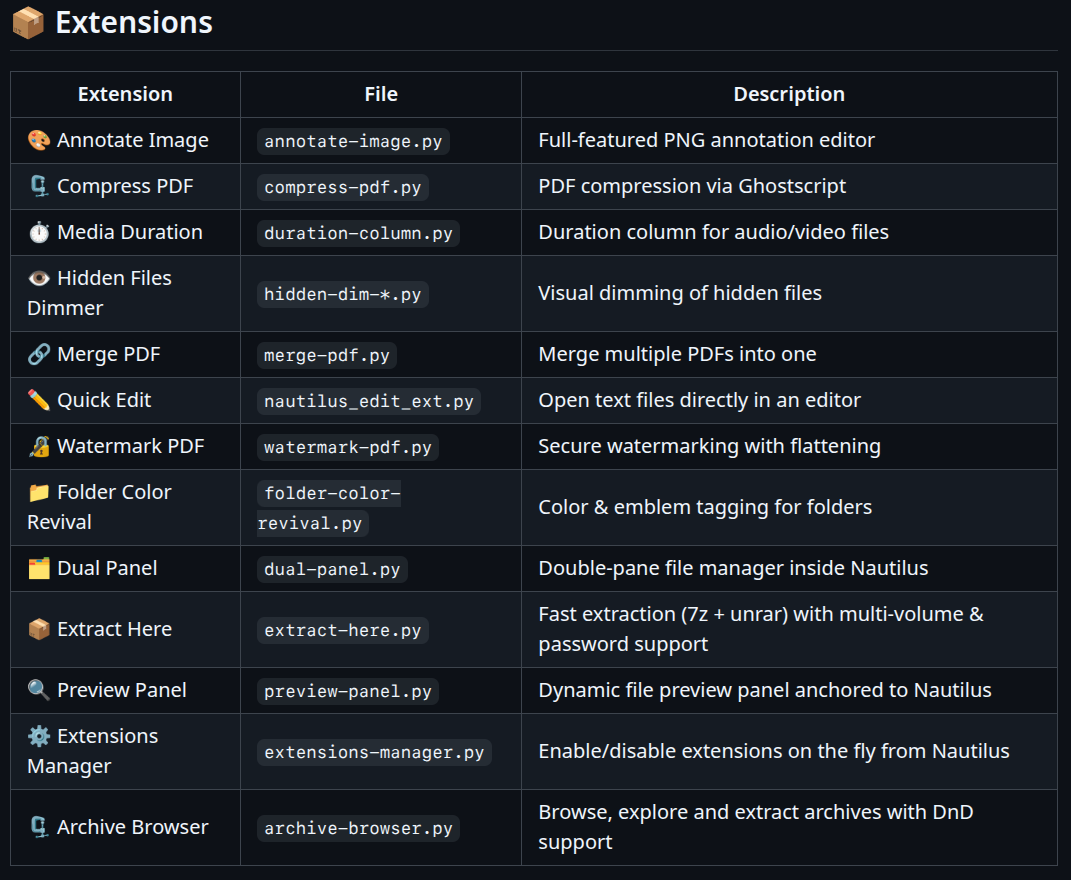
I'm sharing with you some extensions for Nautilus.
They are all my creation, so be indulgent if you encounter a bug, even if I have never had one.
I'll let you take a look at my Github
3 Likes
Nice Additions. Especially the Duration one.
1 Like
thank you, but you have to know with many files it can be slow...
1 Like
New:
 Extract Here —
 extract-here.py
Extracts archives directly from the right-click context menu using 7zip, bypassing Nautilus's slow built-in extractor. Especially effective with .tar.bz2 archives, where 7zip's multi-threaded decompression is significantly faster than the native mono-threaded tar.
Supported formats: .7z .zip .rar .tar.gz .tar.bz2 .tar.xz .tar.zst .tar.lz4 .gz .bz2 .xz .cab .iso .deb .rpm .dmg .wim and more
Multi-volume support — auto-detected:
| Pattern | Example |
|---|---|
| 7z volumes | archive.7z.001, .7z.002… |
| RAR parts | archive.part1.rar, part2.rar… |
| Generic split | archive.001, .002… |
| Split ZIP | archive.z01, .z02, .zip |
| Old-school RAR | archive.r00, .r01, .rar |
Features:
- Password-protected archives — dialog with show/hide toggle
- Real-time progress bar with percentage and timer
- Double-layer archives (
.tar.bz2etc.) extracted in two passes automatically - Output always in a dedicated subfolder named after the archive
- Multi-archive selection — each group processed independently
Dependencies: python3-nautilus p7zip-full python3-gi gir1.2-adw-1
Great work, will check these when I find time.
Since Dual Pane is possible through extension, so can Miller Columns be added to Nautilus in this way?
It's a lot of work, sorry I will not try to do it now, maybe next month but without guarantee
1 Like
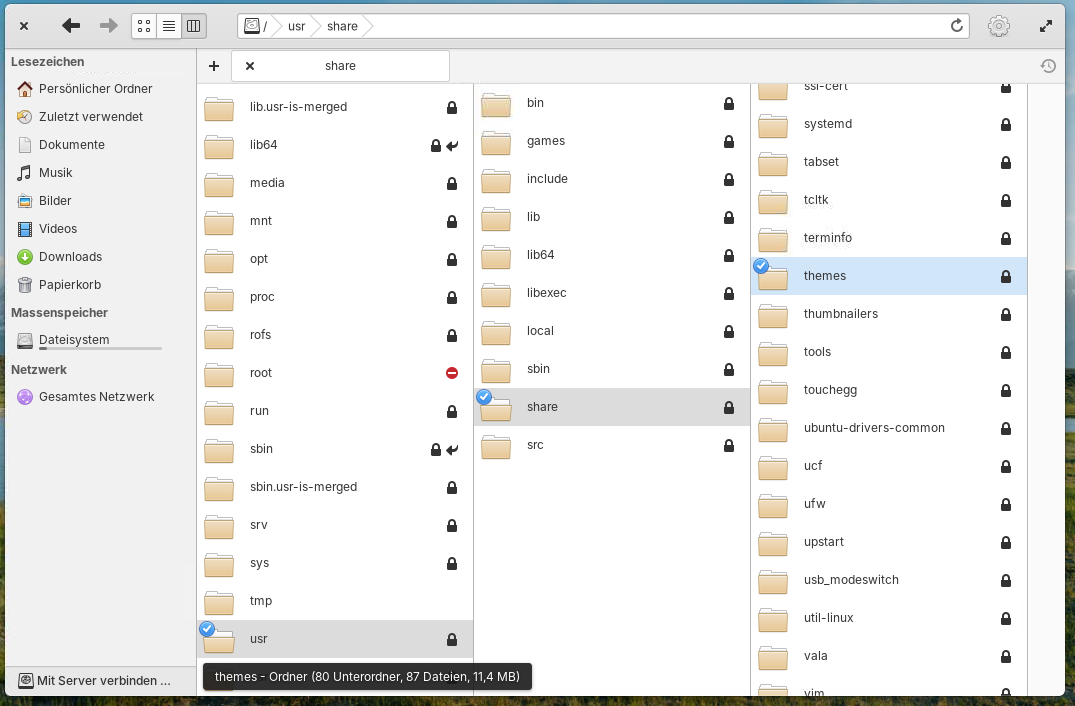
Big update of the dual panel for those who want to test
1 Like
new
 Extensions Manager —
 extensions-manager.py
Manage your Nautilus Python extensions directly from Nautilus — enable, disable, and restart without touching the terminal.
Trigger:
- Right-click on background → Manage extensions
Features:
- Lists all active extensions with Python file icon
- Lists all disabled extensions (greyed out)
- One-click enable/disable — moves files between
extensions/andextensions/disabled/ - Restart Nautilus button to apply changes (launches new instance before killing the current one)
- Automatically excludes system extensions (
nautilus-gsconnect.py) and itself
Why this matters: Each loaded extension consumes memory and CPU. Extensions with background timers (preview-panel.py, dual-panel.py) are especially resource-intensive. Best practice:
| Extension | Load impact | Recommendation |
|---|---|---|
annotate-image.py |
 Minimal Minimal |
Keep active |
extract-here.py |
Minimal |
Keep active |
folder-color-revival.py |
Minimal |
Keep active |
compress-pdf.py |
Minimal |
Keep active |
merge-pdf.py |
Minimal |
Keep active |
watermark-pdf.py |
Minimal |
Keep active |
dual-panel.py |
 Background timer Background timer |
Enable on demand |
preview-panel.py |
Background timer |
Enable on demand |
Disabled extensions are stored in ~/.local/share/nautilus-python/extensions/disabled/ and can be re-enabled at any time.
Dependencies: python3-nautilus python3-gi gir1.2-adw-1
2 Likes
new
 Archive Browser —
 archive-browser.py
A file-roller replacement built as a Nautilus extension — browse, explore and extract archive contents without leaving your file manager.
Triggers:
- Right-click on an archive → Browse archive (or Parcourir l'archive)
F7— reopen the last browsed archive
Supported formats: All formats supported by libarchive — zip, 7z, tar, gz, bz2, xz, rar, cab, iso, deb, rpm and more. Extraction via 7z and unrar (full RAR5 support).
Layout:
- Left panel — archive contents with folder tree
- Right panel — filesystem navigator, opens in the archive's directory
Features:
 Folder tree with collapse/expand — subfolders collapsed by default, click to expand
 Live filter — search files by name instantly
 Drag & Drop — drag files from the archive directly into any folder in the right panel or in Nautilus
- Extract all — extracts everything to the right panel's current folder
- Extract selection — extracts only selected files
- Double-click on a file — extracts and opens with the default application
 Right panel navigation — browse your filesystem to pick the destination
 Intelligent DnD cache — extracted files are cached, repeated drags are instantaneous
Dependencies:
python3-nautilus python3-gi gir1.2-adw-1 python3-libarchive-c p7zip-full unrar
1 Like
Man, can't wait to try these extensions later!
Only thing missing is a real detailed progress bar when copying/moving files, I find the current one to be almost useless.
I added a progress bar, you can try with the new version I pushed on Github 
1 Like
That was fast! 
I can't figure out which of the extensions add the detailed copy/move progress bar though 
for the moment only archive browser, I'm working on dual panel to implement it
Dual Panel with progress bar also, only with copy and move buttons for the moment, it's not easy to do it in DnD
I wanted to try Your Archive Browser but it seems I have done something wrong because I don't have the Right-Click Option ...
I have all the Dependencies installed, I have the Script putted in the Directory where the Dual Panel Script is, too. So, it is on the right Place. I rebooted but it doesn't work.
Interest might be that I have deleted the pycache Folder and then rebooted. The Folder is there again but only a Dual Panel-related File is in it:
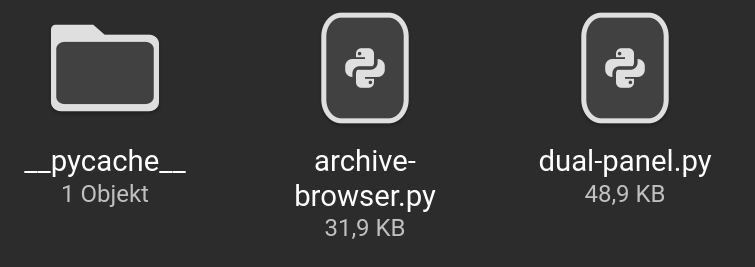
in the pycache Folder:
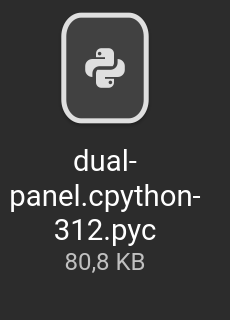
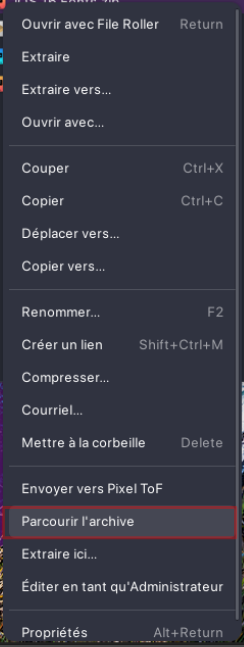
The Dual Panel Script works still well. Could You maybe send a Screenshot from Your Right-click Menu so I can see where the Option should be?
I had introduce a bug, try with the new version present on Github
The right click need to be done on an archive with "Browse archive", or select an archive and press F7
1 Like
would any of these extensions, or perhaps most of them, work with Zorin 16?
Okay, I will try it and report back tomorrow. Thanks.
1 Like