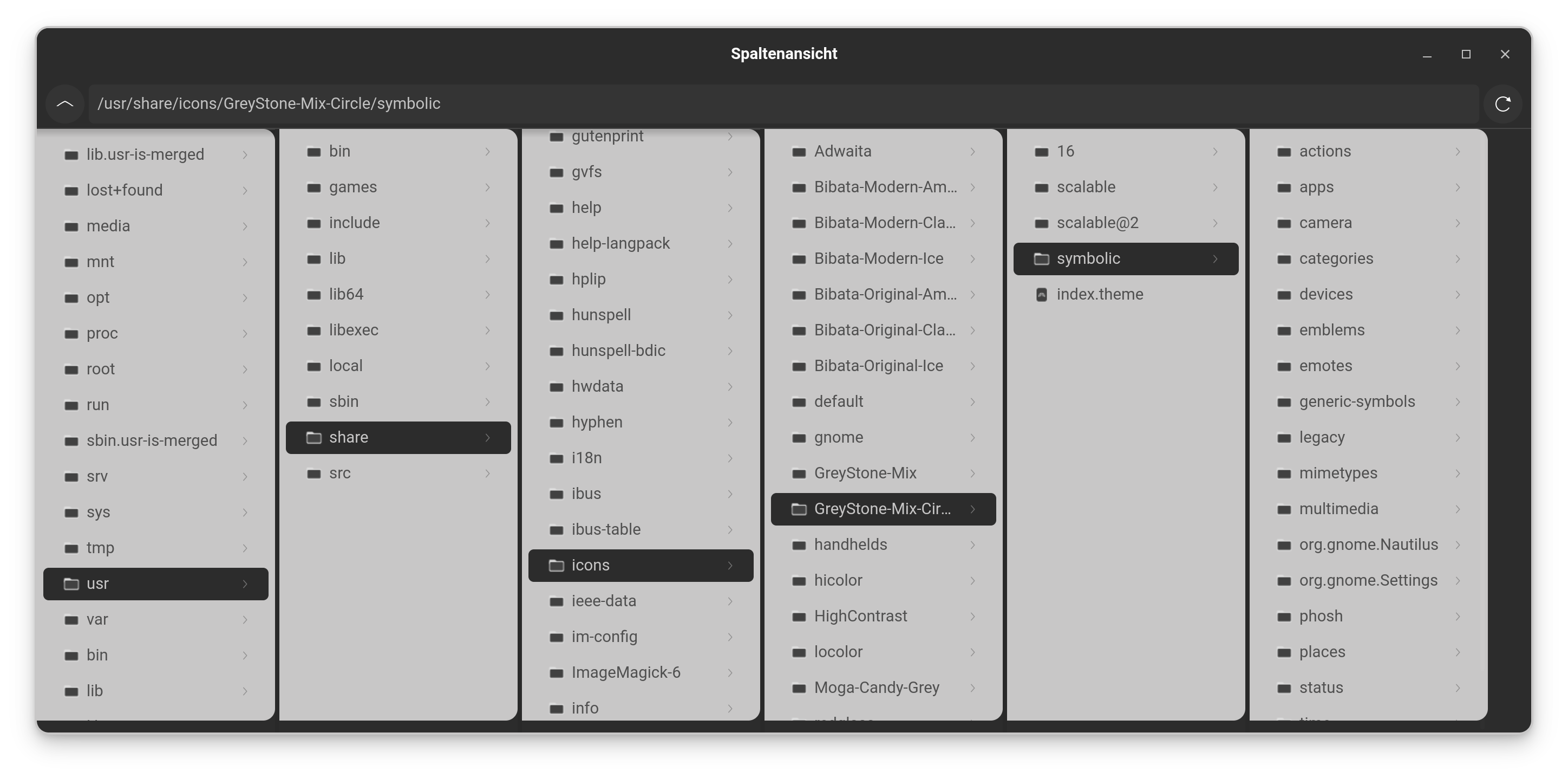
I tested some Extensions on Debian 13 and they worked fine so far. I tested:
Dual Panel
Duration
Annotate Image (Very nice Tool by the Way; I didn't even noticed that You had this, hahaha!)
Search & Replace
Hidden Dim Icon
P.S.: For the Annotate Image Thing, I added a german Translation. The Translation of ''annotate'' in this Context was a bit ... meh but it breaks down what You do with it. For the Case, You want use it:
Thank you gain for your tests...
Yeah I like this little tool and thank you for the translation I missed it, I changed that and pushed it on Github and PPA
A Question about the Annotation Tool: I saw that there isn't a Minimize and Maximize Butto. Can You add that? When I have a bigger Picture to work on, it would be good to be able to make it maximized.
Hello, thanks for the PPA and the ability you offer to use again folder color, which is useful when you manage with many folders ! I'm not a big fan of ppa anyway, but i will make an exception for this one ... Have a nice day
Have you considered including the seahorse-nautilus extension which is not present in the Ubuntu 24.04 repository (and later repositories, except for 25.10)?
That would be a welcome shortcut to using a separate application or terminal commands.
Well, You can download and set up the Scripts manually if You prefer it that Way. You can download the Scripts from @Nourpon's Github Page.
Follow the Instructions and install the neccessary Dependencies and You can use it, too. The Downside it that You have to do it manually. And when there is an Update, You have to check that for Yourself and download it again and replace it.
To use the PPA is simplier. And the Zorin Sources are PPA's, too.
I have tested it and it worked fine so far. One Thing: Could You add the Minimize and Maximize Buttons? With more Columns, You would get a wider View in the maximized Window and You can minimize it when neccessary.
Yes, I received the Update and it works for me, too. The min/max Buttons do, too.
I saw one Thing: When this Auto-Grow expands the Window, it doesn't go back when a Column is closed. Could You add that, too? To explain that in Pictures:
Auto-shrink window when a column closes, mirroring auto-grow (was
grow-only; empty space on close was more annoying than a resize, per
tester feedback)
@Ponce-De-Leon this is not perfect because it's a little bit complicated
 Annotate Image Update

 Column Browser
 Thank you!