Hi,
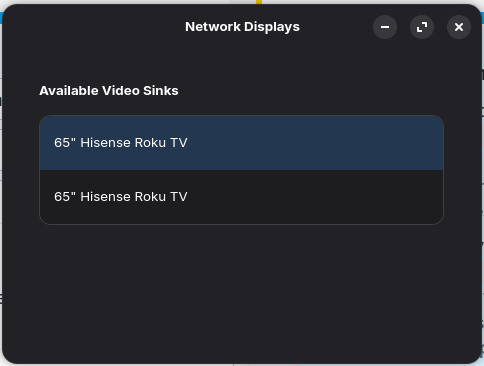
So I just got the Zorin OS 18 Pro and I am trying to use the "Network Display" app to cast my screen to my TV.
For some reason, it shows up twice (the second option does not work) but selecting the first option will open the casting app on my TV, tries to connect, and then crashes in my TV's side. To do the process again is to turn off my TV, restart the Network Display app, and select the TV again.
From the other posts that I've seen in this site, the app might need additional installations in order for it to be fully used but I was wondering how I can make this Network Display app work?
Forpli
January 28, 2026, 5:05am
2
In which package format is the app installed? If it is installed as flatpak or snap, try the .deb version instead. First remove the installed version.
sudo apt install gnome-network-displays
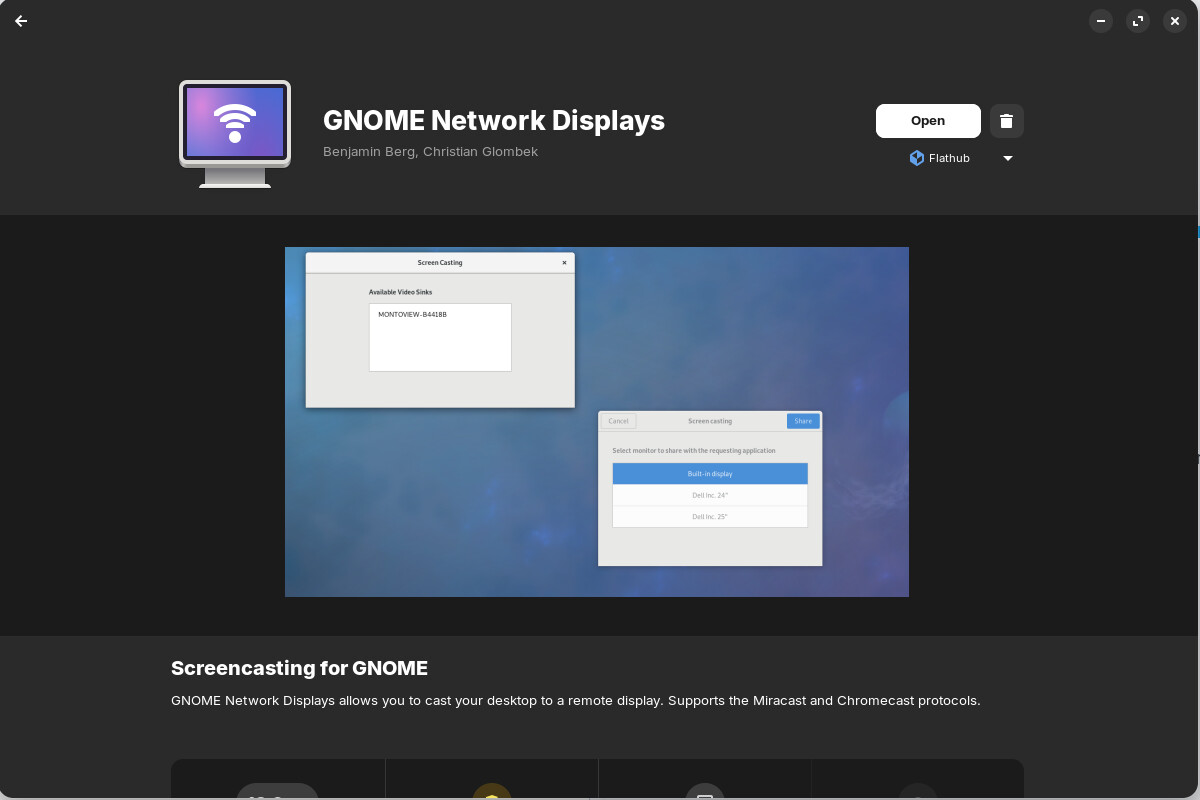
It is a flathub version in the Software app. Let me uninstall this and try the .deb version.
I installed the .deb version using this command:
sudo apt install gnome-network-displays
But it won't open by pressing the application icon. I have to run the command:
gnome-network-displays
When I ran the command, ran the application, and tried connecting to my TV, I got this error in the terminal:
(gnome-network-displays:5204): Gnd-WARNING **: 22:41:31.285: WfdClient: No resolution found, falling back to standard FullHD resolution.

(gnome-network-displays:5204): GStreamer-CRITICAL **: 22:41:31.393: gst_bin_add: assertion 'GST_IS_ELEMENT (element)' failed

(gnome-network-displays:5204): GStreamer-CRITICAL **: 22:41:31.433: gst_element_link_pads_full: assertion 'GST_IS_ELEMENT (src)' failed

(gnome-network-displays:5204): GStreamer-CRITICAL **: 22:41:31.433: gst_element_get_static_pad: assertion 'GST_IS_ELEMENT (element)' failed

(gnome-network-displays:5204): GStreamer-CRITICAL **: 22:41:31.433: gst_ghost_pad_new: assertion 'GST_IS_PAD (target)' failed

(gnome-network-displays:5204): GStreamer-CRITICAL **: 22:41:31.433: gst_element_add_pad: assertion 'GST_IS_PAD (pad)' failed

(gnome-network-displays:5204): Gnd-ERROR **: 22:41:31.465: WfdMediaFactory: Error creating video encoding pipeline. If gstreamer is compiled with debugging and GST_DEBUG_DUMP_DOT_DIR is set, then the pipeline will have been dumped.
Trace/breakpoint trap
Forpli
January 28, 2026, 5:58am
5
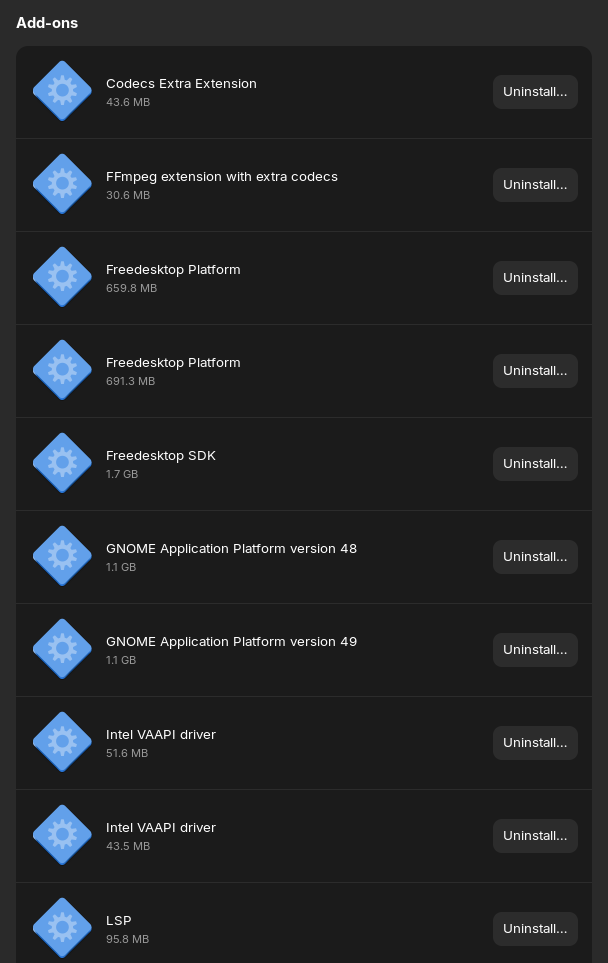
Do you have all multimedia codecs installed? In software center when you scroll down you find the codecs.
sudo apt install ubuntu-restricted-extras ffmpeg vlc
The ubuntu restricted extras contain microsoft fonts and you have to agree to the license before installation.
I just ran the command to install and agreed on the EULA. I ran the command to run the application and still got me the same error in the terminal.
I asked ChatGPT about the error I was getting and it lead me to installing the correct version of the flatpak package and then telling me that this error might be pertaining to Hisense or Roku's strict Miracast/WFD implementations.
Does Your System run in Wayland or X11? You can check that with the Terminal Command echo $XDG_SESSION_TYPE
ChatGPT told me about this and I ran the command. I use Wayland.
Then,I would suggest to try it with switching to Xorg and see if it behaves better then. To switch, go to the Login Screen. Click there on Your Profile so that the Password Field appears. When it is appeared, You should see a Gear Icon in the bottom right Corner. Click on it and choose the Option ''Zorin Desktop on Xorg'' and then log in.
Nope, did this and didn't work. Still got the error stack.
(gnome-network-displays:20174): Gnd-WARNING **: 13:25:12.939: WfdClient: No resolution found, falling back to standard FullHD resolution.

(gnome-network-displays:20174): GStreamer-CRITICAL **: 13:25:13.017: gst_bin_add: assertion 'GST_IS_ELEMENT (element)' failed

(gnome-network-displays:20174): GStreamer-CRITICAL **: 13:25:13.032: gst_element_link_pads_full: assertion 'GST_IS_ELEMENT (src)' failed

(gnome-network-displays:20174): GStreamer-CRITICAL **: 13:25:13.032: gst_element_get_static_pad: assertion 'GST_IS_ELEMENT (element)' failed

(gnome-network-displays:20174): GStreamer-CRITICAL **: 13:25:13.032: gst_ghost_pad_new: assertion 'GST_IS_PAD (target)' failed

(gnome-network-displays:20174): GStreamer-CRITICAL **: 13:25:13.033: gst_element_add_pad: assertion 'GST_IS_PAD (pad)' failed

(gnome-network-displays:20174): Gnd-ERROR **: 13:25:13.044: WfdMediaFactory: Error creating video encoding pipeline. If gstreamer is compiled with debugging and GST_DEBUG_DUMP_DOT_DIR is set, then the pipeline will have been dumped.
Trace/breakpoint trap
system
April 28, 2026, 8:26pm
12
This topic was automatically closed 90 days after the last reply. New replies are no longer allowed.