New external SSD not showing in Files

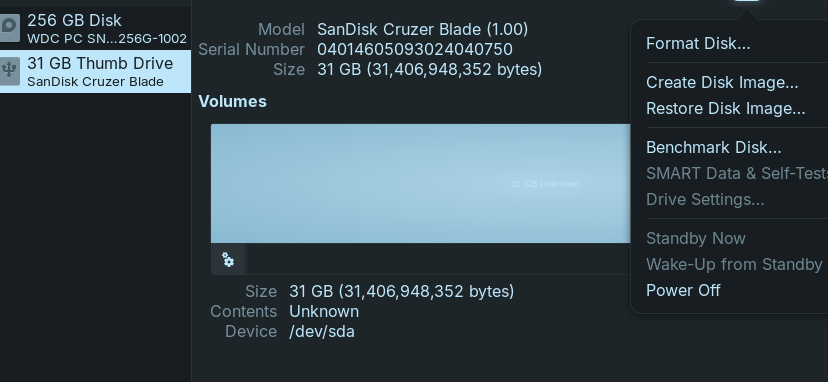
I initially plugged a brand new Sandisk 500GB SSD in and it showed up in Flies. I formatted it and now when I plug it in it does not show up in files. If I open Disks it is showing there. Not sure what I've done wrong?

Can anyone make a suggestion or offer a solution?

But it doesn't show the Format. How did You formatted the Drive and in which Format? ext4?

Another Point: Under 'Partitioning'' I see that the Drive is in MBR. Is Your other Disk in this, too? Is Your BIOS in UEFI or Legacy Mode?

3 Likes

@Ponce-De-Leon is spot on; that drive is wiped. But it is not formatted.

While you have it in disks, I recommend formatting it - then it will appear when mounted as a drive.

1 Like

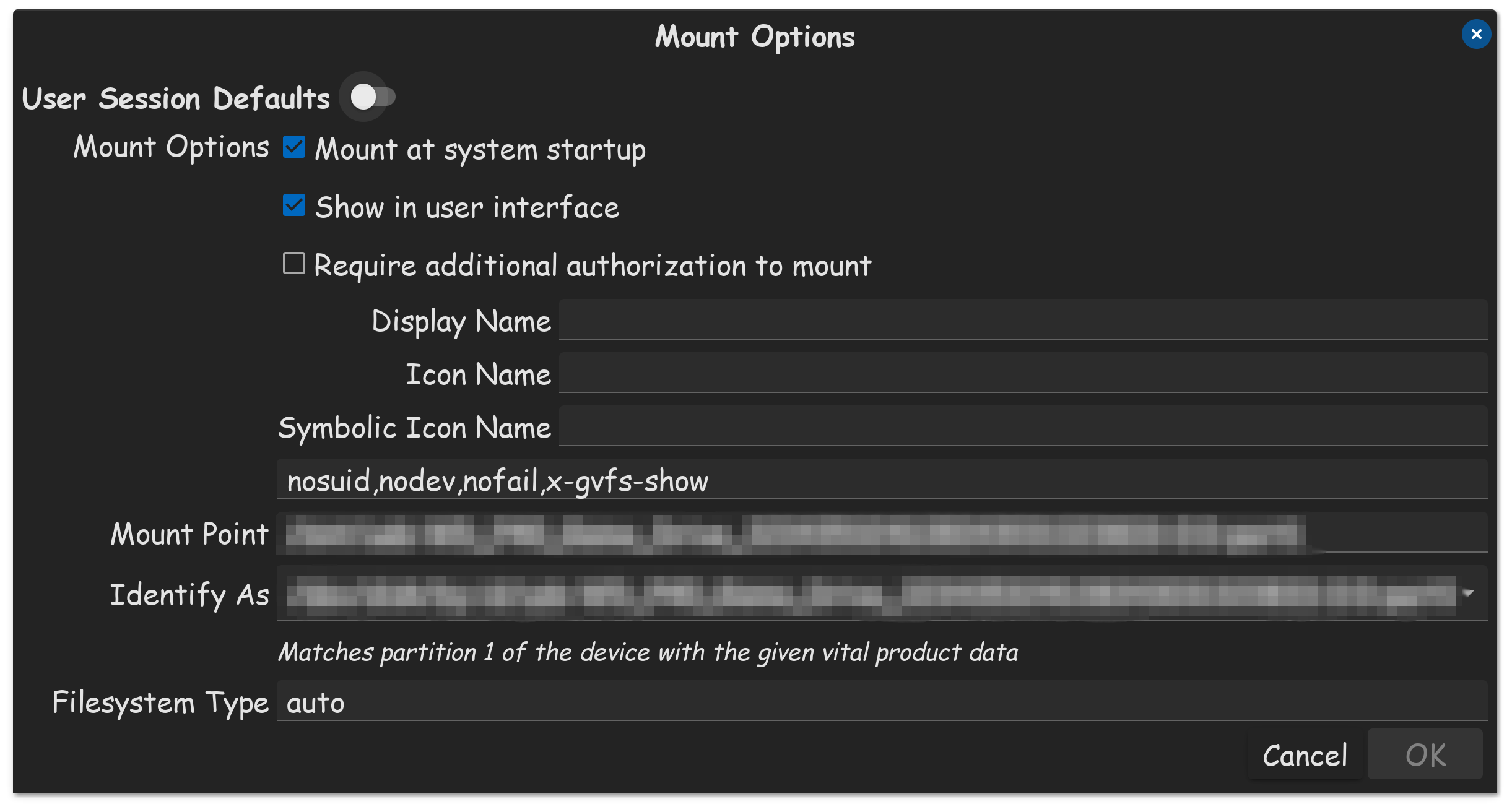
Make sure you put checkmarks in the boxes...

(Mount At System Startup)

(Show In User Interface)

FYI, these settings are found in Disks, Edit Drive Mount Options.


1 Like

Bios is UEFI and this is what I did to format the drive

with this flash drive I overwrote the drive with zeroes however with the 500GB SSD I just followed what you see in the image ... I might further add that this USB flash drive is now doing the same thing, it also doesn't display in files. Previously before formatting both displayed with a pop up asking "View in files" now neither do this and are not in files.

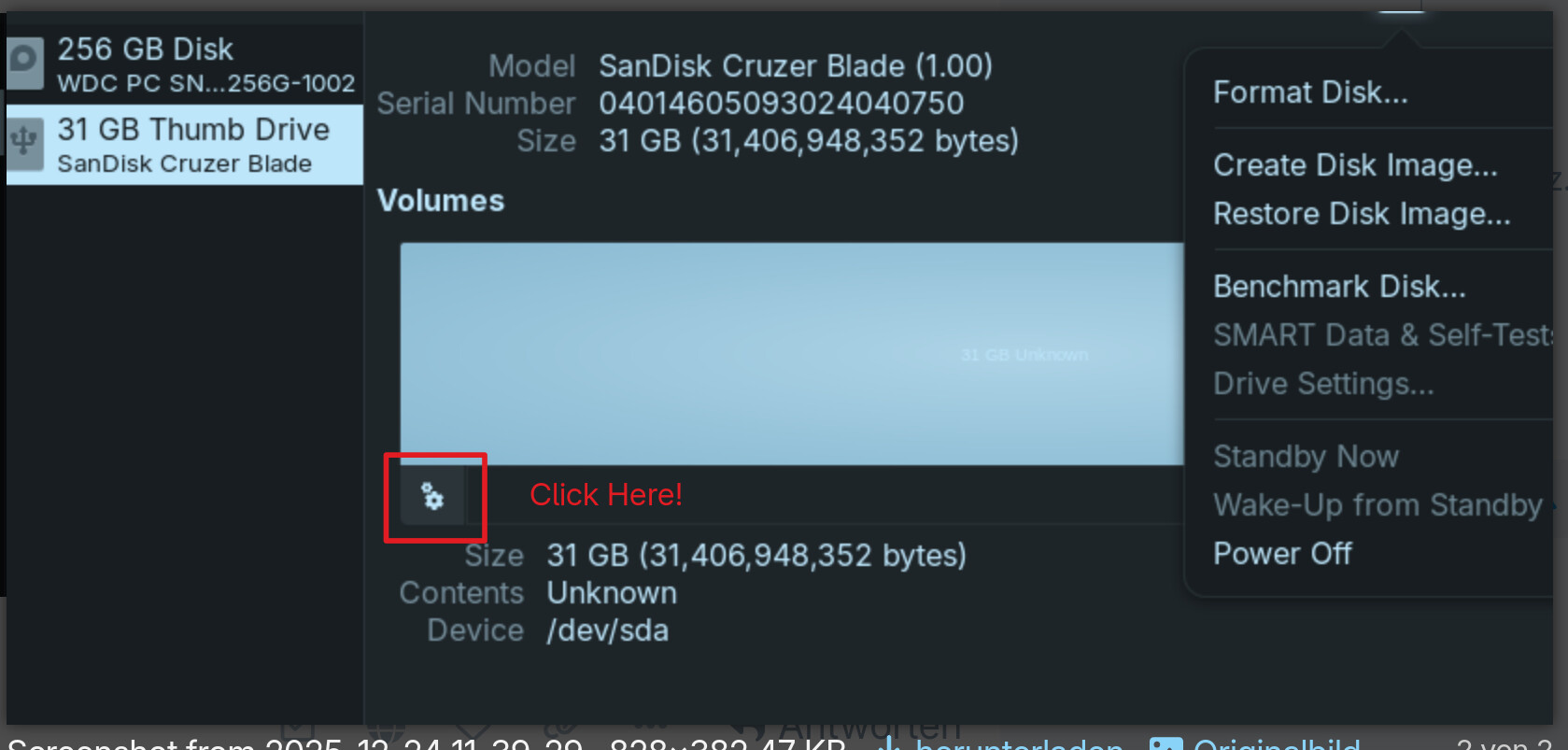
I must be missing something (or clueless) as I cannot find this menu either in the 3 bar drop down menu or the 3 dot drop down menu ... see screenshots below

:gear:

:wink:


1 Like

See the screen shot for location of "partition options". You don't have it, because you have not created any partitions. I suggest first make a GPT partition table on the disk and then make at least one partition, which you can format with an ext4 file system.

1 Like

You ahve there 2 Option. When You click on the ''Partitioning'' Dropdown Menu, do You get more available Options? If yes, take the Option where You have GPT.

And try this:

1 Like

I took a look at this dialog.

When you click on "Format" at the bottom of this dialog, all Disks does is create a partition table based on your Partitioning choice.

Disks does not have options to create partitions or file systems*. You need a partition editor like gparted, parted or fdisk to do that.

Unless a device has a file system it can mount, Files won't display the device in the sidebar.

*it will format a partition with a file system if the partition already exists.

2 Likes

@Nirozzz: See on this Picture and choose the Option ''Compatible with modern systems and hard disks > 2TB (GPT)''.

1 Like

Thanks to everyone offering assistance ... problem solved

edit: Merry Christmas to everyone :santa_claus: :tada: :christmas_tree:

1 Like

Was it Post number 10 or post number 11? or both...? That provided the solution that others can find and employ?

1 Like

Posts 7-11 gave me the insight to solve the self created issue.

3 Likes