Feedback on 1.7.1.
Thought I would try the compression option on the Unofficial Manual for Zorin 18 Core.
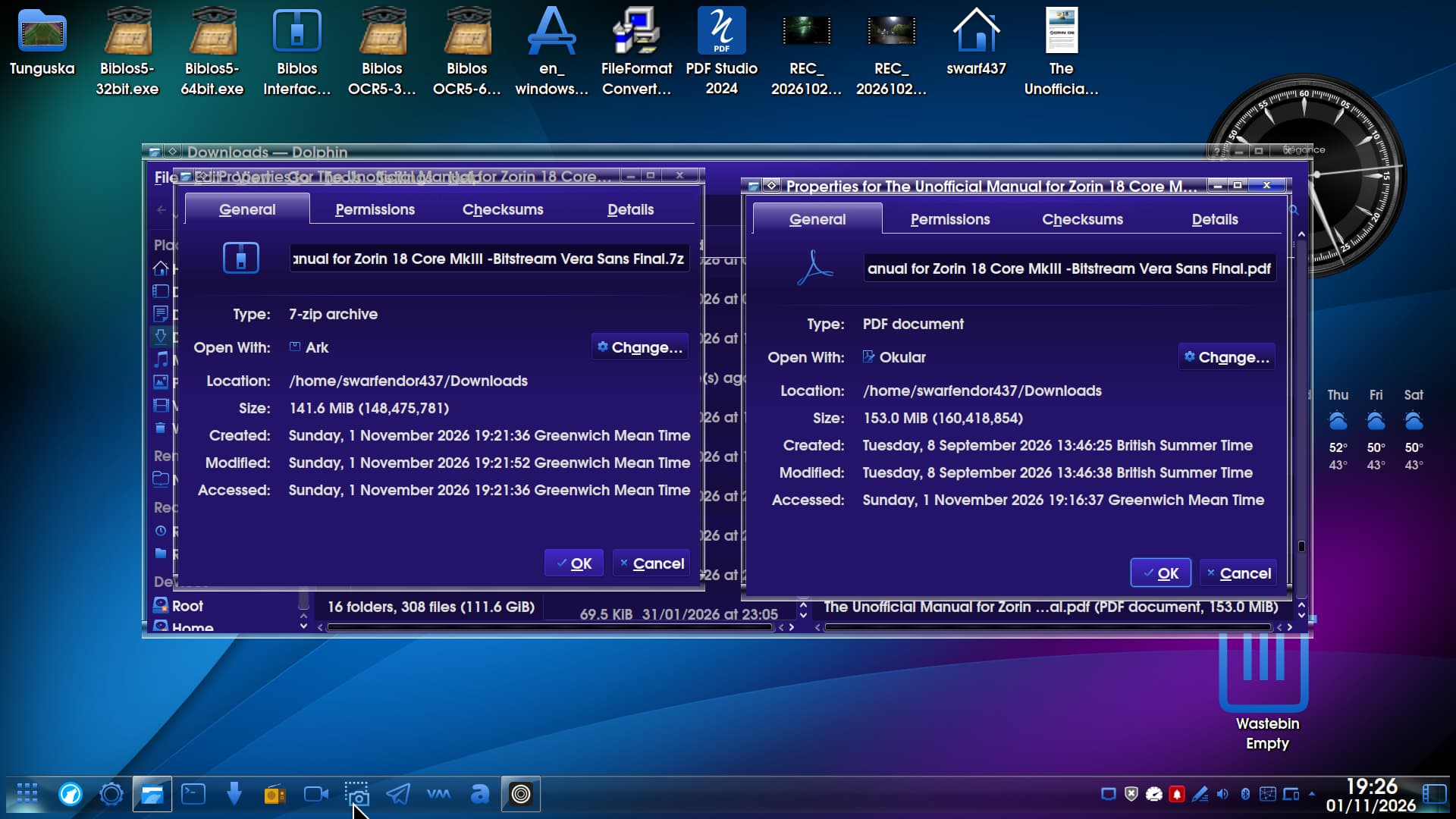
Compression worked but I could only view the properties of the compressed file not the original, unlike in Dolphin here:
Got it, thanks! The Properties window was modal, so the main window ignored clicks while it was open. It isn’t anymore (like in Nautilus): in the next version you can open the Properties of the archive and of the original side by side to compare them.
Good morning @Nourpon,
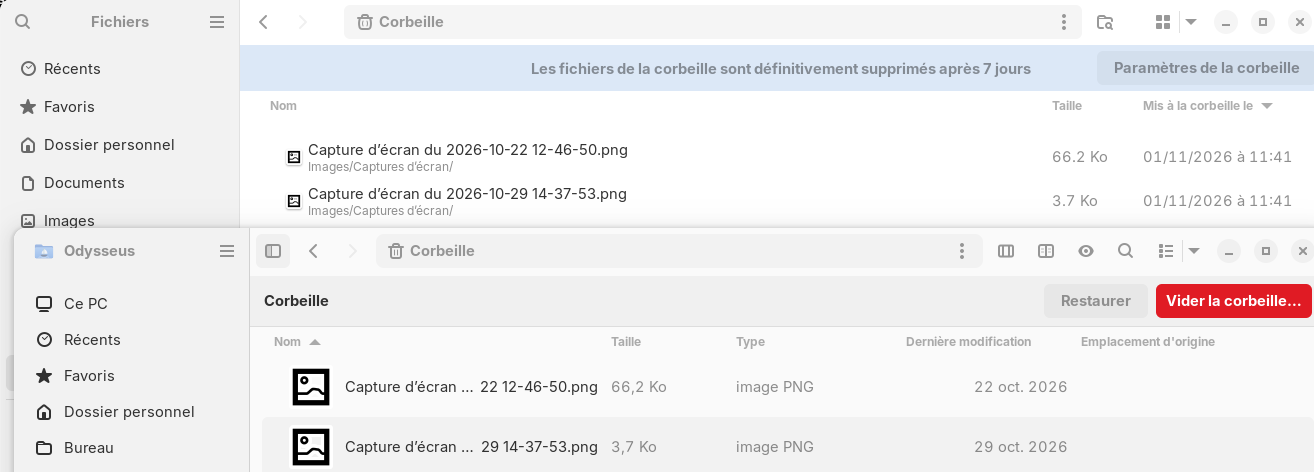
I noticed that the “Moved to trash bin on (Mise à la corbeille le)” date is missing from the trash in Odysseus .
Let me take a look, and I will fix this 
Thanks, good catch! In the next version the trash shows “Trashed On” (sorted newest first, like Nautilus), and the “Original Location” column, which stayed empty, now shows where each file came from.
Update is coming !
Just a question out of curiosity.
Why is ‘Starred’ turned off by default?
It’s displayed by default in Nautilus.
Because it was my decision lol, sure I made this file manager for everyone and try to offer most as I can a good experience, but I did it at first for me, maybe kind of selfish sorry.
Maybe kind of selfish sorry: But I think it’s a bit much to treat you like that. You’re doing a brilliant job and you’ve programmed it that way.
Thank you
Hello @Nourpon,
I just want to drop a line to say thank you for Odysseus. I've been testing it on Debian 13 for a while now and it works excellently — fast, stable, and remarkably faithful to Nautilus in the details. Not a single problem in daily use.
I liked it so much that I took a fork of it — a private build I call "Mira", packaged as a deb and kept strictly for my own use. The main reason was a Persian, right-to-left interface for my own language (still partial; untranslated strings fall back to English). It of course stays GPL-3+, and your name stays in the credits where it belongs.
For transparency, and in case anything here is useful to you, here is what I changed on my side:
show_peek_icon doesn't exist on Adw.PasswordEntryRow in libadwaita 1.7), and network connections failed silently because a plain Gio.MountOperation replies "unhandled" from an idle callback before the password dialog is even clicked. I fixed both in my build, and the dialog now covers all the GNOME Files protocols: FTP, FTPS, SFTP, SMB, DAV/DAVS, NFS and AFP, with one-click anonymous login.Your codebase is clean and a real pleasure to work on, which made all of this easy. Thanks again for sharing Odysseus, and congratulations on such a polished file manager!
Thank you so much for this kind and detailed message, it’s a real pleasure to read! Great to hear Odysseus runs so well on Debian 13, and Mira with a Persian RTL interface is a lovely use of the GPL.
About the two bugs: I checked, and Odysseus itself never used show_peek_icon or a plain Gio.MountOperation. Its “Connect to Server” is the Nautilus-style address bar with Gtk.MountOperation, which shows the password dialog. So they must come from the new connect dialog in your build. Good catch fixing them there!
Your list gave me ideas. Emptying a USB key’s trash before ejecting, like Nautilus does, will likely land in Odysseus soon. Thanks for sharing, and enjoy Mira!
And, in my case at least, I was initially thrown that the taskbar icon still opened Nautilus. Until I realised I needed to pin Odysseus to the taskbar instead.
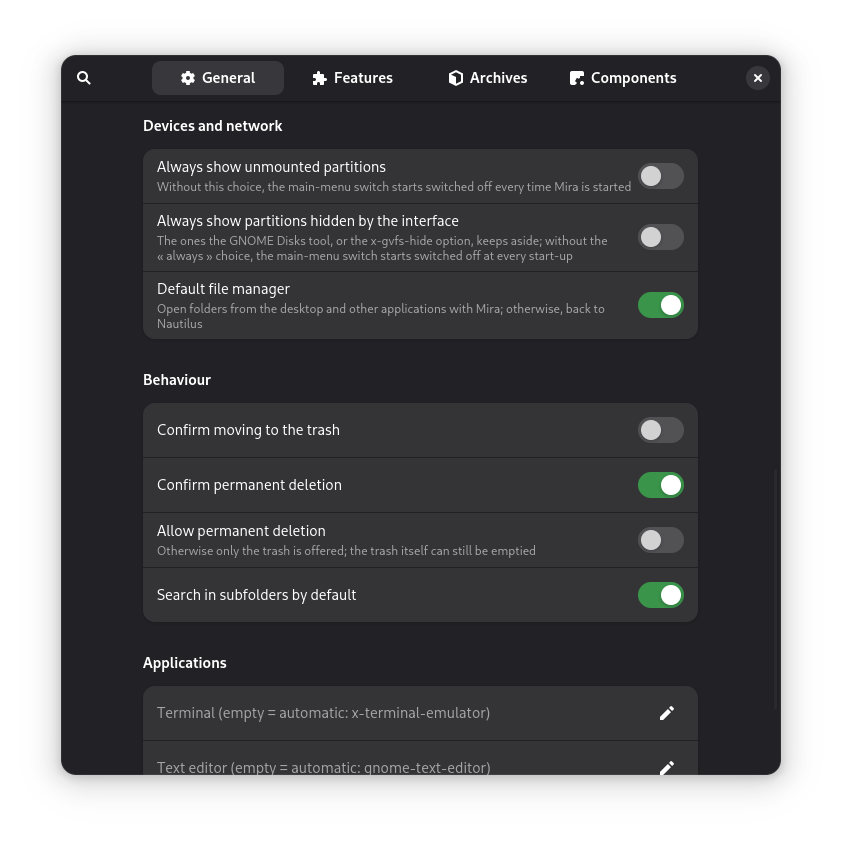
Thanks, that’s a good point, and you’re right! I borrowed your idea: Odysseus now has a single “Default file manager” switch in Preferences → General. It sets inode/directory (the equivalent xdg-mime command is shown under it) and also handles “Show in folder”, which the dock’s Trash needs too. Thanks for the suggestion!
The Toggle works well on Zorin. Enable/Disable didn't brought up any Issues for me. Oh, and the Number Indicator on the Trash Icon works well, too.
I will look on Debian later and then report back.