Thank you 
2 Likes
No Problem. Tested it now on Debian and it worked fine, too.
2 Likes
Thank you for the feedback
2 Likes
I have a Question for something: It is about the ''This PC'' Look:
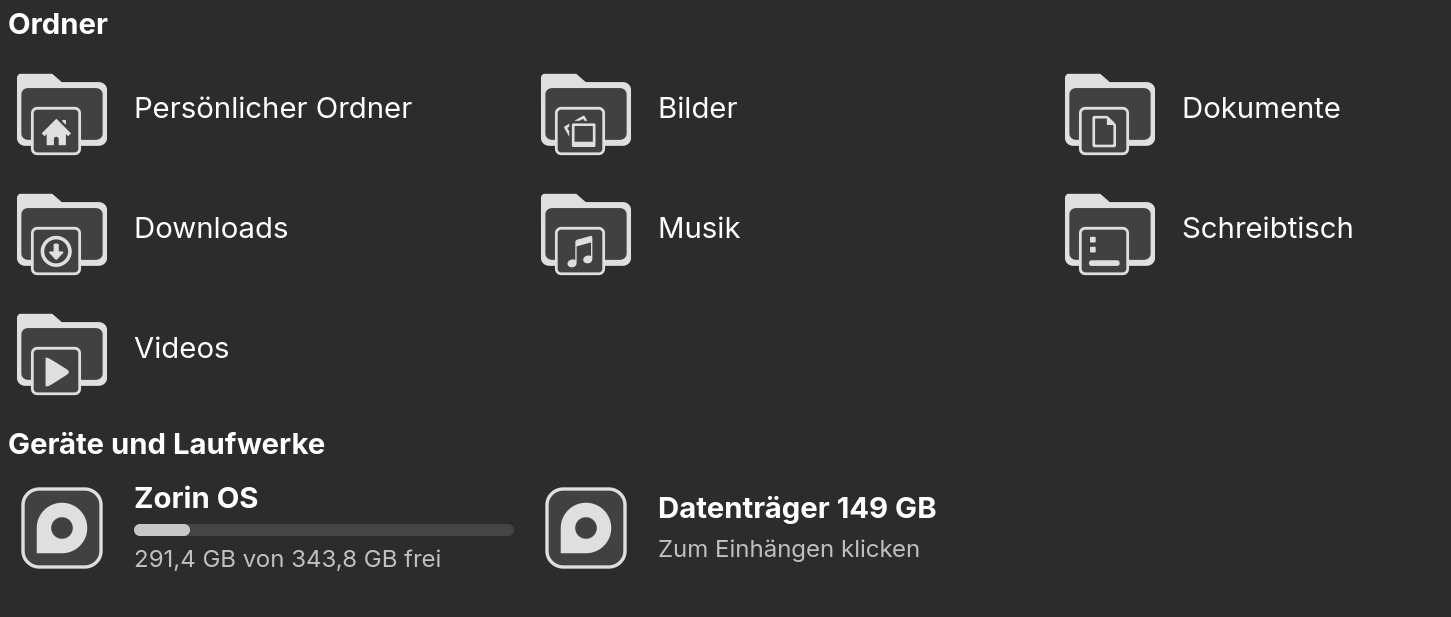
It is about the upper Folders. Would it be possible to built in a Toggle that lets them disappear when not wanted/needed. I mean, You have the Side Bar with the Folders already. So, People could disable them there if not wanted. then only the bottom Section with the Drives would be visible.
3 Likes
What you want is more or less 'Other Locations' ! Just disks and network...
1 Like
Better late then never...
Runs on CosmicDE v.1.11.0 at POP_OS 24.04 distro
Have not tested all functions, but what I see I like.
2 Likes
Thanks for testing it on COSMIC, that’s a first! Pop!_OS 24.04 shares its base with Zorin 18 and Ubuntu 24.04, so the PPA should keep you updated. If something looks off as you try more features, please open an issue, feedback from desktops other than GNOME is very welcome.
2 Likes
No, no. This Way of showing the Drives is way better than ''Other Places''. That is for me the Point here. And I don't want that You take the Folders out in a permanent Way, only as an Option. And You could let it enabled by default.
3 Likes
I will take a look to add a toggle
1 Like
It's finally a good idea. in 1.7.8 update, Preferences → Sidebar gets a “Folders in This PC” switch: turn it off and the page only shows drives and network...
Coming soon...
3 Likes
Launchpad is taking time, the build was made 12hours ago and not published yet, you can wait or download the build from Launchpad
2 Likes
I have found a bit weird Behavior. It happens in Zorin and Debian.
When the Toggle for setting Odysseus as default File Manager is enabled, I have found this Behavoir when I make at the Desktop (not the Folder, the actual Desktop) a Righ-Click and choose ''Properties'' the Properties Window open but Odysseus open centered in the Background, too. Here a Screenshot how it looks:
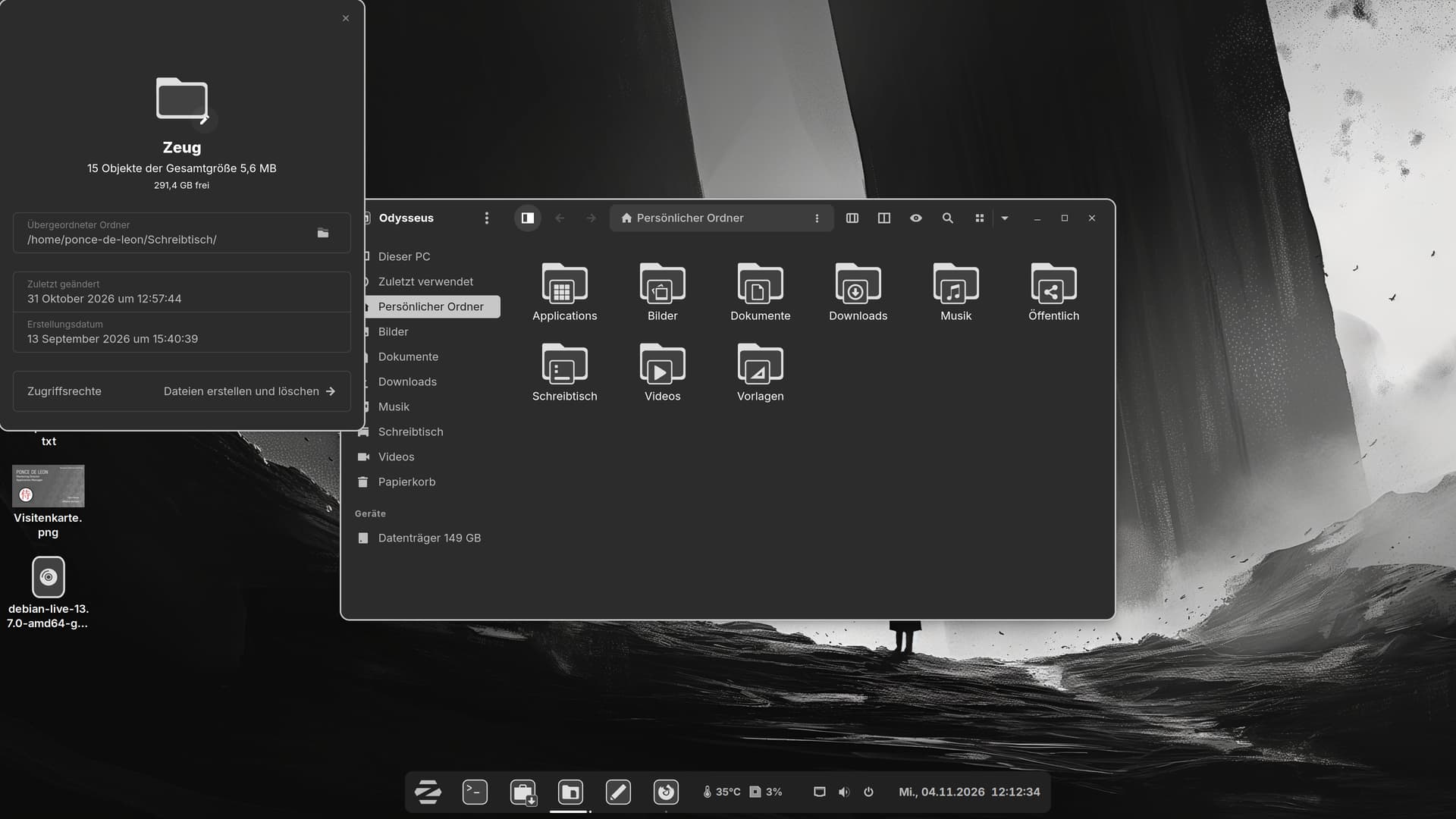
As I said: That happens in Zorin and Debian. When I disable the Toggle, only the Properties Window appears.
3 Likes
Let me take a look...
2 Likes
Good catch, thanks! Fixed for 1.7.9: “Properties” from the desktop now opens only the Properties window, like Nautilus, whether Odysseus is already running or not.
2 Likes
Update 1.7.9
- This PC: a new “Folders in This PC” switch (Preferences → Sidebar) hides the folders, leaving only drives and network (1.7.8) @Ponce-De-Leon
- Desktop: “Properties” now opens only the Properties window, like Nautilus, instead of also bringing up the Odysseus main window @Ponce-De-Leon
2 Likes
I have tried it and both works fine. The Folders disappear/appear without an Issue and the Properties window is now the only one that appears on the Desktop.
2 Likes
Great, thank you
2 Likes
Starting today I am having trouble accessing the bookmark for nfs access to shared folders on my other Zorin computer. It says Unable to open. I checked the firewall on the server computer and nothing looks wrong. Both client and server are on the same home network and neither has changed its IP address. Could something have changed in Oddyseus? A port maybe? Ore do I need to keep troubleshooting elsewhere?
Nothing network-related changed in Odysseus recently, and it doesn’t use any port of its own: an nfs:// bookmark goes through GVfs, exactly like in Nautilus. A few quick checks to narrow it down:
-
Open the same bookmark in Nautilus. If it fails there too, Odysseus is out of the picture.
-
In a terminal on the client: gio mount nfs://SERVER/path/to/share then gio list nfs://SERVER/path/to/share. The error message there is usually more precise than “Unable to open”.
-
On the server: systemctl status nfs-server (an update may have restarted or stopped it) and sudo exportfs -v to check the export is still there. GVfs connects from an unprivileged port, so the export needs the insecure option.
-
If the share is mounted through fstab instead: mount | grep nfs and showmount -e SERVER from the client.
Also, the “Unable to open” dialog in Odysseus has a details line under the title, please send it if the above doesn’t help.
1 Like
Not sure what happened. I went back through the various set up commands and most were already in place but I think it was the sudo setcap command on the client side that had somehow come unbound. All is working again now. It may have had something to do with several surface kernel updates over the past couple of days.
3 Likes