New install of Zorin OS now stops booting on containerd.service

I've had the system running for a week or so, and have been adding various applications, most recently 86Boot. Working fine last night, I shut down, but this morning I get a list of things starting, but it just stops.

When I press ESC, it goes into the machine's bios. Shift doesn't seem to do anything. I don't know what GRUB is, and doesn't seem to be accessible.
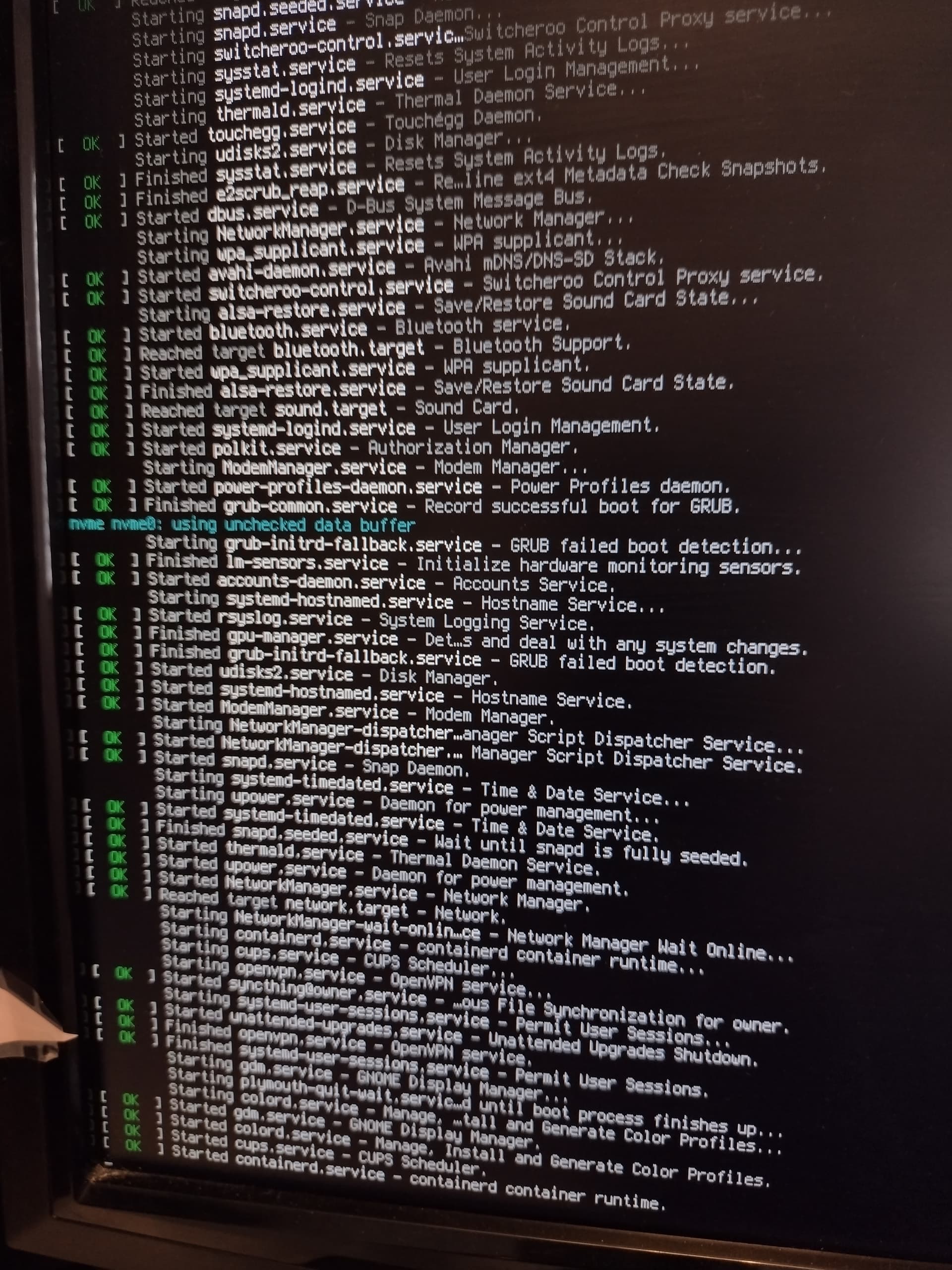
If I press the power button when the above is shown, I see this, briefly:
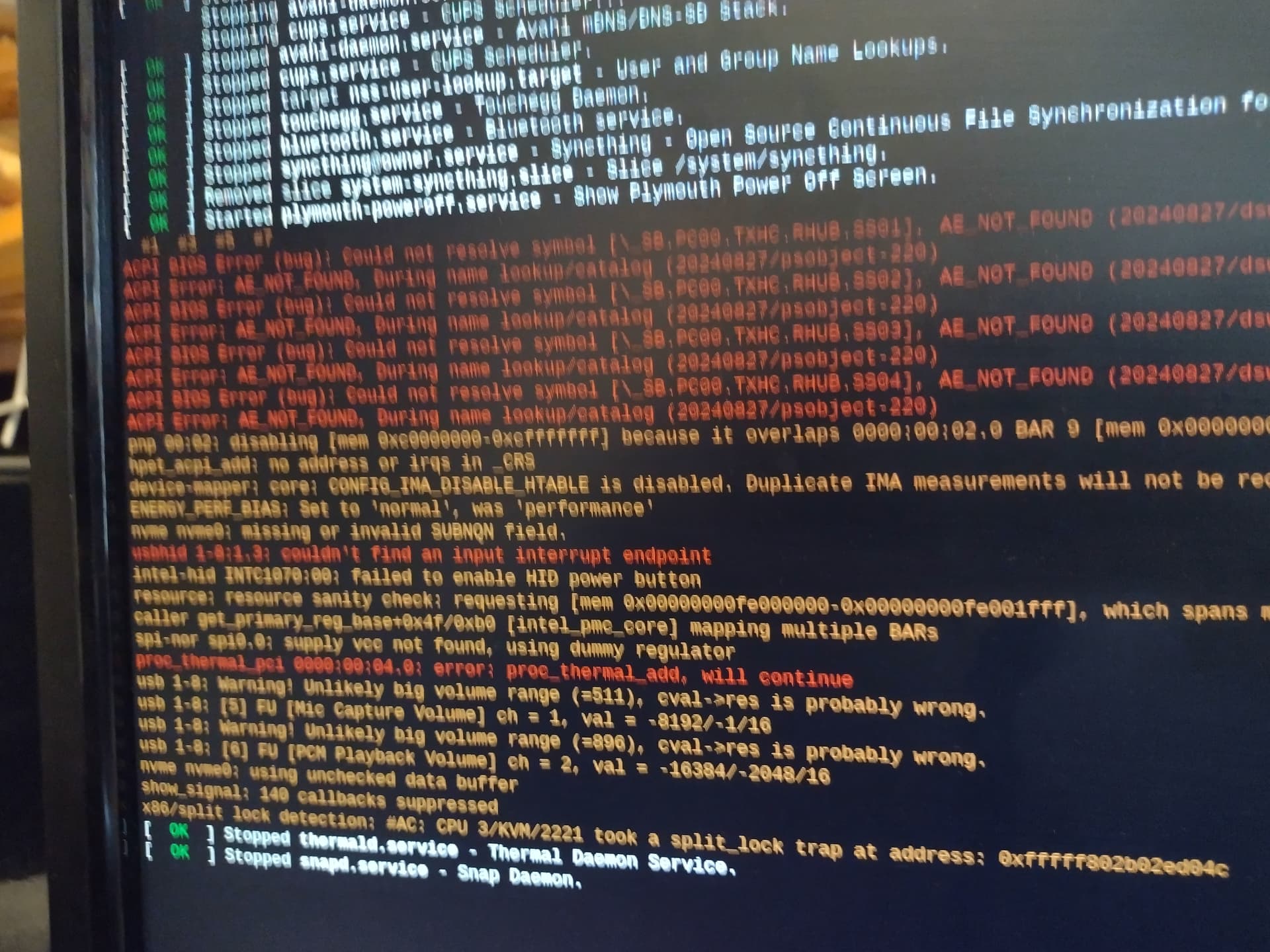

Sorry about the quality...I was lucky to catch it.

So, what now, please, fellow Zoriners?

I do have the Zorin install boot USB here, if that helps.

----------ETA-----------
I booted from the install USB drive and ran the boot repair.

I don't know that this means or how to do it, but that's next on the list:
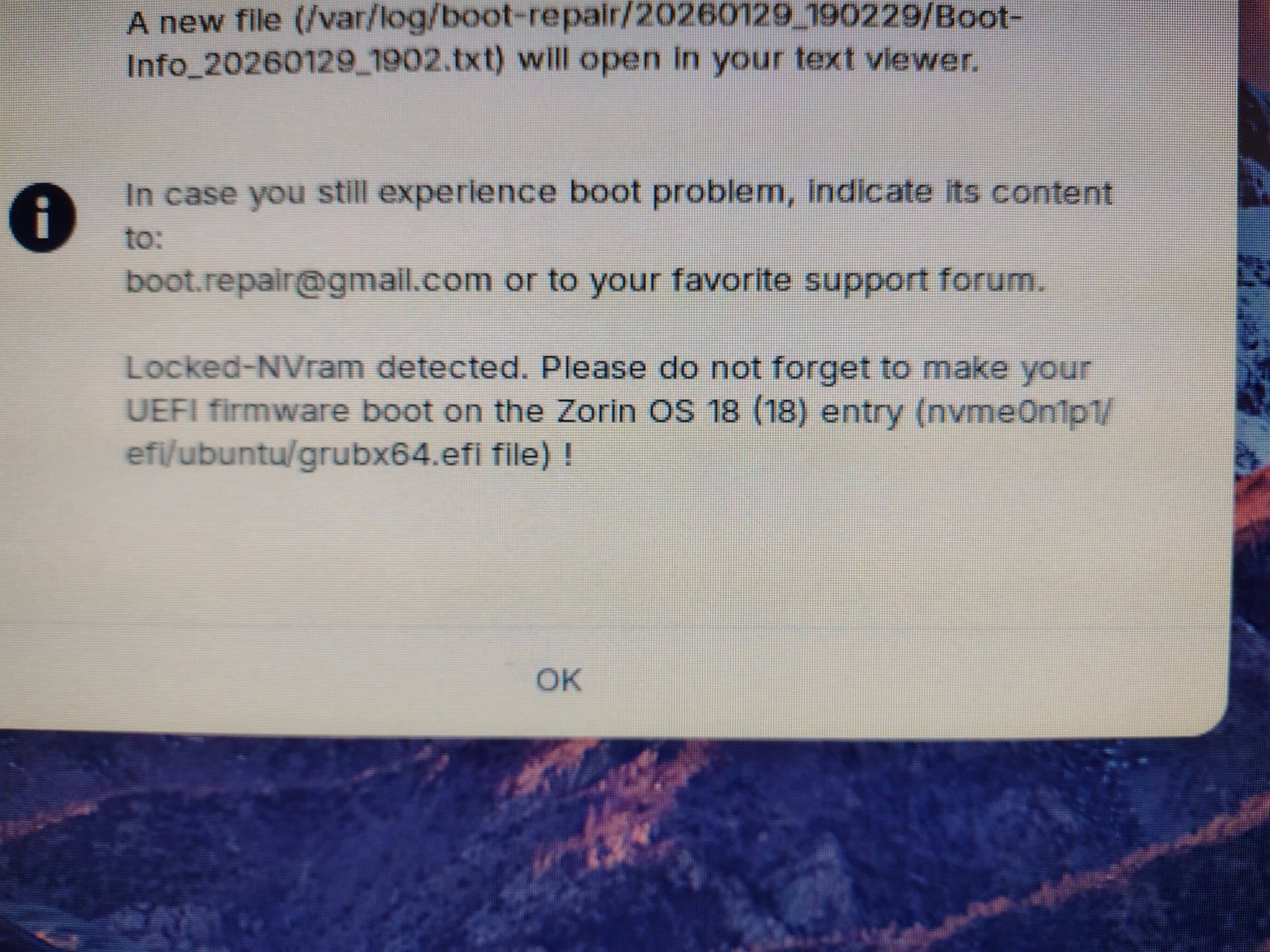
Note that I shut down the machine last night and pressed the power button to get this problem this morning. I didn't go into the BIOS and change anything. I've tried to disable secure boot. I think this is right.
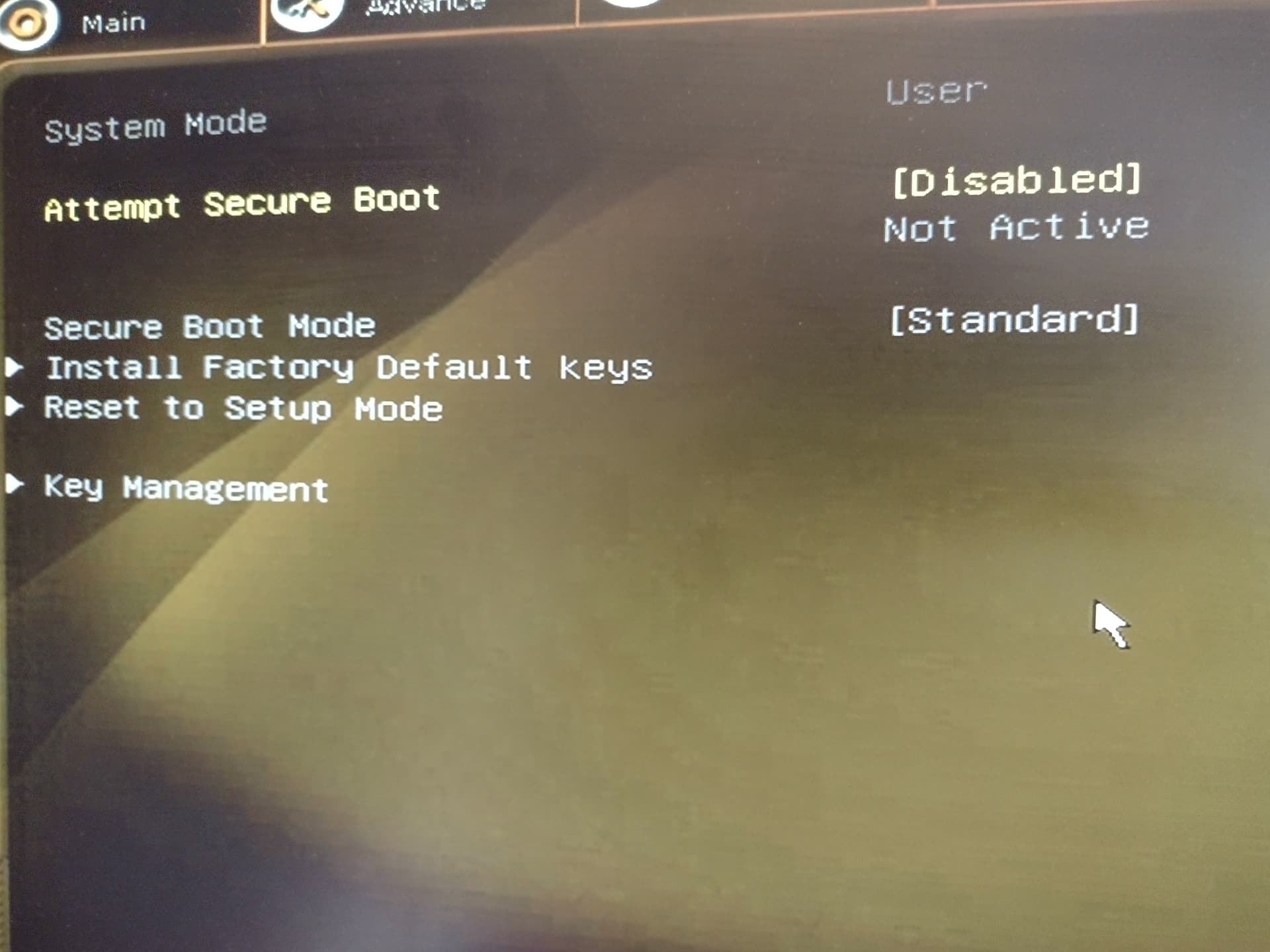
But it still boots the same way.

---------------ETA2--------------------
Booted from the USB again and looked closer at the Boot Repair, but didn't see anything to do. When I restarted, I went into BIOS and changed the boot order (was USB, Hard Disk, then NVME. I moved NVME up above Hard Disk). Now I'm at a big purple screen with "Recovery Menu", which I've never seen before. I ran dpkg. System summary says "No LVM detected". Continuing (leaving recovery mode) just put me at a blinking cursor. After a minute, I powered off and powered on, and, wait for it, I'm looking at the same screen as shown in the first image of this post :frowning:

---------ETA3----------------
Does any of this look wrong?
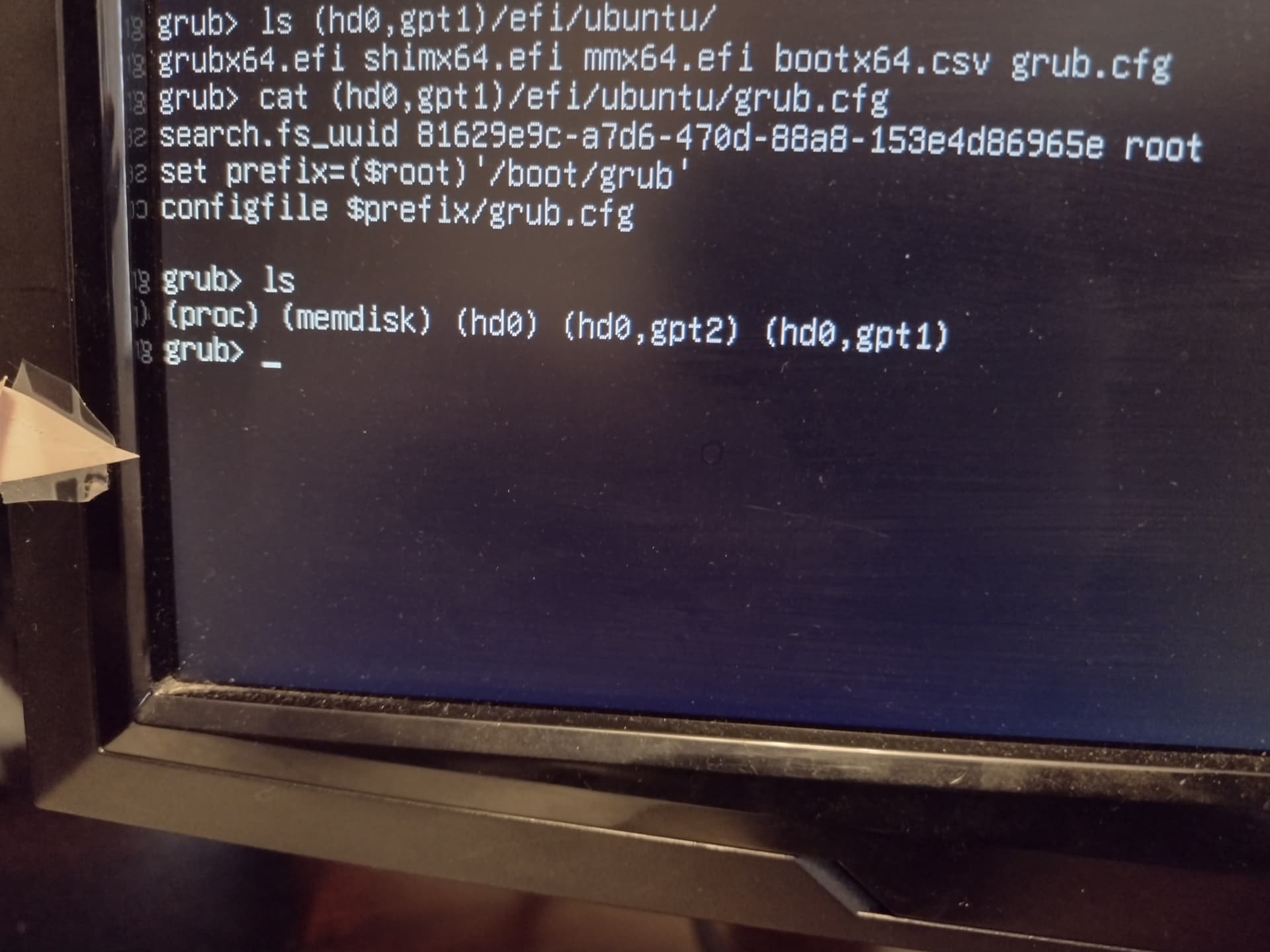
Zorin 18 is a fork of Ubuntu 24.04 so used that in my search criteria.
If you installed to an SSD then refer to hd0 (instead of sda) nomenclature and appropriate gpt numbered partition if you can remember how you installed it:

"Locked NVRAM prevents GRUB from updating boot entries, but you can manually add grubx64.efi by directly writing the bootloader to the EFI System Partition (ESP) and using UEFI Shell or bcfg to create a boot entry.

Step-by-Step Fix:

  1. Mount the ESP :
  • Boot from an Ubuntu Live USB.
  • Open a terminal and mount your EFI System Partition (typically /dev/sda1 or similar):
sudo mkdir /mnt/esp
sudo mount /dev/sda1 /mnt/esp
  • Ensure the EFI/ubuntu directory exists:
ls /mnt/esp/EFI/ubuntu/

If missing, reinstall GRUB packages from the Live environment.

  • Reinstall GRUB (if needed) :
  • Chroot into your installed system:
sudo mount --bind /dev /mnt/esp/dev
sudo mount --bind /proc /mnt/esp/proc
sudo mount --bind /sys /mnt/esp/sys
sudo chroot /mnt/esp
  • Reinstall GRUB EFI:
apt update
apt install --reinstall grub-efi-amd64 grub-efi-amd64-signed
  • Run modprobe efivars to ensure the kernel module is loaded, then:
grub-install --target=x86_64-efi --efi-directory=/boot/efi --bootloader-id=ubuntu
update-grub
  • Manually Add Boot Entry via UEFI Shell :
  • If efibootmgr fails due to locked NVRAM, use the UEFI Shell :
    • Reboot and enter UEFI firmware setup (usually by pressing F2, F12, or Del during boot).
    • Switch to Advanced Mode , then choose "Launch EFI Shell from filesystem device" .
    • In the shell, run:
bcfg boot dump -v
  • Identify the correct FS mapping (e.g., FS0: ) for your ESP.
  • Add the GRUB entry:
bcfg boot add 0 FS0:\EFI\ubuntu\grubx64.efi "Ubuntu"

Replace 0 with the desired boot order index (0-based). Use 0 for first boot priority.

  • Alternative: Use bcdedit (if Windows is present) :
  • If Windows is dual-booted, you can repurpose the Windows boot entry:
    • Use bootICE (from Hiren’s Boot CD) or Visual BCD Editor .
    • Edit the Windows Boot Manager entry and change its path to:
      • EFI\ubuntu\shimx64.efi (if Secure Boot is enabled)
      • EFI\ubuntu\grubx64.efi (if Secure Boot is disabled)
    • Do not delete other entries—they serve as fallbacks.
  • Final Check :
  • Reboot and enter UEFI setup to confirm Ubuntu appears in the boot list.
  • If still missing, repeat the bcfg boot add step.

Note : Some systems (e.g., Dell, Lenovo) require a RTC Reset (hold power for 20 seconds after shutdown) to unlock NVRAM before changes take effect.
AI-generated answer. Please verify critical facts."

1 Like

Thanks for the AI suggestions. Unfortunately, I'm not schooled enough to know what to do when things don't go right.

I did the mkdir and then it says mount: /mnt/esp: special device /dev/hd0 does not exist.

At least I got the very first command to work, LOL!

1 Like

This is a side comment:

Your expression here is a True and Real issue - about users and A.I. output - that is currently being discussed in the Moderator forum as we look at ways to mitigate this exact issue.

We are also concerned about the rise in unvetted and unverified A.I. output being used and are looking into it.

2 Likes

Given this is a Zorin forum, and there might be a lot of people here not schooled in Linux, the best help would probably leverage the standard Zorin install tools and reference the typical install names.

The problem with me, a 30 year Windows user, is nothing here is obvious. I get a command that doesn't work, and it's a brick wall. I chipped away at it and discovered lspkl, which probably shows the same thing as everyone else who installed Zorin 18.

zorin@zorin:~$ lsblk
NAME        MAJ:MIN RM   SIZE RO TYPE MOUNTPOINTS
loop0         7:0    0   2.7G  1 loop /rofs
sda           8:0    1  57.8G  0 disk 
??sda1        8:1    1   3.5G  0 part /cdrom
??sda2        8:2    1     5M  0 part 
??sda3        8:3    1  54.2G  0 part /var/crash
                                      /var/log
nvme0n1     259:0    0 953.9G  0 disk 
??nvme0n1p1 259:1    0   512M  0 part 
??nvme0n1p2 259:2    0 953.4G  0 part

Although some of that might have come from my attempts at 86Box? Maybe that messed up my base Zorin install. IDK. There's no CD drive connected. My machine is a GMKtec Mini PC Intel i5-12450H(Turbo 4.4 GHz) 32GB DDR4 1TB M.2 NVMe SSD, Intel i226v Mini Computer

Oh, and I found a way to transfer files so I don't need to take pictures with my phone.

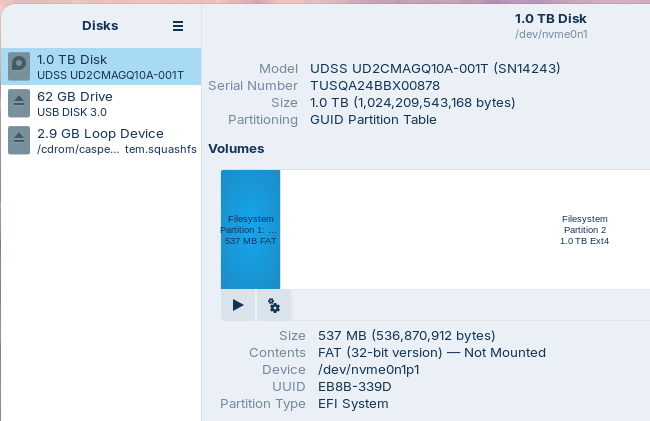
Talking about utilizing the tools that Zorin has, I found the Drives app and now see the names:

I have proven that EFI/ubuntu directory exists. It's not clear to me how much of the AI output I can skip because I don't need to reinstall GRUB EFI.

This is the important part.

If NVRAM is locked, boot entries cannot be written. So, Boot Repair will fail.
So, it probably was not 86boot or anything else that caused this.

In your BIOS Settings, is Secure Boot Enabled?
If it is already disabled, in order to unlock NVRAM, you would need to fully remove all power supply and take out the CMOS battery to reset (unlock) NVRAM.

Thanks for taking the time.

I can get into the BIOS/UEFI and I certainly disabled Secure Boot as a first step. I don't think it was ever enabled.

What seems strange to me is that when I do boot the machine to Zorin, it shows all these services starting with green "OK" (the first image in this thread). Could it really load all of those services if NVRam was really locked? I'm thinking we're barking up the wrong tree, but I'm not familiar enough with the territory to make that call.

I looked inside the case and it wasn't obvious how to remove the battery. It's a brand new machine and I don't want to break it before I even get to use it. Also, I can get to BIOS/UEFI and I've never set any passwords, so presumably just doing the restore factory settings SHOULD put me back to where I was a few days ago, when I first installed Zorin.

It's only been 8 hours since I've been unable to get my new machine to boot, but it seems like a week!

1 Like

Yes, because loading the kernel is one thing, loading grub is another.
It is a multi-part process.

It would on that front but NVRAM is a deeper layer in the Firmware, and won't likely be affected by factory reset.

And yes, if you are hesitant to open the computer case - I agree. Because reseating the CMOS battery worked on older systems - but on New Machines, they are setting it now that firmware data and non volatile RAM data can be stored independently of the CMOS battery - you say this is a New Machine so, it is not worth the risk versus the chance that it might work.

1 Like

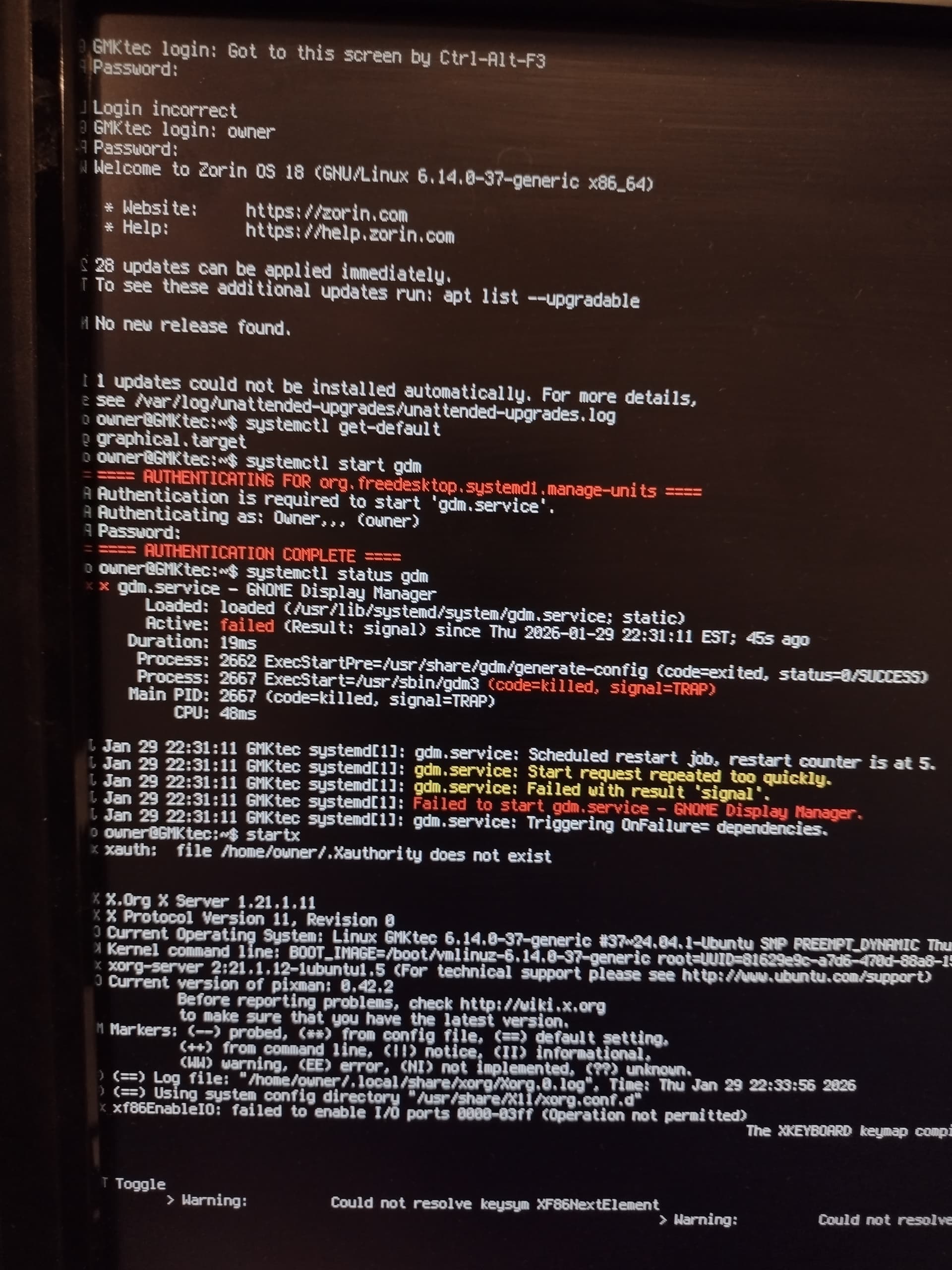
From that screen where services start, searched and found that Ctrl-Alt-F3 gives you a command prompt. I typed some commands that Chat GPT gave me: systemctl get-default and that said "graphical.target" (good), systemctl start gdm, systemctl status gdm, and we see "failed", so that's bad. Not shown, but I just copied a file. And it copied without error. That means I'm writing to the disk, if that means anything.

When I typed startx, a GUI screen came up and said there was an error, then hitting enter brought me back to this screen that shows all of the commands and results:

Maybe someone can interpret why gdm fails? It says "Triggering OnFailure= dependencies"

Finally! For anybody coming along later, ignore, oh, about 100% of what the earlier posts were talking about.

If you see a bunch of services starting OK and then it doesn't proceed to the desktop, do this:

Ctrl + Alt + F3
(log in)
sudo apt update
sudo apt install --reinstall gdm3 zorin-os-desktop gnome-shell ubuntu-session
sudo reboot

Done!

4 Likes

Ah, so grub was fine, even if locked in - GDM was the problem.

Good detective work. I wonder why that got corrupted out of the blue like that?

3 Likes

The Ghost in the Machine.

1 Like