trying out zorin for the first time. so far, I have not been able to get a lockscreen to work. windows+L doesn't do anything, and there is no button in the lower right corner as shown in some videos. without a lockscreen, it's kind of useless to me. how do i get it to work? shutting down every time i walk away from my desk is really inconvenient.
Hey Taf - welcome to the forum.
Strange that the Windows-L combo isn't working. Here's where to go and check the settings:
2. Where to Find Lock Screen Settings
To change how long the screen stays on before locking or to disable the lock entirely:
- Open the Zorin Menu (Start button) and select Settings.
- In the left sidebar, click on Privacy.
- Select Screen Lock.
- Here you can toggle Automatic Screen Lock on or off.
- You can set the Lock Screen Delay (the time between the screen turning off and the lock activating).
1 Like
i may have done something wrong. when i powered up again, i got no boot device on the screen. the whole installation disappeared. oh well i guess i'll try to install one more time. not off to a good start
If you like, tell me what kind of computer (model, specs, etc.) you are installing to
Also, what did you use to make the usb - rufus, balena etcher?
There are some things you can also do in preparation for the install that can potentially save you some hassle. I can share a few of those if you can give me the above info.
acer nitro AN515-54-5812 * Intel® Core™ i5-9300H processor Quad-core 2.40 GHz 16GB ram. balena etcher
go into the bios and disable "secure boot', also "fast boot". They are of no real benefit in Linux and they can cause problems. Also, balena etcher has a history of causing problems for winntel machines. I recommend creating a new usb on rufus instead. I'll do some quick research and let you know if I find more suggestions, so hold off a bit....
OK, found this:
The i5-9300H paired with an NVIDIA GPU (likely a GTX 1650 or 1050) in that Acer Nitro model is notorious for "freezing" on the first boot because the open-source driver (Nouveau) tries to take control of the card and fails.
Maybe the balena etcher usb isn't a problem after all...
When the Zorin menu pops up, select "Try or Install Zorin OS (modern NVIDIA drivers)".
- Note: If it freezes here, restart and choose the same option, but press
eand addnomodesetto the boot line as we discussed before.
- Run Installer: Once the desktop loads, click Install Zorin OS.
- Networking: Connect to Wi-Fi. This is vital so Zorin can download the specific firmware for your i5-9300H during the process.
- Installation Type: * Select "Erase disk and install Zorin OS" to wipe away the previous failed attempt.
- Crucial: Check the boxes for "Install third-party software for graphics and Wi-Fi" and "Download updates while installing."
After the install finishes and you restart, Acer might say "No Bootable Device." Don't panic; the laptop just doesn't "trust" the new Zorin file yet.
- Back into BIOS (F2).
- Security Tab: Select "Select an UEFI file as trusted for executing."
- Navigate: Select
HDD0->EFI->zorin->shimx64.efi. - Name it: Type
Zorinand hit Enter. - Boot Tab: Ensure the new "Zorin" entry is at the top of the list. Save and Exit (F10).
Once you are logged into your fresh Zorin 18 desktop:
- Driver Check: Open the Zorin Menu -> System Tools -> Additional Drivers. Ensure the NVIDIA "Proprietary/Tested" driver is selected.
- Kernel Update: Open a Terminal (Ctrl+Alt+T) and run:
Bashsudo apt update && sudo apt upgrade -yThis ensures your 9th Gen Intel processor has the latest microcode for stability.
Welcome to the Forum!
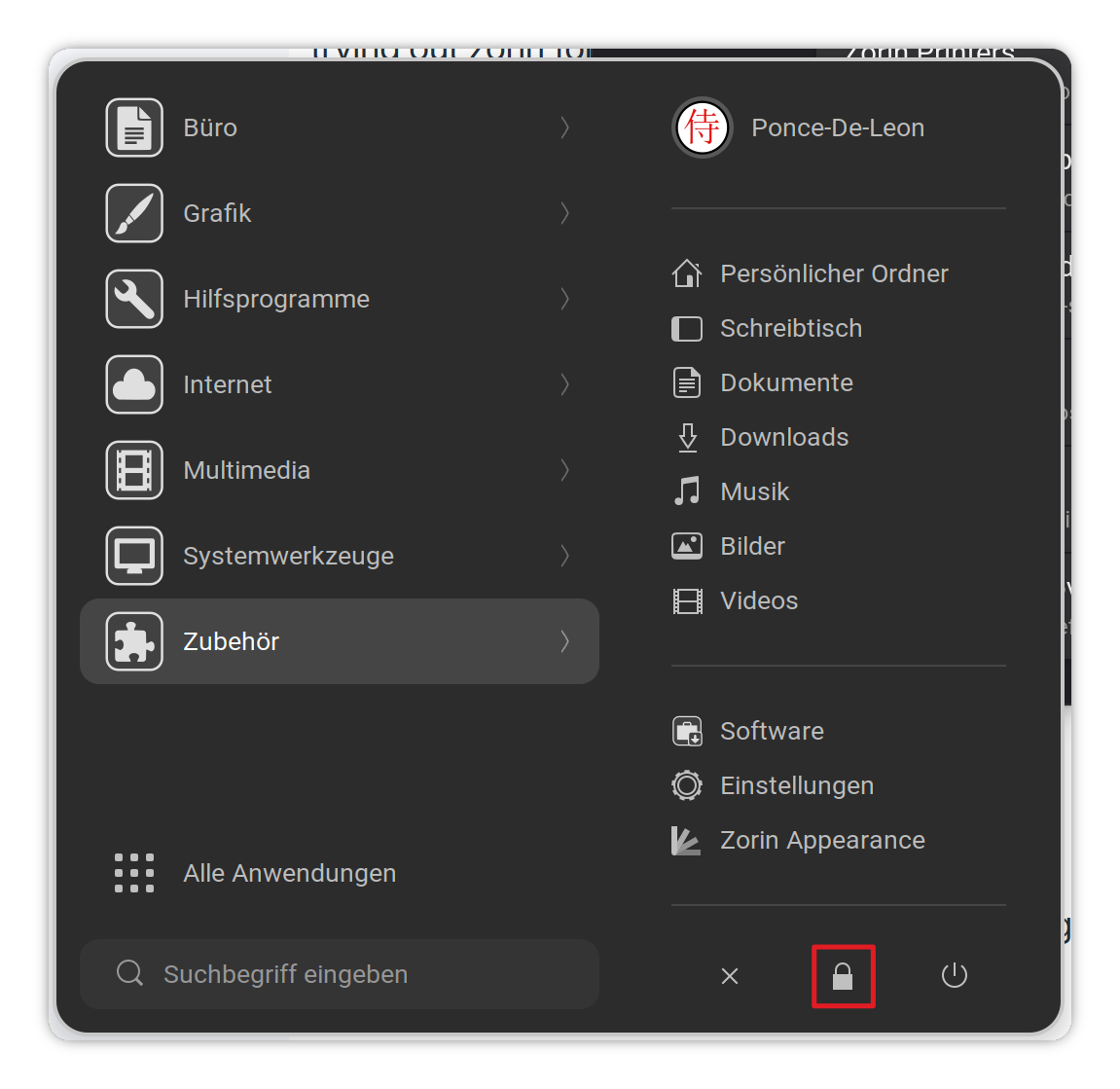
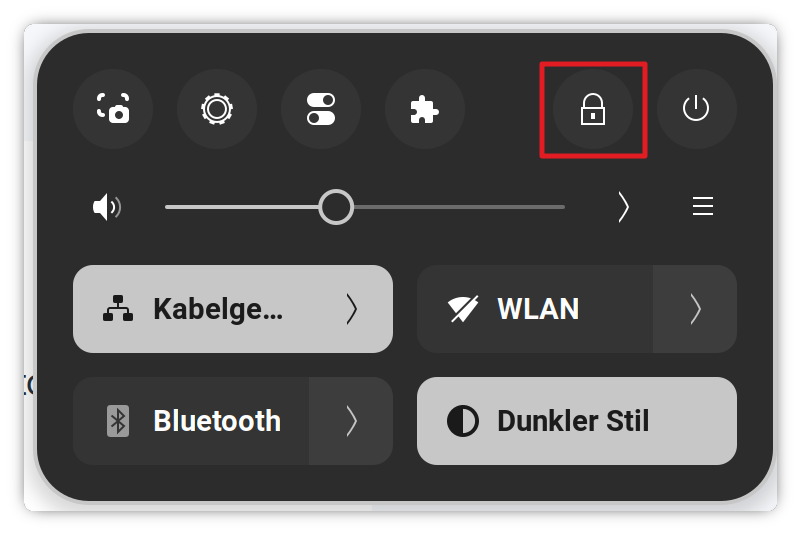
When You want to go to the Lock Screen, You can click on the Lock Symbol in the Zorin Startmenu:
or You can go over the Quick Settings:
thanks for the help. not sure what i missed last night, but everything is working now.
thanks for the help. I'm not sure what i was missing, but it's working now. newbie problems 
Happens to all of us at one time. Glad it worked itself out...and Welcome to Forum
1 Like
I marked Post number eight as the solution, despite @wsmather's excellent suggestions due to the actual solution being unconfirmed - a reinstall may have gotten it sorted.