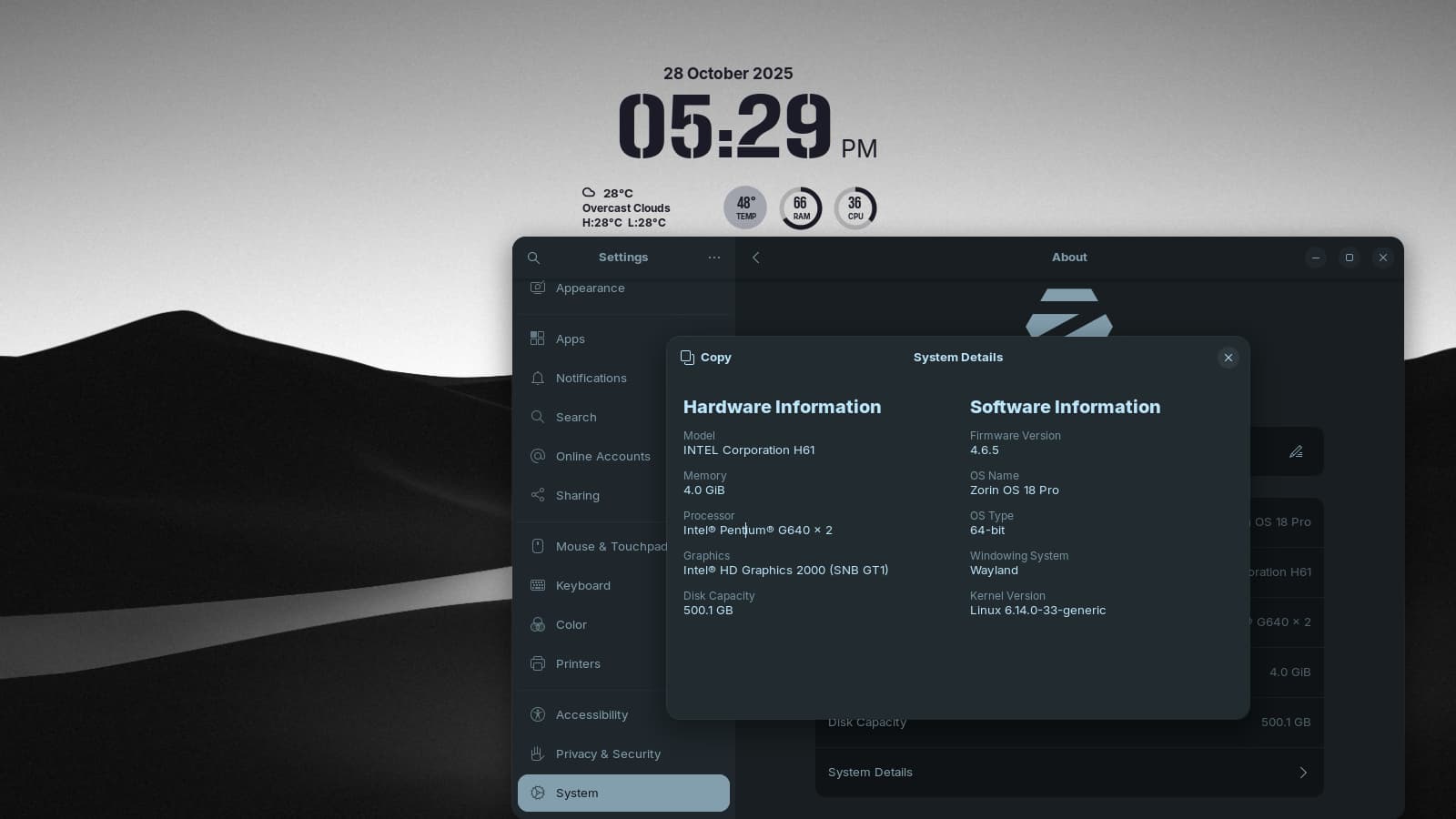
Well, after some months of reading & testing & reading & testing, this last week I finally upgraded my 9 yr old HP W10 laptop to Zorin 18. So far things seem to be to be working pretty much as expected, for the most part anyway! There have been a few things that haven't gone as expected but I'll address some of those in other post at some later time.
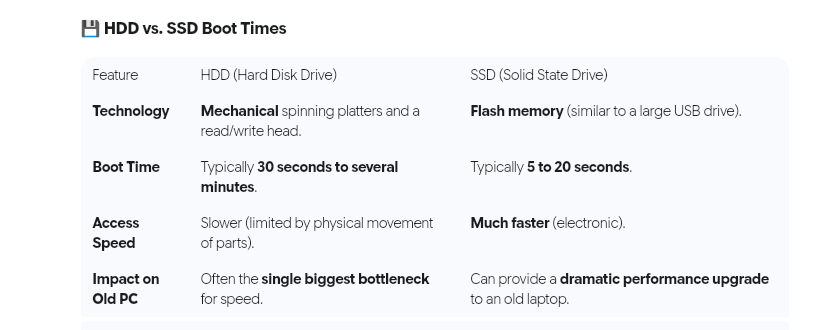
As of now my first question is simply: for a 9yr old laptop w/quad core Intel processor, 8gb of ram & 500gb Hitachi HDD, does a 2.5 minute boot time, about half what W10 required, seem about normal or should I be experiencing something a little quicker? Just curious really, it's not like can or will do a lot about it one way or the other.
Any comments, suggestions or questions would appreciated.
Something is timing out, hanging or stalling during boot - this also may mean that errors are accruing filling /var/logs
So, you want to know; since if /var gets filled completely over time, it can create a no-boot situation.
In terminal, run
journalctl -b -p 3
And relay that output here to show your logs. If they are extremely long, however, that is a sign. You can use a third party host if the files are very long, like pastebin
You can also relay the output for
sudo systemd-analyze blame
But please do not take actions based on what you see: Most of those process are critical for initialization, only a small few can be disabled.
Hi Aravisian and thanks for responding. So I'm guessing 2.5 min. is considered a little long for boot up!
I did clean boot and ran the two commands as you suggested. Got some rather lengthy results from both commands showing lots repeated attempts and errors! They are so long in fact I copied the results to a LibreOffice Writer document to attach to this reply but I don't see any way to attach the document. Or even can you? Should I just copy and paste to the body of the reply?
It does take a little while to boot up, maybe about 2~3 minutes. However, once it's up and you log in to the desktop, everything works fine.
In contrast, Windows 10 in the same computer (it's set as dual boot) takes much less to load into the desktop... but everything lags and is basically unusable. It's only after 20 minutes or so that you can actually start opening a browser.
In other machines I've noticed that Zorin OS, for me at least, does take a little longer to boot than other distributions. But it's not really an issue for me as I turn the power on and go make myself a coffee anyway, so it's up and running by the time I'm back.
I can relate to that. Fast Start-up but all the updating, syncing, telemetry etc renders Windows unusable till after a full breakfast, not just coffee.
In contrast with ZorinOS, when it is up, it is up and ready for a full work-out.
Thanks zabadabadoo & zenzen for the comments. That sounds exactly how my W10 worked, 5-6+ (sometime longer) minutes bootup and another 5-10 minutes before you could really do anything useful!
To be clear, I'm not at all complaining about a 2.5 min. boot time for Zorin, it's like lightening compared to W10. But since running the commands that Arvisian
suggested it appears that something might be holding it back, if that can be cleared up easily great, if not.............well, we'll have to see how it goes.
Thanks again.
Exactly! The only reason I even brought up the 2.5 min. boot time was because about 5-6 yrs. ago I had another old HP laptop that I upgraded with a Samsung SSD and to Mint/Cinnamon. It only took about 1.5 minutes.
Yep, you can swap that HDD out for an SSD, and with a quad core CPU and 8GB of RAM, it should load the OS in like 30-seconds, with SSD. I have a modern computer that uses the newer NVME drives, and once I select the boot OS from Grub, I will be in the OS in only 8-seconds counting from Grub.
Keep in mind, not only are mechanical HDD drives slow by default, but if their 9 years old, they could develop bad sectors, and they will get even slower. Since you posted about a bunch of errors, those impact your boot times as well.
My first recommendation, is to get yourself a 1TB SSD, swap the mechanical drive out, put Zorin OS 18 on it. Infact, if you wait awhile for Zorin OS 18 Lite to release, that would be far better to run, on an 9 year old computer as well.
While your boot time is on the longer side, there's a chance it could be improved especially if you're not using any Snap applications. Consider disabling Snap on startup; it can add unnecessary overhead.
For a 13-year-old machine with 4GB of RAM and an HDD, a 50-second boot time is what i experience.
Just be cautious, don’t disable any services unless you're confident in their purpose. After all, every service has its role, even if it's just sitting there looking important
At this point it's highly unlikely I'll doing anything as drastic as upgrade this laptop to an ssd unless the hdd really crashes, at which point I might just recycle it and move on to something else.
The only reason I upgraded to Zorin in the first place was because W10 is no longer being supported and to try and get a few more useful years out of it. It's just for basic stuff like email, internet, photos, music, etc.
As for disabling Snap applications, I'll have to look into what can or cannot be disabled at startup because I have no clue at this point.
It counts what small files (not all files) are used often to run your favorite programs and starts to fetch them into memory, even before you click on the program, so that programs are partially loaded and on hot standby.
These are anti-bloat tools, though. I admit, it took me weeks to figure it out, though.
Well, these look good actually. Granted, the logs were priority 3 only, and I think they were copied when outside of the window width so are truncated - the majority of things deal with HDD bottlenecks or a couple of timeouts.
It looks like you have more than one monitor and GDM is racing to determine which to activate at boot.
What you can do:
Disable the network wait service as that is doubled in your report and has no actual function on your system (It is primarily for use with headless servers):
I disabled the network service as you suggested and I also did the "apt install preload" as suggested by cc_spicuous, I rebooted and it's actually at about 2:15 +/-. I'm not sure how accurate I was the first few times I recorded the boot times so I'm also not too sure how much if any the two commands might have helped, but they probably didn't hurt any.
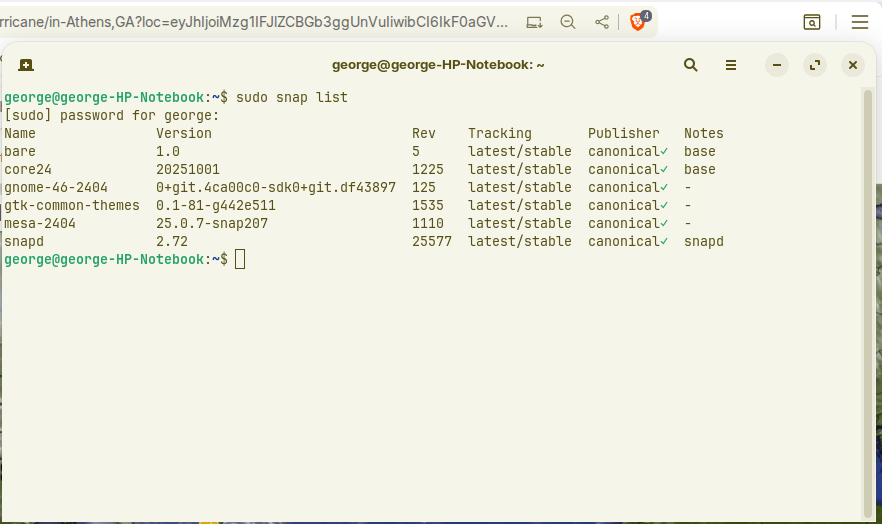
In any case, attached are the results of "snap list". Doesn't look like to much going on to me but maybe you'll see something.
If removing snap will significantly lower boot times then I'll remove it. If not then I'll leave them, can't imagine they'll hurt any thing. If that's the case then as far as I'm concerned my question on boot times has been answered so we can move on.
Is there an official way in the forum to flag a post/question or issue as "resolved or closed", or just leave it and let it fade away?