OK, so how do we 'create' that path on my PC
Please remember, I am not all all fluent in using terminal, what I have done so far is what I got from the web
and yes, I am unable to make any changes to the Boot menu, so I guess it is locked, so we need to unlock this I guess....but how
Not create - find.
As you can see in that thread, I listed the location, that the user was able to navigate to using LiveUSB.
OK, that kinda scares the s..t outa me doing all that terminal stuff, but I guess I have no choice.
I am guessing you want me to do the following
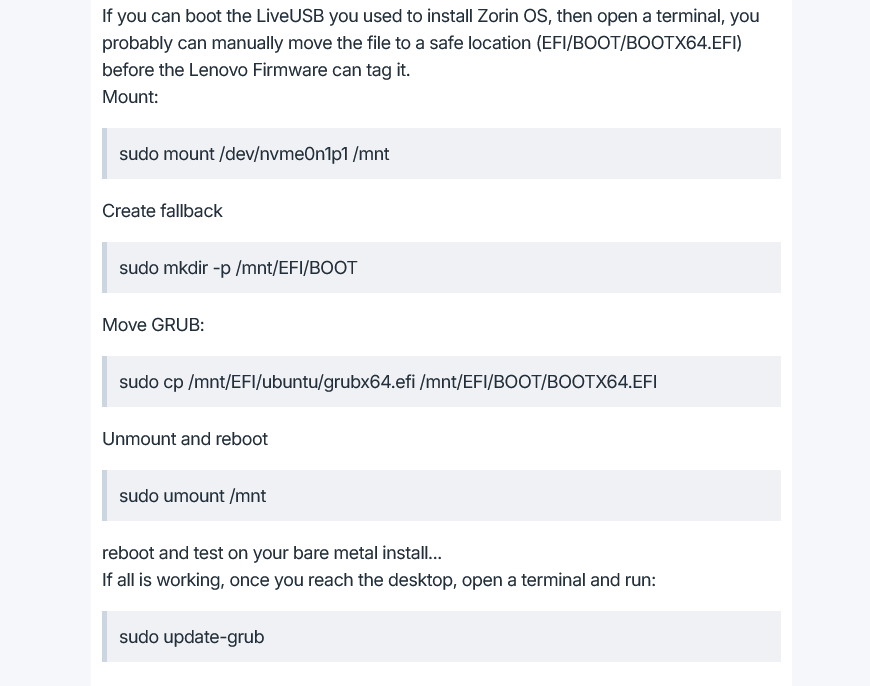
Yes, and any New Thing brings fear.
There are steps you can take to mitigate that.
Make Back ups of critical data - this is for the peace of mind knowing it won't be lost.
Research the commands: When it is some arcane code, it is terrifying. But when you understand what they do - that removes a lot of the fear.
In this case, mnt, mounting a drive is safe. So is unmounting it.
In between those, is a command that moves your grub .efi file to a mounted location that can be seen by the system.
Since NVRAM is locked, it won't allow write - so you are manually moving the complete file to a location that is visible, and allows write.
ok, will do and will let you know.
Not sure if I can do that now, but tomorrow for sure, will get back when all is done.
Thank you for your time, I REALLY appreciate it
1 Like
OK, no difference, still will not go into the dual boot screen, I have attached photo of BIOS screen, the only difference is that I removed my external HD, just in case Zorin on it might cause weird issues
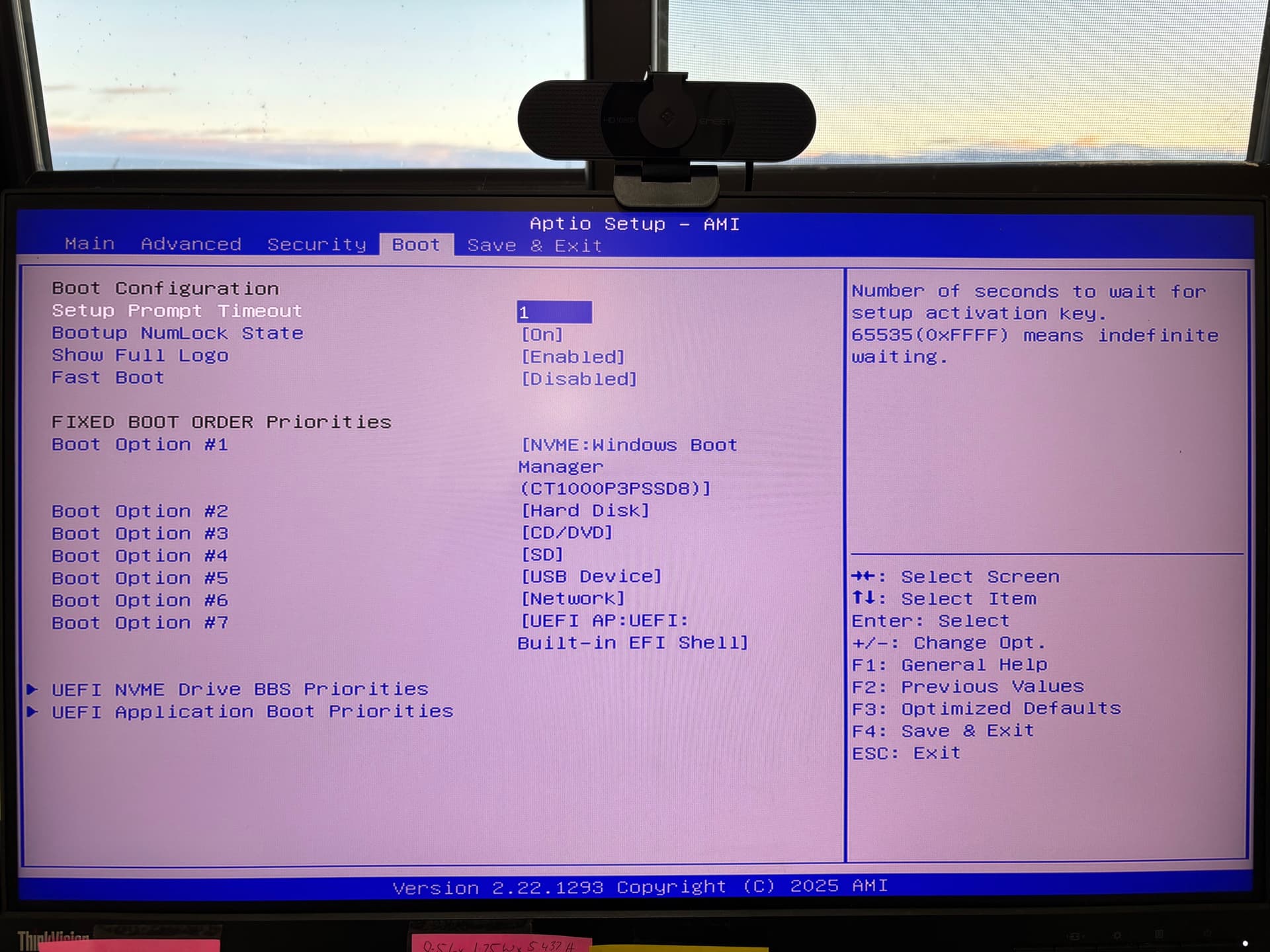
the PC I am using is the Beelink GTi14 Intel Core Ultra 9 185H3.10 GHz with 64G RAM.
I have also contacted Beelink and asked them how best to unlock NVram, if all else fails, I could remove the BIOS battery I guess.....
Is your BIOS up-to-date? Maybe this thread can give you some ideas.
Here one user wrote
"I have a GTi14 Ultra 9 185H with 96GB RAM and 2×1TB NVMe drive.
Before the BIOS update to T204 I was not able to even run the installers for Linux, they just rebooted during initial boot. Windows worked ok even with T202.
I can confirm that after update from T202 to T204 I can start installations of Ubuntu 24.04 or Proxmox 8.4.
Good job!"
huh!...I'll be...I need to look into this more, that is a great link, will need to see which BIOS version I have and then go from there. No wonder I am having issues!
Will report back once I got this sorted, thank you again!
1 Like
OK,
update. I managed to reset CMOS and I am now able to make changes to BIOS etc., however, after a clean re install of Zorin, which seemed to have gone well with no issues, I am still unable to bring up the dual boot screen.
I have attached the BOOT menu, I cannot see anything related to a Zorin installation.
I have also attached an image of the disk management screen after the Zorin installation.
This is really weird and annoying.....
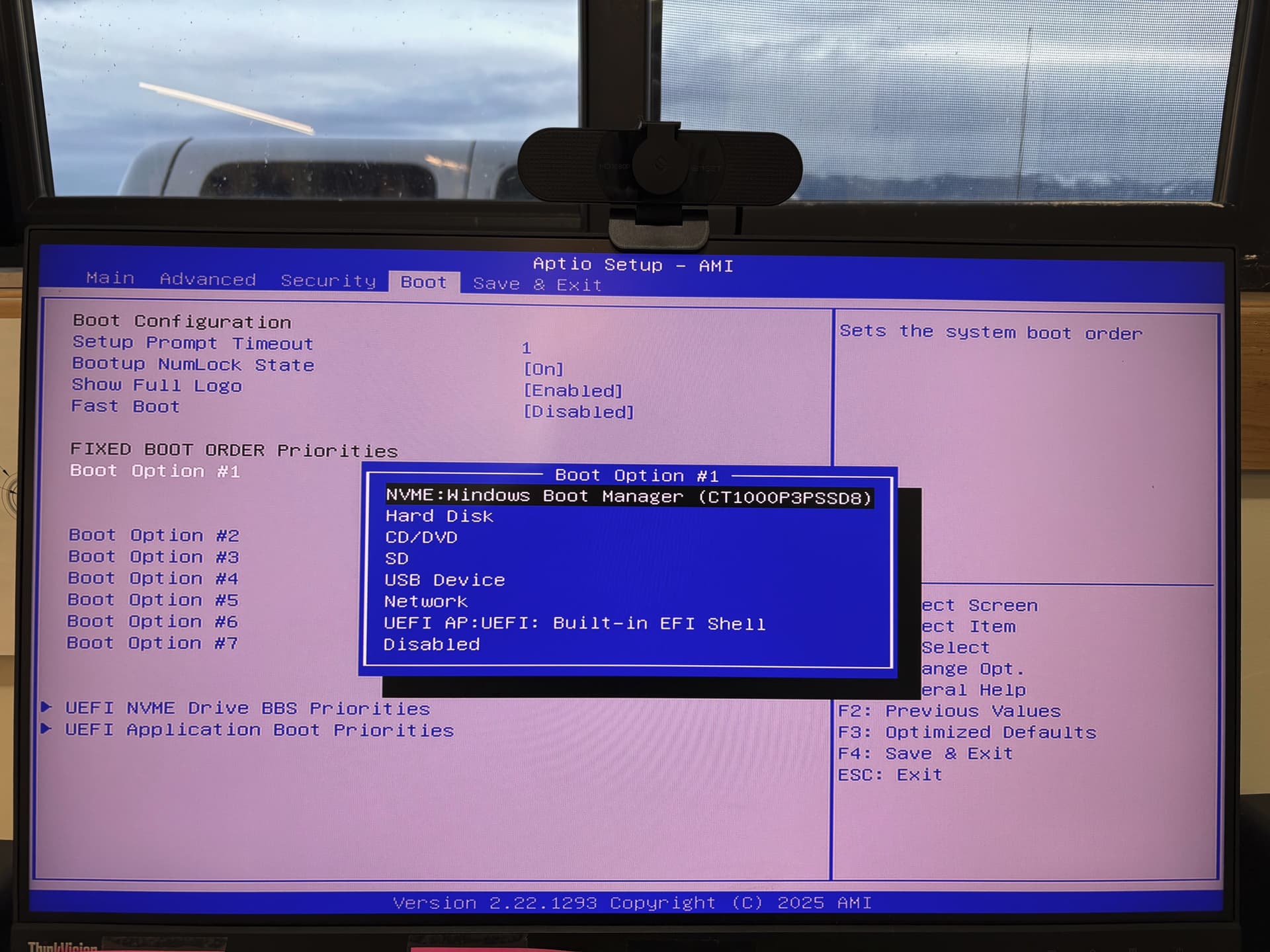
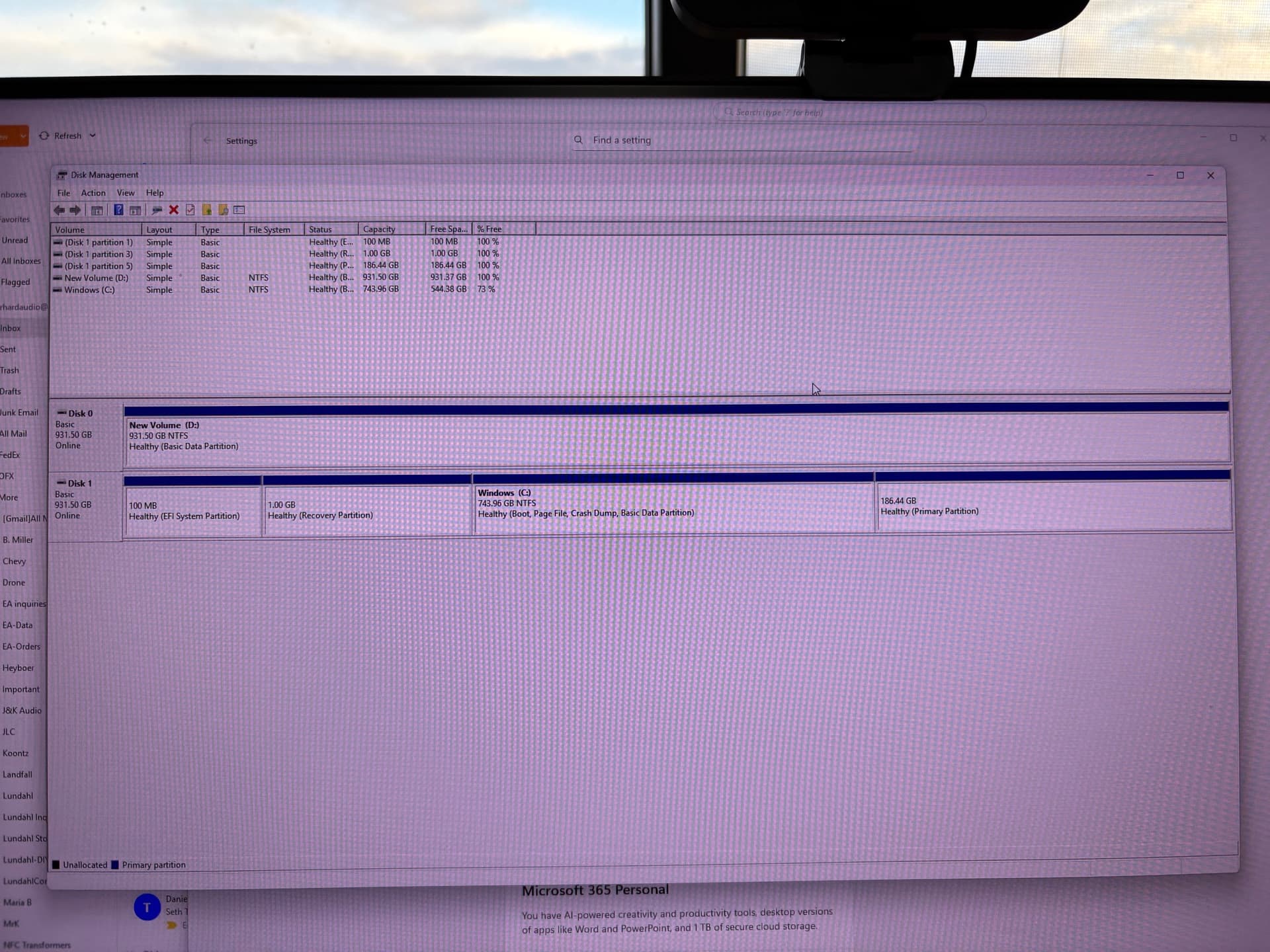
Do you see Ubuntu when you click on the other boot options #2,#3,... in your BIOS?
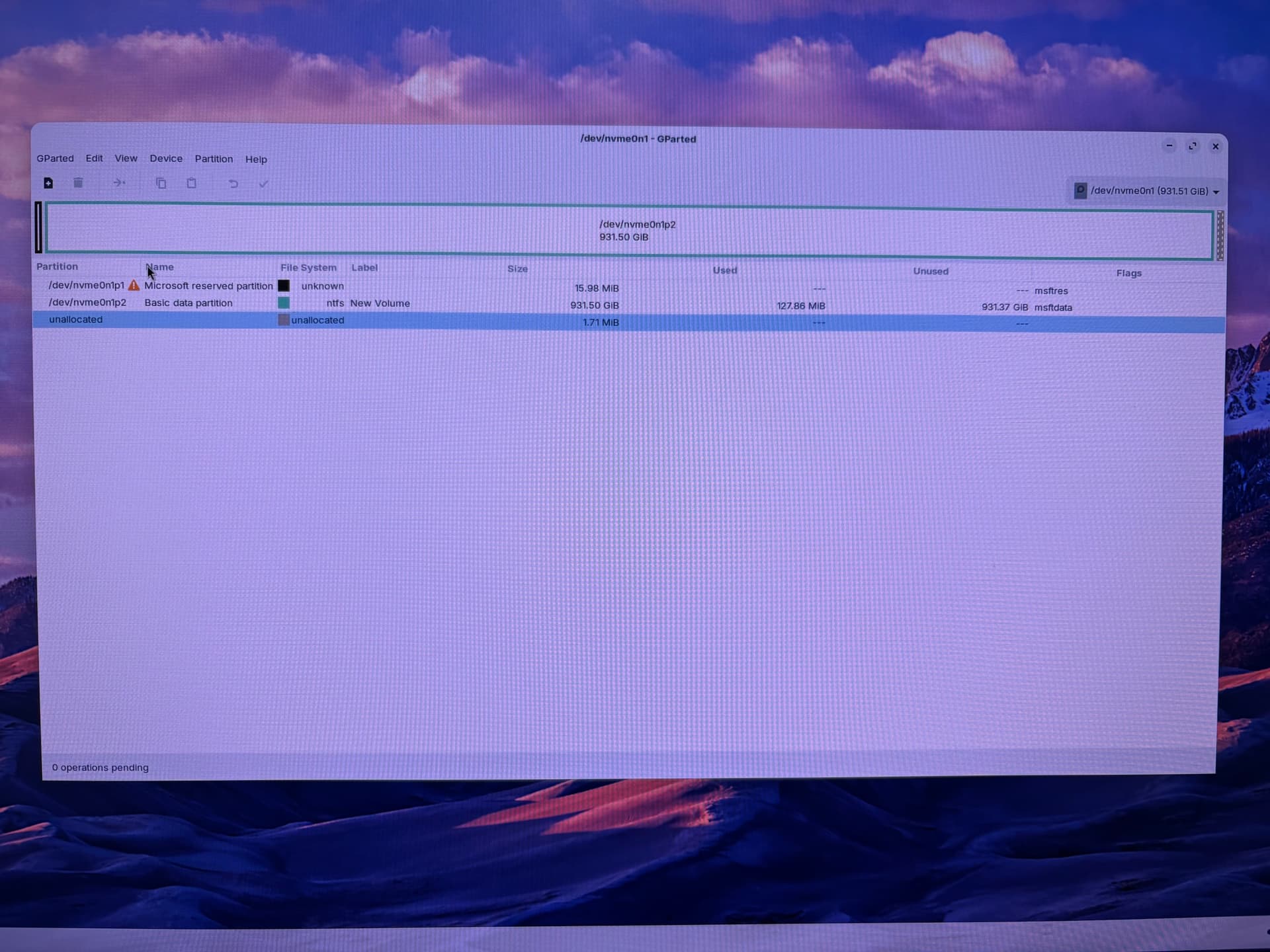
Can you please boot with the Zorin bootstick, select "Try Zorin" and then open the app "gparted" and take a screenshot of the partitions of the drives?
I did not notice anything about Ubuntu, but I will check that first and get back, thanks.
If you find Ubuntu, set it at first position of the boot order.
Move to security tab, check if any option available to set Supervisor/Adminstrator password. If available, set a password and check again if any new BIOS options appears not. Look for an option Add/Load from efi file.
Could this be a similar situation how someone adds EFI entry manually on Acer devices? @Forpli has mentioned about it many times on this forum, please link the steps for the reference of OP.
1 Like
holy craporoni!!!.....that DID IT!
Now I get the dual boot screen and Zorin boots up nicely!
Thank you SO much for sticking with me here, I really appreciate your help!
2 Likes
Can you mark the post above that "did it" as the solution, please?
This topic was automatically closed 90 days after the last reply. New replies are no longer allowed.