No input device detected

I've been running Zorin 18 Core on my Thinkpad T480 - sound has worked well for the last couple months but now no input devices are showing up (including internal microphone). Outputs are working fine.

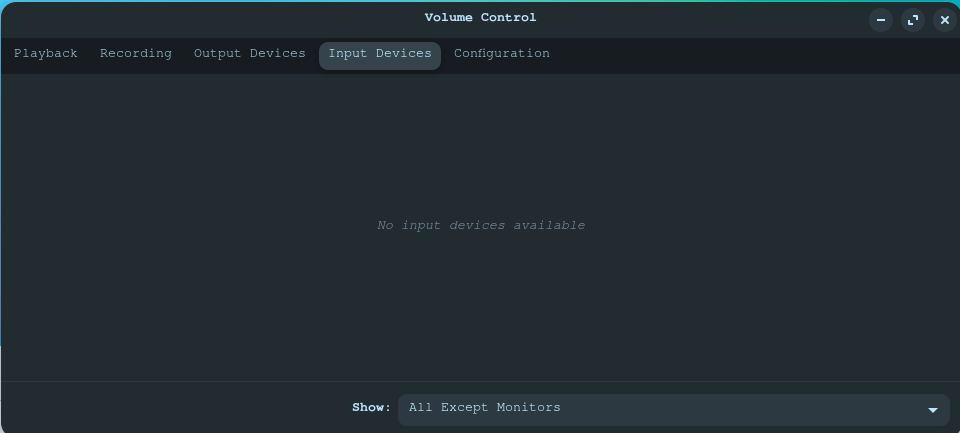
This is what it shows for inputs in Pulse Audio:

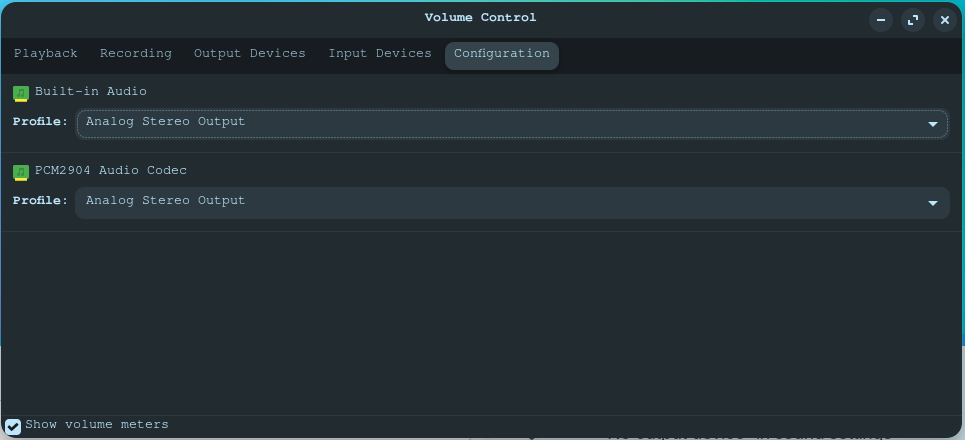
This is the configuration tab:

Any tips on getting input devices to show up would be greatly appreciated!

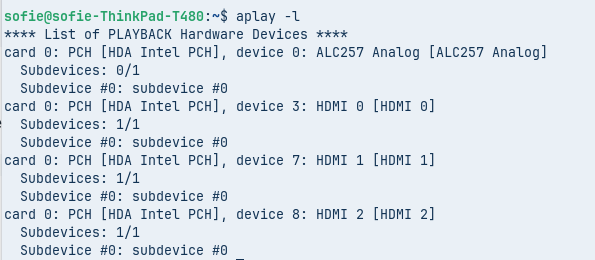
Hi. What are the results from entering in the terminal the following command?:

aplay -l
1 Like

First give the output of @swarfendor437 command

And what you could also do is trying to boot to older kernel

  • Restart the PC and press Escape during boot to access the GRUB menu (may also be accessed with Shift)
  • Select "Advanced options for Zorin OS"
  • Here, you can see the available kernels to boot into. Choose the older one (without recovery option)
3 Likes

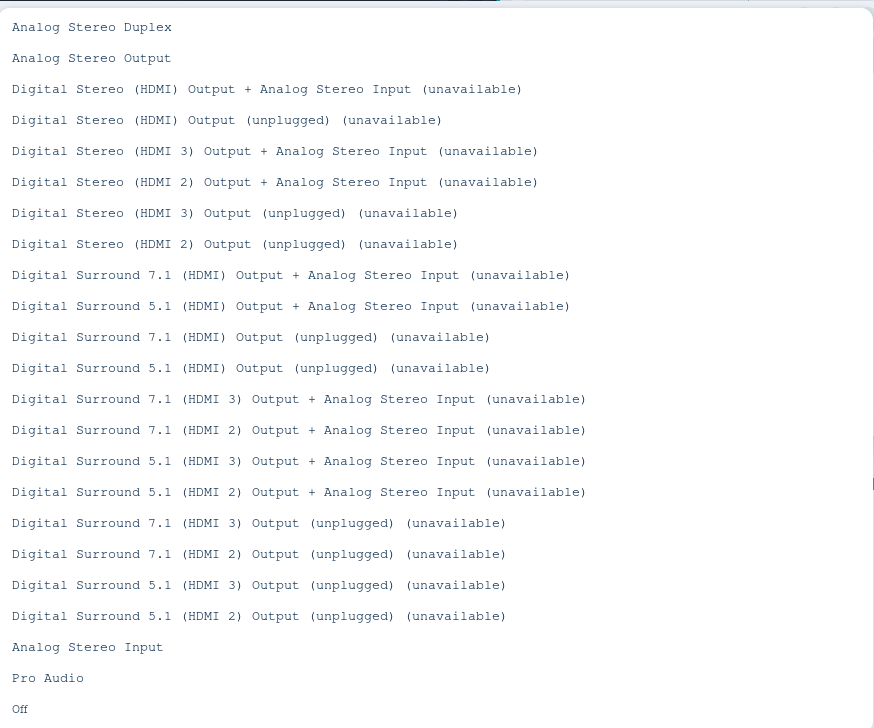
What Options do You have in the Dropdown Menu for the Built-in Audio?

Hello,The new 7.0.0-42 kernel has been available since this morning.
Have you installed it? If so, it may be related to the kernel.


These are the options I have for Built-in Audio in the dropdown menu.

Did you try the advice to roll back to a previous kernel? Ref: No input device detected - #3 by Nourpon
If sound worked well before, then that could be a quick and simple thing to try first.

2 Likes

I changed the Built-In Audio configuration in Pulse Audio from Analog Stereo Output to Analog Stereo Duplex and inputs seem to be working again! Will keep monitoring but the issue seems to be solved for now. Thanks everyone for the tips.
4 Likes