Get error for no wifi adapter even though my laptop should have one internally. I currently have the laptop connected to an ethernet cable; i've tried looking at other forum posts but no luck fixing my issue.
Have you tried Software & Updates tab across to Additional Drivers. See if anything there for your wifi?
What is your wifi adapter?
and/or:
What is your specific machine make/model?
Can you please post the output of
sudo lshw -C network
in terminal?
it says there are no additional drivers
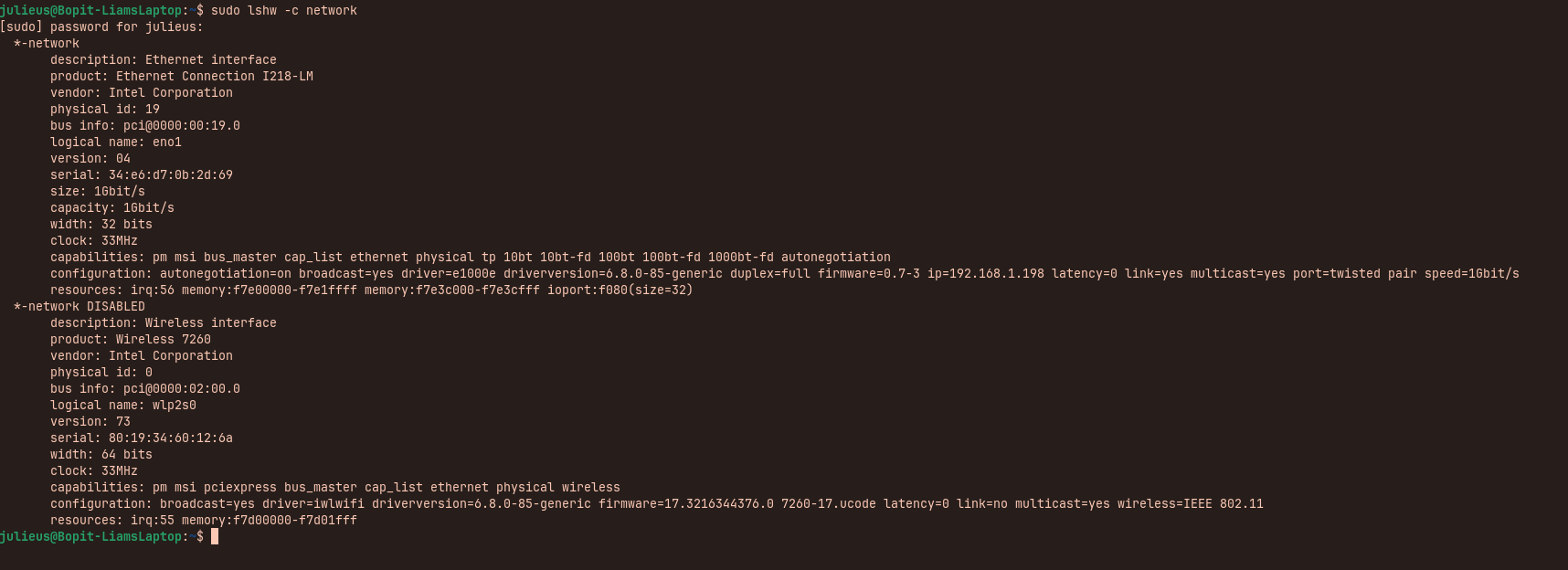
What brand/model is your computer?
Can you please post the output of
rfkill list
to show if something is blocked?
Welcome to the Forum!
You could try it with changing the Powersave Settings:

The output shows that the wifi is hard blocked. Please look if a switch on your computer has turned wlan off, e.g. flightmode or a key combination.
If you don't find a switch take a look in your BIOS if WLAN is disabled there.
The switch should be on the right side of your notebook, as far as I read about.
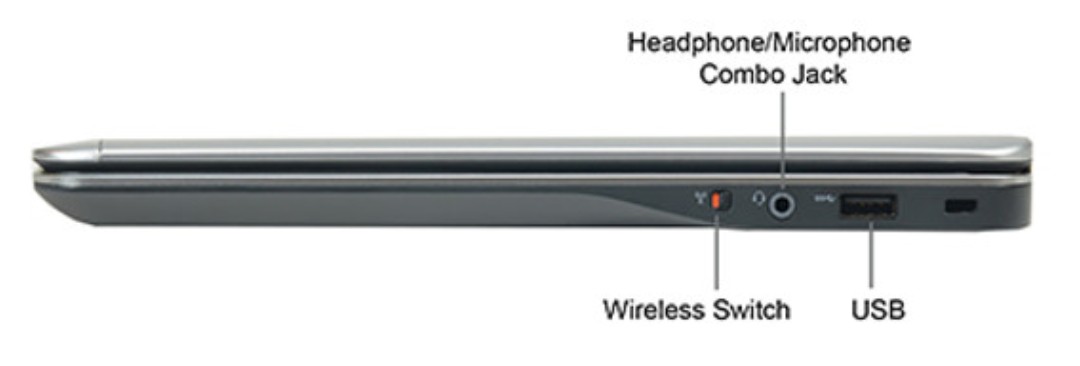
1 Like
They are blocked, okay.
If @Forpli's Advice with the physical Toggle or the BIOS Setting shouldn't work, open the Terminal and type one after the other:
rfkill unblock phy0
rfkill unblock dell-wifi
rfkill unblock dell-bluetooth
that was my problem thank you very much! I've never seen a laptop with that before haha.
1 Like
My laptop has a similar one. Glad to hear that it works now!
This topic was automatically closed 90 days after the last reply. New replies are no longer allowed.