I am completely new to Zorin and Linux in general. With the impending death of Windows 10, and at the advise of someone who posts videos on YouTube (you know you can trust them, right?), I opted to try the demo version of Zorin (Try it out!) before actually installing the OS on my laptop. I have run into one small problem in that WiFi options are not even coming up in the system.
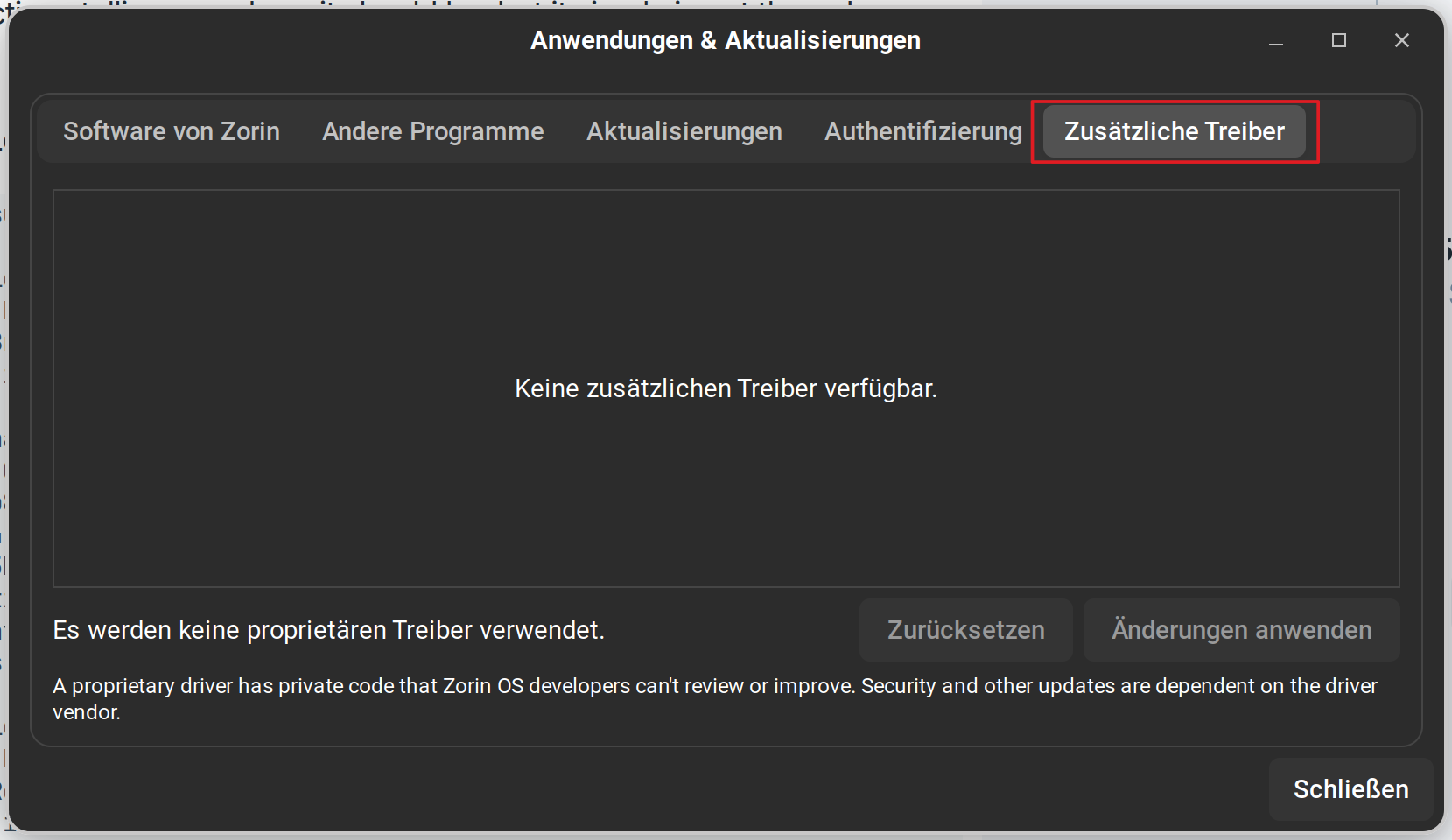
I can access the internet through ethernet without issue, but the WiFi option is not even displayed. I can search for WiFi and get a simple box saying no WiFi device was installed. I thought this might be a driver issue, but cannot find the Additional Drivers button either.
Are these limitations of the demo version or Zorin, or am I finding a larger incompatibility issue with my machine? I tried running the updates, but the system update wouldn't run since I was only using the demo option of the OS. A dual boot install is my next option since I'm not quite ready to dive headfirst in Linux just yet, but my machine runs so slow on Windows 10 as is I don't dare bog it down even more.
Thoughts?
I am running a Toshiba Satellite laptop that was "Built for Windows 10!"
You can find the Additional Drivers tab in the application Software & Updates. In your app menu search entry, type software and it should appear in the list alongside of other Software Management items.
They indicate an incompatibility. The Demo should fully support wifi.
This does not mean that it is an impossibility.
Some radio (Wireless) adapters stick to only proprietary drivers.
Some, like Broadcom, restrict proprietary drivers from being applied by developers - but the end user can install them freely (So Broadcom users just need to install the drivers after installing Zorin OS.)
Some wifi adapters have no Linux Support, so you can buy an inexpensive Linux-Compatible Wifi Dongle and use that, instead.
If you can relay what Wifi Card you have, maybe we can narrow this down.
Windows Control and things to do before installing:
Windows OS includes a "Fast Startup" option which actually has nothing to do with boot. It hibernates the Windows OS, enabling a quick wake, rather than full initialization and boot.
This means Windows retains control of your hardware. So "Fast Startup" must be disabled in the control panel > Power options.
Secure Boot - Secure boot is like a bouncer at a nightclub, checking guests (Boot events) against a list of Microsoft Signed Allowed entries.
Microsoft has a history of using these signatures to ensure their demands are met - so any rebels, like GnuLinux or Nvidia - can have missing signatures - so disabling Secure Boot may be necessary in order to install and run a rebel OS.
Could You tell us the Hardware Specs of Your Machine? When You have 4GB of RAM or less, I would recommend Zorin Lite over Zorin Core because Lite uses the xfce Desktop as Base which needs less System Ressources.
Because of Your Wifi: When the Driver for it is included in the Kernel or the linux-fimware Package, it should run out of the Box. Type n the Terminal sudo lshw -C network to get an Output about Your Network Stuff and post it here please. So, we get more Details. That could help.
Like @Aravisian already wrote, You can find the Additional Drivers Tab in Software & Updates. It is the first one from the right Side. Beneath Fast start-Up in Windows and Secure Boot in BIOs also disable of availabe Fast Boot in BIOS and TPM.
That could be because we had a Server Issue which avoid updating the System.
Thank you for the suggestions. Some responce from my testing and work on the machine.
I have a broadcom WiFi card. Looks like is a driver issue. I followed the steps to try to get it working, which look like they would work, but I, again, run into two problems:
1.) I am running the demo version and keep getting this message when I try to run or update anything: update-xxxxxxxxxxx is disabled since running on read-only media
2.) Any firmware update appears to require a re-boot and since the demo is read only, any info is lost when a re-boot is done making the whole effort pointless.
Looks like it's full install or nothing, huh?
A couple of extra notes on this:
The Additional Drivers button does not exist. I've looked at countless pictures and videos and directions telling me where it should be, but it simply is not there. I wonder if that is because the demo is a read-only version?
I think I'm going to leave this for now without much more "trouble" shooting. The "trouble" appears to a compatibility issue that has a work around, just not in the demo enviroment.
If you want to do more tests from live USB creating a Zorin live usb stick with persistence is maybe an option for you. You can do this with Rufus tool. Here is a guide for ubuntu:
But I'm not sure if it would help to install the broadcom driver, I haven't ever used it.
SquashFS is read only, but Zorin OS LiveUSB uses Casperrw as an overlay file system, which relies on tmp files to permit writing to disk.
You should be able to test installing software.
You also mention other oddities, like "Additional Drivers" being nowhere to be found, despite details on where and how to find it.
To me, this strongly suggests that your LiveUSB is corrupted somehow.
If the .iso was improperly burned - or if the USB stick itself is faulty - it would explain these odd behaviors.
You are right that without persistence in boot - any changes you make would not be saved - rendering certain actions pointless.
However, installing a driver is a solution not a work-around.
I would not recommend performing a full install with this LiveUSB medium. Something has gone wrong with it.
Potential sources are varied - the stick itself (You can test the stick), the etcher that was used to burn it; or a corrupted download of the Zorin OS .iso all are possible culprits.
uh.. little late...
I ran a dual boot install tonight and everything is working fine. WiFi works fine without any additional drivers or updates and I can see the Additional Drivers button now, too.
I downloaded Mint to a DVD drive and tried that as well. Same problem with the Wifi, so I figured it was just my mashine. Thanks to the internet, Youtube and forums like this one, I figured I would be able to figure it out. Turns out I didn't need to do anything other than wait. After the install, the system called for updates. Ran those and everything is working fine.