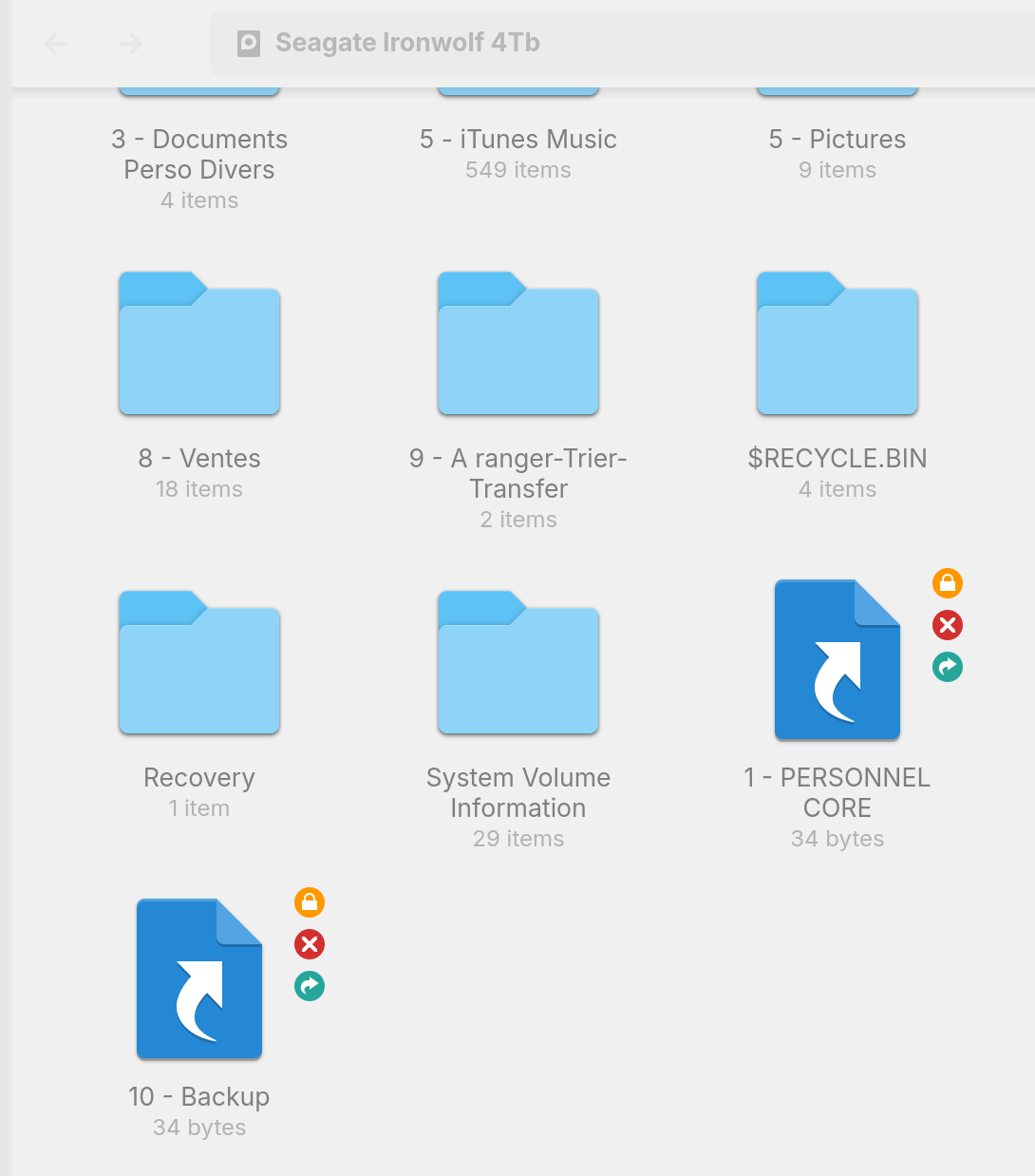
I am on Zorin OS 18, dual boot Windows 11 and Zorin OS 18.
I have a hard drive (NTFS) that I use as storage drive, accessible from Windows and Zorin OS. I can read/write from both systems, all is working
However, as you can see, 2 folders show up on Zorin OS with a weird icon which makes them look like it's shortcuts, not real folders. They are actually real folders.
I checked solutions in forums, I've already disabled fastboot and it didn't fix the issue.
Interestingly, these are the 2 folders that I sync on Windows with the Proton Drive app. I tried to disable it, it didn't fix the issue.
Since you are using an NTFS partition format, which is only for Windows, I believe you have to take ownership of your NTFS drive, in order to use it properly.
Its as I said in that thread back in 2021, I really recommend a GPT EXT4 partition filing system, over that of NTFS. But @Aravisian post about taking ownership on NTFS partition filing system is correct.