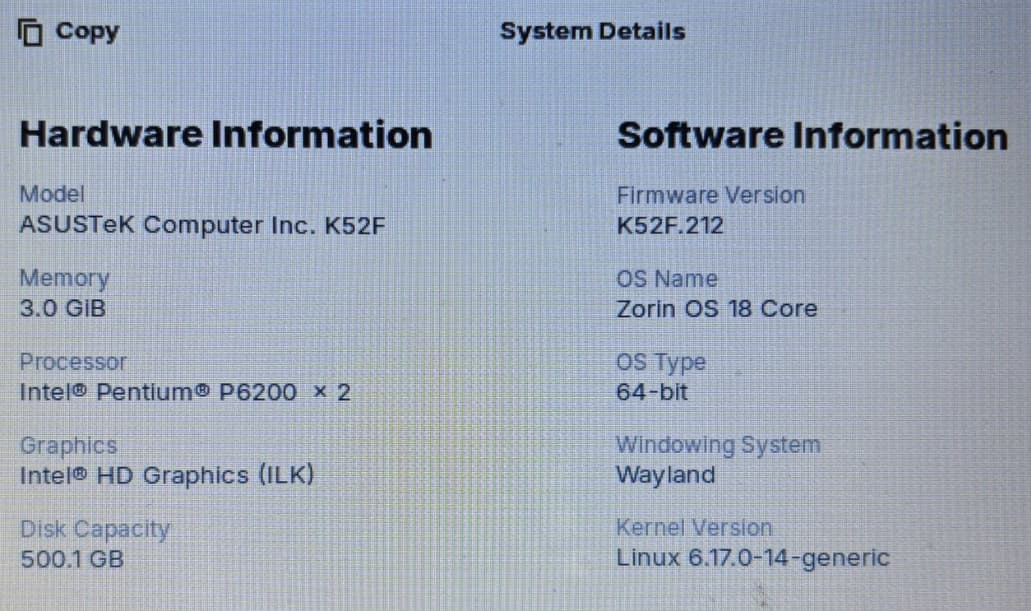
Just testing Zorin OS 18 Core. Page scrolling does not work as it should. When I scroll down on a page the page moves down a bit and then jumps right back up to the top. This happens regardless of the app I have open. See image for computer specs. Ideas?
Hi and welcome.
I wonder if you have the same issue if you change from Wayland to Xorg. At login, select your user name and a cog appears lower right. Left click on it and change to Zorin on xorg. Then enter your password and lohin. If you have set Zorin to autologin, logout and follow the procedure I have given.
1 Like
With your specs I'd recommend Zorin lite . Zorin 18 lite has not been released yet but you could try Zorin 17 lite, it is still supported until 2027.
2 Likes
Missed the 3 Gb RAM which might mean 1 Gb used for Graphics. Depending on your model of K52F you might be able to upgrade to 8 Gb RAM?
Thanks for the reply. Same issue when I change to Xorg.
Also... apps take forever to load, i.e. the Brave browser takes 7 seconds to load, LibreOffice Writer takes 7 secs, etc... etc...
I guess I'll have to go back to Linux Mint 22 using the KDE Plasma desktop. The computer had no issues then, apps loaded almost instantaneously and no scrolling issues.

That is interesting. I only thought Plasma could be installed on LMDE. In the past when I posted on the LM forum some years ago they informed me that Plasma was not supported on the Cinnamon release.
You might want to give Q4OS (5.8) Plasma a try. I have it installed on a rig I built in 2006, AMD Athlon 64 single processor, 2 Gb RAM (maximum MSI mobo will take, 512 Mb EVGA fanless AGP 8x graphics card.
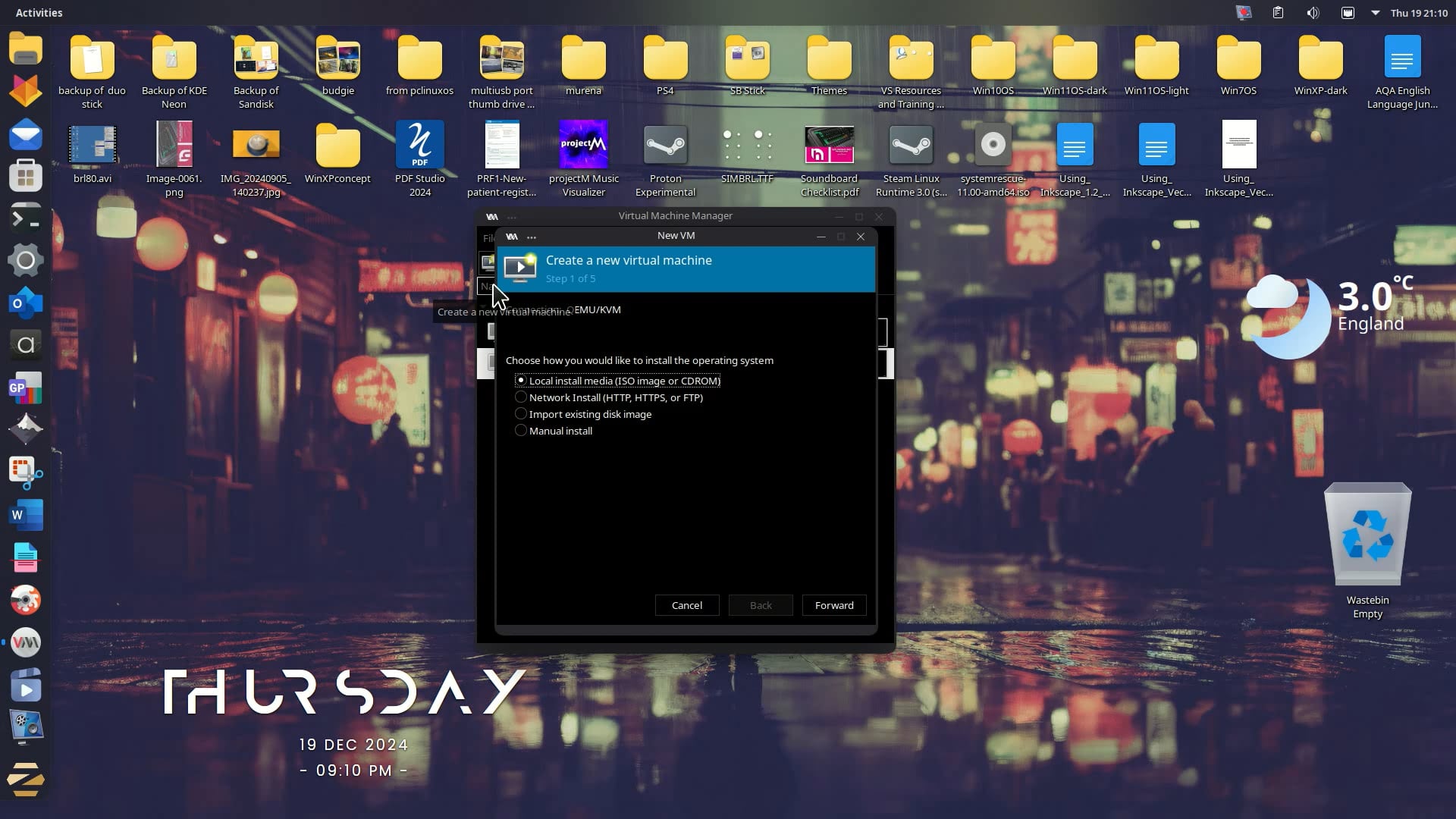
Here's a video of a VM I created with a dual-core CPU and 4 Gb RAM allocated:
Looks like you have a 2.5" HDD (hard disk drive). Switching that out for an SSD (Solid State Drive), and running your OS from that will give you a significant performance boost. SSD's are relatively inexpensive now. The process is pretty straightforward.
Even better, you might choose to leave your HDD in place, because your Asus could house an SSD in your DVD slot via the use of a 2.7 mm SATA caddy. That might be more attractive since you lose nothing from your current setup in doing so. Once the SSD is cloned, or fresh-installed with your (Zorin!) operating system, just update the boot sequence to start with the SSD. That way you've still got the 500 gig drive AND the old operating system, so no bridges burned. 
Sigh... I tried Zorin OS 17 Lite. Same issues as before. So... it is back to Linux Mint with KDE Plasma desktop. Thanks for all your replies.
Well... I like the way Zorin OS looks and feels so, I'm going to up the RAM to 8 gb and then try it still using my hhd. If the scrolling and app lag goes away I'll most likely swap the hhd for a ssd. Stat tuned for future developments. 
2 Likes
Do you perhaps mean Linux Mint XFCE? It is the same desktop environment which Zorin lite has. KDE is no default desktop environment in Linux Mint.
Do you have the problems when you scroll with the touchpad? What happens when you use an external mouse? Is it the same there?
I'm wondering if maybe this driver could help you:
sudo apt install xserver-xorg-input-synaptics
Reboot after the installation.
1 Like
Well I've updated RAM to 8 gb... STILL having the mouse scrolling issue. Would upgrading to the Pro version fix this issue maybe??

It would not.
Fixes and functionality are not locked behind a paywall.
I see in the O.P. you are on Ironlake Intel graphics, which dates around 2010 or so...
Linux Mint may be on a different kernel - and on Zorin OS, the browser likely has the Hardware Acceleration enabled by default.
Have you tried disabling HardWare acceleration in the browser?
have you tested different kernels? 6.17 really is far newer than you need... All of your hardware is still well covered even in the 5.15 kernel.
I've disabled hardware acceleration in the browser. Scrolling with the mouse still does not work in the browser (Brave) nor in an app, i.e. the mouse still does not scroll although the in the app scrolling with the touchpad does. I don't use the touchpad so I need to be able to scroll with an external mouse. Ideas?
Is the touchpad still enabled? Is it possible it is being bumped (Wrists or other things) during scrolling?
It can be disabled in the settings.
Have you tested different kernels?
ISSUE RESOLVED!! It was the mouse.  I changed to a different mouse and all is well. It works/scrolls as it should. It was peskey old mouse.
2 Likes
Your issue with page scrolling in Zorin OS 18 Core, where pages jump back to the top after scrolling, is a known type of glitch that can be caused by various factors — such as mouse settings, driver issues, or specific system configurations.