First, as opposed to “Dual Boot”, would like to “parallel Boot”;
That is, Lenovo ThinkStation P720 has 2 Bootable NVMe slots.
NVMe 1 is “C:\” drive, with win11Pro Installed.
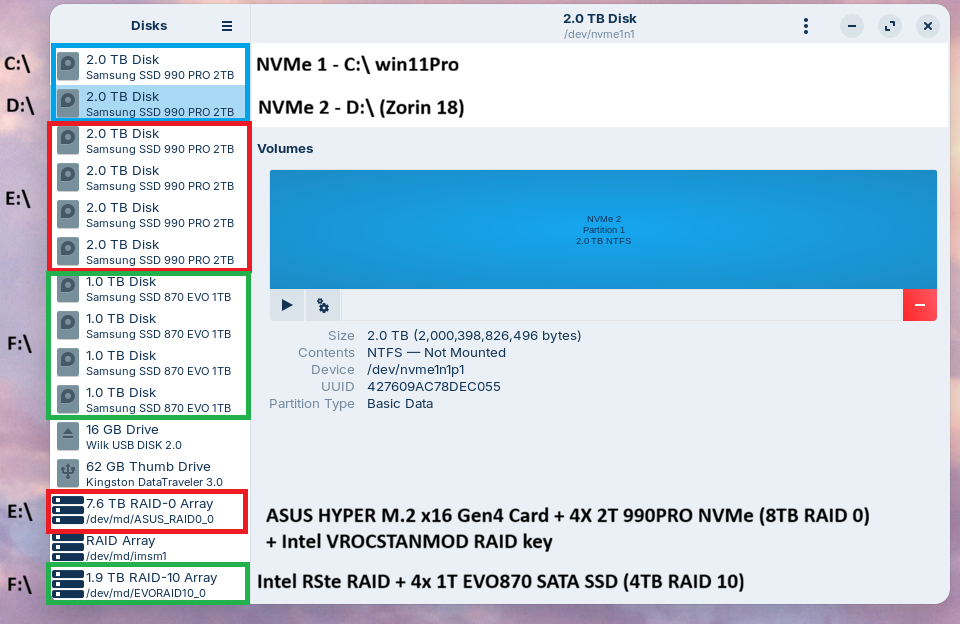
Referring to Image 2 - “NVMe 2 Annotated” should explain available drives;
Blue indicates NVMe drives 1 & 2 (C:\ and D:\ respectively)
Red (nka drive “E:\”) indicates a RAID 0 array, via ASUS Host Bus adapter( VROCSTANMOD Key + 4x 2TB 990PRO M.2 NVMe
Green (nka drive “F:\”) indicates Intel BIOS-based RAID (10) array via O/B Intel C600+/C220+ chipset.
With “F12”. I can select which drive for Startup.
Idea is to boot to “D:\” drive, where Zorin 18 will be installed.
That said, to the point:
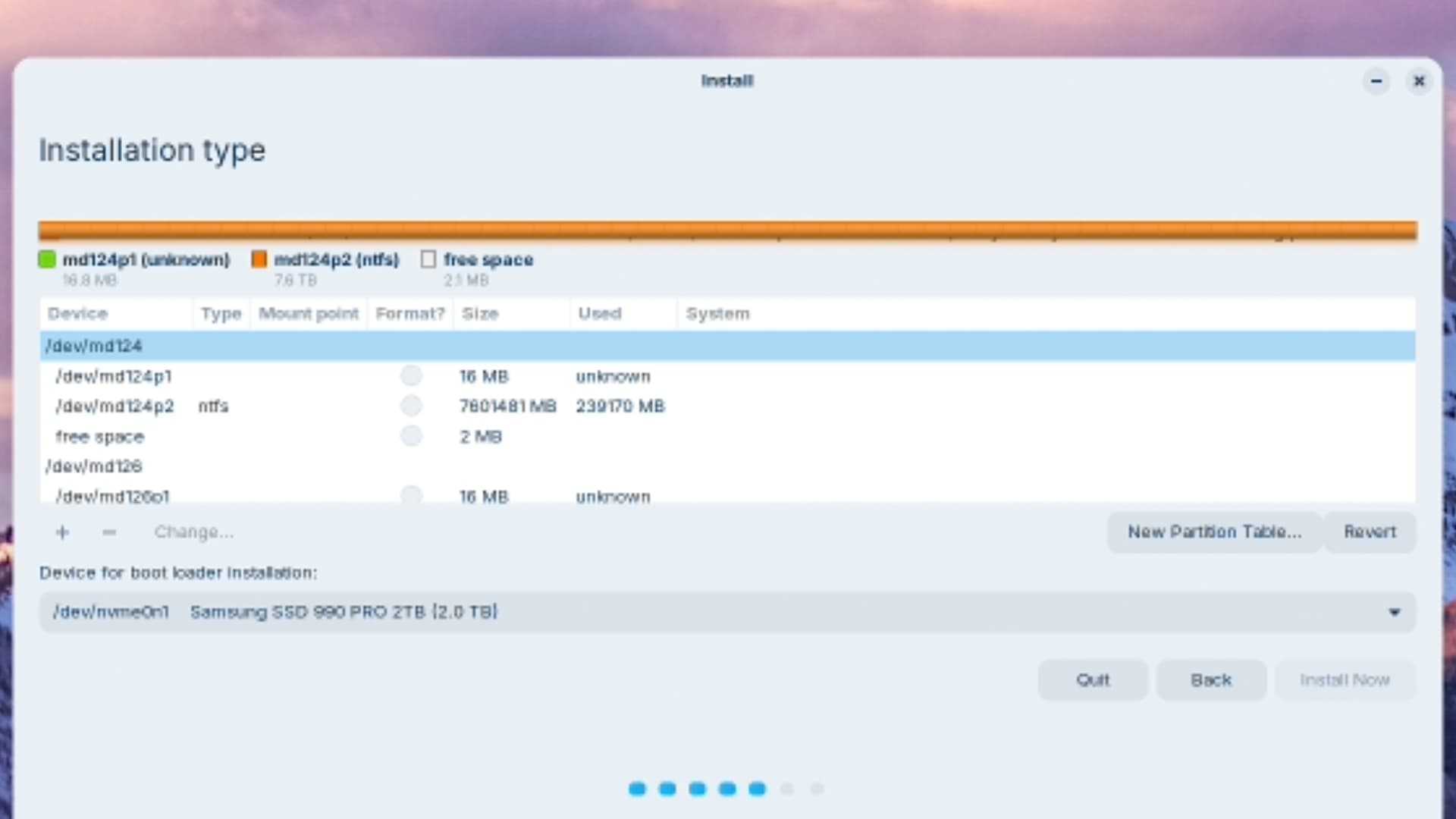
Once at the “Install Zorin18” point, several options appear (reference posted images)
”Type of Install”;
”This computer currently has multiple operating systems on it. What would you like to do?”
Install Zorin OS alongside them
Erase disk and install Zorin OS
Something else
Is “Something else” the correct option? (I do not understand the screen options
(See Image 3 – somethingelse)
..or I missed something (somehow, I had this working, last year... just don’t remember how)
p.s.
could remove NVMe 1 (C:\win11)
then install directly to NVMe 2 “D:\”” and prioritize in BIOS.
I also vaguely recall an option screen popping up in previous installations; again, somehow…
Thanks for any useful information
John