Another partition question, following a lot of reading before asking. Zorin OS 18, one-year-old Acer Swift Edge.
I have a 1TB SSD, unpartitioned, with just a few apps and 20GB of data. I want to partition into a 200GB Zorin partition and 800GB data partition.
I've tried booting a Gparted USB and a Zorin 18 live session. All options fail. They show a small 500MB partition at the start of the drive and a 973GB partition, but with live session Gparted/Zorin live Disks & Gparted they allow me to resize down to only 953GB with 22GB free space - the slider refuses to drop any lower. There are no intermediate partitions (i.e. I've seen Youtube videos showing a swap partition in the middle of the disk, not the case here), so there is no obvious reason that I should be unable to split the 973GB into two. Any advice would be much appreciated.
Could you share a screenshot of the drive in either Gparted or Disks? That might help give us a better idea of what's going on with your drive. Assuming this is a brand new drive with nothing on it, but you say:
To me that says you have some data on this drive? Unless I'm reading it wrong, which I very well could be.
Thanks for replying, Danny. Screenshots of Disks & Disk Usage Analyzer copied, showing less than 60GB of 1TB used. The Gparted screen shows a similar bar with a resize arrow, but it can't be moved left beyond 22GB free, and the left side of the bar, where the half-GB partition sits, can't be moved at all. Looking now at the Gparted image, I see "Used: 931GB", but I have no idea why that is, because there is certainly not 931GB used.
I've been using Zorin for about a month, so it has pretty much the bare minimum of apps plus my Mega data folder.
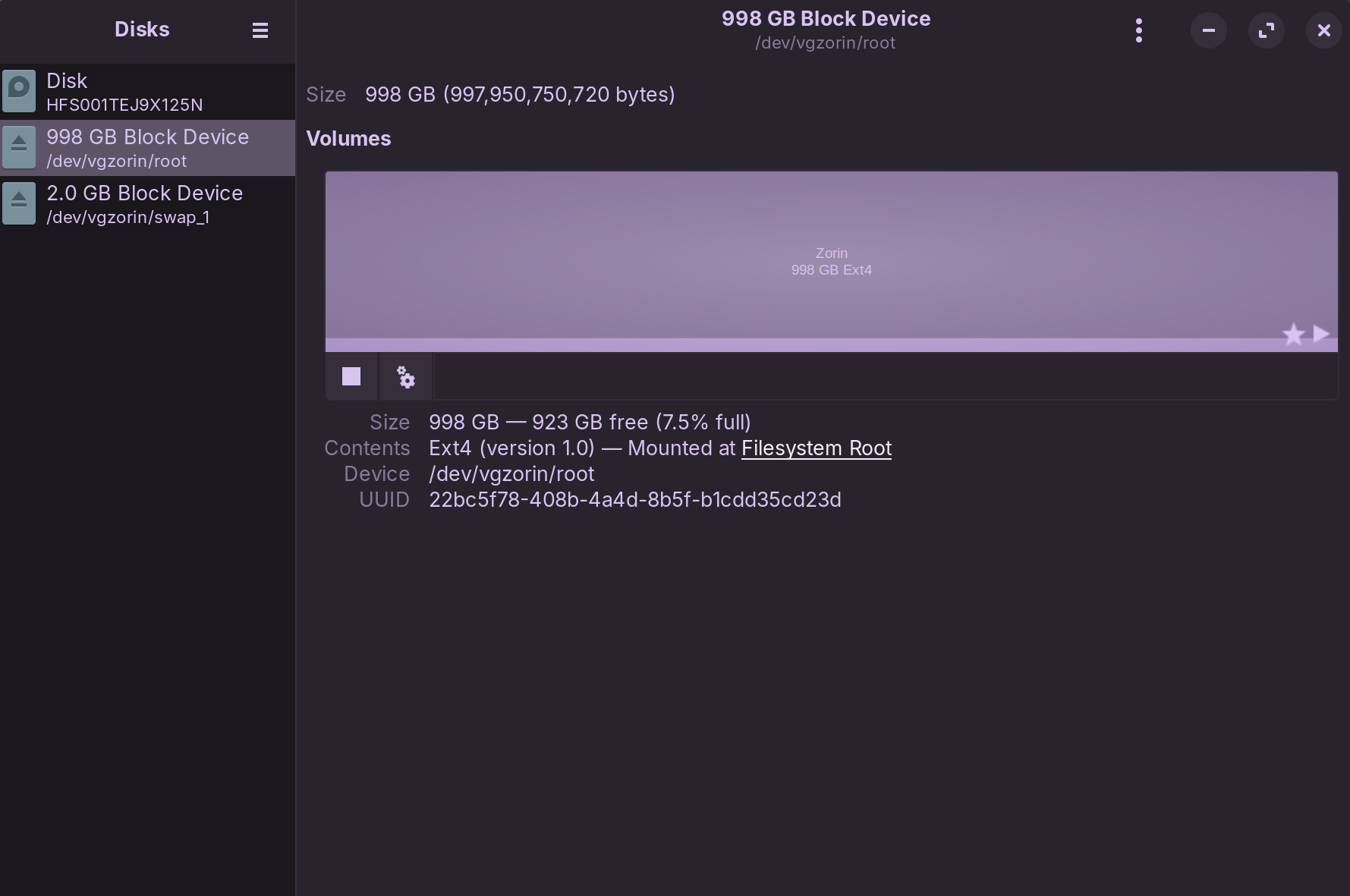
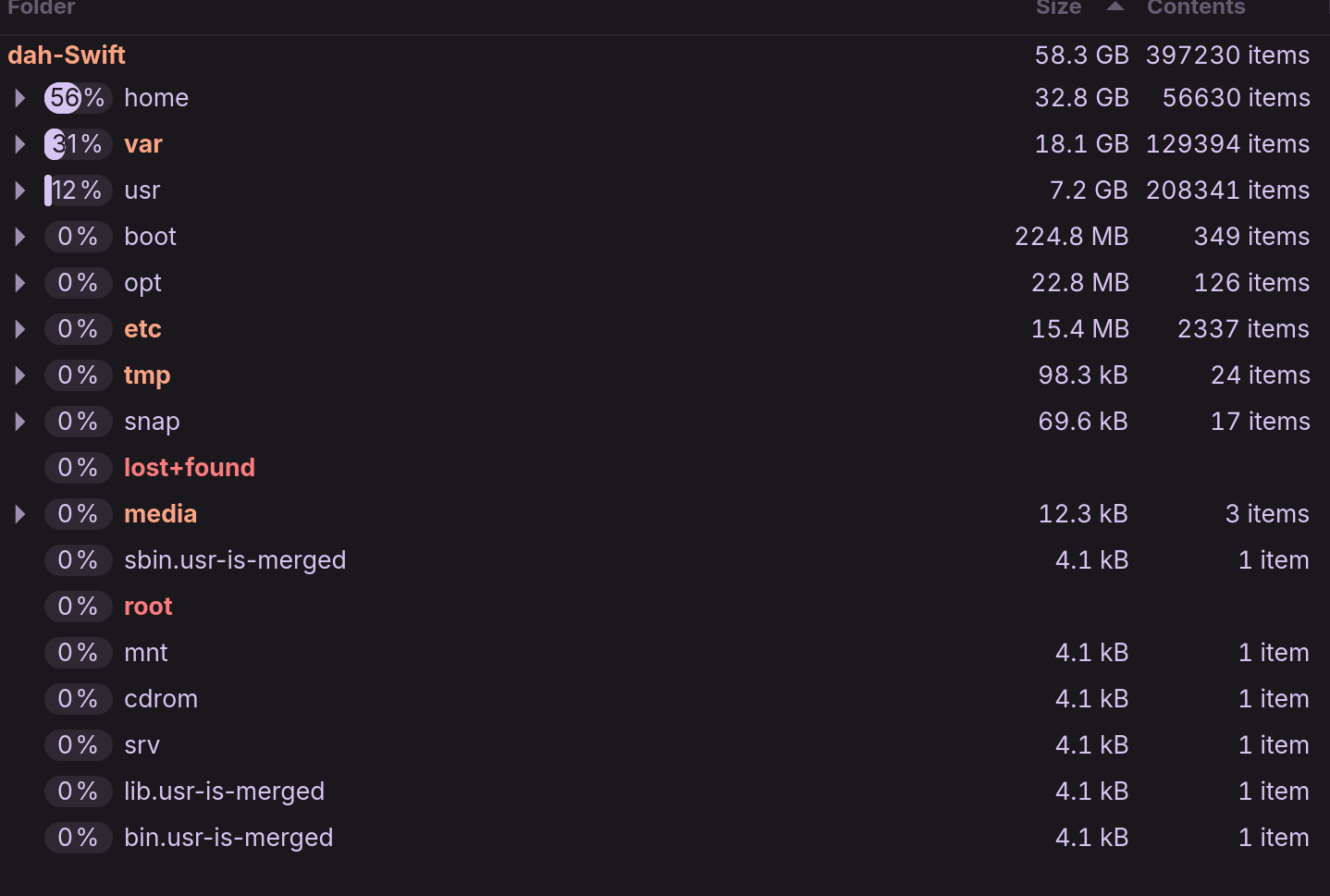

What I might recommend first is limiting some log files (as they may be taking up more space than they should) with something like
sudo journalctl --vacuum-size=1M
Next thing I would check is what kind of flatpaks you might have installed, as they can take up a lot of potential space. If you don't know what you have installed, you can run
flatpak list
To list what you have installed as flatpaks. And old dependencies can be left behind, which can be usually removed safely with
flatpak uninstall --unused
These may or may not be the cause of such a discrepancy, but I can't confirm that right. What I do know is that it's usually safe to run both these commands to keep your logs / dependencies lower so that they don't take up a ton of space for no reason.
Just another question, did you enable whole disk encryption when you initially installed the system?
Thanks again. As I said, I've been on Zorin for about a month, so it's inconceivable that logs could occupy 900GB in such a short time. Also I've installed only a few apps, not all Flatpak, so again that seems highly unlikely. I'll definitely try your suggestions, but it looks to me as if the problem lies with Gparted, since every other space usage query I have run shows the same thing - only 60GB used. Perhaps I could delete the partition, repartition as I want, and restore my backup Zorin image (about 25GB) into the smaller partition?
Ah, sorry, no, I didn't encrypt, since my laptop never leaves my house.
Edit: the journal command removed a number of small journals and half a dozen around 120MB, probably less than 1GB in total. There are a dozen Flatpaks (VLC, ProtonVPN, Firefox...) but again not multi-GB installations.
Looks like you are using LVM. You would need to reduce the size of the root LV (logical volume) with a terminal command (gparted can't do lvm stuff). Then you will have free space to create a new LV in the VG (volume group) vgzorin for other use.
the reference is:
man lvreduce
For example to reduce root to 50G,
sudo lvreduce --resizefs --size 50G /dev/vgzorin/root
I think root LV can't be mounted during this operation, so you need to issue commands from live zorin USB.
After that, you can use lvcreate to make one or more new LVs inside vgzorin for other use. You don't need another partition.
Backup all data before doing any operations!
Thanks, Topaz. I vaguely remember choosing LVM during installation a month ago after a very brief Google of what it meant, but I'd forgotten, so thank you for that reminder. I'll check out your suggestion tomorrow. Everything, including the Zorin image itself, is on several backup disks. I appreciate the help you've both given me.
Topaz, your reminder about LVM sent me off into long reading sessions gaining enough knowledge to push the button on LVM, reducing my 1TB root partition to 200GB and creating a new logical volume of all remaining free space. Now I have exactly what I wanted - a 200GB Zorin partition and a 750GB data partition, both far too big for what I need, but hey, it's a huge SSD... :-).
Thank you for this reminder and prompt - much appreciated.
Danny, thanks to you as well for helping. Good community spirit.
This topic was automatically closed 90 days after the last reply. New replies are no longer allowed.