Can i install Photoshop for Zoren 18 over windows app support ?
Thanks, Does it need internet?
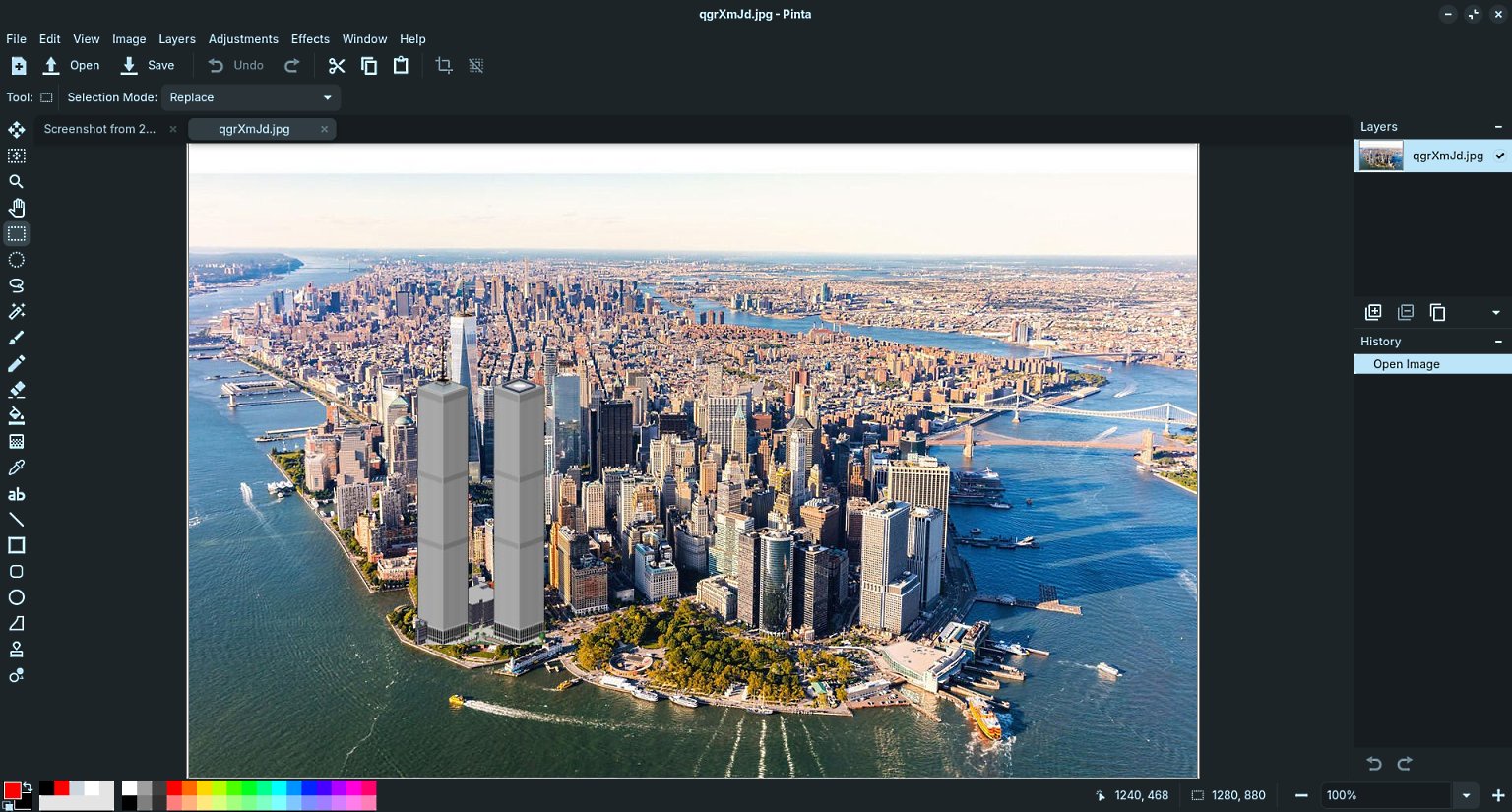
I use Pinta. Very simple and does what I need. Here, I have resurrected the WTC at Wagner Park.
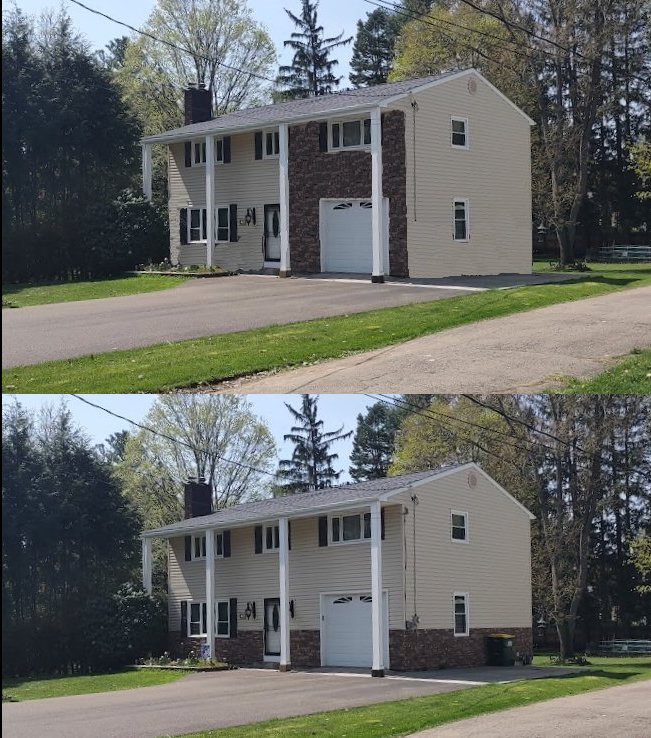
My neighbor put brick on the bottom of his house. I improved it by moving the brick to the garage section. Before you do a project like that, pay an architect or designer $200 for his opinion.
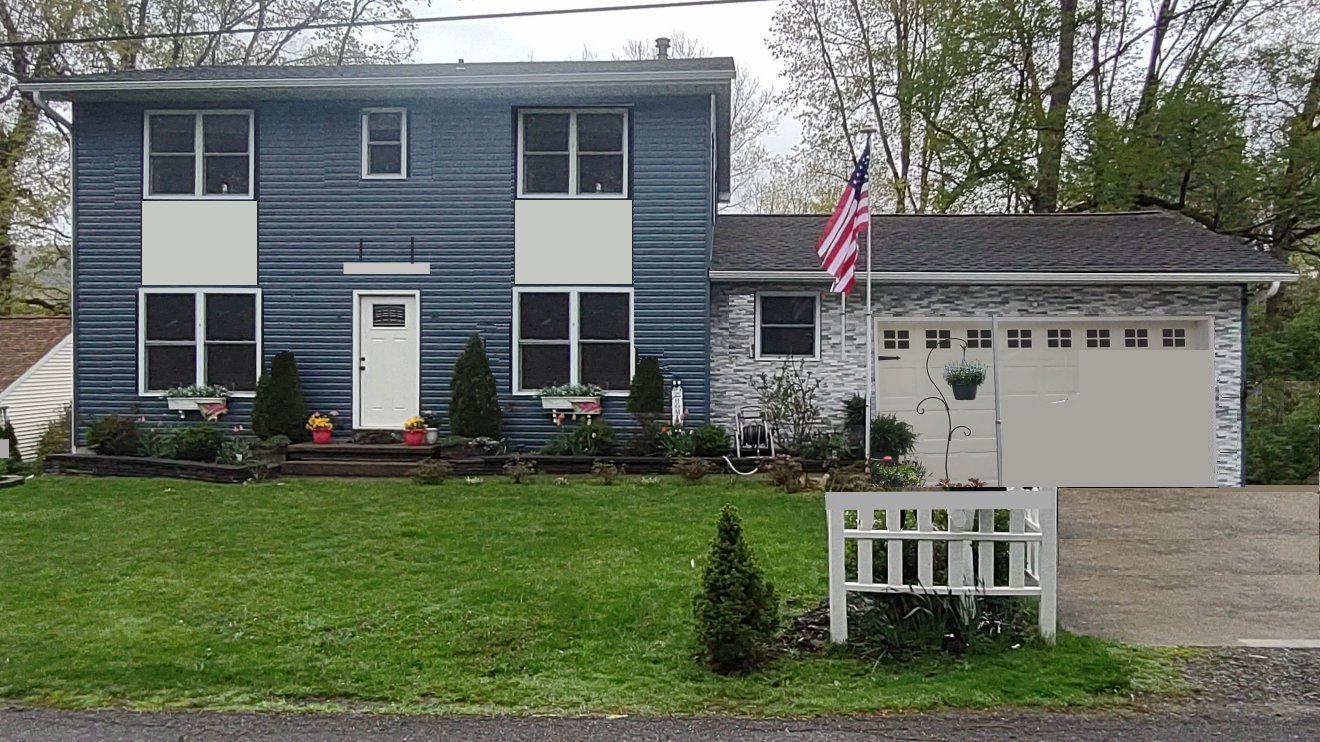
Another neighbor put modern brick on his faux colonial house (should have used red brick). I fixed it by removing the shutters (very undersized) and putting panels between the windows. I removed the cars in the driveway, BTW.
1 Like
Like a lot of Windows APPS, Photoshop requires the use of a service, to run in the background. Linux doesn't use these snooping services for security reasons, and Wine won't make them work either. There is no way your going to get Photoshop to work on Linux.
The resolution has already been mentioned, Gimp is a photo editor APP, that is the most featured rich, to closely emulate Photoshop. (Not perfect, not complete, but close) It is found in the software store.


1 Like
Short answer - no. While the Windows support in Linux has improved over the years, Photoshop is one of the programs that requires a real Windows OS.
The best solution would be to install VirtualBox and run Windows 10 or 11 in a VM. Allocate at least 75GB for your virtual disk.
You can use the Microsoft Activation Script (https://massgrave.dev/) to activate the Windows installation.
1 Like
If you want to run Photoshop on Zorin, you could try to use Winboat.
While Wine is a translation layer that translates Windows instructions to Linux instructions, Winboat runs a container running Windows 11, and shows the app Windows in the VM as independant windows on your desktop (like any other linux app or Wine app). Since its a VM running the actual Windows 11, it should be able to run Photoshop. Though, the virtual machine will use more resources than Wine.
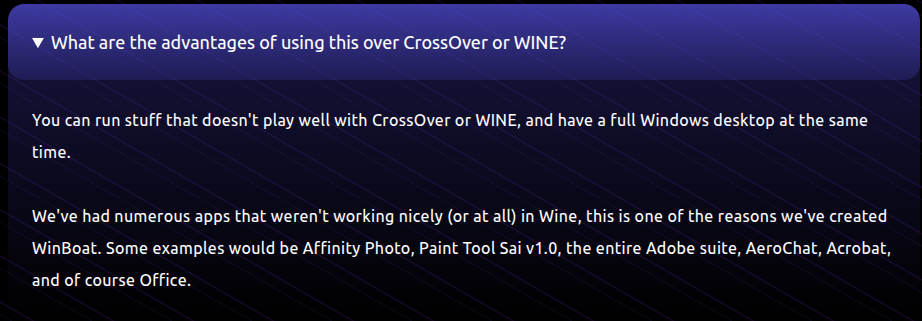
Edit: from what i saw on the Winboat website, Photoshop should run as it is in the FAQ :
2 Likes