I would have you know I got it to work, rather than relying on Pinch Zoom Gestures, this can be marked as resolved after your last reply to this comment.
How it works:
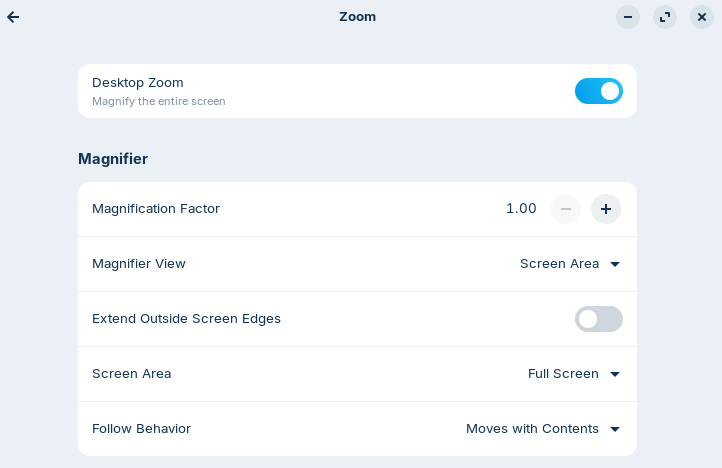
Go to Settings > Accessibility > Zoom and set all options to the changes provided in the image below, open your Web Browser and Hold Windows Key + Alt + plus key to zoom in if you want to zoom out just Hold Windows Key + Alt + minus key this works on both X11 and Wayland. although works best on Wayland with Pinch Zoom Gestures.