Please make a Summery in the Buttom of the Explorer!
Like in Mac: Count of Files in this Direktory, How Great is this Direktory?
Excuse my bad English! Sorry!
According to my research, displaying the numbers of files and size of a directory would require too many system resources. However, you can right-click on a directory and select "Properties" to view its size and number of files.
The number of files is usually displayed at the bottom of the file manager when you select a folder in the main window (not sidebar).
I found nautilus-extensions which add this feature to nautilus file manager on github, but in my test they didn't work well and showed errors.
Read the answers from gnome-team here:
1 Like
Could you give me please the link of this nautilus-extension to understand why you have errors ?
For the system resource problem I disagree with the gnome-team, because they can use just a connector to a light command 'tree', gio or using traker3 (not the really best way), the reason is the Gnome team is really lazy, when they face a problem with a feature they just remove it (see what nemo have and not nautilus), and when you ask to add one they close the debate without searching.
2 Likes
I have tried this which showed errors. I did not understand what the requirement for du in path meant.
It showed errors for some folders in the column for size (MB), tested in a live session of Zorin 18:
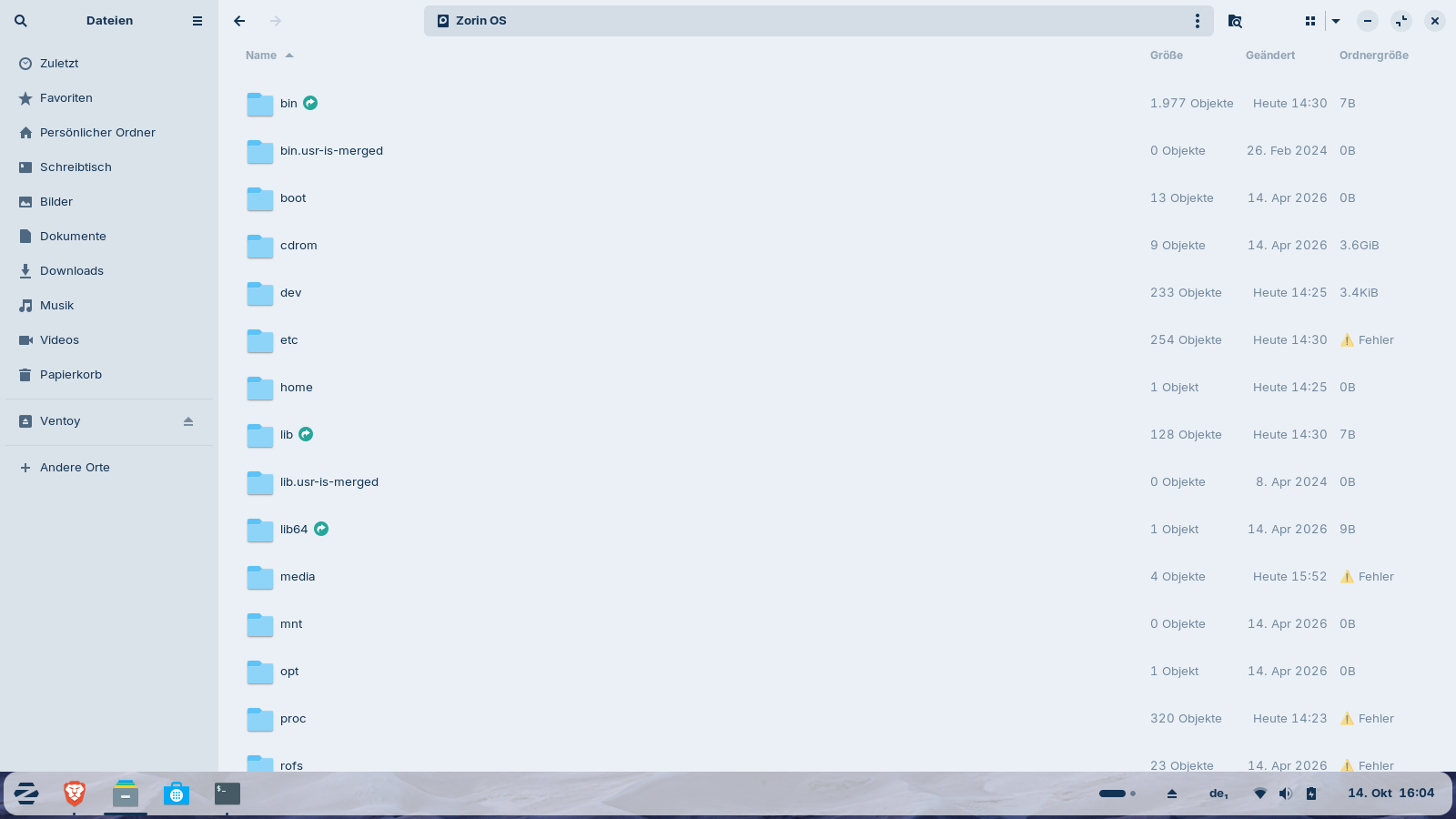
And I tried that one, installed with the installer script but the shown values for the size were strange for some directories (e.g. /usr showed 0.0003 MB, also for my internal drive). I'm not sure if it was because of the live session or if it is not suitable for gnome 46. They differed much from the values shown in baobab.
To show the column you must enable "Size (MB)" for the visible columns (I right-clicked in the list view on an empty space > visible columns)

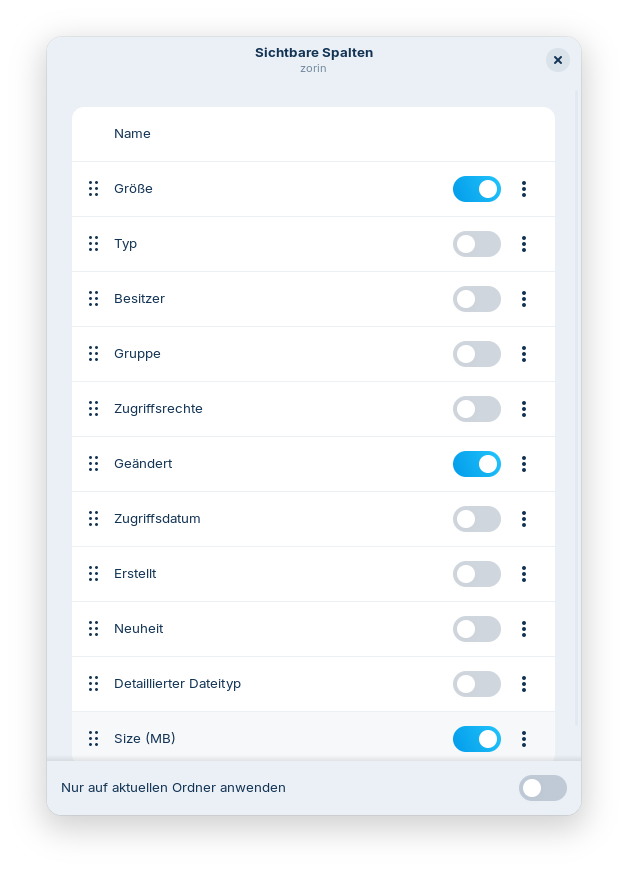
That could be a new project for you in the list of your Nautilus extensions, or not? You do love new challenges, don't you?
2 Likes
I will take a look, so yes it could be 
1 Like
I didn't found the feature in current Nemo, Thunar and Dolphin. It seems not to be a special gnome or nautilus thing.
This is because it's useless you can have this info with 'du'
du -sh adb | sort -h
if you wnat to try the second extension with my correction
line 75 replace
total += self.size_cache[entry.path]
by
total += self.size_cache[entry.path] * 1024 * 1024
and line 77 replace
total += self.get_folder_size_mb(entry.path)
by
total += self.get_folder_size_mb(entry.path) * 1024 * 1024
And for a full answer I will not add this kind of extension to my project
1 Like
As an alternative to the file manager: In the app baobab (disk usage analyzer) you can see the sizes of all folders of the system.
1 Like
Welcome to the Forum!
You can do Stuff like that but You have to enable it. At least now many Files are in the Folder. Go in the Nautilus Settings and there scroll down:
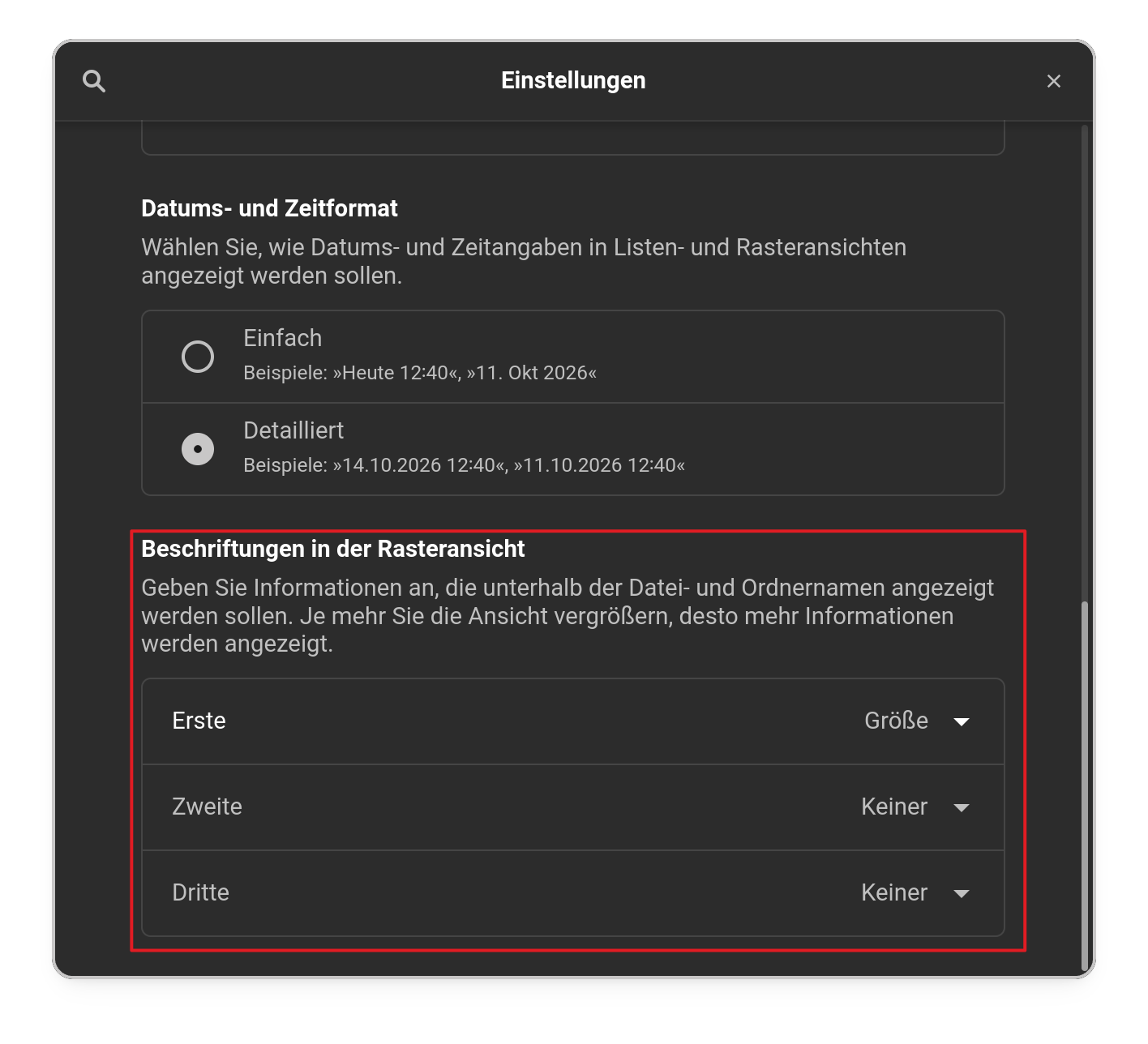
You have 3 Slots that You can use. I have set on Position 1 the Size (don't know if this is an adequate Translation for this Option) and how much Objects are in a Folder like You can see here:
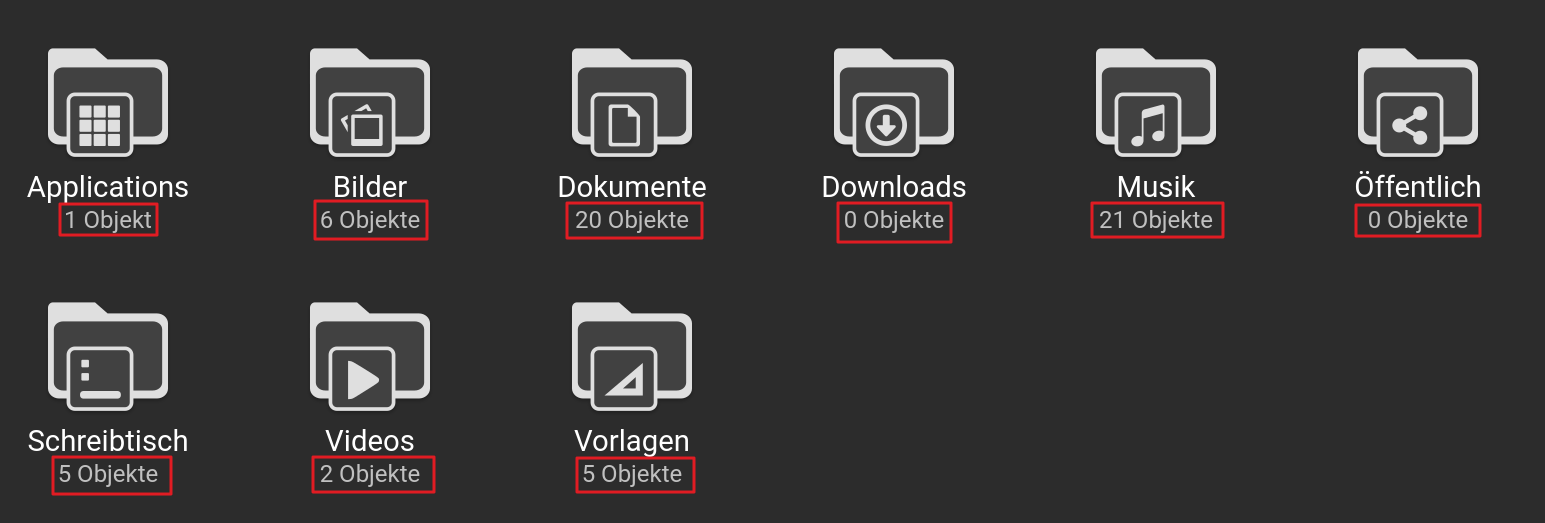
How much MB/GB a Folder has, doesn't seem to be an Option. But on the individual Files stands the Size mit Bytes, KB etc.
1 Like