i installed zorin just a couple of hours ago and since then was scratching my head over abysmally bad internet connection. i tried disabling wifi power saving and applying tested nvidia driver, but this problem persists
1 Like
Welcome to the Forum!
- Do You use a Laptop or PC?
- Did You take a Look at the ''Additional Drivers'' Tab in Software & Updates if there is a Driver offered?
- Are Secure Boot and Fast Boot in BIOS disabled?
- If Windows is still installed: Is Fast Start-Up in Windows disabled?
- Is this with a wired Connection or Wifi or both?
- Could You post the Output of
sudo lshw -C network(shows Infos about Your Network Devices) andrfkill list(shows if something is blocked) please? - Does Your System run in Wayland or X11? You can check that in Settings>About.
i do use a laptop(lenovo ideapad gaming 3 15ihu6)
i tried using a tested nvidia driver in "additional drivers" tab, but everytime face something that wont let me do that. firstly the 3204 process and after that dpkg being interrupted
theres no fast boot as i checked, secure boot seems to be disabled
windows is no longer installed
i got a wifi connection
the sudo lshw -C network
*-network
description: Wireless interface
product: Wi-Fi 6 AX201
vendor: Intel Corporation
physical id: 14.3
bus info: pci@0000:00:14.3
logical name: wlp0s20f3
version: 20
serial: b0:3c:dc:c9:53:42
width: 64 bits
clock: 33MHz
capabilities: pm msi pciexpress msix bus_master cap_list ethernet physical wireless
configuration: broadcast=yes driver=iwlwifi driverversion=6.14.0-36-generic firmware=77.b405f9d4.0 QuZ-a0-hr-b0-77.u ip=192.168.10.54 latency=0 link=yes multicast=yes wireless=IEEE 802.11
resources: iomemory:610-60f irq:16 memory:610522c000-610522ffff
*-network
description: Ethernet interface
product: RTL8111/8168/8211/8411 PCI Express Gigabit Ethernet Controller
vendor: Realtek Semiconductor Co., Ltd.
physical id: 0
bus info: pci@0000:02:00.0
logical name: enp2s0
version: 15
serial: e4:a8:df:bf:1e:38
capacity: 1Gbit/s
width: 64 bits
clock: 33MHz
capabilities: pm msi pciexpress msix bus_master cap_list ethernet physical tp mii 10bt 10bt-fd 100bt 100bt-fd 1000bt-fd autonegotiation
configuration: autonegotiation=on broadcast=yes driver=r8169 driverversion=6.14.0-36-generic firmware=rtl8168h-2_0.0.2 02/26/15 latency=0 link=no multicast=yes port=twisted pair
resources: irq:19 ioport:3000(size=256) memory:55004000-55004fff memory:55000000-55003fff
for rfkill list
: hci0: Bluetooth
Soft blocked: yes
Hard blocked: no
1: ideapad_wlan: Wireless LAN
Soft blocked: no
Hard blocked: no
2: ideapad_bluetooth: Bluetooth
Soft blocked: yes
Hard blocked: no
3: phy0: Wireless LAN
Soft blocked: no
Hard blocked: no
i have x11
well, it seems like this problem only covers the software updater and native programme installing app. anything else (like waterfox, steam, telegram and proton) is not affected
When it is this, it could be how the Sources are set up. When You open Software & Updates and look there on the first Tab what Source is chosen there?
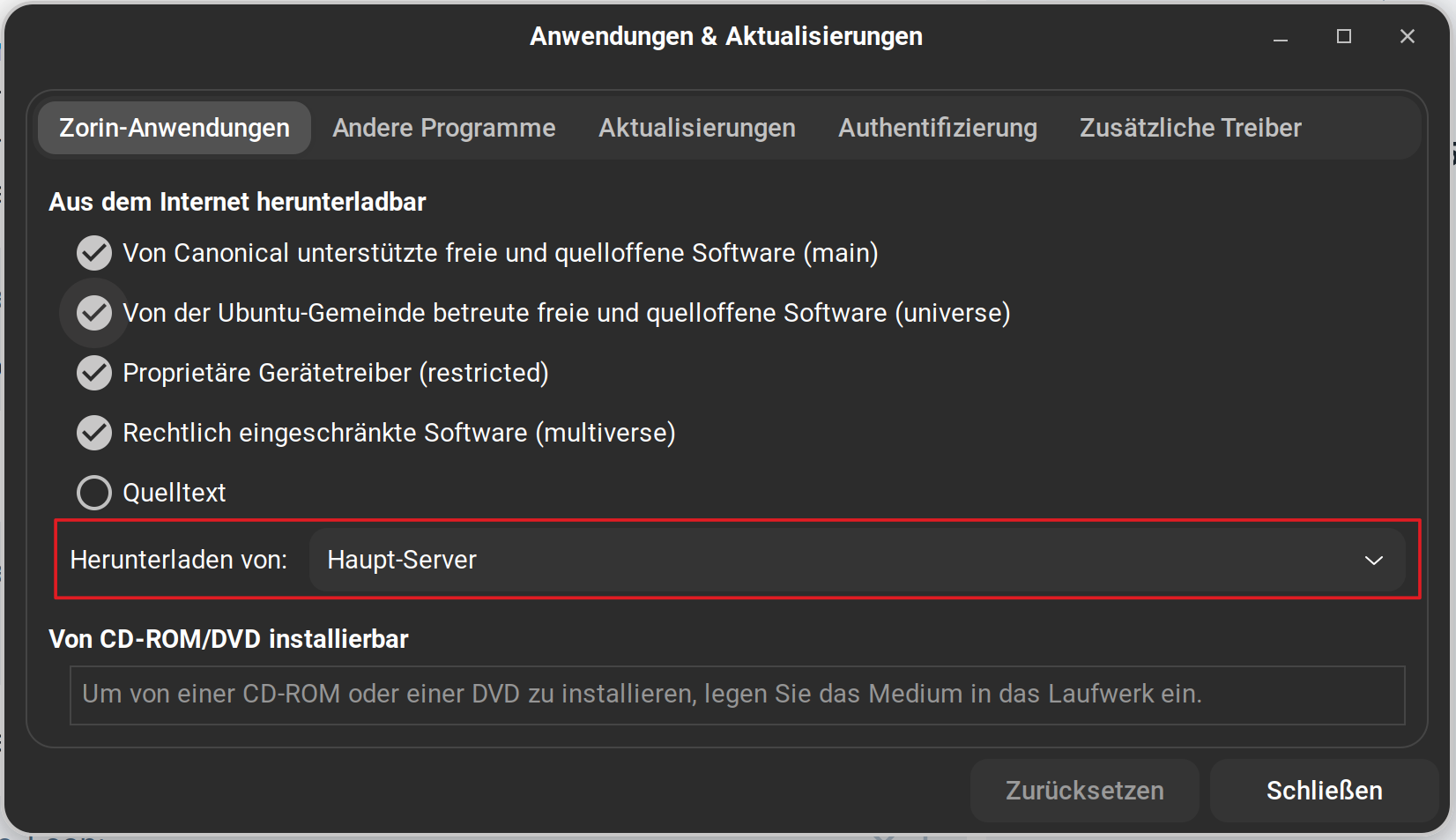
Stands there Main Server? If not change it to it and then try it again.
problem is resolved, thank you👍
1 Like
So, does this Advice helped or did it resolved by itself?
 Please mark the post that was the solution, as solved.
advice helped
1 Like
This topic was automatically closed 90 days after the last reply. New replies are no longer allowed.