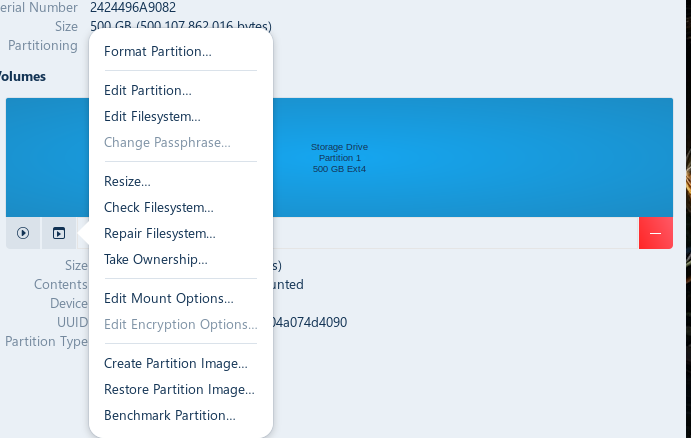
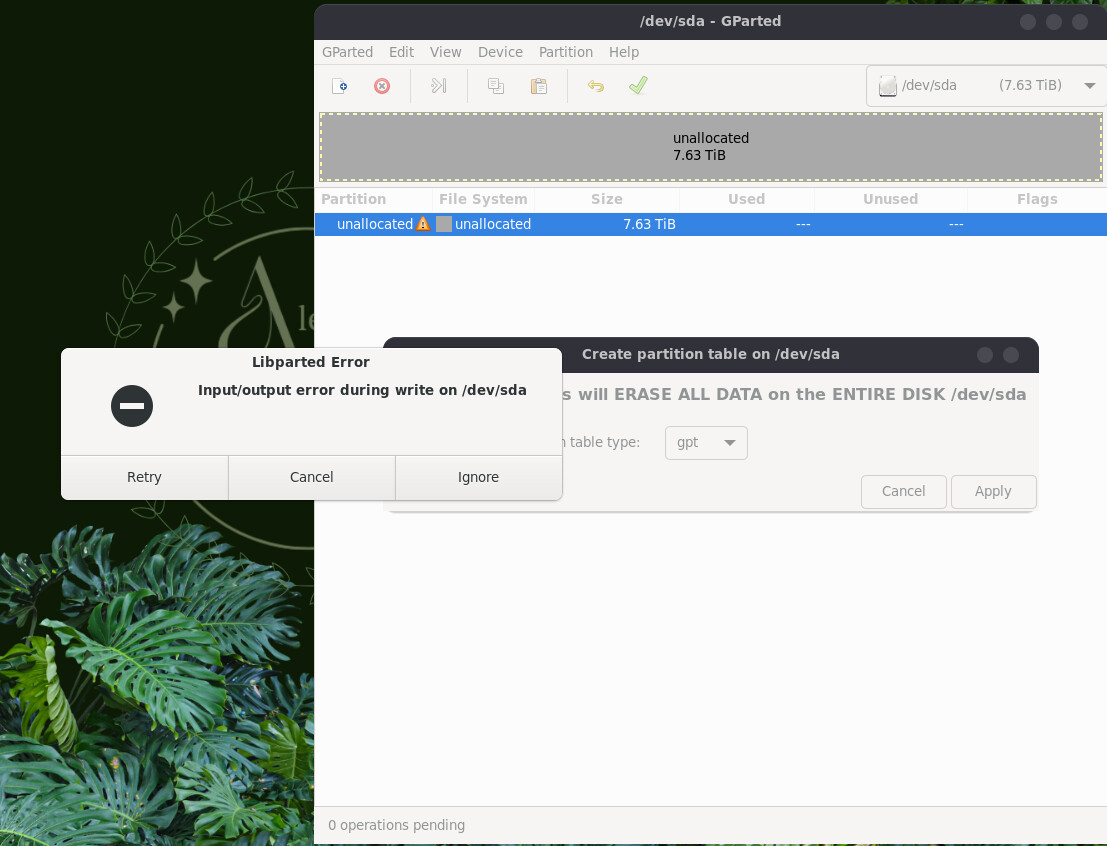
Any suggestions on things to do would be greatly appreciated. I'm trying to make it so that I can use this for game storage on my PC (doing this on my laptop)
Laptop Specs:
System Details Report
Report details
Date generated: 2026-04-23 20:23:58
Hardware Information:
Hardware Model: HP HP Laptop 17-cp2xxx
Memory: 8.0 GiB
Processor: AMD Ryzen™ 3 7320U with Radeon™ Graphics × 8
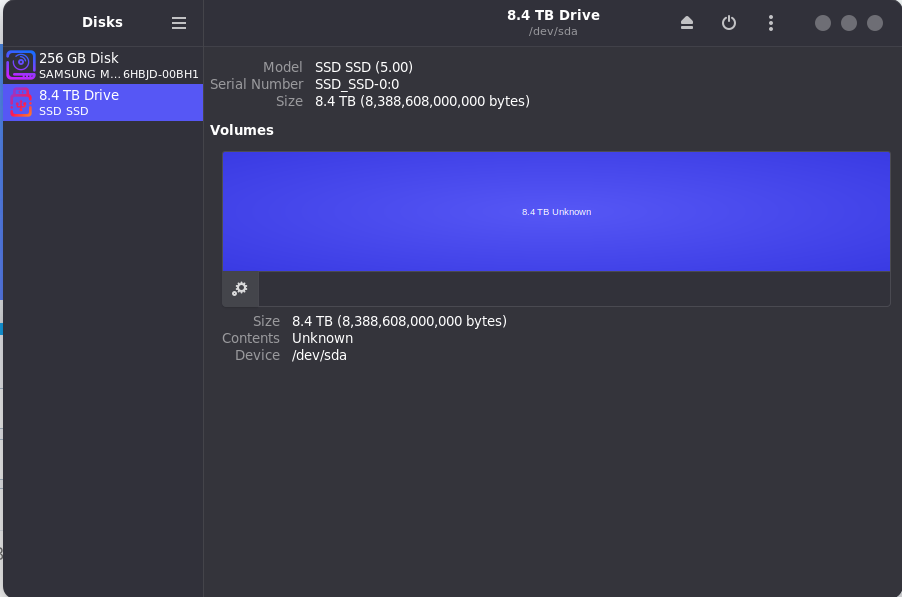
Hmm ... it looks ike the Drive isn't even formatted - and the Format Process doesn't seem to work. I would suggest to try it with GParted. You can install it with sudo apt install gparted
When installed, open it. You have to type in Your Password; that is normal. When open, choose at the bottom right the Drive and try to format it.
actually he may be able to format it with the disk utility here in Zorin open your menu look for DISKS click it then find the drive you want to format then click here
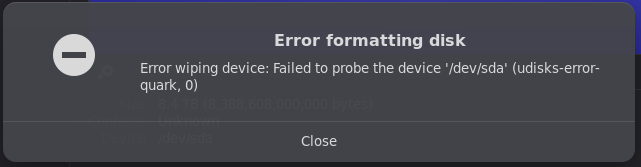
Looks like the OP already tried to format his disk through disks and got the reply about "failing to probe".
Is it possible there is some sort of a lock on the drive? Out of my area of expertise.
And just FWIW here's what Brave says about udisks=error=quark:
udisks-error-quark, 0 is a generic error code in Linux indicating a failure within the udisks2 storage management daemon, often manifesting as "Input/output error," "Device or resource busy," or "Timed out waiting for object." This error typically occurs when attempting to format, mount, or create partitions on storage devices like USB drives or SSDs.
Common causes and solutions include:
Device Busy or Mounted : The storage device is currently in use or mounted by the system. Solution : Unmount the device using sudo umount /dev/sdX (replace sdX with the actual device identifier) before attempting operations.
Insufficient Permissions : The user lacks the necessary privileges to modify the device. Solution : Run commands with sudo or use a graphical tool that handles authentication.
Corrupted Partition Table : Existing partition tables may be corrupted or incompatible. Solution : Wipe the partition table using sudo wipefs -a /dev/sdX or write zeros to the first megabyte with sudo dd if=/dev/zero of=/dev/sdX bs=1M count=1 .
SMART Data Issues : The error may stem from udisksd failing to update SMART data on the drive. Solution : This is often a benign log error, but updating the libatasmart package or applying relevant patches may resolve it.
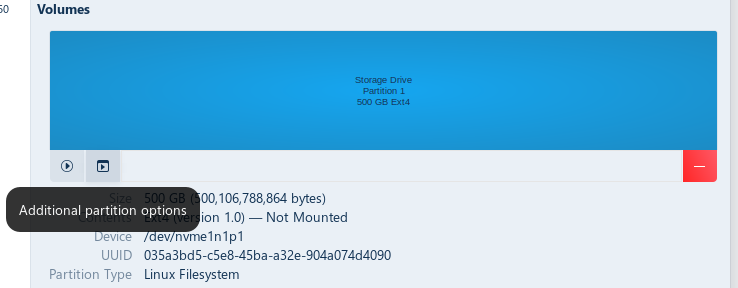
So the options aside from formatting like resizing are greyed out, and as a noob with the terminal I’d tried a few different commands but would receive an input/output error
I was just pointing out that you'd already tried what was being suggested. Maybe Gparted works as @Ponce-De-Leon suggests.
I probably know no more than you but if it doesn't maybe the first suggestion for corrupted partition in the Brave response would be a low risk option. Then see if you can format to ext4 through Gparted.
Sorry to hear of the troubles, in drive formation. This reminds me of the Windows days, when a 200GB drive could no longer be formatted as FAT, and reuqired NTFS. Hopefully, EXT4 can handle whopping 8TB drives. I personally, have only dealt with 1TB and 2TB drives.
Typically, the DISKS utility is perfect for formatting external drives, to EXT4. The other option, would be to use Gparted to handle that task.
Hmm ... did You checked the Cable? And maybe replace it with a different one and try it again.
Do You still have a Windows PC or an You ask someone who has one to use it? If yes: connect the Drive with it and check if You there can format the Drive or if it behaves the same. When it behaves the same, it seems to be an Issue with the Drive.
Just writing to add that ultimately, I wasn't able to make any solution work so I have decided to return the SSD's and will be getting something different.
If anyone has any recommendations I'd greatly appreciate them! I'd prefer to get something that's high storage so that I can put my games in there and save space. But definitely something compatible.
You can try wiping the drive fully in the Disks app by choosing Format Disk under the drive’s menu, then creating a new GPT partition table before making a fresh partition.
I’ve fixed stubborn SSDs by wiping them on a Windows box using hddformat, then bringing them back to Linux, where they showed up clean and ready to partition. Sometimes a reset like that helps Linux pick them up properly.