Good shout, just installed Stacer and done a sweep, only Had Zorin installed a couple of months and had already accumulated 6GB of stuff - Gone now.
1 Like
ya as you install and remove stuff traces get left behind eating up space worth having and some installed apps have logs and so on
1 Like
hey man, just got back from school.
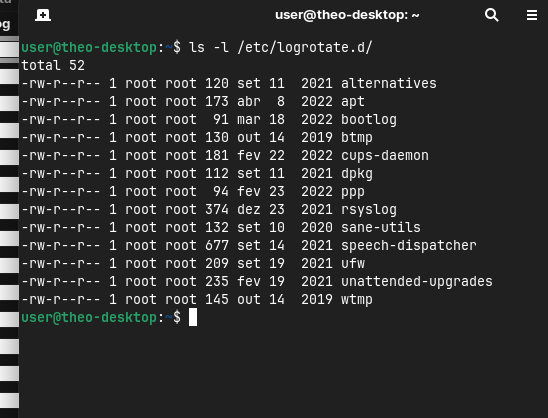
Normal stuff. Also i got back to 125GB, apparently i was just a bunch of temporary logs from the update, still syslog.1 having 36,1GB is normal?
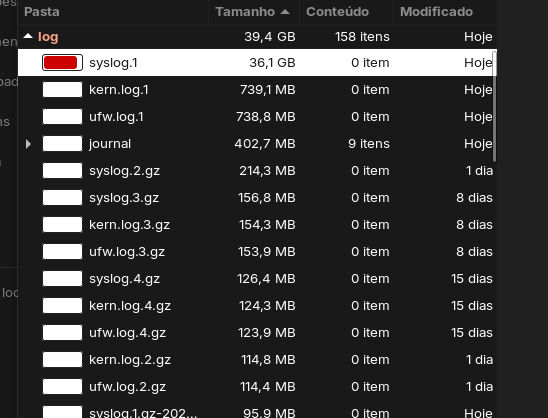
No, that's not normal. Perhaps someone can help you to find out what fills the logs. On my system the logs in /var are alltogether 232 MB, but I have set up a config file to limit the space to max 200M because I have a very small drive with only 128 GiB.
I used that guide (but didn't enable
MaxRetentionSec=1w), but I think it is similar to the guide from Aravisian here but uses another config file.
Can you please post a screenshot of that command?
sudo logrotate -f /etc/logrotate.conf
@Aravisian
Should the size of the logs in both files be limited to 100–200 MB, or is it sufficient to limit one of the two config files? If so, which one?
/etc/logrotate.d/rsyslog
and/or
/etc/systemd/journald.conf
In the linked thread above you recommended to set
"
rotate 4
size 100M
compress
"
Shall all other entries in the list of that file be deleted? They sound useful.
@Theo
Maybe you can find some helpful informations here:
https://blogs.reliablepenguin.com/2025/12/21/rotate-or-delete-an-overgrown-syslog-file-safely
Both, as they perform separate levels of logging. If you limit one, the other can still grow.
No. Deleting a logfile entirely is not System Critical and will not break anything but it also removes the landing pad for log entries. So if you delete syslog.gz, it will no longer exist to log data into it. You can create a new one that is empty and that would restart the log retention.
But - the better way is just as you are doing: Limiting it to 100M and letting it rotate rather than retain indefinitely.
1 Like
Thank you for the helpful informations! I ment that file at /etc/logrotate.d/syslog (here it is shown the file of my Zorin 17 Lite system, but it is the same or similar in Zorin 18 Core):
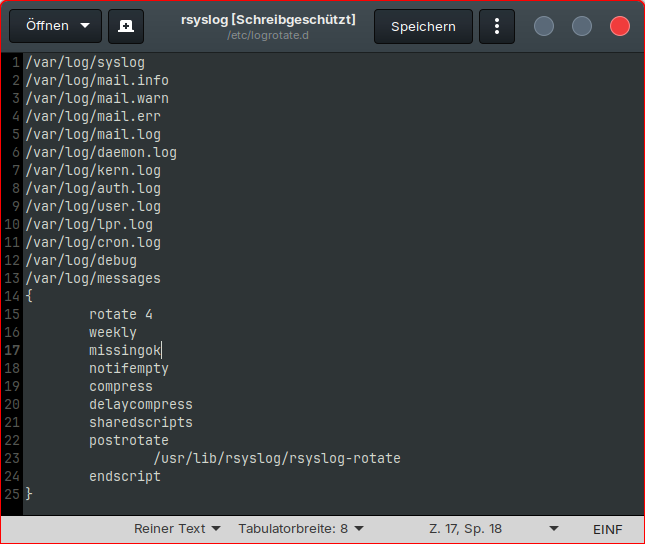
In the lines 14-24 is a list of things. Shall there only be "rotate 4", "size 100M" and "compress", and all others be removed?
Oh, I see. No. Leave all of those as they are.
Each of those manage the logs.
For example; DelayCompress prevents trying to compress an active or most recent file.
SharedScripts ensures one rotation per batch, not one per file.
1 Like
Thanks, now I know what to do. I'm glad I asked; I wasn't sure that's what was meant to remove all others.
1 Like
I am not sure what you are referring to. You did link to a good post by locklear on this - but I cannot find an instruction that says to "remove all others."
Admittedly, I did a page search rather than line-by-line read.
1 Like
I'm referring to this:
Your post didn't specify whether only that should be contained in the file or what to do with all the other lines in that file.
1 Like
Just an aside here. I use Stacer regularly on PCLOS Debian after notification of updates are available, it updates via Synaptic Package Manager or a crafted CLI script. I prefer to see the updates so I use Synaptic Package Manager. Once the updates have been installed I run Stacer's cleaner (be sure to select 'all' in your search for stuff to be removed). The largest element usually occurs after a kernel update (over 1 Gb).
2 Likes
Well, we all know brevity is my middle name. 
In most posts that are along these lines, we are looking at additions to a file.
I think that since that is the standard, it is assumed that a person would not discard the rest.
But you are Right; we should not assume that given that in other aspects, things can be treated as replacements; and a person may think they are to wipe and replace.
1 Like


No output is good, then it has worked.
Then proceed to edit the file
etc/logrotate.d/rsyslog with root rights (as admin).
1 Like
What modifications i should do?
Add size 100Mor size 200M (as you like) as shown on my screenshot. I have not started with root rights, just wanted show you the file.
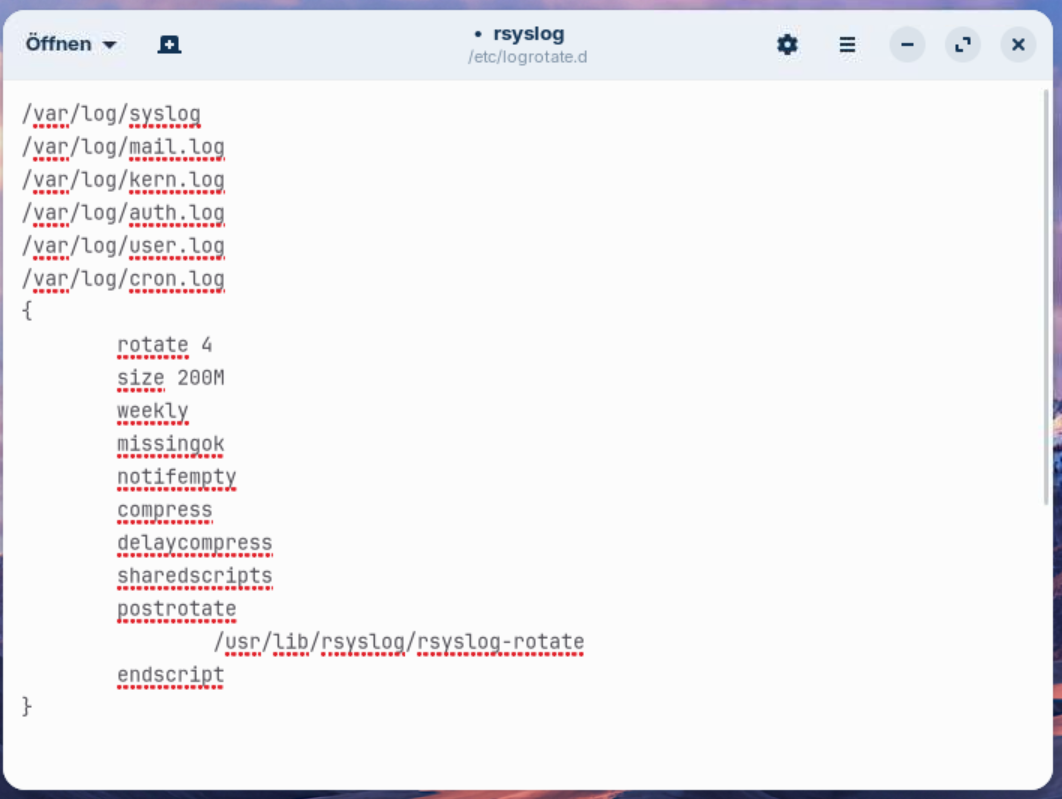
If you use nano to edit the file, press ctrl+o to save the file, then enter, and then press ctrl+x to exit nano.
If you use a text editor, just save the file.
Then follow the guide in the link I sent you in post 24 of Locklear93 and edit the file
/etc/systemd/journald.conf
Change the lines (in my test on distrosea it were lines 27 and 31, you may have other ones): SystemMaxUse=200M and RuntimeMaxUse=200M and remove the # at the beginning of those both lines.
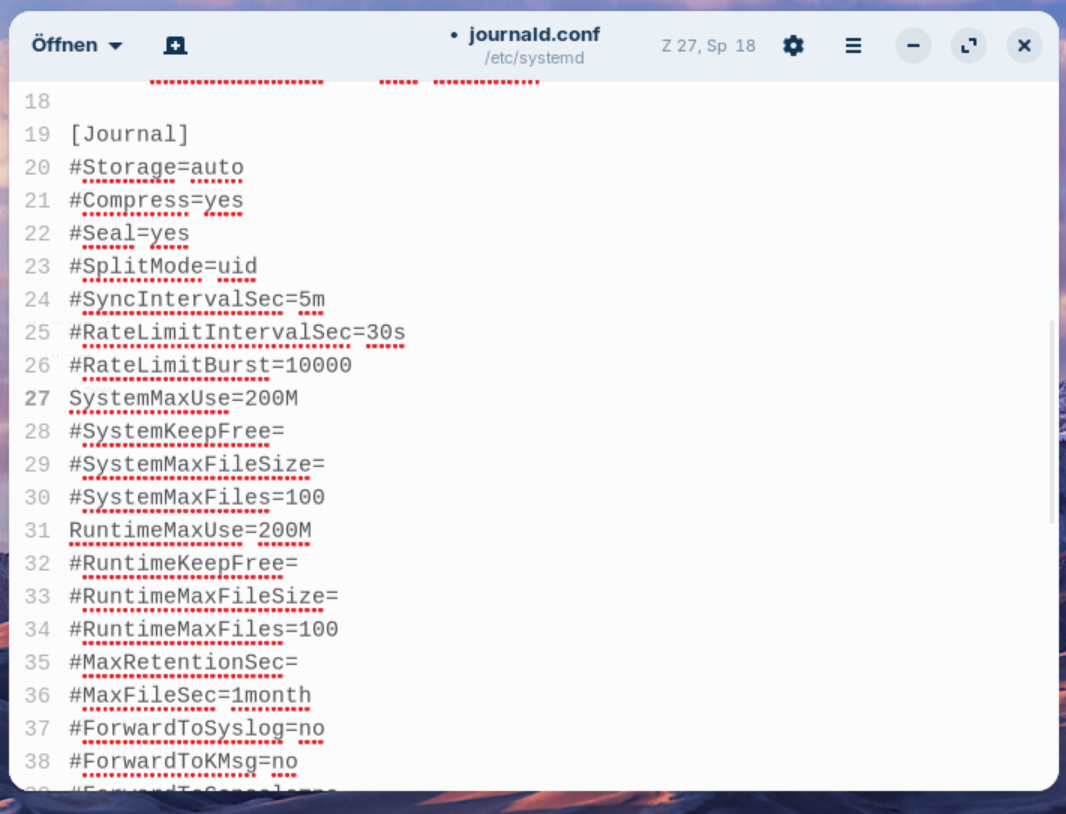
Save the file, and when you are ready, reboot to apply the changes for both services.
1 Like