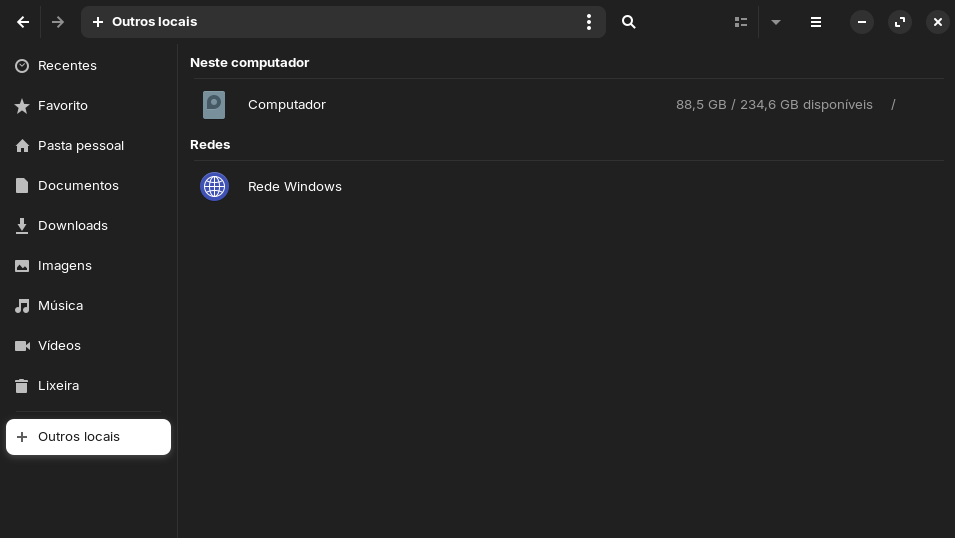
Today i just booted my desktop and for some reason the its on 88 gb of space for no apparent reason, yesterday i had 180 gb of free space, how to is possible? I have no idead of what cound do this, iam uninstalling everything.
You could take a look at disk usage analyzer.
1 Like
Just forced restart my desktop because it was stuck in that pop-up when you try to eject a pendrive when something is still using it. But i dont know that you are talking about, is this supposed to be that Disks app? it appears to be normal. It all just disappeared in the mist of the night.
I remember updating my system via the terminal, but i didnt expect the update to be this large.
I mean baobab,you can try to launch it from terminal if you don't find it
baobab
Its the var folder, logs, tmp, spool and cache making a overall of 80,7GB of space, I can clear it all safely can i?
No. I wouldn't remove all those folders.
You can reduce the logs with
sudo journalctl --vacuum-size=200M
I'm not so experienced to help you.
Ubuntu cleaner is a good tool to clean your system.
If you have many flatpaks flatsweep is a tool to clean flatpaks remnants.
Do you use timeshift? It can also fill the drive.
1 Like
Well the vauumin is done 3,7GB cleared, but its now just 94GB of space, can i clear more?
Yes, timeshift is the backup app. The command I gave you should reduce the logs.
A bit was cleared, Disks is showing tht i have 106 ogf free space, but nautilus is still on 94GB, the real problem is those logs in the var folder in the root mount. Literaly 72,3GB of logs that cannot be cleared right?
I'm sorry, but I can't help you with that. I've never done that before and don't know which files/folders are safe to remove.
Oh man i really need that space!  Still thanks fo the help
Maybe try some ideas from that thread:
Damn the timing was perfect, just found it on google, going to try it now.
Are old kernels taking up space.
You can clean out using:
sudo apt clean
sudo apt-get autoremove
BUT. when using autoremove, do check what is listed for removal and you understand BEFORE hitting "Y"
I think it is just the logs but thanks, i will do a search before trying this.
I got an error: "destination var/log/syslog.1.gz already exists, remaining to /var/log/syslog.1.gz-2026061512.backup" what should i do?
I don't know what command you have used. A command from the thread I linked you?
Oh yes, sorry for not explaining, i used sudo logrotate -f /etc/logrotate.conf, from the link you send, then i got the error.
Sorry, that's beyond me.
Edit: I just see that the user in the thread had a similar problem. If you have also the "error in file rsyslog.save", then you can follow the steps Aravisian posted in the link.
Otherwise you can post a screenshot of the terminal output with the error message and also the terminal output of
ls -l /etc/logrotate.d/
Stacer is another good program it has a sweeper function i use often to cleanup unwanted space hogs....lol space hogs anyways its in the software store
2 Likes