Hey everyone, I'm a huge Linux noob and have tried to find answers but am not sure how to go about fixing this.
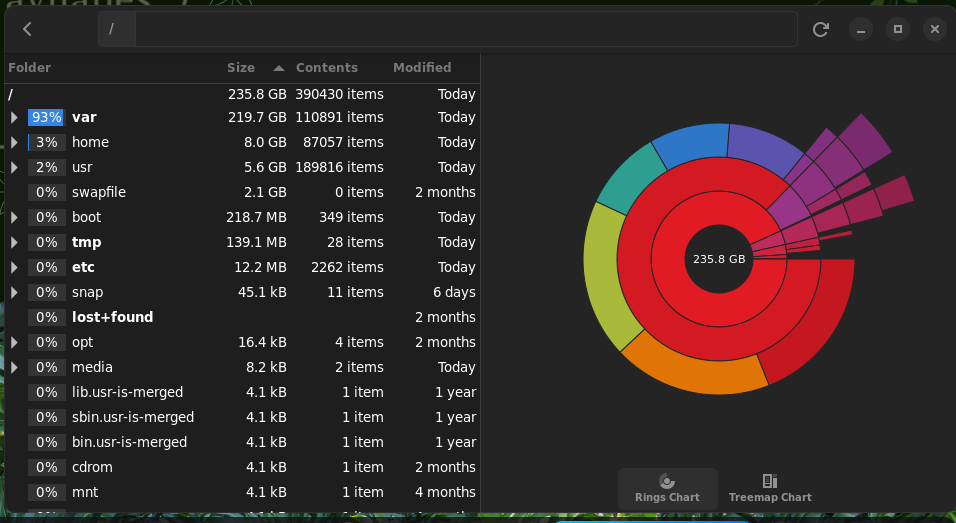
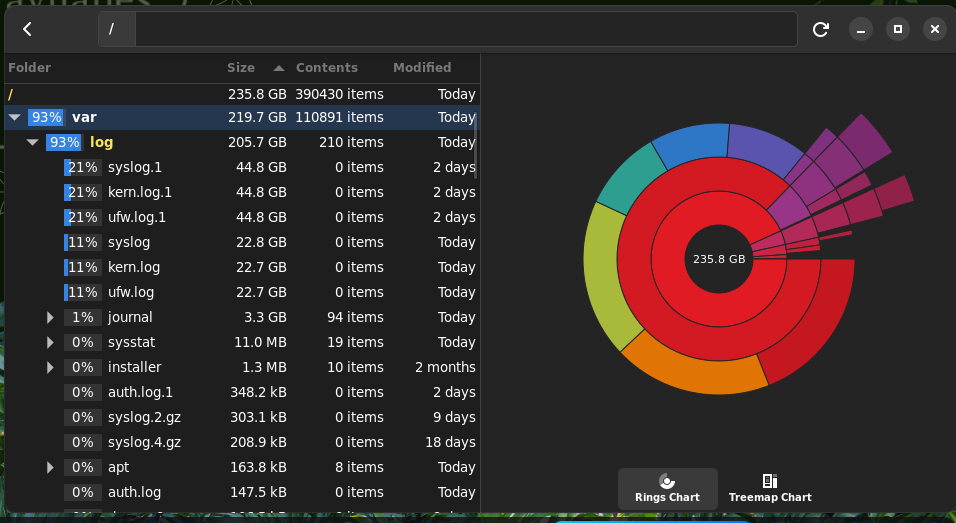
Basically, syslog.1, kern.log.1, ufw.log.1 are taking up WAY too much disk space, but I have no idea how to fix it. Trying to open them just opens the terminal and the log itself, but I don't know how to clear this in a way that lets me sleep at night.
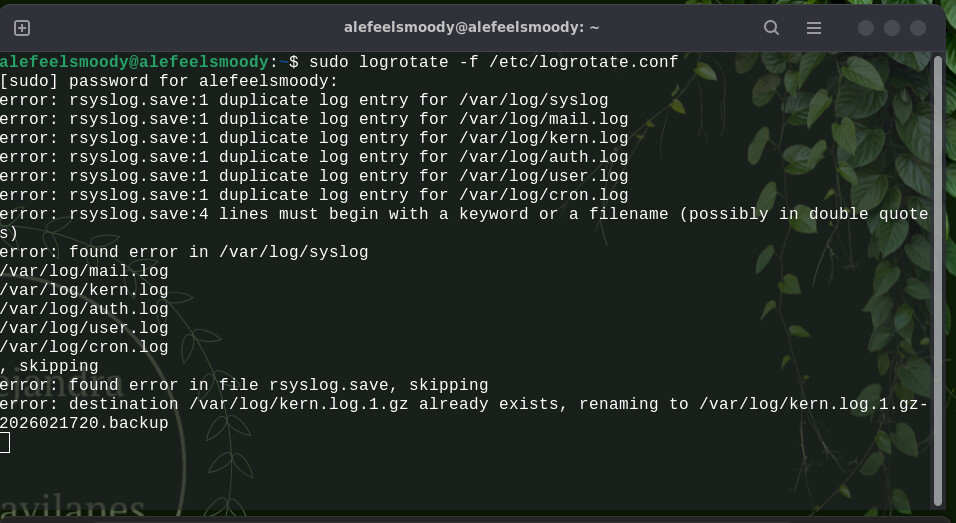
Thank you! Trying now; is this something that's going to take a bit to get going? I closed the terminal thinking it was frozen in error and now there are duplicate log entries being created. Advice welcome if I have to delete these at all
ls is List -l is long format /etc/logrotate.d/ is the path to the directory to list
The command lists all the files in that directory.
You can do the same in GUI
In terminal, elevate the Nautilus File Manager (Files) to root:
nautilus admin:/
Then navigate "Other locations" in the left pane
"Computer" in right pane and follow the tree, etc, logrotate.d
and you can see the files listed. You can right click on a file to delete it - But Take Care Deleting Any Files in Root - these are system files.
The isolated file, if it exists to remove is: rsyslog.save
Though it seems you got through the process above of cleaning old logs...