Can you please tell me if locking the flatpak version has worked because flatpak was set at recommends but not depends?
I'd like to learn more about that and test in a live session what would happen if the thunderbird package had flatpak at depends.
I read here how to change the dependencies of a .deb package. I'm not sure if the guide still works and works in Zorin/Ubuntu. Maybe I have to change the paths.
Then I could remove the line Recommends: flatpak and add a line Depends: flatpak and save the file with another name.
Unfortunately there is not shown what to do then.
I think I shouldn't install Thunderbird the usual way; instead, I should first just download it without installing it, then edit and save it, and finally install the modified version from that directory.
Edit: My test was successful, the guide worked in Zorin without adapting paths.
I downloaded thunderbird
apt download thunderbird
then ran
dpkg-deb --extract ~/thunderbird_2%3a1zorin3flathub_all.deb tmp
dpkg --control ~/thunderbird_2%3a1zorin3flathub_all.deb tmp/DEBIAN
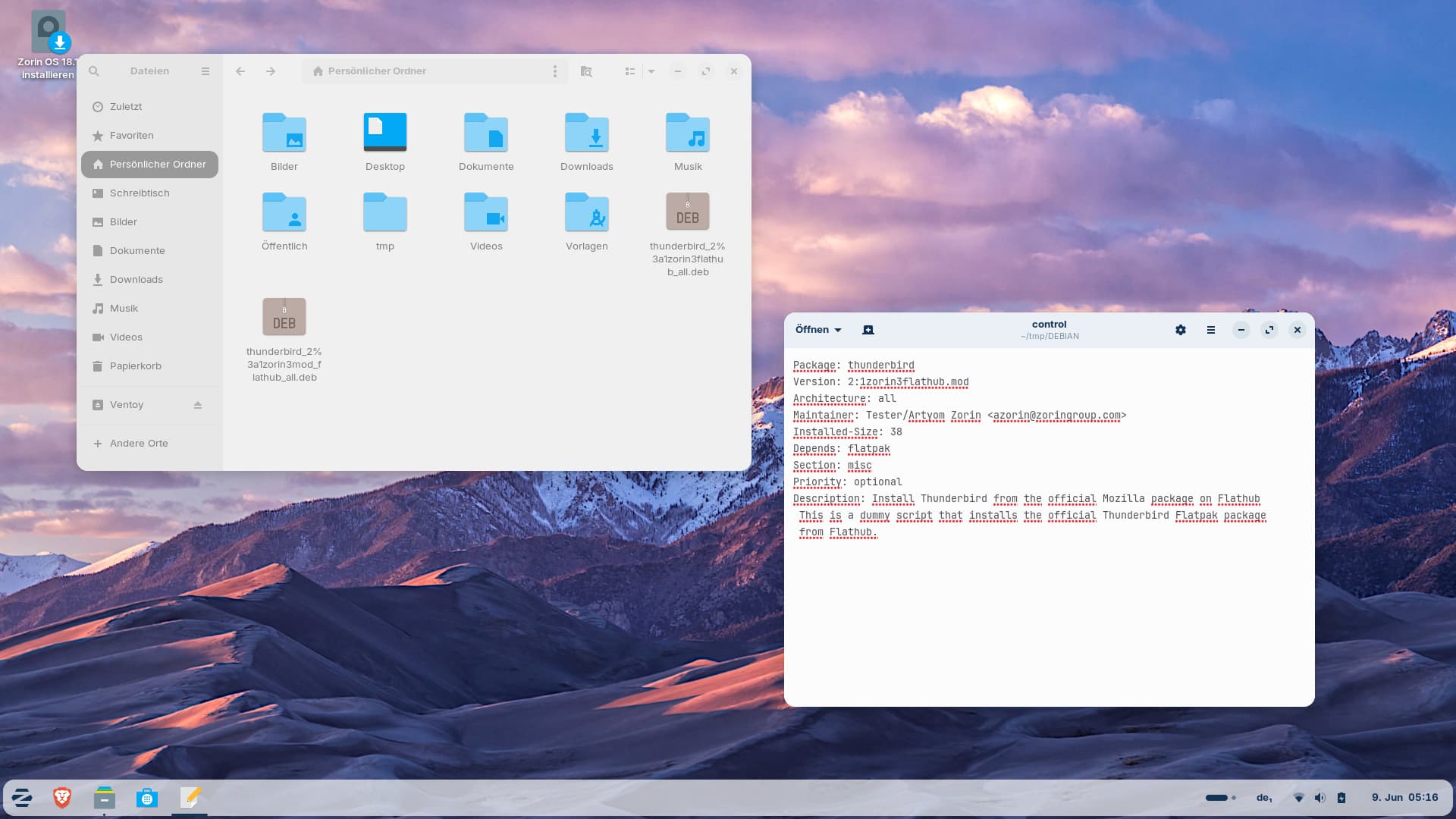
Opened the file control at ~/tmp/DEBIAN/control
and changed the word Recommends to Depends (also added my name to the Maintainer and added .mod at the end of the version, but that is not necessary) and saved the file.
After that I built a new .deb package with an adapted name
dpkg --build tmp thunderbird_2%3a1zorin3mod_flathub_all.deb
I have removed flatpak and flatpak-plugin before, created a .pref file for apt preferences and locked flatpak with
sudo apt-mark hold flatpak
Then I doubleclicked on the new modified .deb file in ~ to install the package with gnome-software.
It was shown that the installation of thunderbird is not possible:
The following packages have unmet dependencies:
thunderbird
Depends on: flatpak but is not going to be installed
The screenshot shows the downloaded thunderbird .deb file and the new built modified .deb file and the modified control file
So it seems that the result is independent of whether flatpak was set as recommended or required dependency. But I'm not sure. That is uncharted territory to me. I also tested it with Pre-Depends instead of Depends, and got the same result there.

